Best MCP Servers for File Storage: Top 8 Tools for 2026
MCP (Model Context Protocol) servers for file storage give AI agents persistent, structured access to cloud storage through a standardized tool interface, replacing ad-hoc API integrations. This guide ranks the top MCP servers, comparing their capabilities for file upload, retrieval, and agentic workflows.

Why Agents Need Specialized Storage Servers
AI agents need long-term memory that survives beyond a single chat session. Context windows have grown, but they're still ephemeral. File storage MCP servers act as a "hard drive" for agents, letting them read documentation, save work products, and share files with humans. Unlike standard APIs, MCP servers expose file operations as standardized tools (like read_file, write_file, search_files) that models like Claude and Gemini already understand. Developers can swap storage backends without rewriting agent code. The official Model Context Protocol documentation highlights this modularity as a foundation for building agentic systems that scale from local prototypes to production cloud environments.
Helpful references: Fast.io Workspaces, Fast.io Collaboration, and Fast.io AI.

Best MCP Servers for File Storage
We evaluated MCP implementations to find the best servers for handling file storage, focusing on tool count, ease of use, and agent-native features. Cloud storage architecture matters more than most people realize. Sync-based platforms require local copies of every file, consuming disk space and creating version conflicts. Cloud-native platforms stream files on demand, so your team accesses what they need without downloading entire folder trees. Cloud storage architecture matters more than most people realize. Sync-based platforms require local copies of every file, consuming disk space and creating version conflicts. Cloud-native platforms stream files on demand, so your team accesses what they need without downloading entire folder trees.
1. Fast.io MCP Server
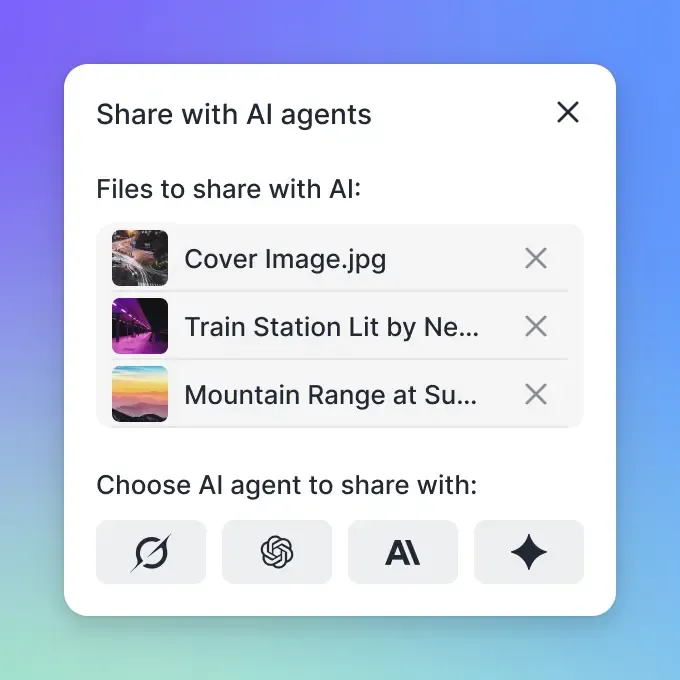
Best For: Production agents, human-agent collaboration, and built-in RAG. The Fast.io MCP Server covers more ground than any other storage option for the Model Context Protocol. It exposes 251 tools, giving agents access to everything from simple uploads to permission management and workspace creation.
Key Strengths:
- Agent-First Design: Agents get their own accounts with 50GB of free storage and no credit card requirement.
- Built-in RAG: The "Intelligence Mode" automatically indexes files, enabling agents to query documents with citations without needing a separate vector database.
- Human Handoff: Agents can build entire workspaces and then transfer ownership to human clients or team members.
- Zero-Config: Works via streamable HTTP/SSE with no complex local infrastructure to manage.
Limitations:
- Requires an internet connection (cloud-native). * More tools than simple prototypes might need (though agents pick only what they need).
Pricing: Free Agent Tier includes 50GB storage and 5,000 monthly credits.


Give Your AI Agents Persistent Storage
Stop relying on ephemeral context. Get 50GB of persistent, RAG-enabled cloud storage for your agents, free forever.
2. Local Filesystem MCP Server
Best For: Local development, testing, and accessing files on your own machine. The reference implementation for local file access, the Filesystem MCP Server enables agents to read and write directly to your computer's drive. It is the default choice for developers running agents locally using tools like Claude Desktop.
Key Strengths:
- Speed: Zero latency as files are local.
- Simplicity: Minimal setup; just point it to a directory.
- Privacy: Data never leaves your local machine (unless the model runs in the cloud).
Limitations:
- No Persistence: If the machine turns off, the agent loses access.
- Security Risk: Giving an agent write access to your local drive requires careful sandboxing.
- No Sharing: Cannot easily share files with other users or agents.
Pricing: Free (Open Source).
3. Google Drive MCP Server
Best For: Personal users and teams already deeply integrated into Google Workspace. Community-maintained Google Drive MCP servers allow agents to interact with files stored in Google's cloud. This is ideal for agents that need to process documents, spreadsheets, or presentations that humans are already working on.
Key Strengths:
- Ecosystem Integration: access to Docs, Sheets, and Slides.
- Collaboration: Files are immediately available to human users.
- Familiarity: Uses the storage users already have.
Limitations:
- Rate Limits: Google's API quotas can be restrictive for high-volume agent tasks.
- Complexity: Setting up OAuth credentials for agents can be cumbersome.
- Not Native: Agents are treated as external API users, not first-class citizens.
Pricing: Free (uses your Google Drive storage quota).
4. AWS S3 MCP Server
Best For: Enterprise infrastructure, massive datasets, and developer-focused agents. For agents that need to interact with object storage, S3 MCP implementations connect directly to Amazon's cloud infrastructure. Data science agents and pipelines processing large media files benefit the most here.
Key Strengths:
- Scalability: Storage capacity grows as needed with no practical ceiling.
- Durability: High data reliability backed by AWS's 11 nines SLA.
- Integration: Connects with other AWS services like Lambda, SQS, and EventBridge.
Limitations:
- Technical Barrier: Requires IAM configuration and bucket management.
- No Native RAG: Search and retrieval require setting up additional services (like Kendra or OpenSearch).
- Cost: Pay-as-you-go pricing can be unpredictable for chatty agents.
Pricing: AWS standard rates (pay per GB and request).
5. GitHub MCP Server
Best For: Code storage, version control, and text-based configuration files. Not a general-purpose file server, but the GitHub MCP Server is a natural fit for coding agents. It treats repositories as storage units so agents can read code, propose changes via pull requests, and search codebases.
Key Strengths:
- Versioning: Built-in history and diff tracking.
- Code Awareness: Specialized tools for searching and understanding code structure.
- Collaboration: Fits into existing developer workflows with PRs, issues, and reviews.
Limitations:
- Text Only: Not suitable for binary files, images, or videos.
- File Size: GitHub has strict limits on individual file sizes (100MB).
Pricing: Free for public repos; paid plans for private teams.
6. Postgres MCP Server
Best For: Structured data storage and small binary blobs. Sometimes "files" are better stored as structured records. A Postgres MCP Server lets agents store information in tables or JSONB columns. With pgvector, it can also handle semantic search.
Key Strengths:
- Query Power: Full SQL capabilities for complex data retrieval.
- Structure: Enforces schemas on data, which can help agent accuracy.
- Transactional: ACID compliance ensures data integrity.
Limitations:
- Complexity: Requires running and managing a database instance.
- Not a Filesystem: Managing hierarchical files/folders is awkward in SQL.
Pricing: Open Source (hosting costs vary). Consider how this fits into your broader workflow and what matters most for your team. The right choice depends on your specific requirements: file types, team size, security needs, and how you collaborate with external partners. Testing with a free account is the fast way to know if a tool works for you.
7. Slack MCP Server
Best For: Sharing files in conversational contexts. The Slack MCP Server is mainly about communication, but it can also handle files. Agents can upload generated reports or images directly to channels where humans are already talking about them.
Key Strengths:
- Visibility: Puts files immediately in front of human teams.
- Context: Files are stored alongside the conversation about them.
Limitations:
- Organization: Files are hard to find later; "storage" is unstructured.
- Retention: Free plans have limited history retention.
Pricing: Free/Paid Slack plans. Consider how this fits into your broader workflow and what matters most for your team. The right choice depends on your specific requirements: file types, team size, security needs, and how you collaborate with external partners. Testing with a free account is the fast way to know if a tool works for you.
8. Memory MCP Server
Best For: Ephemeral knowledge graphs and session context. Not for file blobs, but the Memory MCP Server (often backed by a graph database) stores "facts" and entities. It works alongside file storage by remembering what is in the files and where they live.
Key Strengths:
- Contextual: Stores relationships between entities.
- Fast: Optimized for quick fact retrieval.
Limitations:
- No Blobs: Cannot store images, PDFs, or large datasets.
- Volatile: Often resets between sessions unless persisted to disk.
Pricing: Open Source. Consider how this fits into your broader workflow and what matters most for your team. The right choice depends on your specific requirements: file types, team size, security needs, and how you collaborate with external partners. Testing with a free account is the fast way to know if a tool works for you.
Comparison Summary
| MCP Server | Best For | Storage Type | Built-in RAG?
| Setup Difficulty | | :--- | :--- | :--- | :--- | :--- | | Fast.io | Agents & Teams | Cloud (Managed) | Yes | Easy (Cloud) | | Filesystem | Local Dev | Local Disk | No | Easy (Local) | | Google Drive | Personal Docs | Cloud (SaaS) | No | Medium | | AWS S3 | Enterprise Data | Cloud (Object) | No | Hard | | GitHub | Code | Version Control | No | Medium |
Consider how this fits into your broader workflow and what matters most for your team. The right choice depends on your specific requirements: file types, team size, security needs, and how you collaborate with external partners. Testing with a free account is the fast way to know if a tool works for you.
How to Choose the Right MCP Server
Selecting the right storage backend depends on your agent's environment and goals.
Choose Fast.io if: You need a production-ready cloud environment built around agents. The 50GB free tier, built-in RAG, and ownership transfer to humans make it a strong fit for building autonomous agent workflows.
Choose Filesystem if: You are prototyping locally and don't need to share data or persist it across different machines.
Choose S3 if: You are building an internal enterprise tool that needs to access existing data lakes within your AWS VPC. Getting started should be straightforward. A good platform lets you create an account, invite your team, and start uploading files within minutes, not days. Avoid tools that require complex server configuration or IT department involvement just to get running.
Frequently Asked Questions
What is an MCP server for file storage?
An MCP server for file storage is a software bridge that translates standard AI tool calls (like 'write_file' or 'list_directory') into API commands for a specific storage backend. This allows AI agents to save, read, and organize files persistently without knowing the specifics of the underlying system (e.g., S3, Google Drive, or Fast.io).
Can MCP servers connect to S3?
Yes, there are MCP server implementations that connect to AWS S3. These servers expose S3 buckets as accessible resources to the AI agent, allowing it to upload objects, download files, and list bucket contents using standard MCP tool definitions.
Which MCP server supports built-in RAG?
Fast.io is currently the only major file storage MCP server with built-in RAG (Retrieval-Augmented Generation). Its 'Intelligence Mode' automatically indexes documents in a workspace, allowing agents to perform semantic searches and ask questions about content without needing a separate vector database.
How do MCP servers handle large files?
Most basic MCP servers read files into the context window, which limits file size to the model's context limit. Advanced servers like Fast.io use specialized tools to handle large files, supporting chunked uploads (up to 1GB) and offering metadata-only search to avoid flooding the context window with raw data.
Related Resources

Give Your AI Agents Persistent Storage
Stop relying on ephemeral context. Get 50GB of persistent, RAG-enabled cloud storage for your agents, free forever.