Best 10 AI Team Collaboration Platforms for 2026
Building AI requires more than just code sharing. It needs specialized tools for model versioning, dataset management, and agent orchestration. We reviewed the leading collaboration platforms that help distributed AI teams ship faster.
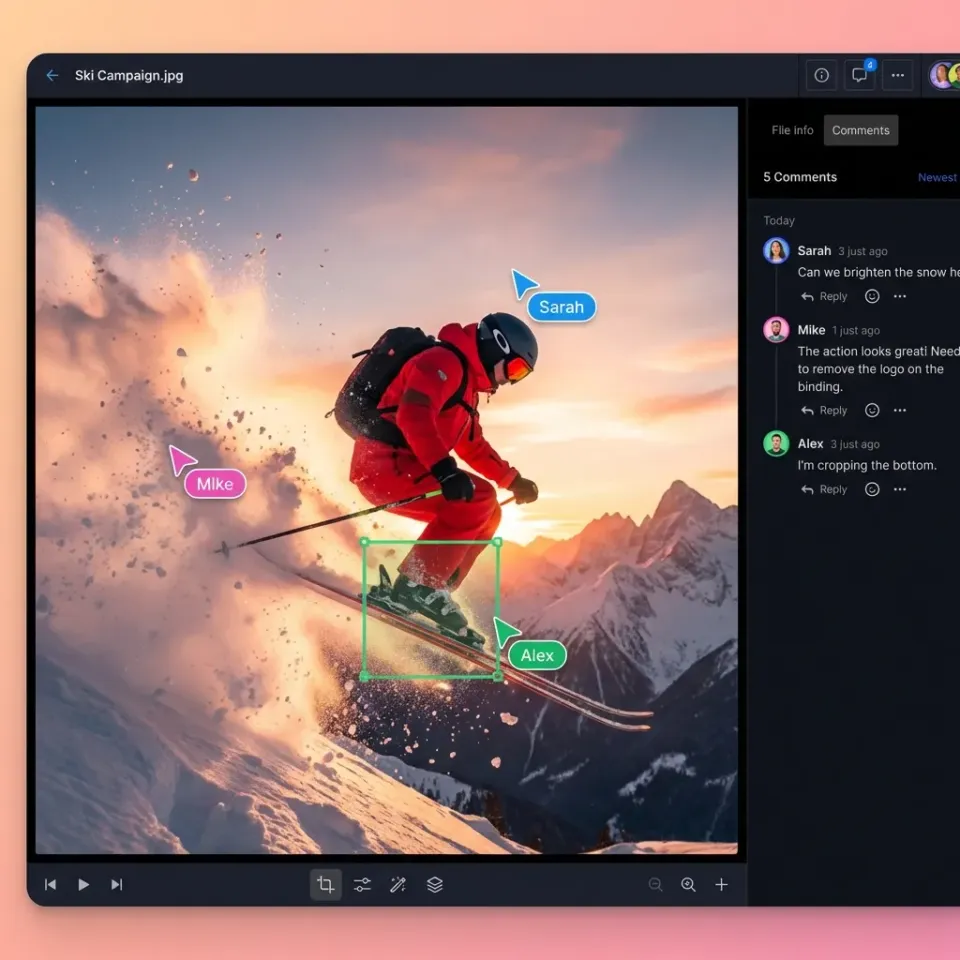
Why AI Teams Need Specialized Collaboration Tools
Traditional collaboration tools like Google Drive or Dropbox weren't built for the scale of AI development. AI teams face specific challenges: versioning terabyte-scale datasets, tracking thousands of model experiments, and managing the output of autonomous agents.
AI team collaboration platforms combine shared workspaces with features for machine learning workflows.
According to recent industry surveys, most AI teams now work in remote or hybrid setups, making centralized, cloud-native collaboration necessary. Teams using purpose-built AI collaboration platforms report shipping models faster than those relying on fragmented tools.
The platforms below address these needs:
- Model Registry & Versioning: Keeping track of which model weight corresponds to which code commit.
- Dataset Management: Sharing massive training data without duplication.
- Agent Integration: Providing storage and state management for autonomous agents.
- Experiment Tracking: Visualizing results across the entire team's runs.
Helpful references: Fast.io Workspaces, Fast.io Collaboration, and Fast.io AI.

What to check before scaling best ai team collaboration platforms
Best for: AI Agent Storage and MCP-Native Workflows
Fast.io is the first cloud storage platform built for AI agents and human-agent collaboration. Unlike traditional storage that treats agents as second-class API users, Fast.io gives agents their own accounts, persistent storage, and tools to work with files.
It includes an official Model Context Protocol (MCP) server, offering 251 tools for file operations, memory management, and search [1]. This allows agents (using Claude, Cursor, or other MCP clients) to read, write, and organize files directly in shared workspaces alongside human team members.
Key Strengths:
- Agent-First Design: Free tier includes 50GB storage and 5,000 credits/month specifically for agents [2].
- MCP Integration: 251 built-in tools via Streamable HTTP and SSE for direct agent control [1].
- Intelligence Mode: Built-in RAG automatically indexes files for semantic search and citations.
- Ownership Transfer: Agents can build entire project structures and transfer ownership to humans.
Limitations:
- Focus is on storage and agent IO, not model training compute.
- Newer entrant compared to legacy enterprise storage.
Pricing: Free Agent Tier (50GB, no credit card) [2]. Usage-based pricing for teams starting at published pricing.



Give Your AI Agents Persistent Storage
Create a Fast.io workspace where humans and agents can collaborate on files, datasets, and models securely.
2. Hugging Face
Best for: Open Source Model & Dataset Sharing
Hugging Face has become the "GitHub of AI," acting as the main hub for the open-source community to share models, datasets, and demos (Spaces). It provides a Git-based workflow for versioning heavy model weights and large datasets that standard Git repositories handle poorly.
For teams, Hugging Face offers private hubs where organizations can securely collaborate on internal models before deployment. Its deep integration with popular libraries like Transformers and Diffusers makes it the default choice for sharing artifacts.
Key Strengths:
- Community Standard: The largest repository of open-source models and datasets.
- Hosted Inference: Test models directly in the browser via Spaces.
- Git-LFS Support: Native handling of large files for model weights.
Limitations:
- Can become expensive for private organization hosting.
- UI is optimized for technical users, less friendly for non-technical stakeholders.
Pricing: Free for public repositories; Enterprise Hub starts at published pricing/month.
3. Weights & Biases (W&B)
Best for: Experiment Tracking and Model Visualization
Weights & Biases is a popular tool for tracking ML experiments. It allows teams to log hyperparameters, metrics, and output visualizations from every training run into a central dashboard. This shared visibility is important for debugging and comparing approaches across a distributed team.
W&B focuses on reproducibility. A team member can look at a colleague's run from last month and see exactly what config, code, and data version produced the result. It acts as the "system of record" for the model building process.
Key Strengths:
- Visualization: Beautiful, interactive charts for comparing hundreds of runs.
- Reproducibility: Automatically captures code state and system metrics.
- Integration: Works with PyTorch, TensorFlow, Keras, and almost every other framework.
Limitations:
- Primarily for tracking metadata, not for storing the actual heavy datasets.
- Learning curve for setting up complex custom reporting.
Pricing: Free for individuals; Team plans start at published pricing/month.
4. Google Vertex AI
Best for: End-to-End Enterprise AI Lifecycle
Vertex AI is Google Cloud's unified platform for building, deploying, and scaling ML models. It brings together AutoML and custom training into a single environment. For large enterprises, it offers a complete set of tools including Feature Store, Model Registry, and Pipelines.
Collaboration is handled through shared projects and IAM roles within the Google Cloud ecosystem. It works well for MLOps teams that need to govern the path from experimentation to production serving with strict security and compliance controls.
Key Strengths:
- Full Lifecycle: Covers everything from data labeling to model monitoring.
- Scalability: Built on Google's global infrastructure.
- Foundation Models: Access to Gemini and other models via Model Garden.
Limitations:
- Lock-in to Google Cloud Platform ecosystem.
- Complex pricing model that can be hard to predict.
Pricing: Pay-as-you-go based on compute and storage usage.
5. Databricks
Best for: Unified Data and AI Teams
Databricks combines data engineering, data science, and AI into a "Lakehouse" architecture. It allows data engineers to build pipelines and data scientists to train models on the same platform, sharing the same underlying data.
Its collaborative notebooks support multiple languages (Python, SQL, Scala) and real-time co-authoring. With MLflow built-in (which Databricks created), it handles model lifecycle management natively, making it a strong choice for teams that need to bridge the gap between data prep and model training.
Key Strengths:
- Unified Platform: Connects data and AI teams.
- MLflow Integration: Strong support for the open standard ML lifecycle tool.
- Collaborative Notebooks: Real-time editing and commenting on code.
Limitations:
- Can be overkill for small teams or pure model-tuning tasks.
- Setup and administration require significant expertise.
Pricing: Usage-based (DBUs) on top of your cloud provider costs.
6. LangSmith
Best for: LLM Application Development and Debugging
Created by the team behind LangChain, LangSmith is a collaboration platform specifically for building LLM applications. It helps teams debug, test, and monitor chains and agents.
In the unpredictable world of LLM outputs, LangSmith provides a shared view of "traces", allowing the whole team to see exactly what prompts were sent, what tools were called, and where an agent might have failed. It also helps teams annotate test datasets to improve evaluation quality.
Key Strengths:
- Trace Visualization: Deep visibility into agent reasoning steps.
- Collaborative Evaluation: Teams can grade and annotate run outputs together.
- Prompt Management: Version and share prompts across the team.
Limitations:
- Tightly coupled with LangChain (though usable with other frameworks).
- Newer platform, still rapidly evolving.
Pricing: Free tier available; Pro plans based on trace volume.
7. DVC (Data Version Control)
Best for: Git-Based Data Versioning
DVC brings the familiar workflow of Git to large datasets and model files. It allows teams to "commit" massive datasets just like they commit code, without bloating the Git repository itself (by storing the actual data in S3, GCS, or Azure Blob Storage).
For collaboration, DVC ensures that everyone on the team is working with the exact same data version. If a teammate updates the training set, others can dvc pull to get the changes. It's an open-source command-line tool that integrates directly into any CI/CD pipeline.
Key Strengths:
- Git Integration: Works well with existing code versioning workflows.
- Storage Agnostic: Use your own cloud bucket (S3, GCS, Fast.io, etc.).
- Pipeline Management: Define and reproduce multi-stage experiments.
Limitations:
- Command-line interface has a steep learning curve for non-engineers.
- Requires external storage setup.
Pricing: Open Source (Free); DVC Studio (SaaS) offers paid team collaboration features.
8. V7
Best for: Collaborative Data Labeling
V7 is an automated labeling platform that helps teams create training data for computer vision and generative AI. It turns the tedious task of annotation into a collaborative workflow, where humans and AI models work together to label images and documents.
Teams can manage datasets, assign labeling tasks, and review quality in a shared workspace. Its "neural networks" feature allows you to train models on your data automatically to speed up future labeling, creating a feedback loop that accelerates dataset creation.
Key Strengths:
- Auto-Labeling: AI assists annotators to speed up work.
- Workflow Management: Detailed task assignment and QA stages.
- Model-in-the-Loop: Continuously trains models on new labels.
Limitations:
- Primarily focused on computer vision (images/video) and document processing.
- Cost per asset can add up for massive datasets.
Pricing: Free academic plan; Business plans start at published pricing.
9. Notion
Best for: AI Project Documentation and Knowledge
While not a technical MLOps tool, Notion has become the operating system for many AI startups and research labs. With its strong AI features, Notion serves as the central wiki where teams document research findings, plan sprints, and store prompts.
Notion AI can summarize long research papers, draft release notes, and even help brainstorm technical architectures. For collaboration, its flexibility allows teams to create custom "databases" of models, experiments, or literature reviews that everyone can edit in real-time.
Key Strengths:
- Flexibility: Build any workflow or documentation structure.
- AI Writing Assistant: Integrated directly into the editor.
- Collaboration: Real-time co-editing and comments are excellent.
Limitations:
- Not for storing actual models or datasets.
- Can become disorganized without strict structure.
Pricing: Free personal; Team plans start at published pricing/month.
10. Slack
Best for: Real-Time Communication and Agent Alerts
Slack is the communication hub of modern AI teams. Beyond chat, it is the main place where human team members interact with their automated systems. Agents can post alerts about training runs, share new model versions, or even answer questions directly in channels.
With Slack AI, the platform now offers thread summarization and daily recaps, helping busy engineers catch up on technical discussions they missed. Integrating tools like Fast.io or LangChain into Slack allows teams to approve agent actions or query knowledge bases without leaving the chat window.
Key Strengths:
- Integrations: Connects with every other tool on this list.
- Agent Interface: Serves as a UI for chat-based agents (ChatOps).
- Slack AI: Summaries help manage information overload.
Limitations:
- Message history limits on free plans.
- Can be distracting for deep work.
Pricing: Free limited plan; Pro starts at $7.25/user/month [3].
Comparison Summary
Here is how the top platforms compare across key use cases:
Which one should you choose?
- For building autonomous agents that need file memory, start with Fast.io.
- For sharing open-source models, Hugging Face is the default.
- For tracking training runs, Weights & Biases is essential.
Frequently Asked Questions
What is the best collaboration platform for AI teams?
The best platform depends on your specific workflow. For agent development and storage, Fast.io is the top choice due to its MCP integration. For model experiment tracking, Weights & Biases is the industry standard. For general model sharing, Hugging Face is widely used.
How do AI teams share large datasets?
AI teams share large datasets using specialized versioning tools like DVC (Data Version Control) or cloud-native storage solutions like Fast.io. These platforms allow teams to manage terabyte-scale data without duplicating files or clogging up Git repositories.
What tools work best with LangChain?
LangSmith is the native collaboration tool for LangChain, offering deep tracing and debugging capabilities. Fast.io is also highly recommended for LangChain agents, as its MCP server provides persistent file storage and memory for agentic workflows.
Can AI agents have their own collaboration accounts?
Yes, Fast.io allows AI agents to have their own distinct accounts with 50GB of free storage [2]. This enables agents to create workspaces, manage files, and collaborate with humans as independent entities, rather than just acting as API utilities.
Related Resources

Give Your AI Agents Persistent Storage
Create a Fast.io workspace where humans and agents can collaborate on files, datasets, and models securely.