How to Build an AI Agent Delivery Portal
Most AI agent guides stop at "save to disk," leaving a gap between agent output and the humans who need it. A delivery portal bridges that gap by giving agents a secure, white-labeled destination to deposit completed work for clients, teammates, or stakeholders. This guide walks through building one with Fast.io's share system, covering password protection, expiration controls, and guest access.
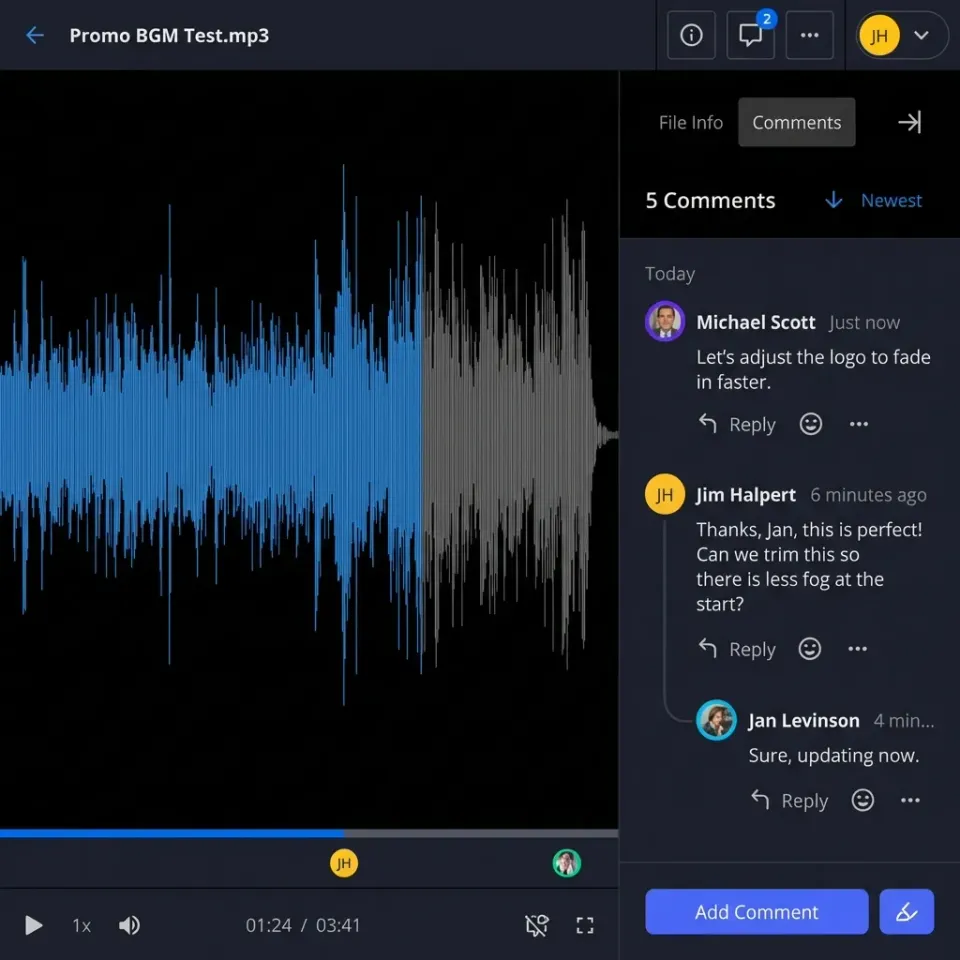
What Is an AI Agent Delivery Portal?
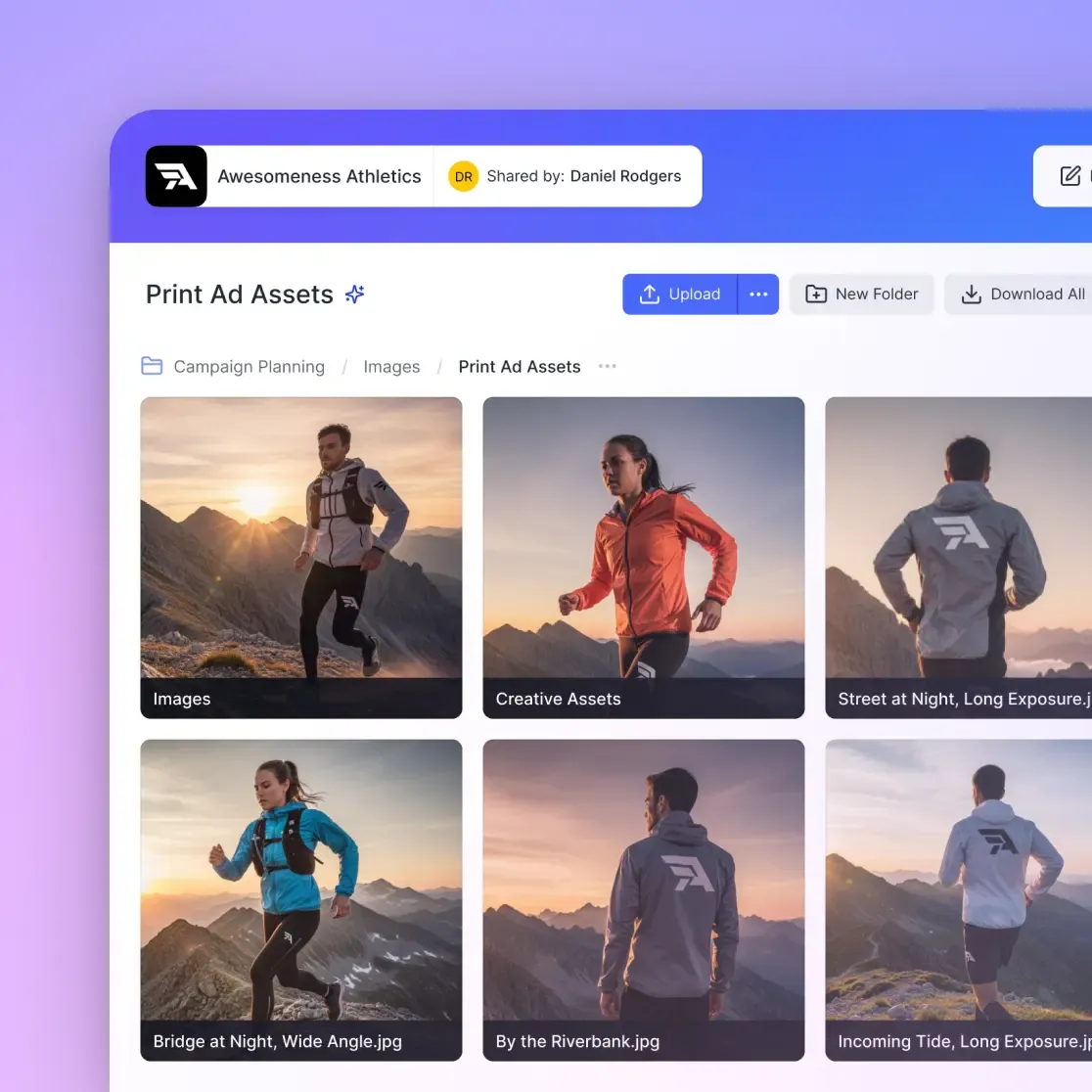
An AI agent delivery portal is a secure, branded page where autonomous agents deposit their completed work for human recipients to review and download. Reports, files, processed data, compiled code: it all goes to one place. Think of it as the last mile of an agentic workflow. The agent does the work, and the portal handles the handoff. Most agent frameworks focus on orchestration, tool use, and reasoning. They generate outputs like research reports, data extractions, processed images, or compiled code. But getting those outputs into the hands of a non-technical stakeholder? That part is usually left as an exercise for the developer. A delivery portal solves this by providing:
- A branded URL that clients or teammates can bookmark and return to
- Access controls like passwords, expiration dates, and view-only permissions
- File organization so recipients find what they need without confusion
- Activity tracking so you know when files were viewed or downloaded
- No account required for recipients, reducing friction to zero
If your agent can produce great work but can't present it professionally, you're losing the value of the automation. The handoff matters as much as the work itself.
Helpful references: Fast.io Workspaces, Fast.io Collaboration, and Fast.io AI.
Why 'Save to Disk' Falls Short
The default pattern for most agent workflows looks like this: agent runs, generates output, writes file to local storage or S3 bucket. Then what? Someone has to email the file, or share a link, or upload it to another platform. That "someone" is usually the developer who built the agent, manually doing the work the agent was supposed to automate. Here's what breaks down:
- Local files aren't accessible. If your agent writes to
/tmp/output.pdf, your client can't reach it. - S3 presigned URLs expire and look unprofessional. A URL like
https://s3.amazonaws.com/bucket/abc123?X-Amz-Signature=...doesn't inspire confidence. - Email attachments hit size limits. Most email providers cap attachments at 25MB, and large reports or media files blow past that immediately.
- No access control. Once you email a file, you can't revoke access or track who viewed it.
- No branding. Generic file hosting tells the recipient nothing about who sent this or why they should trust it. A proper delivery portal turns "here's a file" into "here's your deliverable." Clients notice the difference.


Give Your AI Agents Persistent Storage
Fast.io's free agent tier includes 50GB storage, branded shares, and full API access. Your agents can start delivering to clients in minutes.
Architecture of an Agent Delivery Portal
A well-designed delivery portal has three layers:
Agent Layer (Writes)
Your AI agent connects via API or MCP and uploads its outputs. This is where files land after the agent finishes processing. The agent should be able to:
- Create organized folder structures per project or client
- Upload files of any size without compression
- Set metadata like filenames and descriptions
- Trigger the delivery without human intervention
Storage Layer (Organizes)
Files need persistent, organized storage, not a temporary bucket that expires. This layer handles versioning, folder hierarchy, and search. When an agent runs weekly reports, the storage layer keeps every version accessible.
Delivery Layer (Shares)
This is the portal itself: an access-controlled page where recipients view and download their files. It should support:
- Password protection for sensitive deliverables
- Expiration dates for time-limited access
- Guest access without requiring account creation
- Download controls (view-only vs. downloadable)
- Activity logs showing who accessed what and when

Step-by-Step: Build a Delivery Portal with Fast.io
Fast.io's share system maps directly to the three-layer architecture above. Here's how to wire it up.
Step 1: Set Up Agent Authentication Your agent needs its own Fast.io account. Agents sign up the same way humans do, with their own credentials and persistent storage. ```bash
Agent signs up for a free account (5,000 credits/month)
Using the MCP server or REST API
auth signup --email agent@yourcompany.com --password
The free agent tier includes 50GB of storage and 5,000 monthly credits. No credit card required.

### Step 2: Create a Workspace for Agent Outputs

Workspaces are where your agent stores its files before sharing them. Create one per project, client, or workflow. ```bash
### Create an organization and workspace
org create --name "Client Deliverables" --domain client-deliverables
workspace create --name "Q1 Reports" --org client-deliverables
Step 3: Upload Agent Outputs
After your agent generates its deliverables, upload them to the workspace. Fast.io handles files of any size without compression. ```bash
Upload a generated report
upload text-file --filename "market-analysis-q1.pdf"
--workspace
For larger files or binary data, use chunked uploads:

```bash
upload create-session --filename "dataset.csv" \
  --filesize 52428800 --workspace <workspace_id>
upload chunk --upload-id <id> --chunk-number 1 --data <base64>
upload finalize --upload-id <id>
Step 4: Create a Branded Share (The Portal)
This is where it comes together. A "Send" share creates a delivery portal where recipients access files. ```bash
share create --type send
--name "Q1 Market Analysis"
--workspace
--access "Anyone with the link"
--password "client-secure-2026"
--expires "2026-03-31"
--download-enabled true
This gives you a branded URL like `https://fast.io/s/q1-market-analysis` that your agent can send directly to clients.

### Step 5: Automate the Full Loop

Wire these steps into your agent's workflow so delivery happens automatically after each run:

1. Agent completes its task and generates output files
2. Agent uploads files to the designated workspace
3. Agent creates or updates a share with appropriate access controls
4. Agent sends the share link to the recipient (via email, Slack, or your preferred channel)

The [MCP server](/storage-for-agents/) makes this especially clean for Claude-based agents, since all these operations are available as native MCP tools.
Access Control and Security Options
Different deliverables need different levels of protection. Here's how to match access controls to your use case.
Public Reports (Low Sensitivity)
For content like marketing reports or public research summaries:
- Access: "Anyone with the link"
- No password required
- Set an expiration date if the data becomes stale
- Enable downloads
Client Deliverables (Medium Sensitivity)
For client-specific work like financial analyses or project reports:
- Access: "Anyone with the link" + password protection
- Expiration: 30-90 days after delivery
- Activity tracking enabled to confirm client reviewed the files
- Downloads enabled
Sensitive Data (High Security)
For confidential materials like legal documents, deal data, or proprietary research:
- Access: "Only members of the Share" (explicit invite required)
- Password protection as an additional layer
- View-only mode (no downloads) when appropriate
- Short expiration (7-14 days)
- Audit logs for full access history
Fast.io logs every access event: views, downloads, permission changes. You get a full audit trail for every delivery.
Real-World Agent Delivery Patterns
Here are three patterns that work well in production.
Pattern 1: Scheduled Report Delivery
An agent runs nightly, processes data, and generates a PDF report. Each morning, stakeholders find the latest report in their bookmarked portal. Previous reports stay accessible too.
Best for: Analytics dashboards, compliance reports, market research
Pattern 2: Project Milestone Delivery
A coding agent or research agent completes a milestone and packages its outputs: source code, documentation, test results. It creates a share for the project lead with everything organized by type.
Best for: Development projects, consulting engagements, research sprints
Pattern 3: Multi-Client Batch Delivery
An agent processes work for multiple clients in a single run. It creates separate shares for each client, each with their own branding, password, and expiration. No client sees another client's data.
Best for: Agencies, managed services, SaaS platforms with per-customer reporting
Each pattern uses the same underlying API calls. The difference is in how you organize workspaces (per-client vs. per-project) and how you configure share access.

Tips for Production Deployments
A few things that matter once you move past prototyping:
Name your files . Recipients don't know what output_7f3a.csv means. Have your agent use descriptive filenames like client-name-q1-revenue-analysis.pdf.
Set consistent folder structures. If your agent delivers weekly, create a folder hierarchy like 2026/Week-06/ so recipients can navigate by date.
Use expiration dates on everything. Stale deliverables create confusion. Set shares to expire after the relevant period, whether that's a week for a draft review or 90 days for a final report.
Monitor activity logs. Fast.io's audit trail shows when recipients access their files. If a client hasn't opened a deliverable within a few days, that's a signal to follow up.
Test the recipient experience. Open your share link in an incognito browser window. Is the branding correct? Does the password flow work? Can the recipient find the right file? The delivery is only as good as the experience on the other end.
Plan for the handoff. When a project wraps up, you can transfer the entire organization to the client using Fast.io's ownership transfer. Workspaces, shares, files: it all moves over. The agent keeps admin access, and the client gets full control.
Frequently Asked Questions
How do AI agents deliver results to users?
AI agents deliver results by uploading their output files to a cloud storage platform and creating a share link that recipients can access. With Fast.io, agents use the REST API or MCP server to upload files, create branded shares with access controls, and send the share URL to recipients. This replaces manual steps like emailing attachments or sharing S3 presigned URLs.
What is an agent delivery portal?
An agent delivery portal is a secure, branded page where AI agents deposit completed work for humans to review and download. It pairs persistent file storage with access controls: passwords, expiration dates, and guest access. Non-technical stakeholders get a clean interface to receive agent outputs without needing special software or an account.
How do you share AI agent output with clients?
Set up a delivery portal using a platform like Fast.io. Your agent uploads its outputs to a workspace, then creates a password-protected share with a custom URL. The client receives the link, enters the password, and sees their files in a clean, branded interface. No account creation required on their end.
Can AI agents create file shares automatically?
Yes. Fast.io's REST API and MCP server give agents full programmatic control over share creation. An agent can create a share, set access controls (password, expiration, view-only), upload files, and generate a share link, all without human intervention. The free agent tier provides 5,000 credits per month for these operations.
How much does it cost to set up an agent delivery portal?
Fast.io offers a free agent tier with 50GB of storage and 5,000 monthly credits. This covers the storage, sharing, and delivery features needed for most agent workflows. No credit card is required to start. For higher volume needs, paid plans use usage-based pricing rather than per-seat fees.
Related Resources

Give Your AI Agents Persistent Storage
Fast.io's free agent tier includes 50GB storage, branded shares, and full API access. Your agents can start delivering to clients in minutes.