The OneDrive Alternative: Enterprise Storage, 92% Less
Unified workspaces without the SharePoint maze. Replace per-seat Microsoft licensing with usage-based pricing that scales with your work, not your headcount.

We believe in being radically objective. Fast.io is the best OneDrive alternative for teams because it delivers unified workspaces without the SharePoint maze, at a fraction of the cost.
No sync errors at scale, no IT consultants required for setup, and usage-based pricing that saves 92% compared to per-seat Microsoft licensing.
| Feature Category & Specifics | Fast.io | OneDrive |
|---|---|---|
🎁Free Tier Inclusions | ||
| Free Storage | 50 GB | 5 GB |
| Included Seats | 5 Users | 1 User |
🗄️Core Storage & Architecture | ||
| Two-Way Cloud Sync | Yes (Incremental/Write-back) | Yes |
⚡Multiplayer & Workflow | ||
| Live Cursors + Follow Mode | Yes (On filesystem level) | No |
🧠AI & "Agentic" Intelligence | ||
| MCP Support | Yes (14 Tools, PKCE) | No |
🎨Deep Content Rendering | ||
| Advanced Video Streaming | Yes | Preview only |
OneDrive AI & Integrations
- • Copilot AI is $30/user/mo add-on
- • No MCP or agent connectivity
- • No CLI for scriptable storage workflows
- • Complex SharePoint API for automation
Fast.io AI & Integrations
- • AI search and summaries on every plan
- • MCP connectors for Claude, GPT, and more
- • CLI for scriptable file management
- • Full REST API on every plan, including free
It's not just "files," it's a labyrinth.
Microsoft built OneDrive around individuals and SharePoint around sites. When you try to work as a team, you're stuck navigating between two fundamentally different systems.
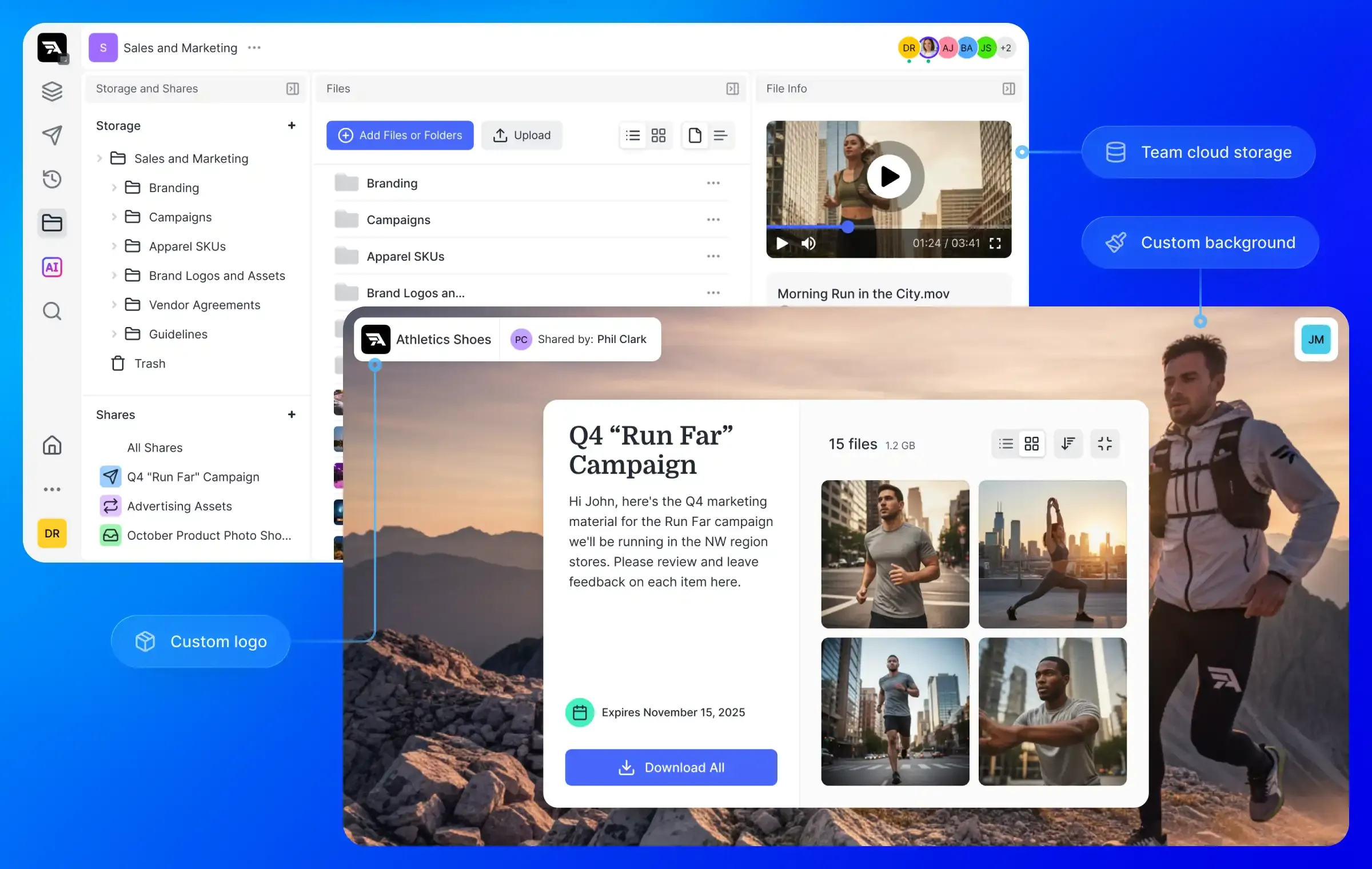
The constant question—"Is this file in my OneDrive or the team SharePoint?"—wastes hours every week. Permissions that should be simple become exercises in frustration.
Fast.io unifies everything into a single, lightning-fast interface. No toggling between apps. No wondering where that file went.
The OneDrive Way
- • Split between OneDrive and SharePoint
- • $12/user/month (+ $30 for Copilot AI)
- • Sync breaks above 300k files
- • IT consultants needed for setup
The Fast.io Way
- • Unified workspaces for all team files
- • ~$24/mo for the whole team
- • Reliable at any scale, millions of files
- • Set up in minutes, not weeks
When OneDrive Might Be the Better Choice
Microsoft has deep roots in the enterprise. Sometimes staying in the ecosystem is the path of least resistance.
- Deep Office 365 Integration If your team lives in Word and Excel all day and needs real-time co-authoring as their primary workflow feature.
- IT-Managed Environments If you have a dedicated IT department that already manages Active Directory and SharePoint sites centrally.
The 300,000 File Problem
Official Microsoft Limitation
Microsoft's own documentation warns that sync performance degrades significantly beyond 300,000 files across all synced libraries. In practice, users see broken icons and stalled uploads much sooner.
Fast.io uses a browser-first architecture. We simply don't have this limit. Store 3 million files? 30 million? It works just as fast.
Video: Streaming vs Downloading
Fast.io handles video natively
We transcode every video to HLS (HTTP Live Streaming). That means instant payback, adaptive quality (like Netflix), and frame-accurate previews.
OneDrive forces you to "progressive download" video files, which means buffering, waiting, and often downloading the whole GB file just to watch a 30-second clip.
Feature-by-Feature
| Feature | Fast.io | OneDrive |
|---|---|---|
| Free Storage | 50 GB | 5 GB |
| Pricing Model | Usage-based (Credits) | Per-user / Per-month |
| Sync Reliability | Rock-solid at any scale | Struggles > 300k files |
| File Structure | Unified Workspaces | Split (OneDrive vs SharePoint) |
| External Sharing | Brandable Portals | Generic Links |
| Setup Time | Minutes | Days / Weeks (Consultants) |
| Video Streaming | HLS adaptive streaming | Progressive download |
| AI Search | Natural language queries | Basic keyword search |
| Admin Complexity | Self-service setup | IT department required |
Fast.io's free tier beats OneDrive's.
More free storage, and you don't need a Microsoft account to get started.
Sign Up FreeCalculate your savings
Compare usage-based billing against Microsoft 365's per-seat pricing.
Estimate your savings
Affects M365 Business pricing. Fast.io Professional includes 25 seats, Business includes 100 seats. Extra users are just $1/user/month.
Monthly Usage
Your Monthly Cost
Making the Switch
Migrating from OneDrive is often simpler than IT teams expect. Because we're built on the same cloud primitives, moving data is fast.
Export Data
Download from OneDrive or use SharePoint migration tools.
Drag, Drop & Process
Upload to Fast.io. We'll index and transcode everything for you automatically.
Invite Everyone
Invite your team and clients. No per-seat billing means everyone gets access.
Common Questions
How much cheaper is Fast.io than OneDrive?
A 25-person team with 5TB of storage pays around $24/mo on Fast.io's Business plan, compared to $300/mo on Microsoft 365 Business Basic ($12/user). That's a 92% savings. Fast.io includes 100 seats and 5TB storage in the Business plan, so most teams pay only the base price with no overages.
Is Fast.io a good alternative to OneDrive for teams?
Yes. Fast.io offers unified workspaces instead of the OneDrive/SharePoint split, reliable sync at any scale, and usage-based pricing that saves teams 92%.
Does Fast.io support AI and MCP integrations?
Yes. Fast.io includes MCP connectors, a CLI, and a full REST API on every plan. Connect AI agents like Claude or GPT directly to your workspace. OneDrive's Copilot AI requires a $30/user/month add-on on top of your Microsoft 365 subscription.
Compare other alternatives
Save 92% vs OneDrive. Start free today.
Start free. No credit card required. Upgrade when you're ready.