How to Set Up a White Label Client Portal for Your Business
A white label client portal is a fully brandable workspace where agencies and service businesses share files, collect feedback, and manage client projects under their own brand identity. This guide covers what to look for in a white label portal, how to set one up, and how to pick the right platform for your business.
What Is a White Label Client Portal?
A white label client portal is a platform you rebrand as your own, giving clients a self-service space to access files, track progress, and communicate with your team. The technology runs on someone else's infrastructure, but your clients see your logo, your colors, and your domain.
Think of it as the difference between handing a client a manila folder in your branded office versus asking them to pick up files from a generic warehouse. Both deliver the documents, but one reinforces that you're a professional operation worth paying for.
The "white label" part means the platform vendor's branding disappears completely. No "Powered by" footers, no third-party login screens. Clients interact with what looks and feels like your custom-built software, without the six-figure development cost.
Most white label portals include:
- Custom visual identity: Your logo, brand colors, and favicon on every page
- Custom domain: Clients visit portal.youragency.com, not some third-party URL
- Secure file sharing: Upload deliverables and let clients download without email attachments
- Permission controls: Different access levels for different stakeholders on the same project
- Activity tracking: See who viewed, downloaded, or commented on shared files
The goal is straightforward. You want clients to feel like they're working inside your ecosystem, not borrowing someone else's tool.
Helpful references: Fast.io Workspaces, Fast.io Collaboration, and Fast.io AI.
Why Branding Your Client Portal Matters
Branding consistency across client touchpoints has a measurable impact on retention and revenue. Research from Wisoft Solutions found that consistent branding across all touchpoints drives a 23% revenue lift, with top-performing brands seeing up to 33% growth. Separately, agencies using white-label services report 42% higher client retention compared to those using unbranded tools, according to Amra and Elma's analysis of white-label marketing data.
Those numbers make sense when you consider what a portal actually represents. Every time a client logs in, downloads a deliverable, or checks a project status, they're interacting with your brand or someone else's. An unbranded portal introduces a third party into a relationship where you want to be the single point of trust.
Three specific business outcomes drive the investment:
Perceived value goes up. Clients paying $5,000 a month expect a polished experience. A branded portal signals that you've invested in the infrastructure to serve them well. It's the same reason law firms have nice lobbies.
Support requests go down. When clients can log in and find their files, check project status, and review deliverables on their own schedule, they stop emailing your team asking "where's that file?" Self-service access reduces back-and-forth by replacing ad hoc email threads with an organized workspace.
Client onboarding gets faster. Instead of explaining a new tool for every engagement, you send a single login link to your portal. New clients see your brand from day one, reinforcing the relationship before the first deliverable ships.
Features to Look for in White Label Portal Software
Not every "white label" portal delivers the same depth of customization. Some platforms let you swap a logo and call it branded. Others give you control over the entire client experience. Here's what separates a surface-level rebrand from a portal that actually feels like yours.
Branding depth
At minimum, you need logo, color scheme, and favicon customization. Better platforms offer branded email notifications, custom login pages, and vanity domains so clients never see the vendor's name. The best options extend branding to mobile experiences and download pages.
File management
The portal needs to handle real file workflows, not just static downloads. Look for file versioning so clients always see the latest deliverable, folder structures that mirror your project organization, and preview support so clients can review files without downloading them first. Bonus points for large file support. If you're sending video, architecture renderings, or design source files, a 25 MB email attachment limit won't cut it.
Access control
You need granular permissions at the project, folder, and file level. Different stakeholders on the same client account should see different things. The CEO reviewing final deliverables doesn't need access to working drafts. The junior associate downloading source files shouldn't be able to delete the project folder.
Client self-service
A good portal lets clients help themselves. File requests and upload workflows let clients submit assets without email. Download tracking shows you who accessed what. Activity feeds keep everyone current without status meetings.
AI and search
As portals grow to hold hundreds of files, manual browsing breaks down. Portals with built-in search, automatic indexing, or AI-powered Q&A let clients find what they need without filing a support request. Some platforms now offer embedded AI that can answer questions about shared documents directly inside the portal.
Security
Password protection, link expiration, and audit trails are table stakes. Role-based permissions, two-factor authentication, and download controls give you the confidence to share sensitive deliverables like contracts, financial documents, or pre-release creative work.



Build a branded client portal in minutes
Fast.io gives you white-label portals with custom branding, AI-powered document search, and 50 GB free storage. No credit card required. Built for white label client portal workflows.
How to Set Up a White Label Client Portal
Setting up a branded portal takes anywhere from 30 minutes to a few hours, depending on how deep you want the customization. Here's the practical walkthrough.
Step 1. Choose your platform
Pick a portal platform based on your primary use case. If you mainly share files and collect feedback, a file-centric portal like Fast.io works well. If you need invoicing, e-signatures, and CRM features bundled in, all-in-one platforms like SuiteDash or Assembly offer broader functionality at the cost of complexity.
Step 2. Configure your branding
Upload your logo, set your brand colors, and configure a custom domain. Most platforms let you point a subdomain (portal.yourcompany.com) to the portal via a CNAME record. This takes about 15 minutes if you have access to your DNS settings.
Don't skip email notification branding. Every automated email your portal sends, file shared notifications, access invitations, password resets, should carry your visual identity. Clients receive these emails outside the portal context, so unbranded notifications break the illusion.
Step 3. Organize your workspace structure
Create a folder hierarchy that mirrors how your clients think about their projects. For a marketing agency, that might be:
- Client Name
- Campaign Q1
- Approved Assets
- Drafts for Review
- Source Files
- Campaign Q2
- Campaign Q1
For a consulting firm, it might be organized by engagement type: audits, reports, deliverables.
Set permissions at the folder level so new files automatically inherit the right access controls. This prevents the common mistake of sharing a file and forgetting to restrict who can see it.
Step 4. Set up client access
Create access links or invitation flows for each client. The best portals offer guest access without requiring clients to create an account, reducing friction. For clients who need ongoing access, individual logins with saved preferences work better.
Consider setting auto-expiring access links for time-sensitive projects. Due diligence materials, pre-launch creative, or confidential reports shouldn't stay accessible indefinitely.
Step 5. Test the client experience
Before inviting real clients, walk through the portal as if you're a client. Check that:
- The login page shows your branding, not the vendor's
- File previews work for your common file types (PDFs, images, video)
- Downloads work on mobile devices
- Email notifications carry your branding
- Permission restrictions actually prevent unauthorized access
Fix anything that breaks the branded experience before your first client sees it.

Comparing White Label Portal Platforms
The white label portal market splits into two camps: file-centric platforms and all-in-one business suites. Your choice depends on whether you need a focused file sharing portal or a broader client management system.
File-centric portals
These platforms focus on sharing, organizing, and delivering files under your brand. They tend to have stronger file management features: better previews, larger upload limits, version history, and download analytics.
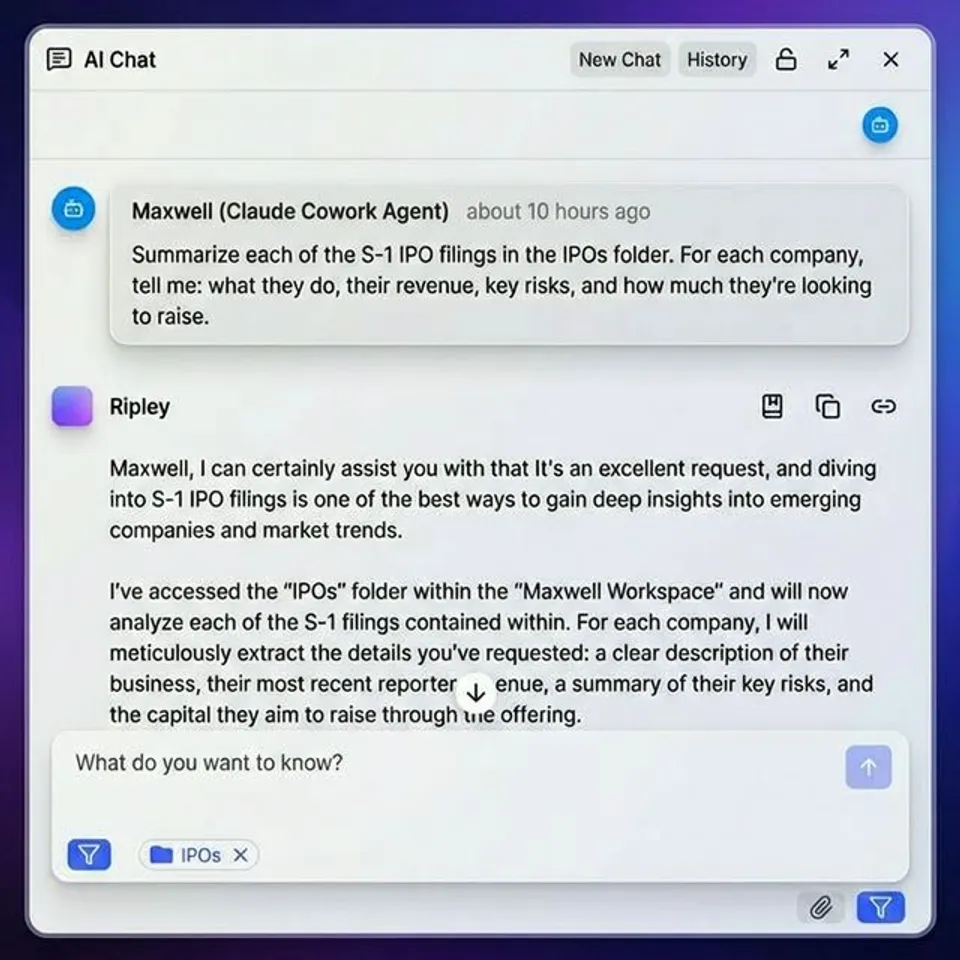
Fast.io offers branded content portals with custom logos, colors, backgrounds, and vanity URLs. Clients access portals without creating an account through auto-expiring guest links. The platform includes portal analytics for tracking viewer engagement, and Ripley AI answers client questions about shared documents directly inside the portal. Plans start free with 50 GB storage and include workspace intelligence that auto-indexes files for search. Agents can even build portals programmatically and transfer ownership to humans when the workspace is ready.
Clinked targets professional services firms with deep white-labeling that extends to mobile apps. Pricing starts around published pricing.
SuperOkay provides lightweight branded workspaces aimed at freelancers and small agencies. Good for simple project delivery without the overhead of a full platform.
All-in-one suites
These platforms bundle portals with CRM, invoicing, project management, and sometimes marketing automation.
SuiteDash combines client portals with CRM, invoicing, and project management in one platform. Plans start at published pricing with unlimited clients, making it cost-effective for agencies managing many small accounts.
Assembly (formerly Copilot) unifies messaging, billing, e-signatures, and knowledge base features into a single branded portal. Good for service businesses that want one login for everything.
Moxo focuses on workflow orchestration for complex client engagements, with portal features built around structured processes rather than ad hoc file sharing. Pricing starts at published pricing.
Which approach fits?
Choose a file-centric portal if your primary client interaction is sharing deliverables, collecting feedback on creative work, or running review cycles. Choose an all-in-one suite if you also need invoicing, contracts, and project management in the same branded space.
For agencies handling large media files, video, design source files, or architecture plans, file-centric platforms typically offer better preview support and higher upload limits than business suites that treat files as a secondary feature.
Making Your White Label Portal Work Long-Term
Launching a portal is the easy part. Keeping it useful requires ongoing attention to a few areas that trip up most teams.
Keep your file structure clean
Portals accumulate clutter fast. Establish naming conventions early and enforce them. Archive completed projects instead of deleting them, so you have a record if a client asks about past work. Review your folder structure quarterly to make sure it still matches how your team actually works.
Monitor engagement
Portal analytics tell you whether clients actually use the portal or still email you for files. If a client consistently ignores the portal, that's a training problem, not a technology problem. Schedule a 10-minute walkthrough during onboarding to show new clients where their files live.
Track which files get viewed and downloaded. Low engagement on a deliverable might mean the client missed it, or it might mean they don't find it useful. Either way, the data gives you a conversation starter.
Scale with templates
Once you've set up your first few client workspaces, turn the folder structure into a template. New clients should get a pre-built workspace with the right folders, permissions, and welcome materials already in place. This keeps quality consistent as you grow from 5 clients to 50.
Use AI to reduce support load
If your platform supports it, enable AI-powered search or document Q&A inside the portal. Clients who can ask "what's the latest version of the brand guidelines?" and get an instant answer stop filing support tickets for routine questions. Platforms with built-in intelligence, like Fast.io's Ripley AI, index shared documents automatically so this works out of the box without any configuration.
Revisit your branding
When you rebrand or refresh your visual identity, update your portal immediately. An outdated logo or old color scheme undermines the professional image you built the portal to project. Set a calendar reminder to audit your portal branding alongside any brand refresh.
Frequently Asked Questions
What is a white label client portal?
A white label client portal is a platform you rebrand with your own logo, colors, and domain to give clients a self-service space for accessing files, tracking projects, and communicating with your team. The vendor's branding is completely hidden, so clients see only your brand throughout the experience.
How do you set up a branded client portal?
Choose a portal platform, upload your branding assets (logo, colors, favicon), configure a custom domain via CNAME record, set up your folder structure and permissions, and test the full client experience before inviting real clients. Most platforms take 30 minutes to a few hours to configure.
What is the best white label portal software?
It depends on your needs. For file-centric workflows like creative delivery and document sharing, Fast.io and Clinked offer strong white-labeling with good file management. For all-in-one client management with invoicing and CRM, SuiteDash and Assembly bundle more features at the cost of file handling depth.
Can you white label a file sharing portal?
Yes. Several platforms offer full white-label file sharing portals where you replace the vendor's branding with your own. Look for custom domain support, branded email notifications, and guest access so clients can download files without seeing any third-party branding.
How much does white label portal software cost?
Pricing varies widely. Fast.io offers a free tier with 50 GB storage. SuiteDash starts at published pricing with unlimited clients. Clinked starts around published pricing. Enterprise-focused platforms like Moxo start at published pricing. Most platforms charge flat monthly fees rather than per-user pricing.
Do clients need to create an account to use a white label portal?
Not always. Many platforms offer guest access through auto-expiring links, so clients can view and download files without registering. For ongoing relationships where clients need persistent access, individual logins with saved preferences provide a better experience.
Related Resources

Build a branded client portal in minutes
Fast.io gives you white-label portals with custom branding, AI-powered document search, and 50 GB free storage. No credit card required. Built for white label client portal workflows.