How to Create a Client Portal for Your Business
A client portal is a secure, branded space where businesses share files, collect documents, and communicate with clients outside of email. This guide walks through six steps to create one, compares the three main approaches (custom build, WordPress, SaaS), and helps you pick the right path based on your budget and timeline.

What Is a Client Portal and Why Build One?
A client portal is a private, branded space where your clients log in to access files, upload documents, track project status, and communicate with your team. Instead of managing client relationships through email threads, shared Google Drives, and scattered attachments, everything lives in one place.
The practical benefits are straightforward:
- Less email: One development team reported a 67% reduction in "quick question" emails after launching a portal. Even a modest portal cuts the back-and-forth around file sharing and status updates.
- Faster turnaround: Clients can self-serve instead of waiting for someone to dig up a file and forward it. Businesses using portals report shorter process cycle times because clients find what they need without a support ticket.
- Professional appearance: A branded portal with your logo and colors signals that you run a serious operation. It is the difference between handing a client a polished dashboard and asking them to search their inbox.
- Better security: Email attachments have no access controls. A portal lets you set permissions per client, track who viewed what, and revoke access when a project ends.
The question is not whether you need a client portal. If you work with external clients and share files with them, you do. The question is how to build one without overengineering it.
Helpful references: Fast.io Workspaces, Fast.io Collaboration, and Fast.io AI.
Three Approaches: Custom Build, WordPress, or SaaS
Before jumping into the step-by-step, you need to pick an approach. There are three realistic options, and each one trades off cost, control, and speed differently.
Custom Development
Building from scratch gives you full control over every feature, every pixel, and every integration. You own the code and can modify it anytime.
The cost is significant. A basic portal with login, roles, file management, and a dashboard runs $20,000 to $40,000 in development costs. Add integrations, approval workflows, and multi-tenant architecture, and you are looking at $40,000 to $80,000 or more. Enterprise portals with deep CRM integration and custom analytics can exceed $200,000. Then add 15-20% of the initial build cost annually for maintenance, security patches, and feature updates.
Best for: Companies with unique workflow requirements that no off-the-shelf tool covers, or organizations handling enough clients that per-seat SaaS fees become more expensive than owning the software.
WordPress Plugins
WordPress plugins like WP Customer
Area, WP-Client, and Client Portal.io bolt portal functionality onto an existing WordPress site. Costs range from free (basic plugins) to $150-published pricing for premium options, plus your hosting costs.
The upside is that you stay inside a platform your team already knows. The downside is that WordPress was not designed for this. You will spend time managing plugin conflicts, security vulnerabilities, and performance issues as your client base grows. File storage usually depends on your hosting provider, which means you are managing server capacity alongside content.
Best for: Small businesses already running WordPress that need a simple document sharing portal for a handful of clients.
SaaS Portal Platforms
SaaS tools give you a working portal in hours instead of months. You configure branding, permissions, and file structure through a web interface, and the vendor handles hosting, security, and updates.
Pricing varies widely. Budget options like Ahsuite start free for up to 10 portals. Mid-range platforms like SuiteDash run $19 to published pricing. Per-seat tools like Copilot charge $59 to published pricing for 1-3 internal users. Fast.io offers a free plan with 50 GB storage, branded portals, and AI-powered document chat, with no credit card required.
Best for: Most businesses. SaaS wins on time-to-value and total cost of ownership for the first three to five years, after which recurring fees may approach custom build costs.



Set Up Your Client Portal Today
Fast.io gives you branded portals with 50 GB free storage, built-in AI document chat, and file sharing that works both ways. No credit card, no trial period. Built for create client portal workflows.
6 Steps to Create a Client Portal
These steps work regardless of which approach you chose above. The specifics change, but the sequence stays the same.
1. Define What Your Clients Actually Need
Start by listing every interaction you currently have with clients: file deliveries, document collection, status updates, feedback requests, invoice sharing. Then rank them by frequency and pain level.
Most businesses discover that 80% of their client communication falls into three categories:
- Sending files to clients (deliverables, reports, contracts)
- Collecting files from clients (signed documents, brand assets, tax forms)
- Answering status questions ("Where is my project?" "Did you get the files I sent?")
Your portal needs to handle these three things well before adding anything else. Resist the urge to build a feature-complete project management system on day one. The portals that fail are the ones that try to do everything and end up confusing clients who just want to download a file.
2. Choose Your Platform
Match your choice to your constraints:
- Under $500 budget, need it this week: SaaS platform with a free tier. Fast.io, Ahsuite, or Softr all let you launch a branded portal without spending money upfront.
- Under $500 budget, already on WordPress: A plugin like WP Customer Area or WP-Client. Budget $200-$300 for a premium license and a weekend of setup time.
- $5,000-$20,000 budget, specific integration needs: A SaaS platform with API access, or a no-code builder like Noloco or Softr connected to your existing database.
- $20,000+ budget, unique requirements: Custom development. Hire a developer or agency, and plan for 2-4 months of build time minimum.
If you are unsure, start with SaaS. You can always migrate to a custom solution later once you understand exactly what your clients use and what they ignore.
3. Set Up Your Structure
Create a logical folder and permission structure before inviting anyone. A common pattern:
- One workspace (or project) per client: Keeps files isolated so Client A never sees Client B's documents.
- Standard folders inside each workspace: "Deliverables," "Uploads," "Contracts," and "Reference" is a good starting set. Keep folder names consistent across clients.
- Permission levels: At minimum, you need "view only" for clients who just download, and "upload" for clients who send files back. Admin access stays with your team.
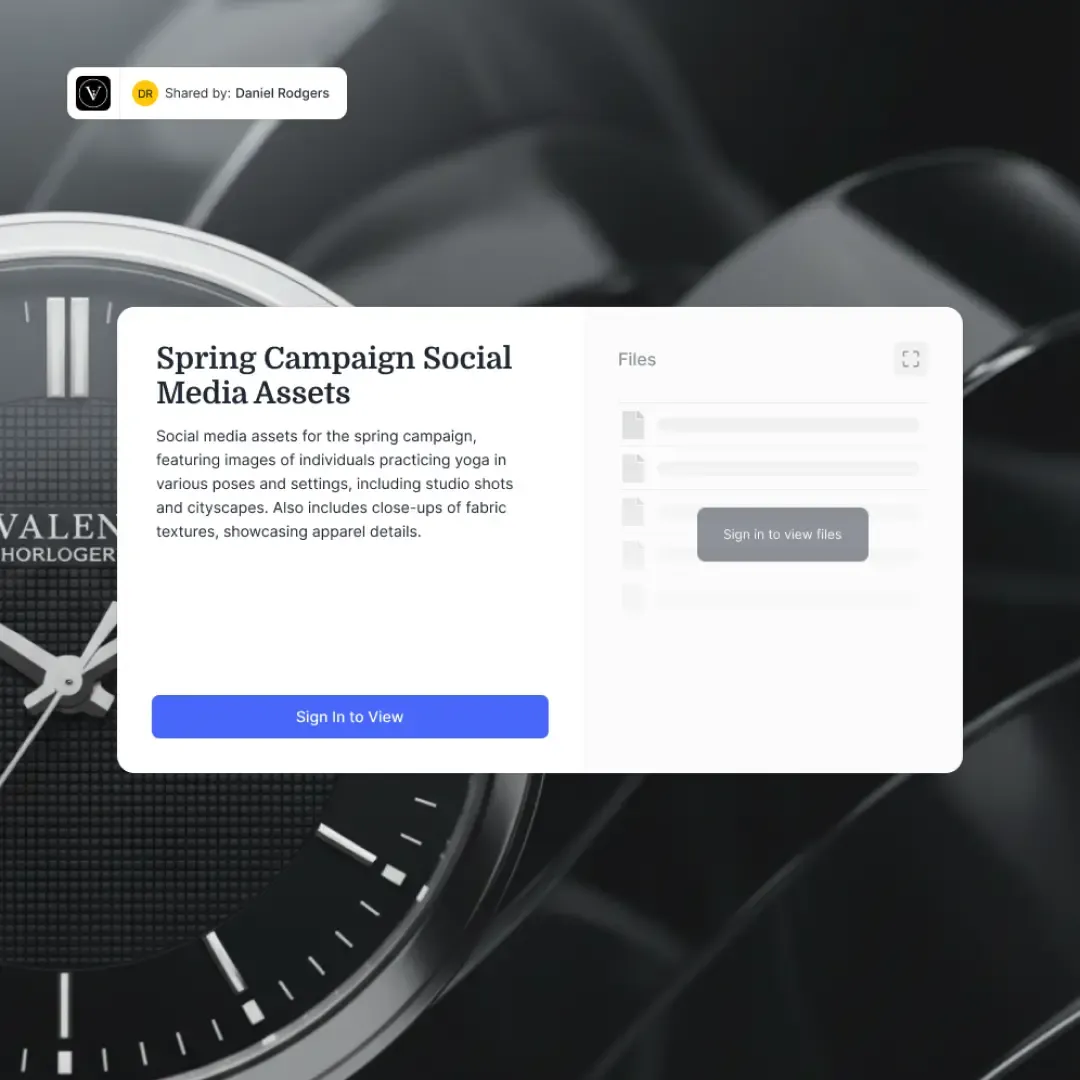
On Fast.io, this maps to workspaces with folder-level permissions. Each client gets their own workspace, and you control access per folder. Content Portals add a branded layer on top, with your logo, colors, and a custom URL that clients visit directly.
4. Configure Branding and Access
Your portal should look like it belongs to your business, not to the software vendor. At minimum, configure:
- Your logo and brand colors: Every portal page should reflect your visual identity.
- A custom domain or vanity URL: "portal.yourbusiness.com" builds more trust than a generic vendor subdomain.
- Access method: Decide between password-protected links (simpler for clients) or individual login accounts (more secure, better tracking).
- Welcome message or instructions: A short note on the portal landing page telling clients what they will find and how to navigate it.
Skip features your clients will not use. If they do not need to comment on files, do not enable commenting. A clean, focused portal is more effective than a cluttered one.
5. Test With One Client Before Rolling Out
Pick your most patient client and run a pilot. Send them the portal link, ask them to complete a real task (download a deliverable, upload a signed contract), and watch what happens.
Pay attention to:
- Did they find the file without asking you? If not, your folder structure or naming is unclear.
- Did they complete the upload without help? If not, your instructions or interface need work.
- Did they ask questions you did not anticipate? These become your FAQ or onboarding guide.
Fix whatever tripped them up before inviting more clients. The goal is that a new client can land on the portal and accomplish their task without emailing you for help.
6. Roll Out and Iterate
Once the pilot works, onboard the rest of your clients in batches. Send a brief email explaining what the portal is, what they will find there, and what to do if they need help. Include the link, any login credentials, and one sentence about why you are making this change ("We set up a portal so you can access your files anytime without waiting for us to send them").
After a month, check your analytics:
- Are clients logging in, or are they still emailing you for files?
- Which features do clients use? Which do they ignore?
- What questions come up repeatedly?
Use these answers to refine your portal. Add features clients ask for. Remove features they ignore. The best portals evolve based on actual usage, not assumptions.

Essential Features for Your Client Portal
Not every portal needs every feature. But these are the capabilities that separate a portal clients actually use from one they ignore.
File Sharing and Collection
This is the core function. Your portal needs to handle both directions: sending files to clients and receiving files from clients. Look for:
- Large file support: Email caps out at 25 MB. Your portal should handle at least several gigabytes per file for video, design assets, or large datasets.
- Two-way file exchange: Not just downloads. Clients need to upload signed contracts, source files, or feedback documents back to you.
- Version history: When a file gets updated, the old version should still be accessible. Clients (and your team) will need to reference earlier versions.
- Organized structure: Folders, tags, or categories that make sense to clients. If they cannot find the file in 30 seconds, they will email you instead.
Fast.io handles this with purpose-built Send, Receive, and Exchange shares that support large files (up to 40 GB depending on plan), versioning, and organized folder structures.
Access Controls and Permissions
Every client should see only their own files. Beyond that:
- Role-based access: Different permission levels for different stakeholders. The project manager might need upload access while the CEO only needs view access.
- Expiring access: For one-time file deliveries, set links that expire after a certain period.
- Guest access without accounts: Some clients will resist creating yet another login. Password-protected links let them access files without an account.
Activity Tracking
You need to know what is happening in your portal without asking clients:
- View and download tracking: Know when a client opened a deliverable. This is especially valuable for proposals and contracts.
- Upload notifications: Get alerted when a client submits files so nothing sits in a queue unnoticed.
- Audit trail: A log of every action, useful for compliance, dispute resolution, and understanding how clients interact with your portal.
Branding
Covered in the setup steps above, but worth emphasizing: a portal without your branding is a portal that confuses clients about who they are working with. Custom logo, colors, and domain are table stakes.
How Much Does a Client Portal Cost?
Costs depend entirely on which path you take. Here is a realistic breakdown based on current pricing.
Free and Low-Cost Options
Several platforms offer genuinely usable free tiers:
- Fast.io: Free plan with 50 GB storage, 5 workspaces, branded portals with custom logo and colors, built-in AI document chat, and no credit card required. The free plan covers most small business needs without artificial limitations on core features.
- Ahsuite: Free for up to 10 portals and 10 clients. Good for freelancers and small agencies.
- ClickUp: Free plan with unlimited tasks but only 60 MB of storage, which limits file sharing use cases.
- Notion: Free for individual use. Works as a lightweight portal but lacks proper access controls and branding.
Mid-Range SaaS ($20-published pricing)
- SuiteDash: $19 to published pricing. Full business platform with CRM, invoicing, and portal features. Unlimited clients on all plans.
- Clinked: $64 to published pricing (billed yearly). Professional look, strong document sharing, popular with law firms and consultancies.
- Copilot: $59 to published pricing for 1-3 internal users. Clean interface, purpose-built for service businesses.
Custom Development ($20,000+)
A basic custom portal starts around $20,000 and takes 2-4 months to build. Complex portals with CRM integration, approval workflows, and multi-tenant architecture run $40,000 to $80,000. Add 15-20% annually for maintenance.
Total Cost of Ownership
Over three years, a published pricing SaaS platform costs roughly $3,600. A $40,000 custom build with maintenance costs roughly $52,000 to $64,000 over the same period. SaaS wins on cost for most businesses under roughly 50 active clients. At scale, custom development pays for itself because you avoid per-seat or per-workspace fees.
Making Your Portal Smarter With AI
A standard client portal is a filing cabinet with a login screen. A smart portal does more: it helps clients find information without digging through folders.
AI-powered portals can answer client questions about shared documents, surface relevant files based on a search query, and summarize long documents so clients get the key points without reading 40 pages. This is especially valuable for businesses that share complex materials like legal documents, financial reports, or technical specifications.
Fast.io's Content Portals include Ripley, an AI assistant that answers questions about documents shared in the portal. When a client asks "What are the payment terms in this contract?", Ripley pulls the answer from the actual document with a citation pointing to the specific page. This turns a passive file repository into an interactive resource that reduces the "Can you explain this part?" emails.
For businesses that already use AI agents in their workflow, Fast.io workspaces support both human and agent access. An agent can build a client workspace, populate it with files, configure permissions, and then transfer ownership to a human team member. This is useful for agencies or firms that onboard many clients with similar portal structures and want to automate the repetitive setup work.
Not every business needs AI in their portal today. But if your clients regularly ask questions about shared documents, or if you spend time helping them locate specific information in files you have already delivered, it is worth considering a portal platform that includes these capabilities from the start rather than bolting them on later.
Frequently Asked Questions
How do I create a client portal for free?
Several platforms offer free client portal plans. Fast.io provides 50 GB of storage, branded portals, and AI document chat at no cost with no credit card required. Ahsuite offers up to 10 free portals for small operations. Softr has a free tier that connects to Airtable or Google Sheets for a no-code portal. The trade-off with free plans is usually storage limits, user caps, or reduced branding options, so check what is restricted before committing.
What should a client portal include?
At minimum, a client portal needs secure file sharing (both sending and receiving), client-specific access controls so each client sees only their own files, activity tracking so you know when files are viewed or downloaded, and your business branding. Beyond the basics, useful additions include version history on files, expiring access links, upload notifications, and a search function. Start with the essentials and add features based on what your clients actually request.
How much does it cost to build a client portal?
Costs range from free (SaaS platforms like Fast.io and Ahsuite) to $20,000 or more for custom development. A mid-range SaaS platform runs $20 to published pricing. WordPress plugin solutions cost $150 to published pricing plus hosting. Custom-built portals start around $20,000 for basic functionality and can exceed $80,000 for complex implementations, plus 15-20% annually for maintenance.
Can I create a client portal without coding?
Yes. SaaS platforms like Fast.io, Copilot, SuiteDash, and Clinked all provide client portal functionality through web interfaces with no code required. You configure branding, permissions, and folder structure through settings panels. No-code builders like Softr and Noloco also let you build custom portal interfaces on top of databases like Airtable without writing code.
How long does it take to set up a client portal?
On a SaaS platform, you can have a working portal ready in a few hours. Configuring branding, creating your folder structure, and setting up permissions are straightforward tasks. WordPress plugin setups typically take a weekend. Custom development takes 2 to 4 months for a basic portal and longer for complex implementations with integrations and approval workflows.
Should I build a custom portal or use a SaaS platform?
For most businesses, SaaS is the right starting point. It is faster to launch, cheaper for the first few years, and handles hosting and security for you. Custom development makes sense when you have unique workflow requirements that no existing tool supports, when per-seat SaaS fees exceed what you would spend maintaining custom software, or when you need deep integration with internal systems that SaaS platforms cannot connect to.
Related Resources

Set Up Your Client Portal Today
Fast.io gives you branded portals with 50 GB free storage, built-in AI document chat, and file sharing that works both ways. No credit card, no trial period. Built for create client portal workflows.