Animation Pipeline: How Studios Manage and Share Animation Assets
An animation pipeline is the structured workflow that animation studios use to move projects from concept through storyboarding, modeling, rigging, animation, rendering, and compositing to final delivery. Feature films involve vast numbers of files across teams, requiring precise file management and collaboration systems.
What is an Animation Pipeline?
An animation pipeline is a system of people, hardware, and software aligned to work in a specific sequential order to complete pre-determined tasks in a pre-determined timeframe, resulting in a 3D animation product or asset.
The pipeline serves as the production roadmap. It ensures everyone knows when and how their work needs to be done, where to hand off files for the next step, and how to maintain version control across hundreds of team members.
According to industry standards, feature animation projects typically span several months to years and can involve hundreds of thousands of files. Without a structured pipeline, studios face version conflicts, missed deadlines, and collaboration breakdowns.
Key components of an animation pipeline:
- Workflow stages: Pre-production, production, post-production
- File dependencies: Models reference rigs, animations reference models, renders require all upstream assets
- Team handoffs: Clear transition points between departments (modeling to rigging to animation)
- Asset management: Centralized storage with access controls and version tracking
- Review cycles: Approval workflows at each stage before advancing to the next
Helpful references: Fast.io Workspaces, Fast.io Collaboration, and Fast.io AI.
The Three Main Stages of Animation Production
Animation pipelines follow three distinct phases, each with unique file management requirements.
Pre-Production: Design and Planning
Pre-production is the research, designing, and planning phase involving design and management teams. The design team creates the story, concept art, storyboards, and character designs. The management team writes the production plan including budgets, schedules, and team assignments.
File types in pre-production:
- Concept art (PSD, AI, Procreate files)
- Storyboards (PDF, video animatics)
- Script revisions (Word, Final Draft)
- Reference libraries (photography, mood boards)
Production: Creating Visual Assets
Production is where all visual elements for the final project are created. In the 3D pipeline, this is where models, textures, rigs, and animations are built.
Production workflows:
Modeling: Artists create 3D geometry for characters, props, and environments. Files range from tens of MB for simple props to several GB for detailed environments.
Texturing: Surface artists paint textures and materials. High-resolution texture sets can reach 4K or 8K resolution (500MB+ per asset).
Rigging: Technical artists build control systems for animators. Rigged characters include the base model plus control curves and deformation systems.
Animation: Animators bring characters to life using rigs. Animation files reference both the model and rig, creating dependency chains.
Lighting and Rendering: Lighting artists set up scenes. Render farms process frames overnight, generating large volumes of EXR sequences.
Post-Production: Assembly and Finishing
Post-production includes compositing the rendered layers, adding visual effects, color grading, and final assembly. Compositors work with render passes (beauty, shadows, reflections, depth) and combine them into final shots.
File management challenges:
- Render sequences: 1440 frames at 24fps = 1 minute (60 seconds × 24 frames)
- Multi-pass renders: 5-10 passes per shot (diffuse, specular, ambient occlusion, etc.)
- Color space management: Maintaining consistent color from render to final delivery
File Management Challenges at Animation Studios
Animation studios face unique technical challenges that generic cloud storage cannot solve.
Version control across departments: Character models often go through numerous revisions between modeling and final approval. Animators need to know which version of a rig to use. Lighters need the approved model version. Without clear version management, teams waste hours tracking down the "correct" file.
Dependency tracking: Animation files reference models. Models reference textures. Renders require shaders that reference texture files. Break one link in this chain and renders fail. Studios need systems that preserve file relationships when moving assets between departments.
Massive file sizes: A single rendered frame at 4K resolution in EXR format can reach 50-100MB. Multiply that by 1440 frames for a 1-minute shot at 24fps, and you're managing 72-144GB per shot. Feature films have hundreds of shots.
Distributed teams: Animation is global. Teams may be distributed across different cities worldwide. Teams need real-time access to the latest assets without waiting hours for file downloads.
Client review cycles: Directors and clients need to review work-in-progress without downloading 50GB files or installing specialized software. Studios need web-based review tools that stream video proxies while protecting high-resolution originals.



Upgrade Your Animation Pipeline
Give your animation team cloud storage built for media workflows. HLS streaming, frame-accurate reviews, unlimited workspaces, and organization-owned files that stay with your studio.
How Cloud Storage Solves Animation Pipeline Bottlenecks
Modern animation studios are replacing traditional file server infrastructure with cloud-native storage designed for media workflows.
Organization-owned file structure: Unlike personal cloud storage where files are tied to individual accounts, professional systems maintain organization ownership. When an artist leaves the studio, their files stay with the team. No manual transfers or permission changes needed.
Workspace-based organization: Studios create workspaces per project or episode. An episode workspace contains all assets for that episode, with departments organized in folders: Modeling, Rigging, Animation, Rendering, Compositing. Team members join the workspace and see the same file structure.
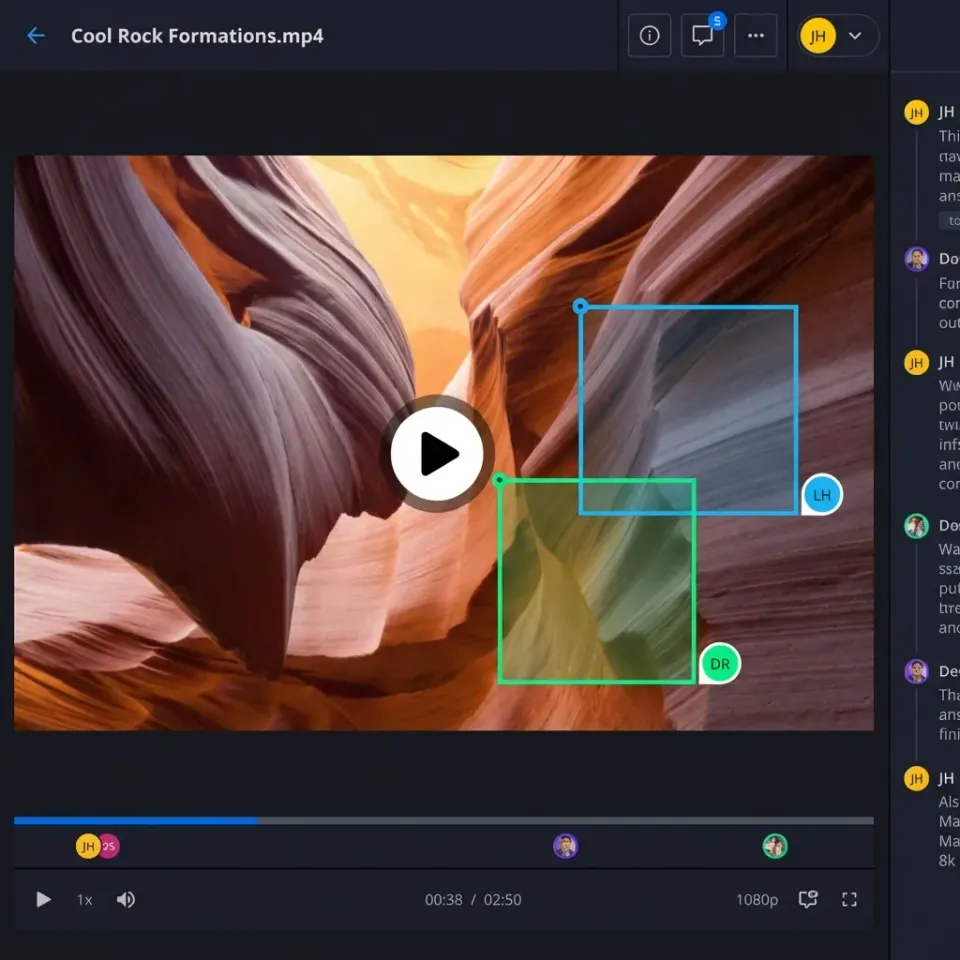
Real-time collaboration features: Animation requires constant communication. Cloud systems with built-in presence indicators show which teammates are viewing which files. Directors can follow an animator's view during reviews, syncing their screen to the artist's selection without screen sharing software.
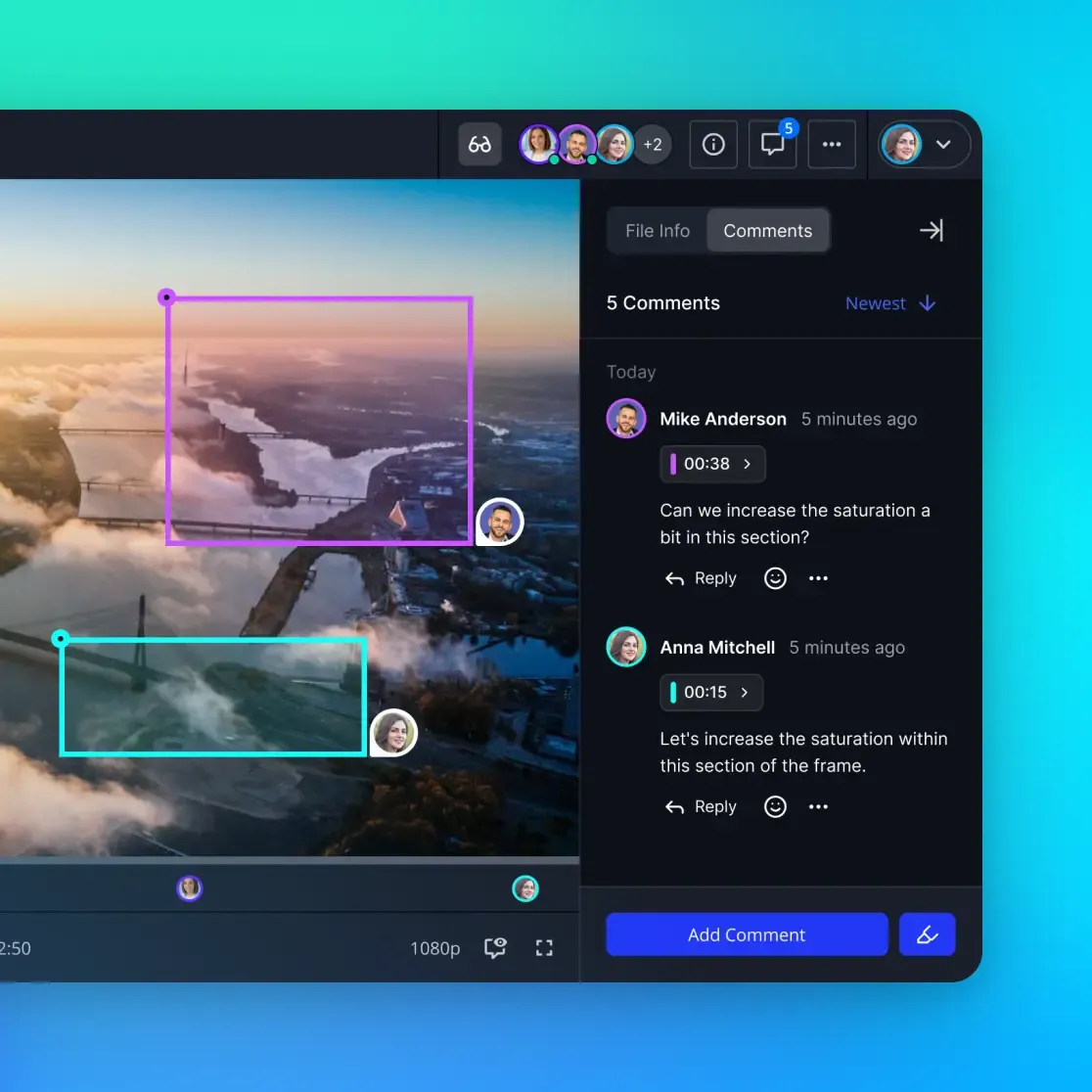
Frame-accurate feedback: Instead of emailing vague notes like "fix the walk cycle," directors pin comments to specific video frames. Animators see timestamped feedback directly on the shot timeline, reducing back-and-forth clarification.
HLS video streaming: Studios upload high-resolution ProRes or EXR sequences, and the platform automatically generates web-optimized proxies for review. Clients stream shots in their browser at 1080p without downloading 50GB files. HLS streaming starts playback instantly with adaptive bitrate, eliminating the buffering delays of progressive download.
Asset Delivery to Clients and Partners
Animation studios don't just manage internal files. They deliver finished shots to clients, receive plates from VFX vendors, and share assets with external partners.
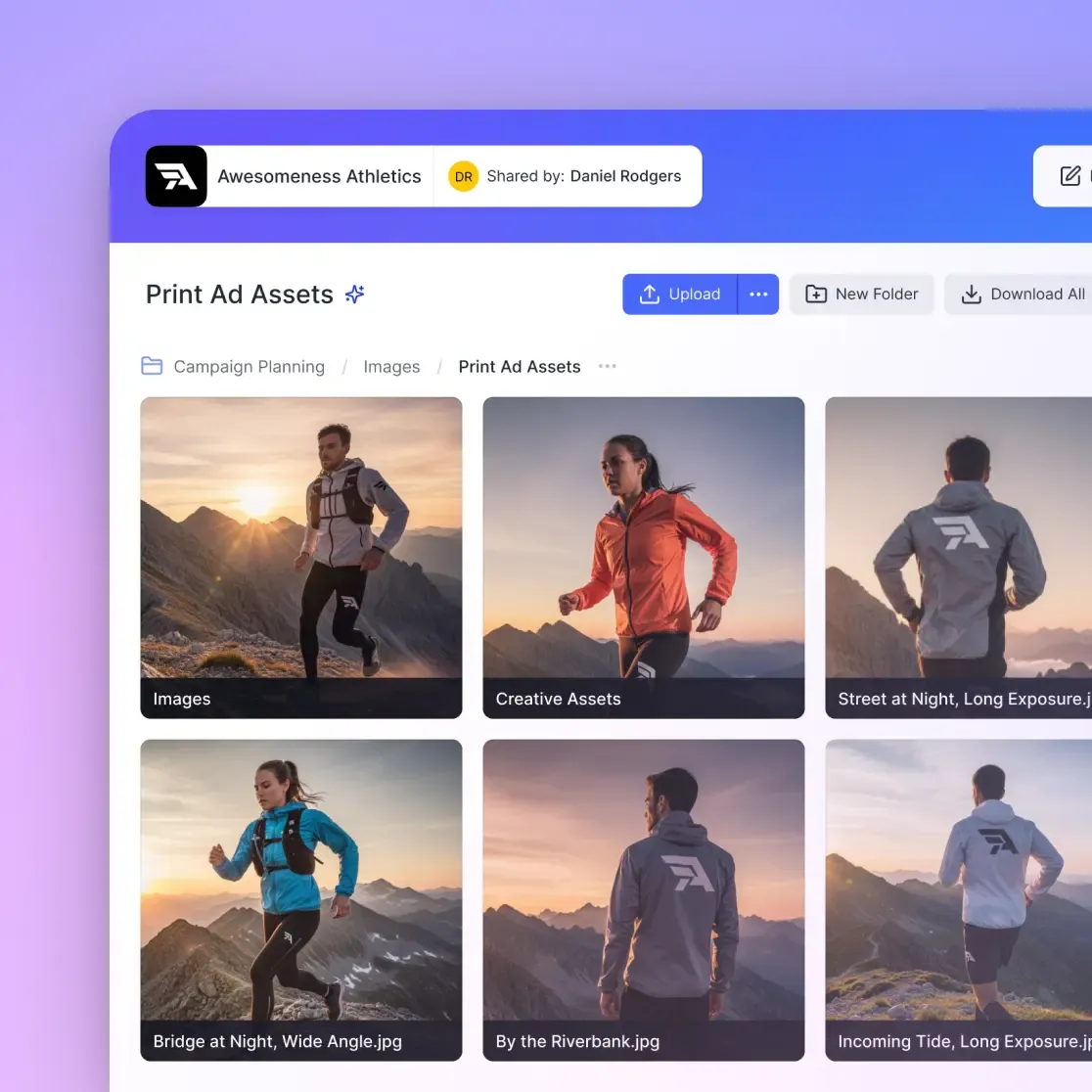
Branded client portals: Studios create white-label portals with their logo and colors. Clients access a custom URL, see only their project files, and download approved shots. No generic "cloud storage" branding that looks unprofessional.
Granular access controls: Clients see finished renders but not work-in-progress files. VFX vendors access only the shots assigned to them. Interns see reference libraries but not final deliverables. Permissions are set at the workspace, folder, or file level.
Expiring download links: For external reviews, studios generate temporary share links with expiration dates. A director can share a cut with a composer for scoring, knowing the link deactivates after 7 days. Password protection adds another security layer.
Audit logs for security: Studios track who viewed, downloaded, or commented on each file. If a work-in-progress leak appears online, logs identify the source. Legal teams use audit trails for compliance and forensics.
Optimizing Render Farm File Access
Render farms process large numbers of frames overnight, requiring fast, reliable access to scene files, textures, and caches.
Traditional render pipelines copy files to local render nodes before rendering. This works on-premise but fails in the cloud where copying terabytes is too slow.
Cloud-native rendering: Modern pipelines stream assets on-demand. Render nodes pull only the files they need for each frame. A render that needs many textures doesn't download all of them at start time. It fetches textures as the renderer requests them, reducing startup delays.
Cached dependencies: Frequently used assets (character models, environment textures) are cached at the render farm edge. The first frame fetches the model from cloud storage. Subsequent frames load from the local cache, reducing bandwidth.
API-driven workflows: Studios automate file staging with REST APIs. When a shot is approved for lighting, an automated script creates a render workspace, copies approved assets, and notifies the lighting team. No manual folder setup or file hunting.
Collaboration Between Remote Animation Teams
Animation production is distributed globally. Studios need tools that work across time zones and continents.
Activity tracking: Team leads see who uploaded which files and when. If a character rig is updated, dependent animators receive notifications. No more starting work on an outdated rig because you didn't know about the new version.
Contextual commenting: Instead of Slack threads about "that shot with the dragon," comments are anchored to specific files or video frames. The conversation stays with the asset, visible to anyone who views it later.
Multiplayer presence: When multiple artists work in the same workspace, presence indicators show who else is online. Click a teammate's avatar to sync your view to theirs, useful for quick screen-free reviews or training junior artists.
Version history: Every file save creates a version snapshot. If an animator accidentally overwrites a file, they restore the previous version in two clicks. Version history also serves as a timeline of creative decisions.
Storage for AI-Powered Animation Tools
AI is entering animation pipelines for motion capture cleanup, in-betweening, and asset generation. These tools need storage systems that support both human artists and autonomous agents.
Fast.io provides AI agents with their own cloud storage accounts. An AI in-betweening tool can create a workspace, upload generated frames, and invite the human animator for review. The animator approves frames, and the AI merges them into the final sequence.
Intelligence Mode for asset search: Enable Intelligence Mode on a workspace, and Fast.io auto-indexes files for semantic search. Instead of remembering filenames, artists search: "Show me the dragon rig from Q3." The system understands natural language and finds the file.
Ownership transfer for automation: Studios build automated pipelines with AI agents. An agent generates texture variations, organizes them in a workspace, then transfers ownership to the texturing supervisor. The supervisor reviews, selects the best options, and assigns work to artists.
Frequently Asked Questions
What is an animation pipeline?
An animation pipeline is the structured workflow that animation studios use to move projects from concept through storyboarding, modeling, rigging, animation, rendering, and compositing to final delivery. It defines how teams hand off files, track versions, and maintain dependencies between assets throughout the production process.
What are the stages of animation production?
Animation production has three main stages: Pre-production (concept art, storyboarding, script, asset design), Production (modeling, texturing, rigging, animation, lighting, rendering), and Post-production (compositing, VFX, color grading, final editing). Each stage has unique file management and collaboration requirements.
How do animation studios collaborate?
Animation studios use cloud-native workspaces where team members access the same file structure in real-time. They rely on features like presence indicators (showing who's viewing which files), frame-accurate video comments, activity tracking, and version history to coordinate work across distributed teams and time zones.
What software do animation studios use for pipeline management?
Animation studios typically combine production management software (ShotGrid, ftrack) with cloud storage for file management. Production trackers handle task assignments and schedules, while cloud storage systems manage the actual files. Many studios integrate both using REST APIs to automate file staging and version tracking.
How do animation studios handle file versioning?
Professional studios use version control systems that create snapshots every time a file is saved. Artists can restore previous versions, compare changes between versions, and branch files for experimentation. The key is automatic versioning that doesn't require manual 'Save As' with v1, v2, v3 naming schemes.
What is the biggest file management challenge in animation?
Dependency tracking is the most complex challenge. Animation files reference models, models reference textures, and renders require shaders and caches. When an artist updates a referenced file, all downstream files need to be aware of the change. Studios need systems that preserve these relationships across the entire pipeline.
How large are typical animation project files?
It varies by asset type. Character models range from tens of MB to several hundred MB. High-resolution texture sets reach hundreds of MB to several GB. Rendered frame sequences for a single shot can be tens to hundreds of GB. Complete feature film projects require petabytes of storage when including all work-in-progress files, renders, and archives.
Can animation studios use regular cloud storage like Dropbox?
Generic cloud storage lacks features animation studios require. Dropbox uses sync-based architecture that copies files locally, creating version conflicts when multiple artists edit the same rig. Studios need cloud-native storage with streaming access, frame-accurate video review, and organization-owned files that persist when team members leave.
Related Resources

Upgrade Your Animation Pipeline
Give your animation team cloud storage built for media workflows. HLS streaming, frame-accurate reviews, unlimited workspaces, and organization-owned files that stay with your studio.