How to Choose a Video Transfer Service for Large Files
A video transfer service is a platform optimized for sending large video files quickly and reliably, often with features like resumable uploads, preview generation, and delivery tracking. Professional video files range from 10GB to 500GB+, and traditional FTP fails about 30% of large transfers. This guide covers what to look for in a transfer service and compares the main options.
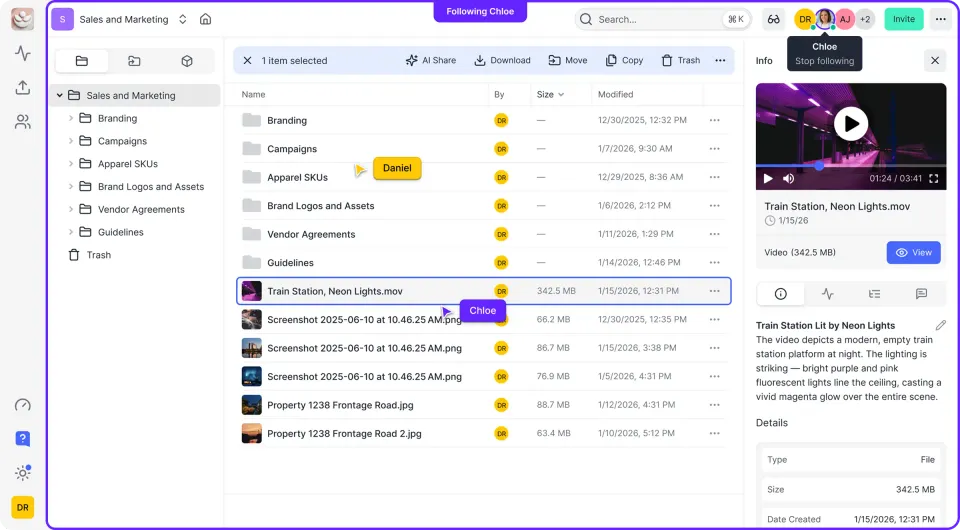
What Makes a Video Transfer Service Different
Regular file sharing tools weren't built for video. Dropbox, Google Drive, and email work fine for documents and small images. But a single 4K video file can exceed 50GB. An hour of raw RED footage? 300GB or more. Video transfer services handle the specific challenges of moving large media files:
- Resumable uploads: If your connection drops during a large upload, you don't start over. The transfer picks up where it left off.
- Optimized protocols: Standard HTTP uploads waste bandwidth on long-distance connections. Accelerated protocols can be faster than standard HTTP.
- Preview generation: Recipients can watch the video immediately while the original continues downloading.
- Delivery confirmation: Know when files arrive and whether the recipient opened them. Consumer tools treat video like any other file. Professional tools understand that a long upload failing near completion is a real problem.
Helpful references: Fast.io Workspaces, Fast.io Collaboration, and Fast.io AI.
Why Standard File Transfer Often Fails
Traditional FTP fails approximately 30% of large file transfers. The causes are predictable:
TCP congestion control: Standard protocols reduce speed as latency increases. A 1Gbps connection between Los Angeles and London might deliver only 100Mbps in practice because TCP spends more time waiting for acknowledgments than moving data.
No resume capability: Many basic tools require starting over if the connection drops. For a file that takes 4 hours to upload, that's painful.
Browser timeouts: Web-based uploads often hit timeouts before large files finish. The browser gives up, the progress bar disappears, and you're left wondering what happened.
Compression damage: Some services compress uploads to save storage costs. Acceptable for documents. Destructive for color-graded video. Professional video files aren't forgiving. A single dropped packet in the wrong place can corrupt frames. Services built for video handle error correction and verification automatically.

Comparing Video Transfer Services
The market splits into several categories, each with trade-offs.
Dedicated Acceleration Services
MASV, Signiant, FileCatalyst: These use UDP-based protocols for maximum speed. MASV charges per GB downloaded (around $0.25/GB) with no file size limits. Signiant and FileCatalyst target enterprise deployments with high volume and custom pricing. Best for teams moving terabytes regularly who need raw speed above all else.
Cloud Storage with Video Features
Fast.io, Frame.io, Dropbox: These combine storage with transfer. Files live in the cloud permanently rather than expiring after download. Fast.io adds HLS streaming so recipients can watch while the file downloads in the background. Frame.io focuses specifically on review and approval. Best for ongoing projects where you need both transfer and storage.
Consumer Transfer Services
WeTransfer, Smash, TransferNow: Simple upload-and-share tools. WeTransfer's free tier caps at 2GB. Paid tiers reach 200GB but lack video-specific features. Files typically expire after a short time. Best for occasional one-off transfers of finished deliverables.
Enterprise FTP Alternatives
Aspera, GoAnywhere: High-performance transfer with enterprise security, audit logging, and integration capabilities. Aspera's FASP protocol achieves near-full bandwidth utilization regardless of distance. Pricing typically requires a sales conversation. Best for organizations with strict security requirements and existing enterprise infrastructure.
Key Features for Professional Video Transfer
When evaluating services, prioritize these capabilities:
Maximum file size: Some services cap individual files at a few GB. For raw video, you need services that handle large files. Fast.io supports files up to 50GB (Business plan).
Transfer speed: Look for advertised throughput and whether the service uses accelerated protocols. Ask about performance on international routes if you work with global clients.
Resumable uploads: Non-negotiable for large files. Verify the service actually resumes from where it left off rather than restarting.
Streaming preview: Can recipients watch the video without downloading the entire file first? This saves hours when clients just need to review, not edit.
Delivery tracking: Know when files were downloaded and by whom. Useful for client handoffs and verifying delivery.
No compression: Confirm the service doesn't transcode or compress your uploads. What goes up should be exactly what comes down.
Matching the Service to Your Workflow
The best choice depends on how you work.
One-time deliverables to clients
You finished the edit, exported the master, and need to send it. The client downloads once and you're done.
Use: WeTransfer, MASV, or any service with pay-per-transfer pricing. No point paying for storage you won't use.
Ongoing projects with review cycles
Clients need to watch cuts, leave feedback, and access multiple versions over weeks or months.
Use: A platform with persistent storage and streaming. Fast.io lets clients watch in the browser with frame-accurate comments. No download required for review.
High-volume production houses
You're moving terabytes daily between shooting locations, post facilities, and archives.
Use: Dedicated acceleration with automation. Look for watch folders that auto-upload, API access for integration with your pipeline, and volume pricing.
Secure enterprise transfers
Regulatory requirements, audit logging, and integration with corporate identity systems.
Use: Enterprise-grade services with SSO, detailed audit trails, and granular permissions. Fast.io offers SSO integration and complete activity logging.
Setting Up Reliable Video Transfers
Speed matters, but reliability matters more. A fast transfer that fails is worse than a slow one that completes.
Before uploading
- Verify file integrity locally: Run a checksum on your source file. Keep it for comparison after transfer. 2. Check available bandwidth: Run a speed test to your transfer service. Upload speeds are often much slower than download. 3. Close competing applications: Video conferencing, cloud sync, and other uploads compete for bandwidth.
During transfer
- Use wired ethernet: WiFi drops packets. A single glitch during a large upload can corrupt frames. 2. Monitor progress: Keep the transfer window visible. If progress stalls, you want to know immediately. 3. Avoid sleep mode: Make sure your computer won't sleep mid-transfer. Most services handle resume, but why test it?
After transfer
- Verify the download: Have the recipient confirm they can open and play the file. 2. Check file size: If the downloaded file is smaller than the original, something went wrong. 3. Spot-check quality: Scrub through the video looking for artifacts, especially in motion-heavy scenes.
What Video Professionals Actually Use
Based on common workflows in post-production:
Dailies to director/producer: Cloud platforms with instant streaming. Directors want to watch, not wait for downloads. Fast.io and Frame.io are popular for this because playback starts immediately.
Masters to broadcast: Aspera or MASV for raw speed. Broadcast delivery often has tight windows, and UDP-based transfer maximizes throughput.
Archives to LTO/cloud: Glacier or Backblaze for cold storage. These aren't transfer services, but they're where footage lives long-term.
Rough cuts for client review: Cloud storage with comment features. Video review platforms let clients mark exact frames rather than describing timecodes in email.
Camera media from set: Physical drives or high-speed services. Set to post-house transfers often use messengers with SSDs because upload speeds on location are unreliable. Most professionals pick different tools for different jobs rather than forcing one solution to do everything.
Frequently Asked Questions
What is the best way to transfer large video files?
For files over 10GB, use a dedicated video transfer service with resumable uploads and accelerated protocols. Cloud platforms like Fast.io (up to 50GB) or MASV handle large files reliably. Avoid email attachments (capped at 25MB) and consumer tools that compress uploads.
How do I send a video file that is too large?
Upload the file to a cloud storage or transfer service and share a download link. Most video transfer services support files over 100GB. If you must reduce size, export a proxy version at lower resolution for review, but always deliver the original master for final use.
What do video professionals use to transfer files?
It depends on the workflow. For dailies and client review, cloud platforms with streaming like Fast.io or Frame.io are common. For broadcast delivery with tight deadlines, MASV and Aspera provide maximum speed. For archives, physical drives or cold storage services handle the volume.
Why does my video upload keep failing?
Large video uploads fail due to connection timeouts, browser limitations, or services without resume capability. Use a dedicated video transfer service with resumable uploads. If possible, use wired ethernet instead of WiFi to reduce packet loss.
How long does it take to upload large video files?
On a fast upload connection, large files take roughly an hour under ideal conditions. On slower home connections, expect several hours. Accelerated transfer services can reduce this by using optimized protocols that better use available bandwidth.
Do video transfer services compress my files?
Professional video transfer services should not compress original files. Some generate streaming previews at lower quality for quick viewing, but the original stays intact. Always verify that a service preserves source files before uploading color-graded or mastered footage.
Related Resources

Run Choose A Video Transfer Service For Large Files workflows on Fast.io
Fast.io handles files up to 250GB with resumable uploads and instant streaming preview. No more starting over.