Smash File Transfer Review and Better Alternatives for 2026
Smash (fromsmash.com) is a file transfer service from France that lets you send large files for free. While generous with file sizes, it has real limitations around organization, collaboration, and file retention. This guide breaks down what Smash offers, where it falls short, and which alternatives work better for professional teams.
What Is Smash File Transfer?
Smash is a file transfer service that launched in 2017 out of Paris. Its main selling point: generous file size limits on the free tier. Where most transfer services cap free uploads at 2GB, Smash lets you send files up to 2GB without registration, with no cap on individual file size for paid plans. The service works like other transfer tools. You upload files, get a link, share the link, recipient downloads. Simple.
Quick facts about Smash:
- Free tier: 2GB per transfer, files available for 7 days
- Pro plan: €10/month for 250GB transfers, 30-day retention
- Team plan: €25/month for up to 10 users, 1TB transfers
- Available via web, iOS, Android, macOS, and Outlook plugin
- Servers on AWS with regional zones for faster transfers
Smash has earned solid reviews on Trustpilot (4.9/5) for speed and ease of use. For quick, one-time file sends, it does the job.
Helpful references: Fast.io Workspaces, Fast.io Collaboration, and Fast.io AI.
Is Smash File Transfer Safe?
Smash uses 256-bit AES encryption for file transfers, which is the same standard banks use. Files are encrypted during upload and download. The service runs on AWS infrastructure with regional servers.
Security features included:
- AES-256 encryption in transit
- Password protection for shared links (paid plans)
- Automatic file deletion after retention period
- Download tracking and notifications
For basic file transfers, Smash is reasonably secure. The automatic deletion actually adds a layer of security since files don't sit exposed indefinitely.
What Smash lacks for security-conscious teams:
- No SSO/SAML integration
- No detailed audit logs
- No granular permission controls
- No domain restrictions on who can download
- No view-only sharing (files can always be downloaded)
If you're in legal, healthcare, finance, or any industry with compliance requirements, Smash won't cut it. You need more control over who accesses files and what they can do with them.
Smash File Size Limits Explained
Understanding Smash's limits helps you decide if it fits your workflow:
The free tier's large limit works for documents, presentations, and compressed photo sets. Video files blow past that quickly. A 10-minute 4K video easily exceeds 2GB.
The real limit is retention, not size. Even on paid plans, your files expire. Pro gives you 30 days. After that, your files are gone. You can't build an archive or maintain client access to past deliverables. For project-based work, this means re-uploading assets whenever a client needs something from three months ago. That's not a file sharing solution. That's a file re-uploading solution.
Smash vs Fast.io Feature Comparison
Here's how Smash stacks up against Fast.io for teams that need more than basic transfers:
The fundamental difference: Smash is for transfers. Fast.io is for storage and collaboration. If you send files once and forget about them, Smash works. If you need to organize, collaborate, and maintain access over time, it doesn't.


Share Files Without Limits on Fast.io
Stop re-uploading assets and chasing expired links. Get permanent storage, organized workspaces, and real collaboration tools.
Why Teams Switch from Smash
Transfer services work until they don't. Here's what pushes teams to look for Smash alternatives:
The "resend" problem
A client asks for files you sent two months ago. On Smash, those files expired weeks ago. You dig through your local storage, re-upload, send a new link. This happens constantly with transfer-based services.
No organization
Smash has no folders, no workspaces, no structure. Every transfer exists in isolation. After six months, you have dozens of expired links and no way to see what you sent to whom.
Feedback happens in email
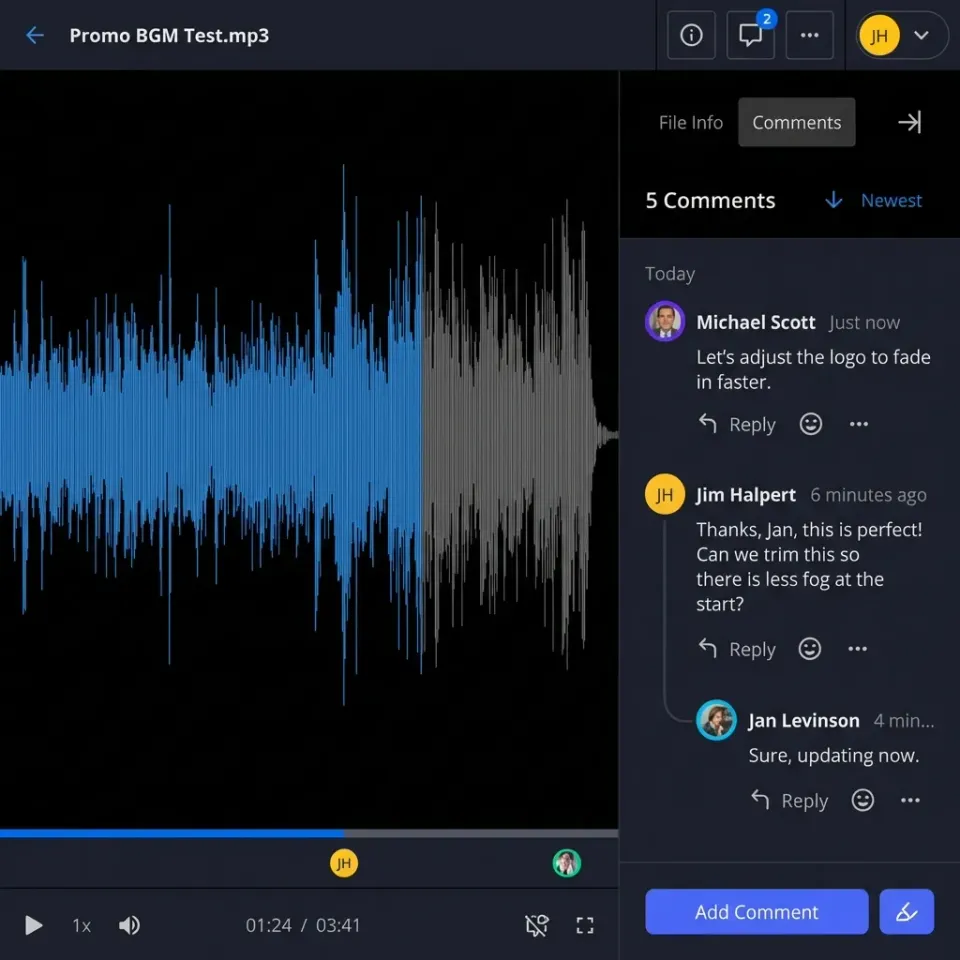
Client reviews a video. They email you notes referencing vague timestamps or "that part with the logo." You're translating vague descriptions into actual edits. There's no way to pin comments to specific frames or regions.
Per-seat pricing scales badly
Smash
Team costs €25/month for 10 users. Add a freelancer or client who needs upload access? That's another seat. Fast.io includes external collaborators as free guests, so you only pay for core team members.
Files still expire on paid plans
Even Smash
Pro deletes your files after 30 days. There's no "keep forever" option. Your files have a countdown timer from the moment you upload.

Better Alternatives to Smash for Different Needs
The right Smash alternative depends on what you actually need:
For creative teams and agencies
Fast.io offers persistent workspaces, HLS video streaming, frame-accurate comments, and branded client portals. Usage-based pricing means you don't pay per seat, so adding clients and freelancers doesn't inflate costs. Videos stream instantly instead of requiring full downloads.
For occasional large transfers
WeTransfer is the obvious comparison. Free tier also caps at 2GB with 7-day retention. Pro costs published pricing for 200GB transfers. WeTransfer has stronger brand recognition but similar limitations to Smash.
For cloud storage with sharing
Google Drive or Dropbox give you persistent storage, but video handling is basic (download-first, no streaming) and per-seat pricing adds up for teams. Good for document-heavy workflows, less ideal for video production.
For enterprise security requirements
Egnyte or Box offer compliance certifications and advanced security controls. Both cost more and have dated interfaces. Fast.io provides enterprise security features (SSO, audit logs, granular permissions) without enterprise complexity or pricing.
Video File Transfer: Where Smash Falls Short
Video production is where transfer services break down. Here's the typical Smash workflow for video review:
- Upload 4GB video file (paid plan required)
- Wait for upload to complete
- Send link to client
- Client downloads entire large file
- Client watches locally
- Client emails feedback: "Early in the video, can you change..."
- You make edits, repeat from step 1
Every revision cycle requires a full upload and download. Clients can't scrub to specific moments without downloading the whole file first.
Fast.io video workflow:
- Upload video to workspace
- Automatic transcoding to HLS streaming format
- Share workspace link with client
- Client clicks play, streams instantly
- Client pins comment directly to frame 1:47
- You see comment in context, make changes
- Upload new version to same workspace
The difference compounds over revision cycles. A project with five revision rounds means five upload-download cycles on Smash. On Fast.io, clients stream each version in seconds and feedback stays attached to the content.

Making the Switch from Smash
Moving from Smash is straightforward since Smash doesn't store files long-term anyway. There's nothing to migrate. You'll just start uploading to a new destination.
Setting up Fast.io for your team
Step 1: Create your workspace structure Think about how you organize work. Most teams create workspaces per client or per project type. "Client Name - Q1 Campaign" or "Video Projects" both work.
Step 2: Invite your team Add team members to relevant workspaces. Fast.io Pro includes 25 seats, so most teams have room to spare. Set permissions based on roles.
Step 3: Set up client access Create external shared folders or branded portals for clients. They get access without needing accounts or consuming seats. The link you send them works indefinitely.
Step 4: Upload and organize Drag files into workspaces. Create folders for organization. Unlike Smash, these files stay put. Build your library over time instead of creating disposable transfers. The initial setup takes more thought than a quick Smash upload, but you're building infrastructure that pays off over months and years of client work.
Frequently Asked Questions
Is Smash file transfer safe?
Smash uses 256-bit AES encryption for transfers, which is secure for basic file sharing. Files are encrypted during upload and download. However, Smash lacks enterprise security features like SSO, detailed audit logs, and granular permissions. For industries with compliance requirements, you'll need a solution with stronger controls.
What is the file size limit on Smash?
Smash's free tier limits transfers to 2GB total. The Pro plan (published pricing) allows 250GB per transfer. The Team plan (published pricing) supports up to 1TB per transfer. Enterprise plans have no size limits. All plans have retention limits too, ranging from 7 days (free) to 30 days (paid).
Is there a better alternative to Smash?
For teams that need permanent file storage, organization, and collaboration, Fast.io is a better fit. Unlike Smash where files expire after 7-30 days, Fast.io stores files permanently. It also adds workspaces, video streaming, commenting, and branded client portals. Pricing is usage-based rather than per-seat.
How long do files stay on Smash?
Free transfers expire after 7 days. Pro plan extends retention to 30 days. Team and Enterprise plans also cap at 30 days by default. There's no option for permanent storage on any Smash plan. After the retention period, files are automatically deleted.
Does Smash work for video files?
Smash can transfer video files up to plan limits, but recipients must download the entire file before watching. There's no streaming preview. For video review workflows, this adds significant friction. Services like Fast.io offer HLS streaming so clients can watch instantly and leave time-coded feedback.
Related Resources

Share Files Without Limits on Fast.io
Stop re-uploading assets and chasing expired links. Get permanent storage, organized workspaces, and real collaboration tools.