How to Send Photos to Clients Professionally
Sending photos to clients professionally means using a delivery method that presents your work beautifully, handles large files easily, and reflects your brand. This guide covers five methods to deliver images, from quick one-off transfers to full-featured client galleries. This guide covers send photos to clients with practical examples.
Why Email Falls Short for Photo Delivery
Email limits attachments to 25MB on most services. A single edited wedding image at full resolution runs several megabytes. Send five photos and you hit the limit. Send an entire gallery and you're looking at tens of gigabytes of data. Beyond file size, email lacks presentation. Your carefully edited images arrive as detached files that clients download into a generic folder. No previews, no branding, no way to mark favorites or share with family. Photographers who email photos often field follow-up messages: "I can't find the download link." "The files won't open on my phone." "Can you resend? It went to spam." Every support request eats into time you could spend shooting. Professional delivery solves these problems. Clients get a link, open it in their browser, and see their photos displayed beautifully. Downloads work. Files stay organized. And you look like a pro.
Helpful references: Fast.io Workspaces, Fast.io Collaboration, and Fast.io AI.
Methods to Send Photos to Clients
Each delivery method fits different situations. Here's when to use each one:
1. Client Photo Galleries
Best for: Wedding, portrait, and event photographers delivering final galleries. Client galleries display images in a branded interface where clients browse, select favorites, and download. Most include proofing features, print ordering, and password protection. Popular options include Pixieset, ShootProof, CloudSpot, and Pic-Time. Expect to pay $10-50/month depending on storage and features.
2. Cloud Storage Platforms
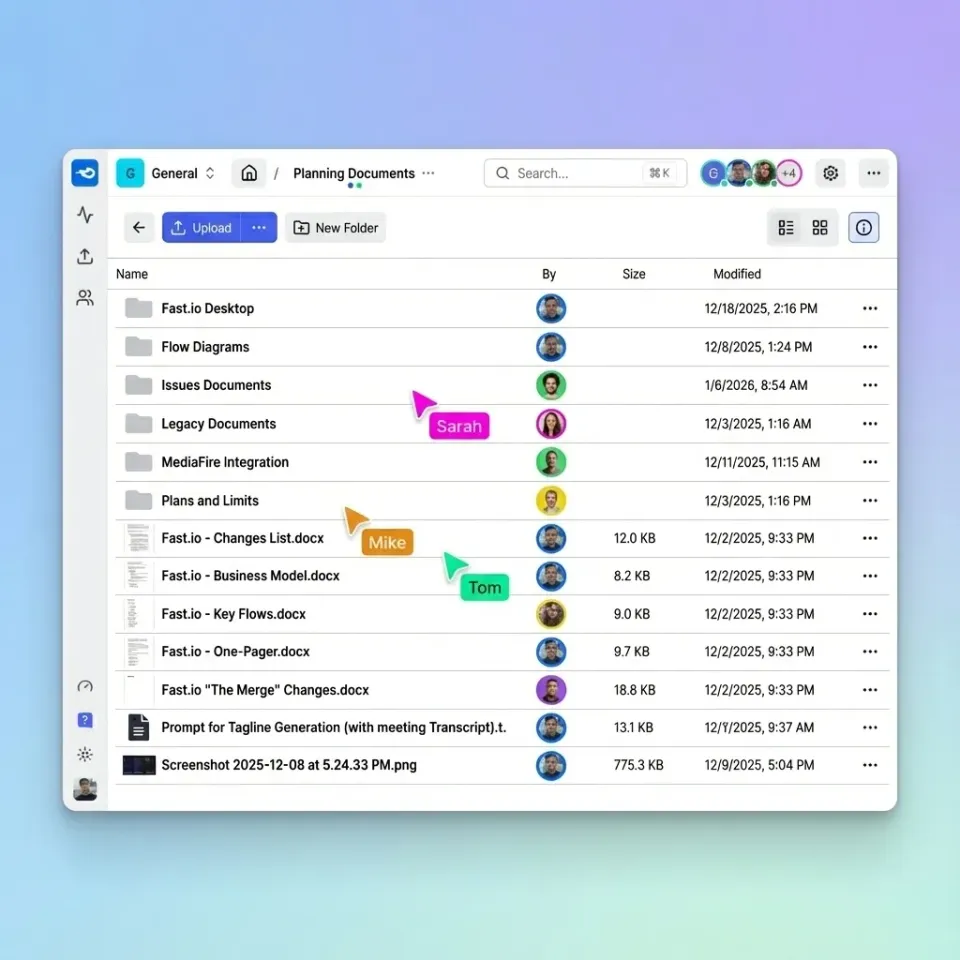
Best for: Ongoing client relationships where you share working files, not just finals. Cloud storage like Fast.io, Dropbox, or Google Drive works well when clients need access to RAW files, multiple revisions, or ongoing collaboration. The tradeoff is less polish: no branded galleries or built-in proofing. Fast.io handles large files without compression and includes preview capabilities for RAW formats, making it practical for commercial photographers sharing working files with art directors.
3. Large File Transfer Services
Best for: One-off deliveries when you need to send files quickly without ongoing storage. Services like WeTransfer or Dropbox Transfer let you upload files and send a download link. Files typically expire after a few weeks. Quick and functional, but no branding or organization.
4. Self-Hosted Galleries
Best for: Photographers who want full control and own their client data. WordPress plugins like Envira Gallery or NextGEN let you host galleries on your own website. You control the experience completely but handle your own hosting, backups, and security.
5. Hybrid Approach
Best for: Photographers with different client types requiring different workflows. Many photographers use cloud storage for working files with commercial clients, client galleries for wedding and portrait delivery, and file transfer for quick proofs. Match the method to the client relationship.

What Makes Photo Delivery Professional
Good delivery matters because it shapes how clients see your work. These features make the biggest difference:
Branded presentation: Your logo, colors, and style should appear throughout the experience. Generic download links make your work look less valuable.
Password protection: Clients expect privacy. Password-protected galleries let clients share the link without worrying about unauthorized access.
Mobile-friendly viewing: Most clients view photos on phones first. Galleries that require desktop browsers or app downloads create friction.
Fast, reliable downloads: Large files should download without timeout errors or corruption. This sounds basic, but many services struggle with large galleries.
View tracking: Knowing when clients open their gallery helps with follow-up. "I see you viewed your photos yesterday, any questions?" beats "Did you get the link?"


Deliver Photos Like a Pro
Fast.io gives you usage-based cloud storage built for send photos to clients. Get streaming previews, AI-powered search, and unlimited guest sharing. Start with a free account, no credit card required.
How to Share Large Photo Files Without Compression
Compression destroys image quality. Many platforms quietly compress uploads to save bandwidth, leaving clients with degraded files. To deliver full-resolution images:
- Check platform settings: Some services offer a "maintain original quality" option. Enable it. 2. Verify after upload: Download a file from your own gallery and compare to the original. Check file size and pixel dimensions. 3. Use platforms designed for large files: Fast.io, Dropbox, and dedicated photo galleries generally preserve originals. Social media, email, and some consumer services do not. 4. Communicate file sizes: Tell clients what to expect. "Your gallery contains hundreds of images totaling tens of gigabytes. Downloads may take half an hour or more on typical home internet."
Large wedding galleries require platforms that handle large file counts without timing out or crashing browser sessions.
Delivering Full-Resolution vs Web-Sized Images
Should you send full-resolution files? Depends on your contract and what clients actually need.
Full-resolution delivery makes sense when:
- Clients paid for print rights and need files suitable for large prints
- Commercial clients require images for various uses you can't predict
- Your contract promises high-resolution deliverables
Web-sized delivery works when:
- Social media sharing is the primary use case
- You sell prints separately and want to maintain that revenue
- File size limits make full-resolution impractical
Many photographers deliver both: web-sized images for immediate viewing and social sharing, plus a download option for full-resolution files. Client galleries typically support this dual-format approach. A practical approach: deliver images at 2400-3000 pixels on the long edge (sufficient for 8x10 prints at 300dpi) with an option to request full-resolution files for larger prints.
Setting Up Your Photo Delivery Workflow
A repeatable workflow saves time and keeps your client experience consistent:
Before the shoot: Clarify delivery expectations in your contract. Specify format, resolution, timeline, and how long gallery access lasts.
After editing: Export images with consistent naming. "LastName_WeddingDate_001.jpg" beats "IMG_4521.jpg" for client organization.
Create the gallery: Upload images, set password, add your branding, and write a brief welcome message explaining how to download.
Send the link: Use a consistent email template that includes the gallery link, password, download instructions, and your contact info for questions.
Follow up: If clients haven't accessed the gallery within a week, send a reminder. Gallery platforms with view tracking make this easy.
Archive appropriately: After the access period ends, decide whether to keep images available or archive them. Most photographers offer gallery access for about a year, then archive to cold storage.
Frequently Asked Questions
What is the best way to send photos to clients?
Client photo galleries like Pixieset or ShootProof provide the most professional experience for final image delivery. They offer branded presentation, password protection, and download options. For working files or ongoing collaboration, cloud storage platforms like Fast.io work better. For quick one-off transfers, large file services like WeTransfer are fastest.
How do I share large photo files with clients?
Use a platform designed for large files rather than email. Client galleries, cloud storage, and file transfer services all handle multi-gigabyte galleries. Upload your images, generate a shareable link, and send that link to clients. Most services include password protection and download tracking.
What do professional photographers use to send photos?
Most professional photographers use dedicated client gallery software (Pixieset, ShootProof, CloudSpot, Pic-Time) for final delivery. For commercial work involving RAW files or ongoing revisions, cloud storage platforms with preview capabilities are common. The choice depends on whether you're delivering finished images or working files.
Should I send full-resolution photos to clients?
Depends on your contract. Wedding and portrait photographers often deliver high-resolution JPEGs (2400-3000px long edge) for standard use, with full-resolution available on request. Commercial photographers usually send full-resolution files since clients need them for various print and digital uses. Clarify resolution in your contract before shooting.
How long should I keep client photos available?
Most photographers offer gallery access for about a year after delivery. After that period, archive images to offline storage and let clients know they can request files for a retrieval fee. This balances client service with storage costs. Commercial clients may expect longer retention depending on the relationship.
Related Resources

Deliver Photos Like a Pro
Fast.io gives you usage-based cloud storage built for send photos to clients. Get streaming previews, AI-powered search, and unlimited guest sharing. Start with a free account, no credit card required.