How to Evaluate Self-Hosted File Sharing vs Managed Cloud Solutions
Self-hosted file sharing means running your own file storage and sharing server, giving you complete control over data location and security. But control comes with hidden costs. This guide compares self-hosted solutions to managed cloud platforms, covering the real maintenance burden, security responsibilities, and total cost of ownership most guides skip. This guide covers self hosted file sharing with practical examples.
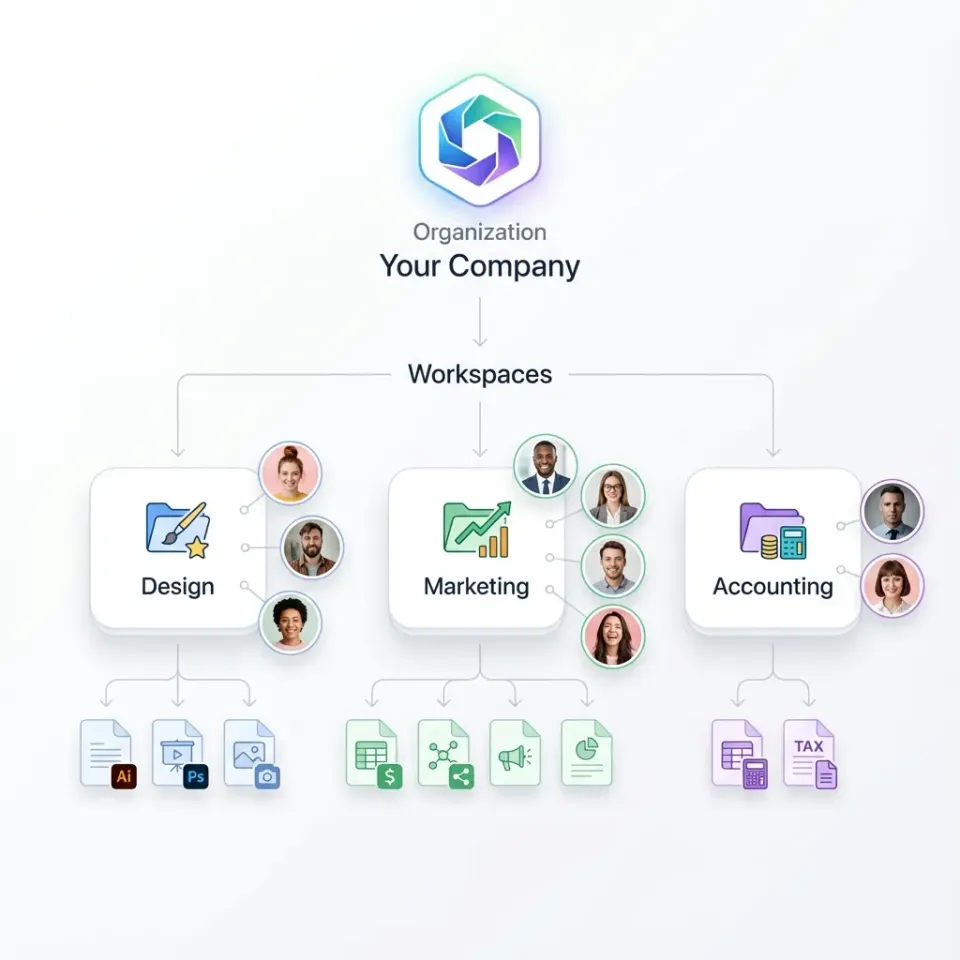
What Is Self-Hosted File Sharing?: self hosted file sharing
Self-hosted file sharing is the practice of running file storage and sharing software on servers you control, whether on-premises hardware, private cloud infrastructure, or dedicated virtual machines. Instead of relying on third-party services like Dropbox or Google Drive, you manage the entire stack yourself. Popular self-hosted options include:
- Nextcloud: The most widely deployed open-source option with over 400,000 installations
- Seafile: Focused on sync performance and reliability
- FileCloud: A commercial hybrid option with both cloud and on-premises deployment
- ownCloud: One of the original open-source file sync solutions
- Sharry: A lightweight option for simple file sharing without full sync features
The appeal is straightforward: your data stays on your servers, under your control. No vendor lock-in, no third-party access, no surprise pricing changes. But "self-hosted" isn't free, even when the software is open source.
Helpful references: Fast.io Workspaces, Fast.io Collaboration, and Fast.io AI.
Self-Hosted vs Cloud File Sharing: Honest Comparison
The self-hosted versus cloud debate often gets framed as "control vs convenience." That's too simple. Here's what actually differs:
Data Location and Sovereignty
Self-hosted: Files physically reside on hardware you control. You pick the data center, the country, the rack. For organizations with strict data residency requirements, this can be non-negotiable.
Managed cloud: Data lives on the provider's infrastructure. Even with regional data centers, you're trusting the vendor's compliance claims. Some industries and jurisdictions prohibit this entirely.
Security Responsibility
Self-hosted: You're responsible for everything: server hardening, network security, SSL certificates, firewall rules, intrusion detection, backup encryption, and disaster recovery. Many self-hosted setups have security misconfigurations, often from missing patches or default configurations.
Managed cloud: The provider handles infrastructure security. You're still responsible for access controls and user management, but the attack surface is smaller and maintained by dedicated security teams.
Feature Development
Self-hosted: Features depend on the project's development pace. Open-source projects rely on community contributions. Commercial self-hosted options move faster but still lag behind cloud-native solutions.
Managed cloud: Features ship continuously. Cloud-native platforms move faster because they control the entire stack. AI features, collaboration tools, and mobile apps typically arrive years earlier on managed platforms.
Scalability
Self-hosted: Scaling means buying more hardware, provisioning more VMs, or rearchitecting your setup. Growth requires planning and capital expenditure.
Managed cloud: Scaling is usually automatic or a settings change. Pay for what you use without infrastructure changes.

The Real Cost of Self-Hosted File Sharing
Most self-hosted guides focus on software being "free." They skip the total cost of ownership. Here's what you'll actually spend:
Infrastructure Costs
Running self-hosted file sharing requires servers, storage, networking, and redundancy. A minimal production setup for a 50-person team might include:
- Primary server: $200-500/month for a capable VM or dedicated server
- Storage: $50-200/month depending on capacity and redundancy
- Backup infrastructure: Another $100-300/month for off-site backups
- Network bandwidth: Variable, but video-heavy workflows can hit thousands per month
That's several hundred dollars per month in infrastructure alone, before anyone touches a keyboard.
Maintenance Time
Self-hosted solutions require several hours per month of maintenance on average. That includes:
- Security patches and updates
- Monitoring and troubleshooting
- User support and onboarding
- Backup verification
- Performance optimization
- SSL certificate renewals
At typical IT labor rates, that's hundreds of dollars monthly in staff time. Smaller teams often underestimate this because the work gets absorbed into someone's "other duties."
Opportunity Cost
Hours spent on file sharing infrastructure are hours not spent on your core business. A startup delays product development. An agency loses billable time to IT overhead.
Total Cost Example
A 50-person team running self-hosted file sharing might spend:
- Infrastructure: published pricing
- IT labor (10 hours at $75): published pricing
- Total: published pricing
A managed cloud solution for the same team might cost a few hundred dollars per month with zero maintenance overhead. The "free" open-source option often costs several times more than the paid alternative.


Run Evaluate Self Hosted File Sharing Vs Managed Cloud Solutions workflows on Fast.io
Get the control you want without running your own servers. Fast.io gives you organization-owned files, granular permissions, and audit logs with zero maintenance.
Security: Self-Hosted Isn't Automatically Safer
"We run our own servers, so we're more secure" is a common assumption. It's often wrong.
The Configuration Problem
Many self-hosted setups have security misconfigurations. Common issues include:
- Outdated software with known vulnerabilities
- Default credentials left unchanged
- Missing or expired SSL certificates
- Open ports that shouldn't be exposed
- Insufficient logging for incident response
- Backups stored unencrypted
Large cloud providers employ dedicated security teams, run bug bounty programs, and undergo regular third-party audits. Most IT teams maintaining self-hosted file sharing have other responsibilities and limited security expertise.
The Patch Gap
When a security vulnerability is disclosed, cloud providers patch immediately. Self-hosted installations depend on administrators applying updates, often days or weeks later. The gap between disclosure and patch creates an attack window.
When Self-Hosted Is More Secure
Self-hosted does offer security advantages in specific scenarios:
- Air-gapped networks: Systems completely disconnected from the internet eliminate remote attack vectors
- Extreme data sensitivity: Government classified data or trade secrets may justify the overhead
- Regulatory requirements: Some industries mandate on-premises storage with no exceptions
For most businesses, the question isn't "which is more secure?" but "which can I secure properly with my available resources?"

When Self-Hosted File Sharing Makes Sense
Self-hosted isn't always wrong. Here are legitimate reasons to run your own file sharing infrastructure:
Data Sovereignty Requirements
Some regulations require data to stay within specific geographic boundaries or on hardware you physically control. Healthcare in certain jurisdictions, government contractors, and financial institutions sometimes face these constraints.
Existing Infrastructure Investment
If you already run data centers with spare capacity, adding file sharing may have low marginal cost. The calculus changes when infrastructure is a sunk cost rather than a new expense.
Extreme Scale
At massive scale (tens of thousands of users, petabytes of data), self-hosted can become cost-effective. The crossover point is much higher than most organizations realize, typically requiring a dedicated infrastructure team.
Specific Integration Requirements
Some legacy systems or proprietary workflows require on-premises integration that cloud APIs can't support. This is increasingly rare as cloud platforms expand their integration options.
Air-Gapped Security Requirements
True air-gapped environments, systems with no internet connectivity, require self-hosted solutions by definition. This applies to classified government work, certain research facilities, and high-security manufacturing. If none of these apply to your organization, the maintenance burden of self-hosted likely outweighs the benefits.
How to Set Up a Self-Hosted File Server
If you've decided self-hosted is right for your situation, here's what the setup involves:
Infrastructure Requirements
Server: Multi-core CPU, sufficient RAM, SSD storage for the OS and database. Scale up based on user count and file sizes.
Storage: RAID configuration for redundancy. Plan for several times your current data volume to allow for growth and versioning.
Networking: Static IP address, domain name, and firewall capable of handling your expected traffic.
Backups: Separate backup server or cloud backup service. Test restores regularly.
Software Setup (Nextcloud Example)
- Install Linux (Ubuntu LTS or similar)
- Set up a web server (Apache or Nginx)
- Install PHP and required extensions
- Configure a database (MySQL or PostgreSQL)
- Download and configure Nextcloud
- Obtain and configure SSL certificates (Let's Encrypt)
- Configure firewall rules
- Set up automated backups
- Configure monitoring and alerting
- Document everything for future maintenance
Ongoing Maintenance
After initial setup, you'll need to:
- Apply security patches within 48 hours of release
- Monitor disk space and performance metrics
- Rotate logs and manage storage growth
- Renew SSL certificates before expiration
- Test backup restores quarterly
- Handle user support requests
- Plan and execute version upgrades
This isn't a "set it and forget it" deployment. Budget ongoing time accordingly.

Cloud Alternatives to Self-Hosted File Sharing
If self-hosted maintenance doesn't fit your team, managed cloud platforms offer similar control with less overhead.
What to Look For
Organization-owned files: Files belong to the company, not individual users. When someone leaves, their files stay. You get the ownership model of self-hosted without running servers.
Granular permissions: Control who can view, edit, download, and share. Set permissions at the organization, workspace, folder, or file level.
Audit logs: Track every access, download, and permission change. Export logs for compliance requirements or incident investigation.
External sharing controls: Password protection, expiration dates, view-only mode, domain restrictions, watermarking. Control what external recipients can do with your files.
SSO integration: Connect to your existing identity provider (Okta, Azure AD, Google). Centralize user management and deprovision access instantly when someone leaves.
Pricing Considerations
Per-seat pricing punishes team growth. A 100-person team on traditional enterprise platforms pays thousands of dollars per month just for file sharing. Usage-based alternatives price based on storage and transfer, not headcount. Fast.io includes 25 seats with Pro and 100 seats with Business plans, with extra seats at published pricing. A team that would pay published pricing on per-seat pricing might spend published pricing for the same storage. The savings often exceed what you'd get from self-hosted, and you skip the maintenance entirely.
Frequently Asked Questions
What is the best self-hosted file sharing solution?
Nextcloud is the most widely deployed self-hosted option with over 400,000 installations and active development. Seafile offers better sync performance for large files. FileCloud provides a commercial option with dedicated support. The best choice depends on your technical resources and specific requirements.
Is self-hosted file sharing more secure than cloud?
Not automatically. Many self-hosted setups have security misconfigurations. Cloud providers employ dedicated security teams and patch vulnerabilities immediately. Self-hosted can be more secure if you have the expertise to maintain it properly, but most organizations achieve better security outcomes with managed platforms.
How do I set up my own file server?
Setting up a self-hosted file server requires a Linux server with adequate CPU, RAM, and storage, plus a web server, database, and the file sharing software (like Nextcloud). Plan for SSL certificates, firewall configuration, backup infrastructure, and several hours monthly for ongoing maintenance.
How much does self-hosted file sharing cost?
Despite free software, total cost includes infrastructure (several hundred dollars/month), IT labor for maintenance (several hours monthly at typical rates), and opportunity cost. A 50-person team often spends thousands of dollars per month total, which typically exceeds managed cloud alternatives.
What are the disadvantages of self-hosted file sharing?
Key disadvantages include ongoing maintenance burden (several hours/month), security responsibility falling entirely on your team, slower feature development compared to cloud platforms, scaling complexity requiring infrastructure changes, and often higher total cost of ownership than managed alternatives.
Related Resources

Run Evaluate Self Hosted File Sharing Vs Managed Cloud Solutions workflows on Fast.io
Get the control you want without running your own servers. Fast.io gives you organization-owned files, granular permissions, and audit logs with zero maintenance.