Real Estate Document Management Guide for Agents
Real estate document management is the systematic organization, storage, and sharing of property transaction documents between agents, buyers, sellers, and attorneys. The average real estate transaction involves 180+ pages of documents, and errors cause 30% of closing delays.

What Is Real Estate Document Management?
Real estate document management is how you organize, store, and share the hundreds of files involved in property transactions. Every deal generates contracts, disclosures, inspection reports, title documents, and closing paperwork. Without a system, files scatter across email, local folders, and text messages. Real estate agents handle hundreds of documents across multiple transactions. Buyers, sellers, attorneys, lenders, and inspectors all need access to different files at different times. A document management system keeps everything organized in one place and controls who sees what. The goal: find any document in seconds, share files securely with the right people, and meet deadlines without scrambling through email threads.
Helpful references: Fast.io Workspaces, Fast.io Collaboration, and Fast.io AI.

Why Real Estate Document Management Matters
Document errors cause 30% of closing delays. Missing signatures, outdated disclosures, or misplaced inspection reports can push back closing dates and frustrate clients. Here's what happens without organized document management:
- Lost files: Contracts buried in email, inspection reports on a thumb drive
- Version confusion: Multiple copies of the same contract with different edits
- Access delays: Client asks for a document at 8pm, you can't find it
- Security risks: Sensitive financial data shared via unencrypted email
- Compliance gaps: Missing audit trails when regulators ask for proof
An organized system solves these problems. Files live in one secure location, everyone accesses the current version, and you can share documents from your phone while showing properties.


Run Real Estate Document Management Guide For Agents workflows on Fast.io
Create secure workspaces for every property transaction. Share documents with clients, attorneys, and lenders while keeping complete control over access and permissions.
Essential Documents in Real Estate Transactions
Every property transaction requires specific documents at each stage. Here's the complete checklist:
Pre-Listing Documents
- Property disclosure statements
- HOA documents and bylaws
- Property inspection reports
- Appraisal records
- Title search results
- Seller's deed and prior transfer documents
Listing Documents
- Listing agreement
- MLS submission forms
- Marketing materials (photos, descriptions)
- Comparative market analysis (CMA)
- Property condition disclosures
Offer and Negotiation
- Purchase agreement
- Earnest money receipt
- Buyer pre-approval letter
- Addendums and counteroffers
- Inspection contingency waivers
Due Diligence Period
- Home inspection report
- Pest inspection report
- Survey documents
- Environmental assessments
- Repair estimates and quotes
Closing Documents
- Final purchase agreement
- Closing disclosure (CD)
- Title insurance policy
- Deed transfer documents
- Bill of sale
- FIRPTA affidavit
- Final walk-through checklist
That's dozens of document types per transaction. Multiply that across multiple deals, and you're managing hundreds of files simultaneously.

How Real Estate Agents Organize Documents
Most agents start with basic folder systems, then graduate to purpose-built tools as their business grows. Here are the common approaches:
Folder-Based Organization
Create a folder for each property address, then subfolders for each transaction stage:
123 Main Street/
├── 01-Listing/
├── 02-Marketing/
├── 03-Offers/
├── 04-Due-Diligence/
└── 05-Closing/
This works for solo agents handling a few deals at a time. Problems arise when you need to share specific documents with multiple parties or access files from mobile.
Cloud-Based
Workspaces Store documents in shared cloud workspaces where all transaction parties can access relevant files. Each property gets its own workspace with detailed permissions. Benefits:
- Clients access documents anytime without calling you
- Attorneys and lenders pull files directly
- Mobile access during showings
- Automatic version control
- Audit trail of who viewed what
Fast.io's workspaces let you create unlimited project spaces for different properties. Set one workspace to public (open to all parties), another to invite-only (sensitive financial docs).
Document
Naming Conventions Consistent file names make searching faster:
Bad: contract_final_v2_FINAL.pdf
Good: YYYY-MM-DD_Purchase-Agreement_123-Main-St.pdf
Use the pattern: YYYY-MM-DD_Document-Type_Property-Address.pdf
Retention Policies
Keep closed transaction documents for 7 years minimum (IRS requirement). Archive older files to free up storage but keep them searchable.
Tagging for Quick Retrieval
Tag documents by transaction stage, document type, and urgency. When a client asks "What did the inspector say about the roof?", you search by property address + "inspection" and find it in seconds.
Secure Document Sharing for Real Estate
Email is not secure enough for real estate documents. Purchase agreements contain Social Security numbers, bank account details, and financial statements. You need encryption and access controls.
Password-Protected
Links Generate share links with passwords with expiration dates. The buyer gets access to inspection reports, but the link stops working after closing.
Domain
Restrictions Limit access to specific email domains. Only @titlecompany.com addresses can view title documents.
View-Only
Permissions Let clients preview contracts without downloading. Prevents accidental edits and unauthorized redistribution.
Branded
Client Portals Create white-label portals with your brokerage logo and colors. Clients access all their transaction documents in one branded space, reinforcing your professional image. Fast.io's data rooms include all these features. You control exactly who sees what, track when documents are viewed, and revoke access instantly if a deal falls through.
Audit
Logs Every view, download, and permission change gets logged. When a client claims they "never received" a disclosure, you have timestamped proof of when they opened it.
Mobile Document Access for Real Estate Agents
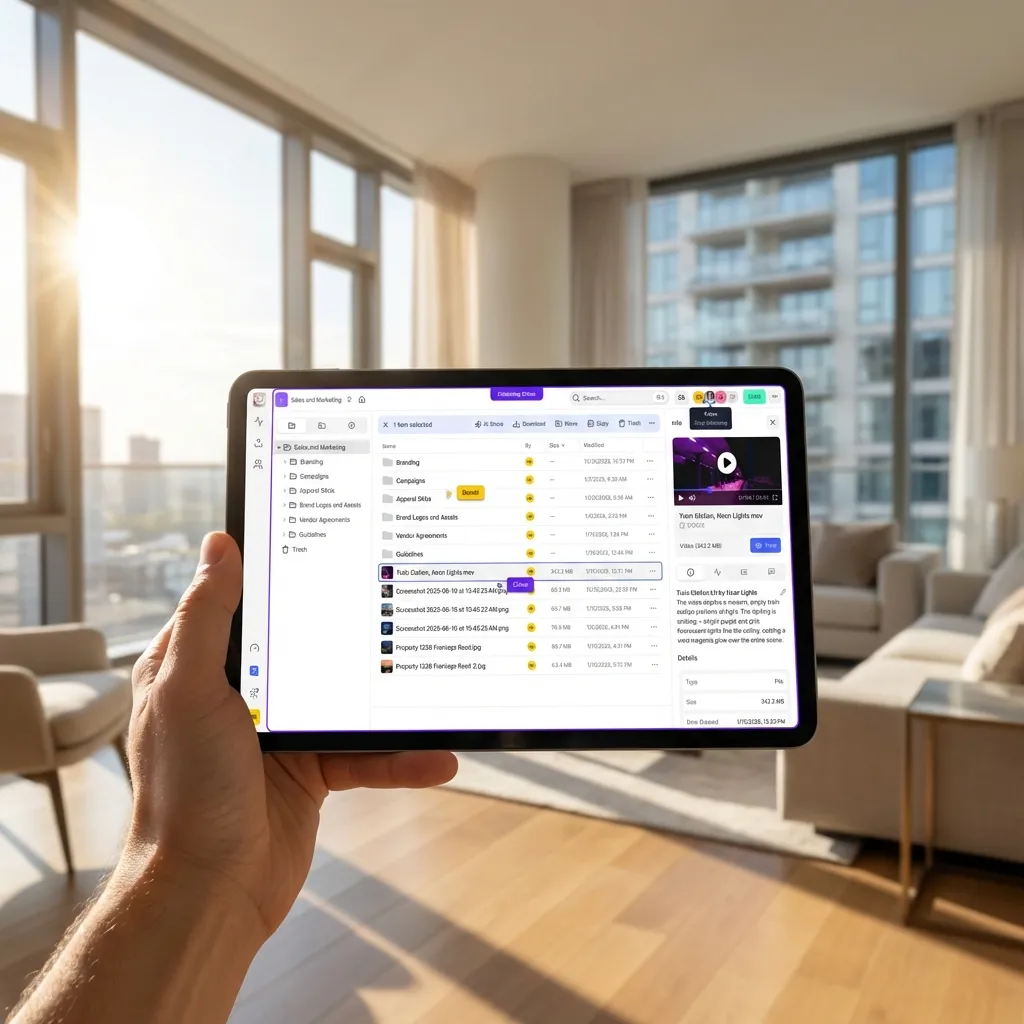
You're showing properties, attending inspections, and meeting clients all day. You can't wait until you're back at your desk to access documents. Mobile access requirements:
- Preview PDFs and images without downloading
- Share links via text message
- Upload photos from property inspections
- E-sign documents from your phone
- Search across all transactions
Cloud storage built for mobile workflows eliminates the "I'll send that when I get home" problem. Upload the signed offer from the buyer's kitchen table and notify the seller's agent immediately.
Consider how this fits into your broader workflow and what matters most for your team. The right choice depends on your specific requirements: file types, team size, security needs, and how you collaborate with external partners. Testing with a free account is the fast way to know if a tool works for you.
Collaboration Between Transaction Parties
Real estate transactions involve multiple people including buyer, seller, agents, lender, title company, inspector, appraiser, and sometimes attorneys. Everyone needs different documents at different times.
Role-Based
Permissions
- Buyer: Purchase agreement, inspection reports, closing disclosure
- Seller: Listing agreement, offers, repair requests
- Lender: Income verification, appraisal, title insurance
- Title Company: Deed, survey, HOA documents
- Inspector: Property access details, prior inspection reports
Create separate folders with permissions matching each role. The inspector doesn't need to see financial documents. The lender doesn't need marketing photos.
Real-Time
Updates When the inspection report arrives, all parties get notified simultaneously. No more forwarding emails to six people and wondering who saw it.
Comment
Threads Pin comments to specific pages in contracts. "Is this repair estimate negotiable?" appears directly on the relevant page, not buried in email.
Document Management for Small Brokerages vs. Solo Agents
Solo agents need simplicity and mobile access. You're not managing a team, just your own deals. Focus on:
- Quick uploads from phone
- Client-facing portals that look professional
- Automatic organization (templates for each transaction stage)
Small brokerages (2-10 agents) need collaboration and oversight. Managing partner wants visibility into all deals without agents losing autonomy. Focus on:
- Shared workspaces for team deals
- Permission templates (new agents get limited access)
- Activity tracking (who's behind on paperwork?)
- Centralized storage (files don't disappear when agents leave)
Fast.io's organization model fits both scenarios. Solo agents operate independently, brokerages create an organization with shared workspaces and role-based access.
Compliance and Record Retention
Real estate regulations require keeping transaction records for specific periods:
- IRS: 7 years for tax-related documents
- State licensing boards: several years depending on state
- Fair Housing compliance: 3 years minimum
- Electronic signatures: Follow ESIGN Act requirements
Your document system needs:
- Tamper-proof storage: Files can't be edited after upload (version history tracks changes)
- Audit trails: Timestamp every access and download
- Encryption: At rest and in transit
- Deletion controls: Prevent accidental file removal
Fast.io logs all activity and encrypts files automatically. When you need to produce records during an audit, you export the entire transaction folder with timestamps intact.
Real Estate Document Management Software Features
When evaluating document management solutions, look for:
Storage and Organization
- Unlimited workspaces for different properties
- Custom folder templates
- Bulk uploads
- Advanced search (find documents by date, type, or keyword)
Sharing and Collaboration
- Branded client portals
- Detailed permissions (view, download, comment, edit)
- Link expiration and password protection
- Mobile access
Security and Compliance
- Encryption (at rest and in transit)
- Audit logs
- SSO for brokerage teams
- Data retention policies
Integration
- Email attachments import automatically
- MLS photo sync
- E-signature tool integration
- CRM connectivity
Most enterprise solutions cost $50-100 per agent per month. Fast.io uses usage-based pricing starting at $0, with Pro plans covering 25 users for less than traditional per-seat costs.
Common Document Management Mistakes to Avoid
Storing everything locally: Hard drives fail, laptops get stolen. Cloud backup is not optional.
Using personal file storage for client documents: Dropbox and Google Drive personal accounts don't meet business compliance standards. You need business-grade encryption and audit logs.
Inconsistent naming: Half your files are named by date, half by property address. Pick a convention and stick with it.
No version control: Editing the same contract repeatedly without tracking changes leads to confusion. Use tools that preserve version history.
Over-sharing access: Giving everyone edit permissions creates security risks. Default to view-only unless editing is necessary.
Forgetting to archive closed deals: Files pile up, making search slower. Archive closed deals to separate folders.
Skipping mobile optimization: If you can't access documents from your phone, you'll resort to emailing files to yourself, creating scattered copies.
Frequently Asked Questions
How long should real estate agents keep transaction documents?
Keep transaction documents for at least 7 years to satisfy IRS requirements. Some states require longer retention for licensing compliance. Maintain digital copies in secure cloud storage to meet audit requests and avoid storage costs for physical files.
What's the best way to organize real estate documents?
Create a folder for each property address with subfolders for listing, offers, due diligence, and closing. Use consistent file naming with dates (YYYY-MM-DD format) and document types. Cloud workspaces with automatic versioning prevent confusion from multiple file copies.
Can clients access their transaction documents directly?
Yes, client portals give buyers and sellers anytime access to their documents without calling you. Set up branded portals with view-only permissions so clients can download contracts, inspection reports, and closing documents on their own schedule.
How do you securely share real estate documents with multiple parties?
Use password-protected links with expiration dates, or create shared workspaces with role-based permissions. Lenders, title companies, and attorneys get access only to documents relevant to their role. Audit logs track who viewed what.
What happens to documents when an agent leaves a brokerage?
With organization-owned storage, files stay with the brokerage when agents leave. Unlike personal Dropbox accounts, documents don't disappear. Transfer ownership of client files to the managing broker or reassign to another agent.
Do I need specialized real estate document management software?
Not necessarily. General cloud storage with workspaces, permissions, and mobile access works for most agents. Specialized software adds MLS integration and transaction checklists but costs more. Start with flexible workspace tools and upgrade if needed.
Related Resources

Run Real Estate Document Management Guide For Agents workflows on Fast.io
Create secure workspaces for every property transaction. Share documents with clients, attorneys, and lenders while keeping complete control over access and permissions.