9 Best Online Proofing Tools for Creative Teams in 2026
Online proofing tools let creative teams collect precise, contextual feedback on visual content in one centralized location. The right tool reduces revision rounds, eliminates scattered feedback, and speeds up approval. Here's what each option does best.
What Online Proofing Actually Solves
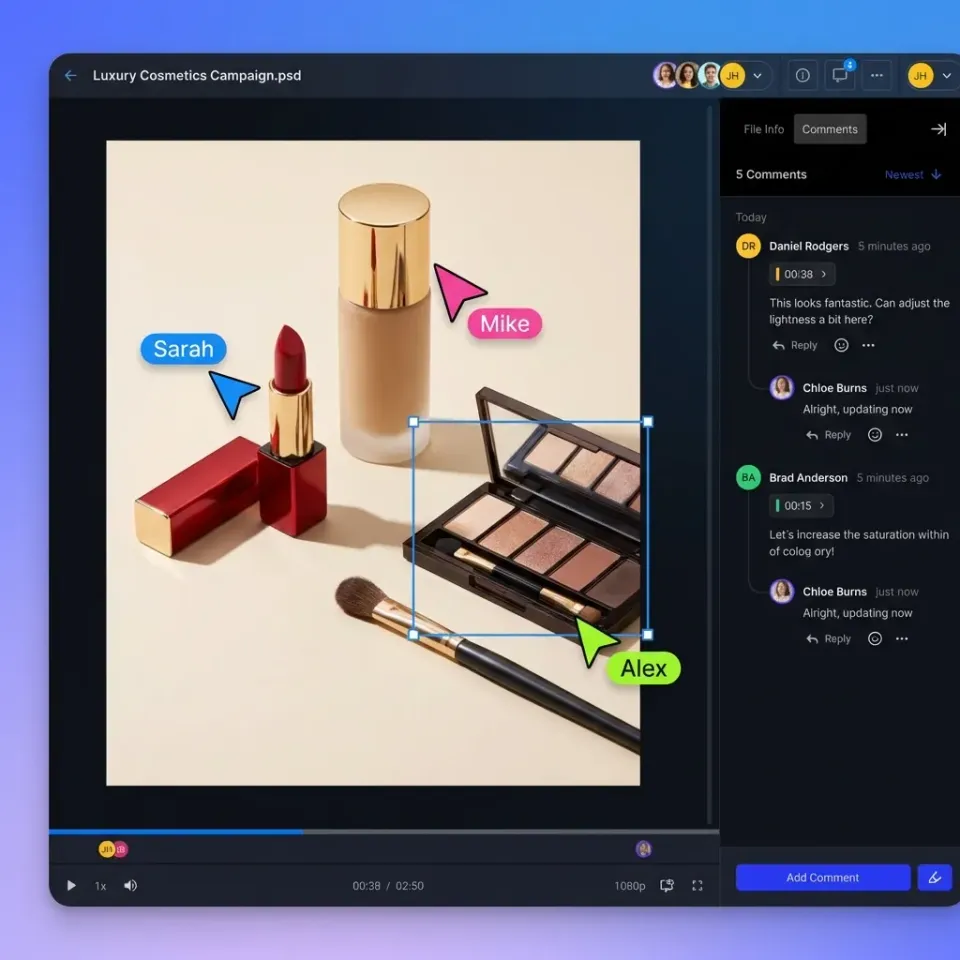
Creative teams spend a significant amount of project time managing feedback. That's time lost to chasing comments in email threads, decoding vague notes like "make it pop," and reconciling conflicting opinions from different versions. Online proofing tools fix this by giving reviewers a way to pin feedback directly to what they're seeing. Click on a design element, draw a box around a video frame, or highlight a paragraph. The comment attaches to that exact location, so there's no guesswork about what needs changing. Teams using contextual proofing tools report 50% fewer revision rounds compared to email-based review. The difference comes from clarity: when everyone comments on the same version in the same place, feedback doesn't contradict itself or arrive after the designer already moved on.
How Proofing Tools Differ from File Sharing
Basic file sharing lets people download, view, and leave comments. Proofing tools add:
- Visual markup: Draw, annotate, and pin comments to specific locations
- Version comparison: See what changed between v1 and v2
- Approval workflows: Track who approved, who's pending, and who requested changes
- Real-time collaboration: Multiple reviewers can annotate simultaneously
The best tools combine all four. Lesser tools force you to supplement with spreadsheets or Slack.
Helpful references: Fast.io Workspaces, Fast.io Collaboration, and Fast.io AI.
1. PageProof
PageProof positions itself as "effortless" proofing, and the interface reflects that. Reviewers see a clean canvas with intuitive markup tools. No training required.
What it does well:
- Smart checklists ensure reviewers cover required criteria
- Integrations with monday.com, Asana, Airtable, ClickUp, and Trello
- Supports any file type, from video to CAD drawings
- Approval locks prevent edits after sign-off
Best for: Teams that need proofing integrated with their existing project management stack.
Watch out for: Video proofing isn't the primary focus. The markup tools work, but teams with heavy video workflows may find dedicated video tools more capable.
2. Ziflow
Ziflow handles high-volume creative operations. If your team produces dozens of assets weekly and needs to route them through multiple approval stages, Ziflow's workflow automation earns its complexity.
What it does well:
- Automated routing based on rules (e.g., "all ads go to legal first")
- Batch proofing for campaigns with many variations
- Audit trail showing every action for compliance
- Supports 1200+ file types
Best for: Enterprise marketing teams and agencies with compliance requirements.
Pricing: Custom quotes. Expect enterprise pricing.
Watch out for: The learning curve is steep. Small teams will find it overkill. Setup takes days, not hours.


Collaborate on Files with Your Team
Stream video instantly. Pin comments to frames. Track who reviewed what. No per-seat fees for clients.
3. Frame.io
Frame.io is the go-to for video proofing. Adobe's acquisition made it the default for Premiere Pro users, and the integration shows.
What it does well:
- Frame-accurate comments that pin to exact timecodes
- Side-by-side version comparison
- Camera-to-cloud uploads for on-set footage
- NLE integrations (Premiere Pro, Final Cut, DaVinci Resolve)
Best for: Video production teams and post-production studios.
Pricing: Free tier with limited storage. Paid plans from published pricing/month.
Watch out for: Design and static image proofing is basic. If you proof mixed media types, you'll need a second tool or compromise on features. Consider how this fits into your broader workflow and what matters most for your team. The right choice depends on your specific requirements: file types, team size, security needs, and how you collaborate with external partners. Testing with a free account is the fast way to know if a tool works for you.

4. Filestage
Filestage focuses on the approval process itself. You define stages (internal review, client review, legal), assign reviewers, and track everything through a pipeline view.
What it does well:
- Multi-stage approval workflows with clear status tracking
- Due dates and automated reminders
- Works with video, images, PDFs, audio, and documents
- Free tier for small teams
Best for: Marketing teams and agencies managing approval across multiple asset types.
Pricing: Free for up to 2 projects. Paid plans from published pricing.
Watch out for: The proofing features are solid but not the deepest. Teams doing detailed visual markup may prefer specialized tools.
5. ProofHub
ProofHub bundles proofing into a broader project management platform. If you want task management, time tracking, and proofing in one tool, it consolidates your stack.
What it does well:
- Markup tools for designs and documents
- Centralized discussion threads per proof
- Version history with comparison
- Flat-rate pricing (no per-user fees)
Best for: Small teams that want project management and proofing without multiple subscriptions.
Pricing: published pricing flat (unlimited users) for Essential, published pricing for Ultimate.
Watch out for: Video proofing support is limited. The tool tries to do everything, which means proofing features aren't as deep as dedicated alternatives.
6. GoProof
GoProof integrates directly into Adobe Creative Cloud. Designers stay in InDesign, Illustrator, or Photoshop while reviewers' comments appear as native annotations.
What it does well:
- Adobe CC extensions for InDesign, Illustrator, and Photoshop
- Text change suggestions that flow directly into layouts
- No context-switching for designers
- Version control synced with creative files
Best for: Print and design teams who live in Adobe apps.
Watch out for: If your workflow includes video or web content, GoProof's strength becomes a limitation. It's built for Adobe, not for mixed media review. Consider how this fits into your broader workflow and what matters most for your team. The right choice depends on your specific requirements: file types, team size, security needs, and how you collaborate with external partners. Testing with a free account is the fast way to know if a tool works for you.
7. Wipster
Wipster built its reputation on video review with a focus on intuitive markup and team coordination. The interface stays clean even with dozens of comments.
What it does well:
- Time-stamped video comments with visual annotations
- Team task assignment per comment
- Integrations with Premiere Pro, Final Cut, and Slack
- Version comparison to show exactly what changed
Best for: Post-production teams coordinating feedback across editors, directors, and clients.
Watch out for: Pricing scales with storage. Teams with large video archives may find costs add up. Consider how this fits into your broader workflow and what matters most for your team. The right choice depends on your specific requirements: file types, team size, security needs, and how you collaborate with external partners. Testing with a free account is the fast way to know if a tool works for you.
8. Fast.io
Fast.io takes a different approach to proofing. Instead of a standalone proofing tool, it embeds review features into a cloud storage platform built for creative teams.
What it does well:
- HLS video streaming for instant playback (no downloads, no buffering)
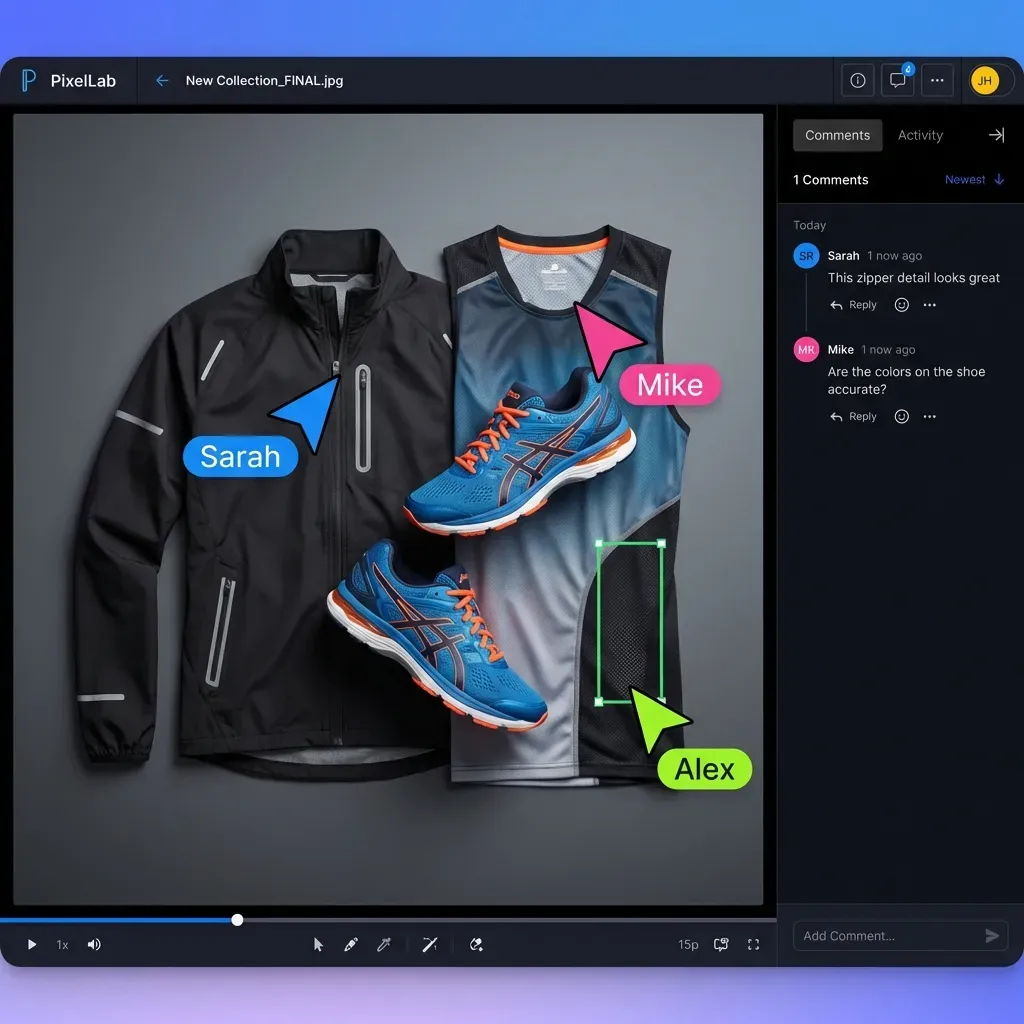
- Frame-accurate comments pinned to specific video moments
- Contextual comments on images, PDFs, and documents
- Activity tracking shows who viewed what and when
- Branded client portals for external review
- Real-time presence so you see who's reviewing right now
- Follow mode to sync your view with a teammate's screen
Best for: Teams that need proofing alongside persistent file storage. Clients get a branded portal, watch video instantly via streaming, and leave feedback without creating accounts.
How proofing fits the workflow: Fast.io won't replace a dedicated approval routing system for complex multi-stage sign-offs. But for creative review where the goal is "get feedback, make changes, get approval," the combination of instant streaming, frame comments, and activity tracking covers what most teams need.
Cost advantage: Usage-based pricing means you're not paying per reviewer seat. External clients and stakeholders don't add to your bill.
9. ReviewStudio
ReviewStudio covers proofing for agencies handling mixed media: video, images, websites, and documents all in one platform.
What it does well:
- Visual markup across all media types
- Live website proofing (annotate directly on staging URLs)
- Project-based organization
- Approval status per stakeholder
Best for: Agencies reviewing websites alongside traditional creative assets.
Watch out for: The jack-of-all-trades approach means no single feature is the strongest. Dedicated video or design tools may outperform it in specific areas. Consider how this fits into your broader workflow and what matters most for your team. The right choice depends on your specific requirements: file types, team size, security needs, and how you collaborate with external partners. Testing with a free account is the fast way to know if a tool works for you.
How to Pick the Right Proofing Tool
Start with what you proof most:
Mostly video? Frame.io, Wipster, or Fast.io. Frame-accurate comments matter. Streaming quality matters. Generic proofing tools struggle with video specifics.
Mostly design and print? GoProof for Adobe integration, PageProof for broader compatibility.
Mixed media with complex approvals? Ziflow or Filestage for workflow automation.
Need proofing plus storage? Fast.io combines both, which simplifies the stack for teams tired of moving files between apps.
Questions to Ask Before Choosing
Do external clients need to review? Some tools charge per reviewer seat.
- What file types dominate your workflow?
- Do you need approval routing (sequential sign-offs) or just feedback collection?
- How important is integration with your creative software?
- Will reviewers tolerate a learning curve?
Red Flags in Proofing Tool
Selection - Per-reviewer pricing: Costs explode when clients and stakeholders need access.
- Download-required video: If reviewers must download before watching, expect delays.
- Email-based notifications only: Teams miss comments buried in inboxes.
- No version comparison: Without it, feedback gets applied to the wrong version.
Frequently Asked Questions
What is the best online proofing software?
The best choice depends on your workflow. Frame.io leads for video-heavy teams with its frame-accurate feedback. Ziflow handles complex enterprise approvals. Fast.io works well when you need proofing integrated with cloud storage for creative teams.
What is creative proofing?
Creative proofing is the process of reviewing, annotating, and approving visual content before publication or delivery. It replaces email-based feedback with tools that let reviewers mark up exactly what needs changing, track versions, and formally approve final work.
How do you proof creative work?
Upload the asset to a proofing tool, invite reviewers, and set a deadline. Reviewers annotate directly on the content with visual markup. The creator resolves comments, uploads a new version, and repeats until approval. Good tools show version comparisons so reviewers see exactly what changed.
What's the difference between proofing and approval software?
Proofing focuses on feedback collection through annotations and markup. Approval software adds workflow management: tracking who needs to sign off, in what order, with deadlines and status tracking. Many tools combine both, but the depth of each feature varies.
How much do online proofing tools cost?
Pricing ranges from free (Filestage's basic tier, Frame.io's starter plan) to enterprise quotes (Ziflow). Mid-tier tools typically have per-user monthly pricing. Watch for per-seat pricing that charges for client reviewers, which can double or triple your bill.
Related Resources

Collaborate on Files with Your Team
Stream video instantly. Pin comments to frames. Track who reviewed what. No per-seat fees for clients.