How to Choose a Managed File Transfer Solution
Managed File Transfer (MFT) is a secure platform for moving sensitive files between systems, partners, and customers with encryption, audit trails, and automation. This guide explains what MFT actually does, when you need it versus simpler alternatives, and what features matter most for different use cases. This guide covers managed file transfer solution with practical examples.
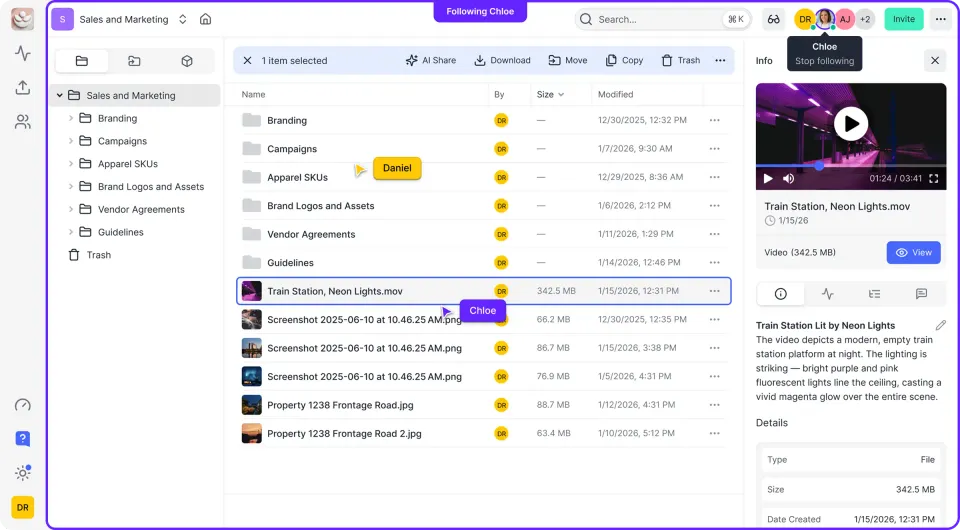
What Is Managed File Transfer?: managed file transfer solution
Managed File Transfer is a category of software that handles the secure, reliable exchange of files between organizations, systems, and people. Unlike basic file sharing tools, MFT provides encryption, compliance tracking, and automation for sensitive data. The core difference from consumer file sharing: MFT treats file transfers as business-critical operations that need monitoring, security controls, and audit trails. When a hospital sends patient records to an insurance company, or a bank transmits financial data to a regulator, that transfer needs to be encrypted, logged, and traceable. MFT platforms typically support multiple transfer protocols:
- SFTP (SSH File Transfer Protocol) for secure server-to-server transfers
- FTPS (FTP over SSL) for legacy system compatibility
- AS2 for EDI transactions with trading partners
- HTTPS for web-based uploads and downloads
The MFT market continues to grow as data regulations get stricter and security requirements multiply.
Helpful references: Fast.io Workspaces, Fast.io Collaboration, and Fast.io AI.

When Do You Actually Need MFT?
Not every organization needs a full MFT platform. Here's how to tell if your situation calls for one.
You probably need MFT if:
- You exchange files with external partners regularly (B2B file sharing)
- Regulations require you to prove how data was transmitted and received
- You need automated, scheduled transfers between systems
- Files must flow between different protocols (SFTP to email, for example)
- Transfer failures could disrupt business operations
You probably don't need MFT if:
- Your file sharing is mostly internal team collaboration
- You share files with clients occasionally, not continuously
- You don't have regulatory audit requirements
- Your files don't contain PII, financial data, or trade secrets
The organizations that experience file transfer security incidents aren't necessarily using the wrong tools. Many are using email attachments, consumer cloud storage, or unencrypted FTP when they should be using something more secure.
MFT vs SFTP: What's the Difference?
This is one of the most common questions about managed file transfer. SFTP is a protocol. MFT is a platform that uses SFTP (and other protocols) while adding management capabilities on top. Think of it this way: SFTP is a secure pipe for moving files. MFT is the control room that manages many pipes, monitors what flows through them, and keeps records of every transfer.
SFTP alone gives you:
- Encrypted file transfers
- Authentication via SSH keys or passwords
- Basic access to a remote file system
MFT adds:
- A dashboard to monitor all transfers across the organization
- Automation and scheduling without writing scripts
- Retry logic when transfers fail
- Detailed audit logs showing who sent what, when, and to whom
- Alerts when transfers fail or take too long
- Compliance reporting for auditors
- Support for multiple protocols from one interface
Running a single SFTP server for a small team? You probably don't need MFT. Managing dozens of automated transfers with external partners and proving compliance to auditors? That's where MFT pays for itself.

Key Features to Evaluate
When comparing MFT solutions, these capabilities matter most:
Security Controls
Look for encryption at rest and in transit, SSO integration with your identity provider, and granular permissions at the folder level. The ability to set expiration dates on shared links and revoke access instantly matters for sensitive deals.
Audit and Compliance
Every transfer should be logged with timestamps, user identity, and file details. You need to be able to pull reports for auditors without digging through server logs. Some industries require specific retention periods for these records.
Automation Capabilities
Can you schedule transfers? Set up triggers based on file arrivals? Handle retries automatically? Good MFT platforms reduce the need for custom scripts and manual babysitting.
User Experience
Traditional MFT platforms are built for IT administrators, not business users. If your marketing team or finance department needs to send files securely, they'll work around a clunky interface by using email instead. Find a solution that non-technical users can actually figure out.
Integration
How does the MFT connect with your existing systems? REST APIs, webhooks, and connectors to common business applications reduce the integration burden.
On-Premises vs Cloud MFT
Traditional MFT was deployed on-premises, behind the firewall. Cloud-native MFT platforms are now common and offer clear advantages: no hardware to maintain, automatic updates, and easier scaling. On-premises still makes sense when regulations prohibit cloud storage, you need to process files locally before transfer, or you're integrating with legacy systems that can't reach the internet. Hybrid deployments work well when you want cloud management but need transfer agents running on-premises for local file processing.
MFT for Different Use Cases
B2B Data Exchange
The traditional MFT use case. You're exchanging files with suppliers, partners, or customers on a regular schedule. AS2 and EDI support matter here, along with partner onboarding workflows.
Internal Secure File Sharing
Some organizations use MFT internally when data is too sensitive for standard collaboration tools. Research data, HR records, and financial reports often fall into this category.
Customer and Client File Collection
When you need clients to upload documents securely, like a law firm collecting case materials or a bank gathering loan documents. Look for branded portals and simple upload interfaces.
System-to-System Integration
Automated transfers between applications, often triggered by events in one system. This requires good API support and workflow automation. For teams focused on collaboration and client file sharing rather than automated system integration, cloud storage platforms with strong security features can handle many MFT use cases without the complexity. Features like encrypted sharing, audit logs, granular permissions, and branded client portals cover the security requirements while keeping things simple.
How to Evaluate MFT Solutions
Before requesting demos, document your actual requirements:
Transfer Volume How many files per day? What's the largest file you'll transfer? Pricing often scales with volume.
Protocol Requirements List the protocols your partners and systems require. SFTP covers most cases, but B2B integration often needs AS2 or specific EDI standards.
Compliance Requirements Which regulations apply? Some MFT vendors specialize in specific industries (healthcare, finance) and have pre-built compliance controls.
User Population Who will use the system? IT staff can handle complex interfaces. Business users need something simpler. External partners need the simplest experience of all.
Integration Needs What systems need to connect? CRM, ERP, cloud storage, legacy applications? Check for existing connectors.
Questions to Ask Vendors
- What happens when a transfer fails? How are retries handled?
- How do users without accounts send files to us?
- What does the audit trail actually capture?
- How long does partner onboarding take?
- What's the pricing model as we scale? Well-known MFT solutions include GoAnywhere MFT, Progress MOVEit, Axway, and Files.com. Each has different strengths depending on your protocol requirements, compliance needs, and deployment preference.
Frequently Asked Questions
What is managed file transfer?
Managed File Transfer (MFT) is a secure platform for transferring sensitive files between systems, partners, and customers. Unlike basic file sharing, MFT provides encryption, audit trails, automation, and compliance features. It's used when organizations need to prove how data was transmitted, meet regulatory requirements, or automate large volumes of B2B file exchanges.
What is the difference between MFT and SFTP?
SFTP is a protocol for secure file transfers. MFT is a platform that uses SFTP (and other protocols like AS2 and FTPS) while adding management capabilities: dashboards to monitor transfers, automation without custom scripts, detailed audit logs, retry logic, and compliance reporting. If you're managing many automated transfers and need audit trails, MFT adds value over raw SFTP.
Do I need MFT software?
You likely need MFT if you regularly exchange files with external partners, face regulatory audit requirements, need automated scheduled transfers, or handle sensitive data like PII or financial records. If your file sharing is mostly internal collaboration, occasional client sharing, and doesn't require compliance documentation, simpler cloud storage with good security features may be enough.
How much does managed file transfer cost?
MFT pricing varies widely based on deployment model (cloud vs on-premises), transfer volume, number of users, and features. Entry-level cloud MFT starts around $500-1000 per month. Enterprise on-premises deployments with high availability and advanced compliance features can cost tens of thousands annually. Many vendors price based on the number of trading partners or transfer volume.
Is MFT the same as cloud storage?
No. Cloud storage is designed for storing and collaborating on files. MFT is designed for moving files between systems securely and reliably. However, the lines are blurring. Modern cloud storage platforms now offer security features like encryption, audit logs, and granular permissions that overlap with MFT capabilities, especially for human-to-human file sharing rather than system-to-system automation.
Related Resources

Run Choose A Managed File Transfer Solution workflows on Fast.io
Fast.io gives you enterprise-grade security, audit trails, and client portals without the overhead of traditional MFT platforms.