Best Iconik Alternatives for Video Teams in 2026
Iconik is a powerful hybrid cloud media management hub, but its complexity and pricing don't fit every video team. This guide compares the top alternatives from agile cloud storage solutions like Fast.io to enterprise DAMs like Bynder. This guide covers iconik alternative with practical examples.

Why Teams Look for Iconik Alternatives
Iconik positions itself as a "cloud-native" media asset management (MAM) platform. It connects to your existing storage infrastructure, whether that is Amazon S3, Google Cloud Storage, or on-premise NAS systems, and adds metadata management, proxy generation, and collaboration features on top. For large broadcasters managing petabytes of archived footage, this architecture makes sense. But many production teams hit friction points with Iconik that push them to explore alternatives. The setup process needs professional systems integrators, adding weeks or months before your team can start using it. The interface, while powerful, can overwhelm freelancers, clients, or producers who just need to review a cut and leave feedback. Per-seat pricing also becomes a problem as teams scale. Adding five contractors for a three-month project means five new seats at full price, even if those users only need occasional access. Teams leaving Iconik cite three common problems. Deployment complexity: getting Iconik connected to your storage, configured correctly, and tuned for performance takes serious IT investment. User experience friction: the depth of features that appeals to MAM administrators frustrates casual users who just want to find and watch a file. Cost predictability: the combination of storage tiers, proxy processing charges, and per-seat fees makes monthly bills hard to forecast. Teams looking for alternatives want simpler deployment, friendlier interfaces for external collaborators, and pricing that scales with actual usage rather than headcount.
Helpful references: Fast.io Workspaces, Fast.io Collaboration, and Fast.io AI.

What to Look for in a Video Management Tool
When evaluating Iconik alternatives, focus on features that impact your daily workflows. Not every team needs the same capabilities, but these factors determine whether a tool improves your production process.
Streaming Quality and Playback Performance
Video files are large. A single 4K ProRes master can exceed 100GB. Traditional file sharing tools force you to download these files before you can watch them, which means waiting minutes or hours just to check a shot. Professional video tools use adaptive bitrate streaming (HLS), the same technology Netflix uses. Files start playing instantly, quality adjusts to your connection speed, and you can scrub through the timeline without buffering. This makes the difference between reviewing three cuts in an hour versus spending that hour waiting for downloads.
AI-Powered Search and Discovery
Manual file organization breaks down within months. Nobody tags files the same way, project naming conventions drift, and assets get buried in nested folder structures that only the person who created them can navigate. Modern tools use AI to solve this problem at the source. Automatic transcription indexes every word spoken in your footage, making dialogue searchable without manual logging. Visual recognition identifies objects, locations, and even specific people across thousands of clips. You can search for "interview in front of brick wall" or "product shot on white background" and get relevant results, regardless of how files were named.
Collaboration Features That Match Your Workflow
Simple file storage is not enough for video production. You need frame-accurate commenting so editors know which frame a note refers to. You need version management that shows the evolution of a cut without creating confusion about which file is current. You need approval workflows that give clear signals about what is approved, what needs changes, and what is still pending review. The best tools integrate these features into the viewing experience rather than forcing you into separate review systems.
External Access Without License Overhead
Video projects involve many people: directors, clients, producers, colorists, sound designers, music supervisors, legal reviewers. Most of these people need occasional access to specific files, not full-time seats in your MAM system. Check how each tool handles external sharing. Can you invite a client to review footage without adding them as a paid user? Can you set permissions so freelancers see only their assigned projects?
Top Iconik Alternatives Ranked
Based on features, pricing transparency, and real-world usability for video teams, here are the best Iconik alternatives for 2026:
1. Fast.io
Fast.io takes a different approach than traditional MAM systems. Instead of building a database over your storage, it provides a direct, high-speed interface to your files with professional video features built in. HLS streaming means 4K footage plays instantly in the browser. Semantic search powered by AI finds files by description, not just filename. Organization-owned storage means files stay with your company when team members leave. The pricing model works well for growing teams. Plans include generous seat packages (25 seats on Pro, 100 on Business) with additional seats at just published pricing each. This makes adding clients, freelancers, and external collaborators more economical than per-seat alternatives. Best for: Agencies and production companies that need professional video features without MAM complexity.
2. Frame.io
Frame.io, now owned by Adobe, is the industry standard for video review and approval workflows. Its tight integration with Premiere Pro and After Effects lets editors upload straight from their timeline. The review interface handles frame-accurate feedback, version comparison, and approval tracking well. The limitation is that Frame.io is a review tool, not a long-term storage solution. Archiving gets expensive, and the feature set focuses on active projects rather than asset library management. Per-user pricing also adds up quickly for larger teams. Best for: Post-production houses working in Adobe workflows who prioritize review features over storage.
3. Bynder
Bynder is an enterprise Digital Asset Management system built for marketing teams and brand consistency. It handles the full lifecycle of finished assets: storage, metadata, rights management, and distribution to downstream channels. For video production, Bynder is less effective during the creation phase. It lacks the video player sophistication, version stacking, and NLE integrations that post-production teams need. Consider Bynder when your primary goal is distributing completed videos rather than collaborating on works in progress. Best for: Enterprise marketing teams managing completed brand assets across multiple channels.
4. Air
Air positions itself as a creative operations platform with a visual-first approach to asset organization. The interface resembles a mood board more than a traditional file manager, which appeals to design-oriented teams. Assets display as previews rather than file lists, making visual browsing easy. The video capabilities are improving but still behind dedicated video tools. Streaming performance and frame-accurate commenting are not as polished as specialized alternatives. Air works well alongside dedicated video tools rather than as a replacement. Best for: Creative teams managing mixed media (images, documents, and some video) who prefer visual organization.
5. Brandfolder
Brandfolder, owned by Smartsheet, focuses on brand asset distribution rather than production workflows. It excels at making approved assets available to sales teams, partners, and external stakeholders through customizable portals. Like Bynder, Brandfolder is stronger for finished assets than for work in progress. Video teams often use it alongside production tools, pushing final deliverables to Brandfolder once approved. Best for: Organizations that need to distribute approved video content to non-creative stakeholders.
6. MediaValet
MediaValet is an enterprise DAM built on Microsoft Azure infrastructure. It offers strong security features, detailed analytics on asset usage, and integration with Microsoft 365 tools. The learning curve is steeper than consumer alternatives, but IT teams like the enterprise controls. Video streaming capabilities exist but are not the platform's strength. MediaValet works better for organizations on Microsoft infrastructure who need a DAM with video support rather than a video-first platform. Best for: Microsoft-centric enterprises requiring secure DAM with video support.
7. Google Drive
Google Drive is often the default choice because teams already have it. For basic video storage and sharing, it works. The integration with other Google Workspace tools is convenient, and most collaborators already have Google accounts. But Drive was not built for video. Playback uses progressive download rather than streaming, so you wait for buffering or must download files completely before watching. There are no frame-accurate comments, no version stacks, no proxy generation. For casual video sharing, Drive works. For professional video production, its limitations become painful quickly. Best for: Teams with minimal video needs who prioritize familiarity over features.


Run Iconik Alternatives For Video Teams workflows on Fast.io
Stop waiting for downloads and dealing with complex MAM administration. Join 50,000+ creators who use Fast.io to manage their video assets with instant streaming and simple pricing.
Deep Dive: Fast.io vs. Iconik
The architectural difference between Fast.io and Iconik shows two different approaches to video asset management. Iconik builds a detailed metadata database over your storage. Every asset gets analyzed, proxied, and indexed. This creates powerful search and organization capabilities, but it also means processing time before new uploads become usable. The system needs to ingest, transcode, and catalog each file. For organizations with stable archives that change slowly, this approach works well. Fast.io takes a different path. Files become available right after upload. The system generates streaming proxies on demand rather than batch-processing everything upfront. This means faster time-to-usability for new content, though deep metadata indexing happens progressively rather than all at once.
Speed and Playback Experience
Fast.io uses HLS adaptive streaming for all video content. Upload a 4K ProRes file and your team can watch it in the browser within minutes, not hours. The player adapts quality to available bandwidth, so review sessions work over coffee shop wifi, not just studio ethernet. Scrubbing through a two-hour timeline stays responsive because the system delivers frames on demand rather than forcing you to download the entire file. Iconik also supports streaming playback, but the experience depends on your configuration. Getting good performance requires tuning proxy settings, CDN configuration, and transcoding pipelines. Out of the box, teams experience delays that require expert adjustment.
Pricing and Team Scaling
The pricing models reward different organizational structures. Iconik combines storage costs, processing charges, and per-seat fees. Adding a freelancer for one project means adding a seat. Giving a client review access means another seat. These costs work for small, stable teams but compound quickly as project involvement fluctuates. Fast.io bundles generous seat allowances into base plans. The Pro plan includes 25 seats, and Business includes 100. Extra seats cost published pricing each. For a 40-person agency with rotating freelancers and client reviewers, this structure costs 70% less than per-seat alternatives. The pricing stays predictable because it scales with actual storage and bandwidth usage, not with every person who touches a file.
AI and Search Capabilities
Both platforms offer AI-powered features, but with different emphases. Iconik's strength is metadata management: detailed tagging, custom taxonomies, and structured search across defined fields. If you have a metadata schema and want to enforce it, Iconik provides the tools. Fast.io emphasizes natural language search. Ask "show me the interview clips from the Chicago shoot" and the AI searches transcripts, visual analysis, and file context to find relevant results. You do not need to know the exact tags or folder structure. This approach works better for teams without dedicated MAM administrators maintaining metadata discipline.
When Iconik Still Makes Sense
Iconik remains the right choice for specific scenarios. Large broadcast organizations with petabyte-scale archives and dedicated MAM teams can use its depth. Companies requiring complex metadata workflows with custom schemas benefit from its flexibility. Teams with existing Iconik investment and established workflows may find migration costs outweigh benefits. But for most production teams, especially agencies, studios, and internal creative departments, Fast.io delivers professional video features with less complexity and cost.
When to Choose Frame.io Over Iconik
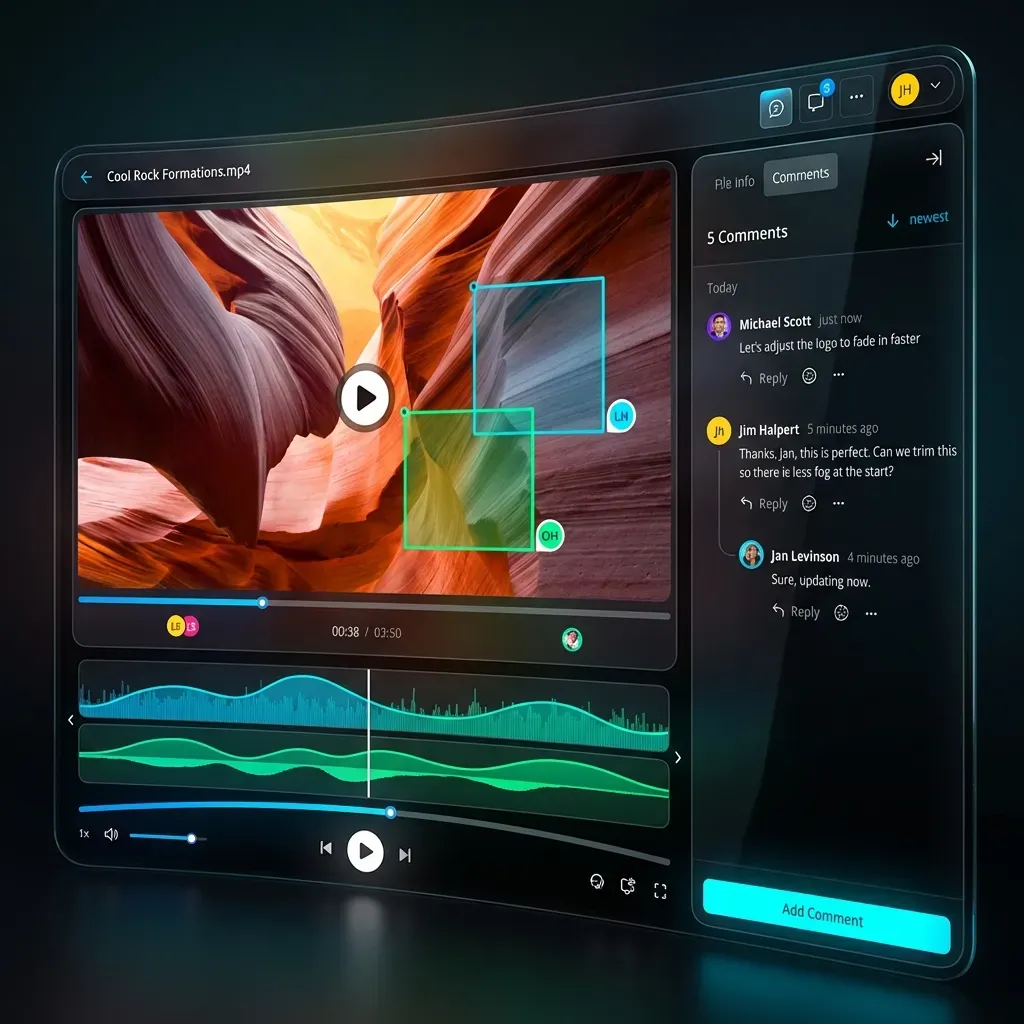
Frame.io occupies a specific niche in the video tool landscape: it handles the review and approval workflow well, particularly for teams working in Adobe applications. Understanding where Frame.io shines helps clarify when it is the right choice over both Iconik and broader alternatives. The integration with Premiere Pro and After Effects sets Frame.io apart. Editors can upload straight from their timeline panel without leaving their NLE. Changes sync automatically. Comments appear as markers in the timeline. This tight coupling removes the context-switching that slows down other review workflows. The review interface itself is good. Frame-accurate commenting means clients can point to the exact frame they are referencing. Version comparison shows two cuts side by side. Approval status is clear and trackable. For the specific task of getting feedback on edits and moving projects toward approval, Frame.io is hard to beat. But Frame.io has intentional limitations. It is not designed as long-term storage, so archiving completed projects gets expensive. The feature set focuses on active work rather than library management or asset discovery. And the per-user pricing model creates familiar scaling challenges: adding a client for review means adding a paid seat. Teams should choose Frame.io when their primary pain point is the review and approval process, especially if they work in Adobe tools. The investment pays off in faster feedback cycles and cleaner communication between editors and stakeholders. But Frame.io works best as one tool in a larger ecosystem, handling review while other systems manage storage, distribution, and long-term asset management. For teams wanting a single platform that handles both professional video playback and long-term storage, Fast.io offers a more complete solution at lower per-user costs.
When to Choose a Traditional DAM
Digital Asset Management systems like Bynder, Brandfolder, and MediaValet serve different purposes than video-focused tools. Understanding their strengths helps you decide whether a traditional DAM belongs in your video workflow. DAMs evolved to solve brand consistency problems. Marketing teams needed central repositories for logos, templates, product photography, and brand guidelines. These systems work well at organizing finished assets, managing usage rights, and distributing approved content to sales teams, partners, and external channels. Features like version control, rights management, and download tracking serve these distribution workflows well. For video production, traditional DAMs fall short in several areas. Their video players lack the sophistication of dedicated video tools: no adaptive streaming, limited scrubbing performance, and basic or nonexistent frame-accurate commenting. Version management works for simple "replace old with new" scenarios but struggles with the complex version trees that emerge during post-production. NLE integrations are absent or limited. The user experience also reflects DAM priorities. These systems assume organized metadata, defined taxonomies, and structured workflows. They work well when dedicated administrators maintain asset libraries according to defined schemas. They struggle when creative teams dump project files without careful organization, expecting search to compensate for chaos. Consider a traditional DAM when your video workflow meets specific criteria. Your primary need is distributing completed videos to non-creative stakeholders rather than collaborating on active productions. You have existing DAM infrastructure that works well for other asset types and want to consolidate video into the same system. Your organization has dedicated DAM administrators who maintain metadata standards. And video represents a minority of your total digital assets, making specialized video tools hard to justify. For video-centric organizations, like production companies, agencies with video departments, and internal creative teams, purpose-built video tools deliver better experiences than retrofitting DAM systems for video workflows.

How to Migrate from Iconik
Moving away from Iconik does not have to be painful if you approach migration the right way. The key insight is that Iconik sits on top of your actual storage, which means your raw files already exist in a format you can access.
Audit Your Current Storage Architecture
Start by documenting where your files live. Iconik connects to cloud storage (S3, Google Cloud Storage, Azure Blob) or on-premise systems (NAS, SAN). Your files exist in these underlying systems, not just in Iconik. This means you may be able to connect a new tool to the same storage without moving files at all. Identify which storage tiers you use and how files are distributed. Active projects live in faster, more expensive storage while archives sit in cold storage or tape. Understanding this distribution helps you plan which content to prioritize for migration.
Evaluate Metadata Dependencies
The metadata and organizational structure in Iconik may be harder to migrate than the files themselves. Document your custom metadata schemas, smart collections, and automated workflows. Decide which of these need to be recreated in your new system and which can be simplified or removed. Many teams discover that complex metadata structures in Iconik were aspirational rather than used. If your team searches by filename and folder structure rather than detailed tags, you may not need to migrate all that metadata.
Phase Your Migration
Migrate active projects first. These are the files your team needs to access daily, and getting them into a usable state in your new system gives immediate value. Configure your new tool to connect to existing storage locations where possible, avoiding the need to move large files. Archive migrations can happen in the background over weeks or months. Set up automated transfers for cold storage content, running during off-hours to avoid impacting production bandwidth. Most teams find that a small percentage of archive content accounts for most access requests, so prioritizing frequently-accessed archives first gives the most value.
Plan for Parallel Operation
Running both systems during transition reduces risk. Keep Iconik accessible for archive searches while setting up your new system for active production. This parallel period lets your team adapt gradually rather than facing a hard cutover. Define clear criteria for when to decommission Iconik: perhaps when the majority of daily file access happens through the new system, or when all active projects have moved. Having objective milestones prevents the migration from dragging on. Fast.io's cloud-native architecture simplifies this transition. Connect straight to existing S3 or cloud storage buckets, avoiding double-storage costs during migration. Files become available right after connecting storage, without waiting for batch processing or indexing.
Frequently Asked Questions
What is Iconik, and what type of system is it?
Iconik is a hybrid cloud Media Asset Management (MAM) system designed for video and audio workflows. It connects to your existing storage infrastructure (like S3 or on-premise NAS) and adds metadata management, proxy generation, search, and collaboration features. MAM systems are specialized forms of Digital Asset Management focused on broadcast and post-production needs.
How much does Iconik cost compared to alternatives like Fast.io?
Iconik uses a combination of storage costs, processing fees, and per-seat pricing that scales with both usage and team size. Fast.io uses usage-based pricing with generous seat allowances (25 seats on Pro, 100 on Business, with additional seats at published pricing). For mid-sized agencies with fluctuating team involvement, Fast.io costs 70% or more less than Iconik.
Can I use Google Drive or Dropbox for video production?
You can use them for basic storage, but they have significant limitations for video work. Both use progressive download rather than adaptive streaming, meaning you often buffer or download entire files before watching. Neither offers frame-accurate commenting or professional video player features. Dedicated video tools like Fast.io or Frame.io stream video instantly and include collaboration features designed for production workflows.
What is HLS streaming and why does it matter for video review?
HLS (HTTP Live Streaming) is adaptive bitrate streaming technology, the same approach Netflix uses. Video starts playing instantly without downloading the full file, quality adjusts automatically to your connection speed, and you can scrub through timelines without buffering. For video review, this means spending time on creative feedback rather than waiting for files to load.
How do MAM systems differ from DAM systems?
Media Asset Management (MAM) systems evolved from broadcast and post-production workflows, focusing on video and audio with features like proxy generation, timecode support, and frame-accurate review. Digital Asset Management (DAM) systems emerged from marketing needs, emphasizing brand asset organization, rights management, and distribution. Some DAMs now include video features, but purpose-built MAM systems typically offer more sophisticated video handling.
Should I choose a specialist tool like Frame.io or an all-in-one platform?
It depends on your primary pain point. If review and approval is your bottleneck and you use Adobe tools, Frame.io handles that specific workflow well. If you need combined storage, streaming, collaboration, and review in one platform with simpler pricing, Fast.io provides a more complete solution. Many teams use both: Frame.io for intensive editorial review phases, and a broader platform for storage and client delivery.
Related Resources

Run Iconik Alternatives For Video Teams workflows on Fast.io
Stop waiting for downloads and dealing with complex MAM administration. Join 50,000+ creators who use Fast.io to manage their video assets with instant streaming and simple pricing.