How to Review and Share Film Dailies During Production
Managing terabytes of raw footage daily is one of the biggest logistical challenges in film production. This guide covers the modern dailies workflow from on-set ingest to remote review, explains the technical requirements for different camera formats, and shows how to share secure streaming-ready dailies without forcing stakeholders to download massive files. This guide covers film dailies with practical examples.
What Are Film Dailies?
Film dailies (also called "rushes" in the UK and Australia) are the raw, unedited footage shot during a single day of production. Every major production reviews dailies to assess technical quality, evaluate performances, and give editors a head start on assembly cuts while principal photography continues. The term dates back to the physical film era, when exposed negatives were rushed to the lab overnight for developing and printed for screening the next morning. Directors, cinematographers, and producers would gather in a screening room to watch the previous day's work before call time. Today, the process is digital, but the core purpose remains the same: catching problems early and making creative adjustments before it's too late to reshoot. Dailies serve three functions on a modern production:
- Technical Quality Control: Identifying issues like soft focus, sensor noise, rolling shutter artifacts, lens flares, boom mic shadows, or lighting inconsistencies before the set is struck. Catching these problems during production is far cheaper than fixing them in post. * Creative Assessment: Evaluating whether performances are landing as the director intended. Watching playback reveals details that are invisible on a small on-set monitor, from subtle emotional beats to timing issues in comedy. * Editorial Speed: Giving the editing team immediate access to footage so they can begin assembling scenes while production continues. On a feature film, the editor might have a rough assembly ready within days of wrap. For streaming series and studio features, dailies review is typically a contractual requirement. Producers, studio executives, and financiers often have approval rights over footage and need daily access to verify that production is on track.
Helpful references: Fast.io Workspaces, Fast.io Collaboration, and Fast.io AI.

The Modern Dailies Workflow in 5 Steps
A single day of shooting on a major production can generate several terabytes of raw camera data. Multi-camera episodic shoots running a full day might record hundreds of clips totaling several terabytes before lunch. Moving this volume of data requires a disciplined, repeatable workflow with redundancy at every stage.
Step 1: On-Set Ingest and Verification
The Digital Imaging Technician (DIT) offloads camera cards to redundant storage immediately after each camera roll. Best practice is a minimum of two verified copies on separate physical drives before the original card is formatted and returned to the camera department. Checksum verification (using tools like Silverstack, Hedge, or Pomfort) confirms that every bit copied correctly. A checksum mismatch means the copy failed silently, which can result in corrupted or missing frames that might not surface until editorial. High-end productions often add a third offload destination: a portable RAID array that travels with the footage to the post facility or a cloud upload station. The goal is geographic redundancy. If the production van catches fire or a drive fails in transit, the footage still exists.
Step 2: Sync and Organization
External audio (recorded by the sound department on separate devices) must be synced to the corresponding video clips. Software like DaVinci Resolve, Tentacle Sync, or PluralEyes matches timecode or waveforms to align audio with picture. Without this step, editors receive silent footage and audio files they have to manually sync, which wastes hours. After syncing, clips are renamed according to a standardized naming convention, typically Scene-Shot-Take format. Metadata like camera roll, reel number, and take notes are embedded in the file or tracked in a database. Proper organization at this stage prevents chaos in editorial.
Step 3: One-Light Color Grade
Raw footage from cinema cameras (ARRI, RED, Sony Venice, Blackmagic) is recorded in a log color profile that looks flat and desaturated to the untrained eye. This is intentional since log profiles preserve maximum dynamic range for color grading in post. But flat footage makes it hard for non-technical stakeholders to evaluate the image. The solution is a "one-light" grade: a single color correction applied across all clips to normalize exposure and apply a basic look. Most productions use a Look-Up Table (LUT) that transforms the log footage into a viewable color space (often Rec. 709 for SDR monitors). This gives reviewers a representative image without altering the original camera files.
Step 4: Transcoding to Proxy Format
Raw camera files are massive. High-resolution ARRIRAW footage generates gigabytes of data per minute. Streaming this over the internet is impractical, and most playback software cannot decode it in real-time without expensive hardware. Proxies solve this problem. The original footage is transcoded into a lightweight format like ProRes Proxy, DNxHD, or H.264. These files are much smaller than the originals while retaining enough quality for review purposes. The originals stay untouched on archive storage, and the proxies become the working files for review and offline editing.
Step 5: Distribution to Stakeholders
Once proxies are ready, they need to reach everyone who has review rights: the director (who may be on set or traveling), the editor (who may be cutting in a different city), producers, studio executives, and sometimes financiers or completion bond representatives. This is where traditional workflows break down. Uploading hundreds of gigabytes to a generic cloud drive takes hours and forces recipients to download everything before they can watch. The modern approach is HLS streaming, covered in the next section.

Common Challenges in Remote Dailies Review
Remote collaboration became standard during the pandemic, and most productions now have at least some stakeholders reviewing footage from outside the physical production office. This shift exposed limitations in tools that were designed for document sharing, not professional video.
Bandwidth and Transfer Time
Uploading hundreds of gigabytes of proxy files to a consumer cloud drive can take many hours on a typical production office internet connection. If the upload fails or times out partway through, some services force you to restart from zero. Even when uploads complete, recipients face the same problem in reverse: downloading hundreds of gigabytes to watch footage is slow, fills up laptop storage, and creates version control nightmares when multiple cuts exist in different download folders.
Playback Quality
Standard cloud storage services treat video as just another file type. When you "preview" a video in Google Drive or Dropbox, the platform uses progressive download: it starts buffering from the beginning and plays what it has loaded. This works fine for short clips, but long clips becomes unwatchable. Scrubbing to a specific timecode requires waiting for the entire file to buffer, which defeats the purpose of quick review.
Security Exposure
Unreleased footage is valuable intellectual property. A leaked scene from a major franchise film can dominate news cycles and spoil marketing campaigns worth tens of millions of dollars. Sending hard drives via courier introduces physical security risks, and unencrypted file transfer links can be shared without any tracking. Productions have had footage leaked from compromised personal email accounts, shared Dropbox links, and courier theft.
Version Fragmentation
When dailies are distributed as downloadable files, every recipient ends up with their own local copy. If the colorist reprocesses a clip with a corrected LUT, or the DIT discovers that some clips were exported with wrong audio sync, updating everyone becomes a coordination nightmare. Teams end up reviewing different versions without realizing it, and feedback gets applied to the wrong cuts. This leads to wasted hours in editorial meetings where the director is giving notes on an outdated cut, or the VFX team is working on shots that have already been replaced. Keeping everyone on the same page requires a single source of truth that updates instantly for all users, eliminating the risk of creative decisions being made based on obsolete material.
Access Management
People join and leave productions constantly. When a coordinator finishes their contract, their access to footage should end. But if dailies were shared via personal email links or downloaded to personal drives, that footage may persist indefinitely on devices the production no longer controls. This creates a significant security gap that is often impossible to close after the fact. Production insurance policies frequently mandate strict control over intellectual property, and untracked file copies can void coverage in the event of a leak. A secure system must ensure that revoking a user's permission instantly cuts off their ability to view or download any project assets, regardless of where they are located.
How HLS Streaming Solves the Dailies Problem
The best method for distributing dailies is HTTP Live Streaming (HLS), the same adaptive bitrate technology that powers Netflix, YouTube, and every major streaming platform. Instead of transferring large files, the platform processes video in the cloud and streams it on-demand to any device. Fast.io's media engine converts uploaded footage into HLS automatically. When a stakeholder clicks play, the video starts instantly. No download wait, no buffering delay, no storage consumed on the viewer's device. The stream adapts to available bandwidth in real-time: a producer reviewing footage on airport Wi-Fi gets a lower bitrate stream that plays smoothly, while the same clip delivers full 1080p quality to someone on a fiber connection.
Instant Scrubbing and Frame-Level Navigation
Traditional progressive download forces sequential loading. If you want to jump to a specific timecode, you have to wait for everything before that point to buffer. HLS works differently: the video is chunked into small segments, and the player can request any segment independently. Jumping to any point in a two-hour assembly takes seconds, not minutes. For frame-accurate review, Fast.io provides timecode overlays and frame-by-frame stepping controls. Directors can pause on the exact frame where they want the editor to make a cut, and that specific frame number becomes part of their feedback.
No Downloads, No Local Storage
Reviewers never need to download files to watch them. This eliminates the storage problem entirely and keeps all footage under centralized control. When the production wraps, all dailies remain in the organization's workspace. Nothing lives on personal laptops or scattered across individual cloud accounts.
Organization-Owned Files
Unlike personal cloud storage where files belong to whoever uploaded them, Fast.io uses an organization-first model. Files belong to the production company, not individual crew members. When a coordinator or post-production assistant finishes their contract, their access ends, but the footage stays exactly where it is. No awkward transfer requests, no files disappearing when someone's account gets deleted.
Contextual Feedback
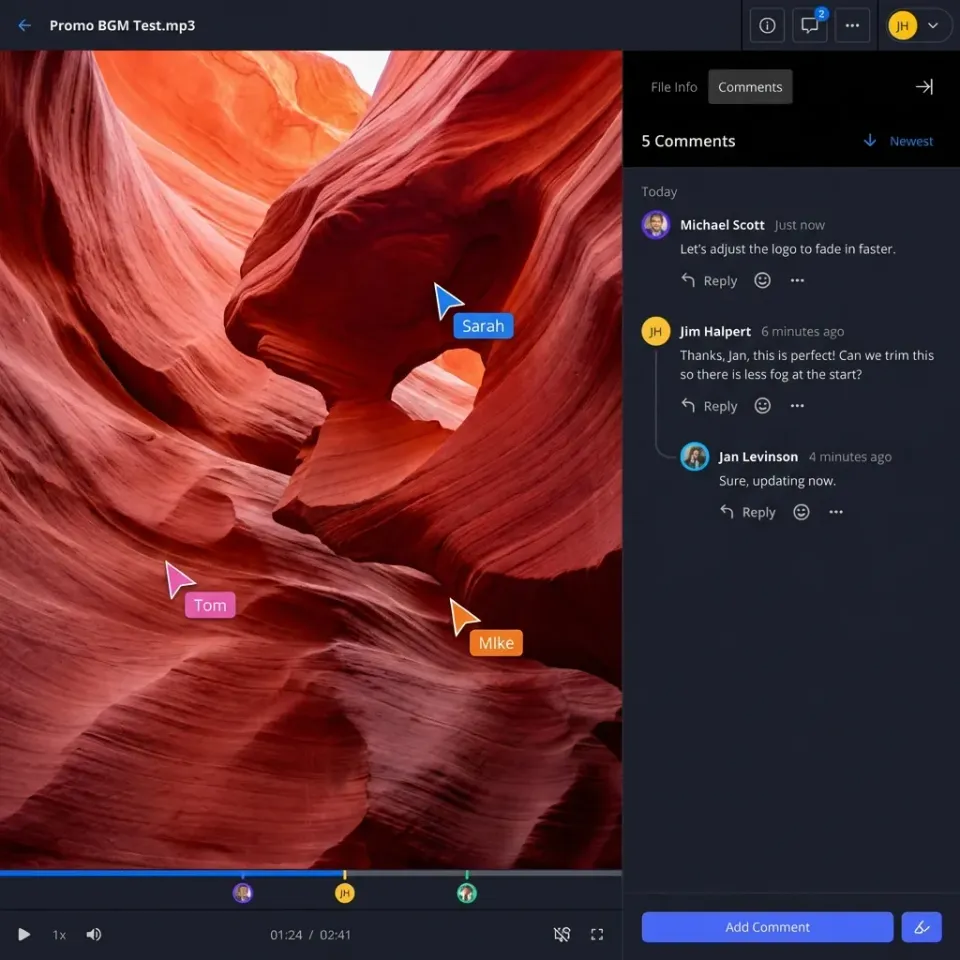
Rather than compiling notes in a separate document ("a specific shot, around a certain timecode, the focus seems soft"), reviewers can pin comments directly to specific frames. The editor opens the dailies, sees pins at exact timecodes, and knows precisely which moments need attention. This eliminates the back-and-forth of "which version are you looking at?" and "can you give me a more specific timecode?"
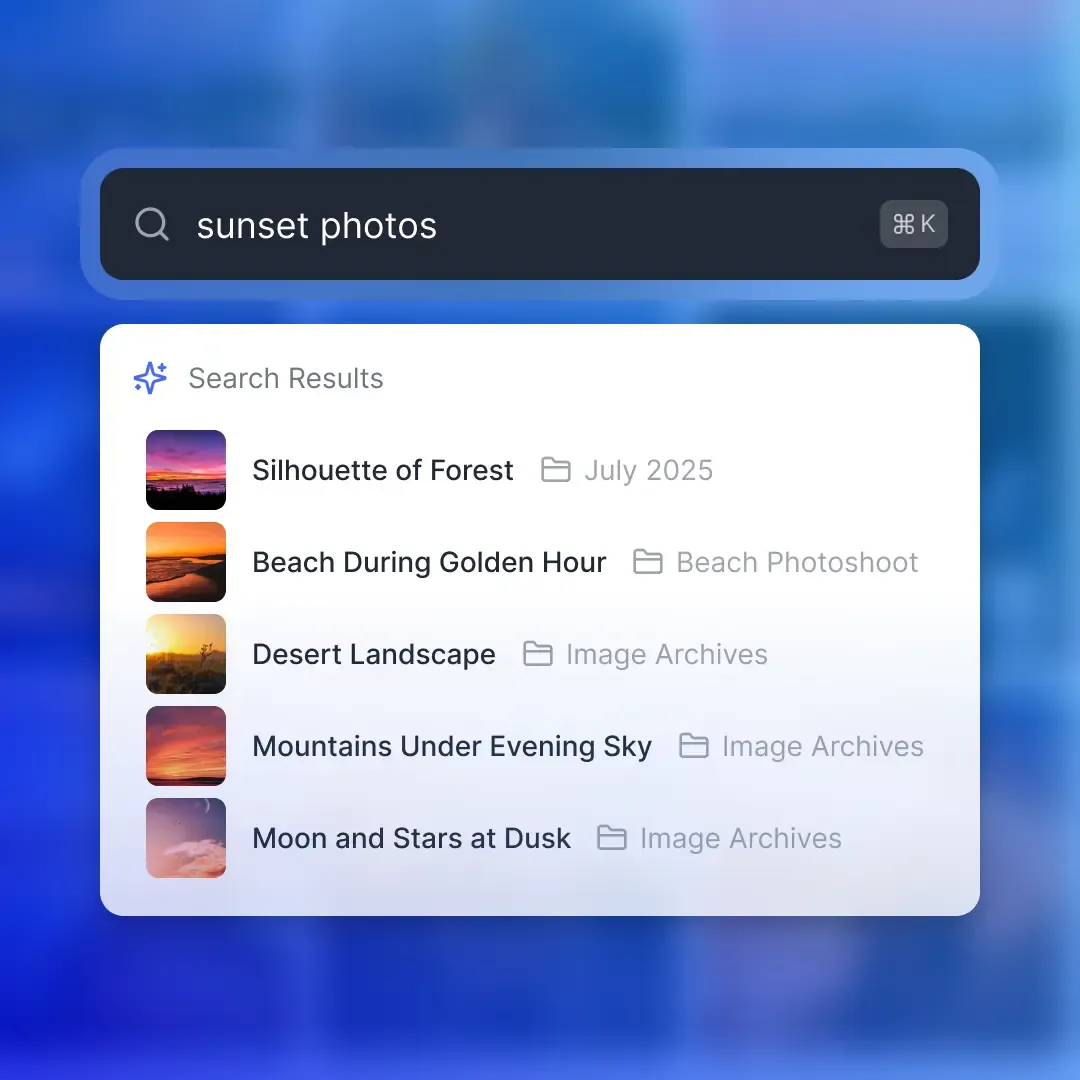


Stream your dailies without the hassle for film dailies
Share terabytes of daily footage securely without downloads. Fast.io lets your team review dailies from anywhere with instant HLS streaming, frame-accurate comments, and no per-seat fees.
Security Protocols for Unreleased Footage
Studio productions operate under strict security requirements. Completion bonds, insurance policies, and distribution agreements often require specific controls around unreleased content. A single leak can trigger contractual penalties and derail marketing campaigns.
Granular Permission Structures
Not everyone needs access to everything. Best practice is to structure permissions by role:
- Editing Department: Read and write access to original camera files, proxies, and working project files. * Directors and Producers: View access to dailies folders and editorial cuts. No download permission unless specifically required. * Studio Executives: Access limited to specific curated playlists (selects, key scenes) via a secure branded portal. No access to raw footage or working cuts. * External Financiers: View-only access to specific deliverables with watermarking enabled and download disabled. Fast.io supports folder-level and file-level permissions, so you can give the VFX supervisor access to the shots they need without exposing the entire project.
Forensic Watermarking
Visual watermarks burn identifying information (typically the viewer's email or a unique ID) into the video stream. If footage leaks, the watermark identifies exactly who the source was. This deters leaks proactively and provides accountability when incidents occur. For maximum security, use dynamic watermarks that appear at unpredictable positions and intervals, making them harder to crop or obscure. Some productions combine visible watermarks with invisible forensic markers embedded in the video signal itself.
Audit Trails
You need to know who accessed what and when. Fast.io logs every view, download, and permission change with timestamps and user identification. If a leak occurs, the audit log can narrow down which users had access during the relevant window. Studios and insurance providers often require this level of accountability as a condition of coverage.
Link Controls and Expiration
Shared links should have expiration dates, password protection, and domain restrictions. A dailies link sent to a studio executive at their corporate email should not work when forwarded to a personal Gmail account. Setting links to expire after the review period ends prevents indefinite access to sensitive material.
Instant Revocation
When someone's involvement with the production ends, their access should end immediately. Fast.io allows one-click revocation that takes effect across all shared links and folders. The footage remains in place; only the access changes.

Setting Up an Efficient Dailies Pipeline
Building a reliable dailies workflow requires planning before principal photography begins. The following checklist covers the technical and organizational decisions that need to happen in pre-production.
Define Your Delivery Cadence
Most productions aim to have processed dailies available within several hours of wrap. The exact timing depends on shooting schedule (a day shoot wrapping at 7pm has different logistics than a night shoot wrapping at 6am), post facility location, and upload bandwidth. Document the expected delivery time in the post-production schedule so all stakeholders know when to check for new footage.
Establish Naming Conventions
Agree on a file naming structure before production starts. Common formats include:
- [ShowCode]_[EpisodeNumber]_[SceneNumber][Shot]_[Take]_[CameraID]
- Example: PROJ_show1_sceneA_shotA_takeA_camA (Project, Episode, Scene A, Shot A, Take A, A-Camera)
Document the convention in a shared technical specifications document that every department receives.
Configure Your Workspace Structure
Create a folder hierarchy that scales across the entire production. One proven structure:
/Production Name
  /Dailies
    /Day 001
    /Day 002
    /... /Editorial
    /Assembly Cuts
    /Rough Cuts
    /Selects
  /VFX Pulls
  /Audio
Set permissions at the folder level so new content inherits the correct access rules automatically.
Test Your Upload Pipeline
Before production starts, run a realistic test: upload hundreds of gigabytes of proxy footage from the actual production office using the actual internet connection.Measure throughput, test playback on different devices and connection speeds, and verify that permissions work as expected. Discovering bandwidth problems during prep is better than discovering them once production starts.
Document Emergency Procedures
What happens if the primary cloud service has an outage? What if the production office loses internet? Having a backup plan, whether that is a secondary upload location, physical drive couriers, or a mobile hotspot solution, prevents panic when problems occur.
Frequently Asked Questions
What is the difference between rushes and dailies?
The terms are used interchangeably in most of the world. Historically, 'rushes' referred to exposed film negatives rushed to the lab for overnight developing, while 'dailies' referred to the developed prints screened the next day. In digital production, both terms describe the raw footage from each shooting day, processed and distributed for review. UK and Australian productions tend to use 'rushes' while American productions more commonly say 'dailies.'
How long does it take to process dailies?
Processing time depends on footage volume, transcoding complexity, and upload bandwidth. A typical production can expect several hours of processing time including ingest, verification, sync, transcoding, and upload. Cloud-native platforms with parallel processing can accelerate this . The goal is usually to have dailies available before the next shooting day begins.
Do you need special software to view dailies?
Not with modern streaming platforms. Fast.io converts professional video formats to HLS streams that play directly in any web browser. Stakeholders can review footage on laptops, tablets, or phones without installing editing software or video codecs. This is an advantage over traditional workflows where viewing ARRIRAW or REDCODE files required specialized software and hardware.
How much storage do dailies require for a feature film?
A typical feature film generates hundreds of terabytes of raw camera data. Proxy files are much smaller, typically tens of terabytes. Most productions keep both: originals on LTO tape archive for the required retention period, and proxies on active cloud storage for ongoing post-production access.
What proxy format is best for dailies?
ProRes Proxy and DNxHD 36 are industry standards for offline editing proxies. They balance file size with quality and compatibility. For review-only purposes, H.264 at efficient bitrates provides smaller files that stream efficiently while maintaining enough quality to evaluate focus, exposure, and performance. The choice depends on whether proxies will also be used for offline editing or purely for review.
How do you handle dailies for multi-location shoots?
Productions shooting across multiple locations typically set up redundant upload points at each location. Footage uploads begin as soon as each camera roll is verified, rather than waiting until wrap. Cloud-based review means all stakeholders access the same dailies regardless of physical location. The key is ensuring each location has adequate upload bandwidth and follows identical naming and processing standards.
Related Resources

Stream your dailies without the hassle for film dailies
Share terabytes of daily footage securely without downloads. Fast.io lets your team review dailies from anywhere with instant HLS streaming, frame-accurate comments, and no per-seat fees.