How to Collect Documents from Clients Without the Email Chase
Document collection software replaces scattered email requests with secure upload portals, automated reminders, and organized workflows. Instead of chasing clients through endless reply-all threads, you create a single request that tracks what's been submitted and what's still missing. The right tool cuts average collection time per client.
What Is Document Collection Software?
Document collection software makes it easier to gather files from clients and external parties. Instead of juggling email threads, you use secure upload portals, automated reminders, and organized workflows. Instead of sending an email asking for "tax documents, ID copies, and last year's statements," you create a structured request that lists exactly what you need. Clients get a single link where they can upload each item, see what's still pending, and receive automatic reminders until everything is submitted. The core components include:
- Upload portals: Secure pages where clients drag-and-drop files
- Request checklists: Itemized lists showing what's needed and what's been received
- Automated reminders: Emails or texts that nudge clients without manual follow-up
- Status tracking: Real-time visibility into submission progress
- File organization: Automatic sorting into folders by client, project, or document type
Helpful references: Fast.io Workspaces, Fast.io Collaboration, and Fast.io AI.
Why Email-Based Collection Fails
Most professionals still collect documents through email. The process looks familiar: send a list of needed files, wait days for responses, send follow-ups, piece together attachments from multiple threads, and hope nothing gets lost. The numbers tell the story. Manual document collection takes considerable time per client on average. Email-based requests frequently result in submissions needing follow-up because files are missing, mislabeled, or sent to the wrong thread. Staff spend more time organizing and chasing than actually reviewing documents. Common failure points include:
- Attachment limits: Email caps at 25MB, forcing clients to split large files
- Version confusion: "Final_v2_REVISED_FINAL.pdf" in an inbox full of similar names
- Lost threads: Documents buried in reply chains or forwarded conversations
- No visibility: Clients forget what they've sent and what's still needed
- Security gaps: Sensitive files transmitted through unencrypted email
The hidden cost is client experience. Nobody enjoys hunting through their computer for files while wondering if their accountant received the last batch.

Features That Actually Matter
Not all document collection tools are built the same. Some focus on specific industries like accounting or legal. Others work across any use case. Here's what separates functional software from folder chaos:
Customizable Request Templates
Build reusable checklists for common scenarios. An agency onboarding checklist might include brand guidelines, logo files, and account credentials. A mortgage application checklist requests pay stubs, tax returns, and bank statements. Templates save setup time and ensure consistency.
Branded Upload Portals
Clients should see your logo and colors, not third-party branding. White-label portals build trust and look professional. Some tools let you use custom domains so links read "files.youragency.com" instead of "generic-tool.com/yourcompany."
Automated Follow-Up Sequences
Set reminder schedules that run without intervention. A few days in: gentle nudge. One week: firmer reminder. Two weeks: escalation. Good software lets you customize timing, tone, and channels (email vs. SMS).
File Validation
Reject incorrect file types before they're submitted. If you need PDFs, don't accept JPG screenshots of documents. Some tools validate file size, format, and even basic completeness checks.
Secure Transmission
Encryption at rest and in transit should be standard. Look for password protection, expiration dates, and the ability to restrict downloads. For sensitive documents, audit logs that track who accessed what and when.
Integration Options
The best collection tool connects with your existing workflow. CRM integration auto-creates requests when deals reach certain stages. Cloud storage integration pushes collected files directly to your file system.


Run Collect Documents From Clients Without The Email Chase workflows on Fast.io
Stop chasing clients for files. Create secure upload portals with automated reminders and organized workflows.
How to Set Up a Document Collection Workflow
Moving from email to structured collection takes planning. Here's a practical implementation path:
Step 1: Audit Your Current Process
List every document type you regularly request. Note which cause the most friction. Tax preparers might find W-2s arrive quickly but rental income documentation stalls every request. Agencies might get brand guidelines fast but struggle with legal approvals.
Step 2: Create Request Templates
Build templates for your most common scenarios. Each template should include:
- Clear names for each document ("2024 W-2 from primary employer" not just "W-2")
- Accepted file formats
- Any specific requirements or examples
- Helpful notes explaining why each document is needed
Step 3: Set Up Your Portal
Brand your upload portal with logo, colors, and clear instructions. Write the welcome message in plain language. "We need these documents to complete your project" works better than "Please submit the following requisite materials."
Step 4: Configure Reminders
Start conservative. Spaced reminders are less annoying than daily nudges. Include the direct upload link in every reminder. Make it one click to resume submitting.
Step 5: Test With a Friendly Client
Before full rollout, run through the process with someone who'll give honest feedback. Watch for confusion points, unclear instructions, or technical issues.

Document Collection for Creative Agencies
Most document collection content focuses on accounting and legal. Creative agencies have their own collection challenges though, often more complex than paperwork. Agency onboarding typically requires:
- Brand guidelines and style documentation
- Logo files in multiple formats (vector, PNG, various sizes)
- Photography and video assets
- Existing marketing materials
- Account credentials for social platforms, analytics, ad accounts
- Legal approvals and licensing documentation
These files are larger, less standardized, and come from multiple stakeholders. A brand manager sends the guidelines while the legal team handles licensing. The previous agency might have assets the client doesn't even know about. Creative-specific considerations:
- Large file support: Brand assets regularly exceed email limits. Look for tools handling multi-gigabyte uploads.
- Format flexibility: Accept everything from PSD source files to MOV video clips.
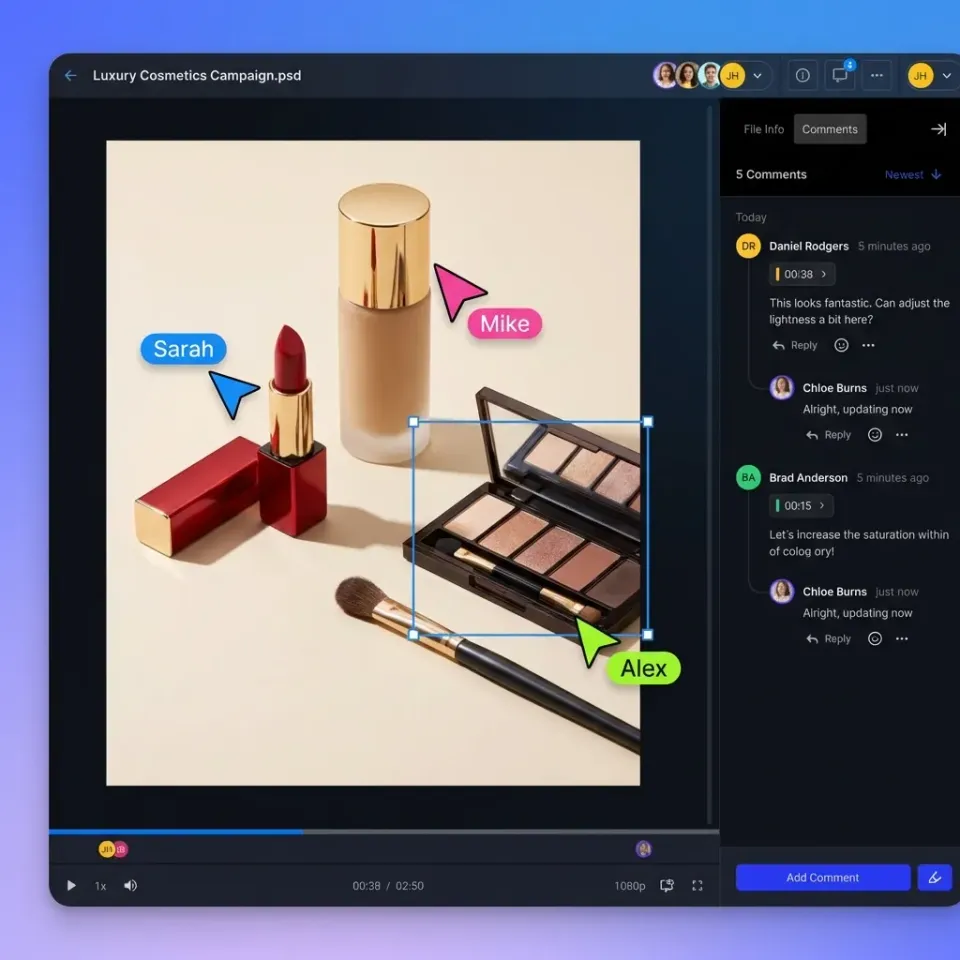
- Visual previews: See thumbnails of submitted assets without downloading each file.
- Folder organization: Automatic sorting by asset type keeps libraries manageable. Fast.io handles these creative-specific needs with unlimited file sizes, universal previews that work with PSD and AI files in the browser, and workspaces that organize incoming assets by project.
Measuring Collection Efficiency
Track these metrics to see if your new process is working:
Time to Complete
Measure days from initial request to final submission. Automated collection cuts turnaround time compared to email.
Follow-Up Rate
What percentage of requests need manual intervention beyond automated reminders? Good software reduces this rate. If you're still manually chasing half your requests, something in the setup needs adjustment.
Client Satisfaction
Survey clients after collection completes. "How easy was it to submit your documents?" A structured portal usually scores higher than email requests because clients know exactly what's needed and can confirm their files arrived.
Staff Time Saved
Track hours spent on document collection before and after. Most teams report substantial time savings per client engagement, which adds up fast across your client base.
Error Rate
How often do collected documents have issues requiring resubmission? Clear request templates with format validation reduce errors compared to "just email me the files."
Making the Switch
Transitioning from email collection to software takes more than installing new tools. You need to bring your team and clients along.
Communicate the change to clients. Frame it as an improvement for them: "We've set up a simpler way to send us files. One link, no attachments, automatic confirmation when we receive everything."
Keep email as backup. Some clients will resist change. Let them email if they insist, but respond by uploading their files to the portal yourself and sending them the link to complete any remaining items.
Train your team. Everyone who creates requests needs to understand templates, reminder settings, and how to check submission status. A brief training session prevents weeks of "how do I" questions.
Start with new clients. Easier to establish new habits than change existing ones. Existing clients can transition during their next engagement cycle. The goal isn't perfect adoption on day one. It's steady improvement. Each client who successfully uses the portal becomes proof that the system works, making the next transition easier.
Frequently Asked Questions
What is document collection software?
Document collection software provides secure upload portals where clients submit requested files. It replaces email attachments with organized workflows that include request checklists, automated reminders, and status tracking. The software shows both you and your clients exactly what's been submitted and what's still pending.
What is the best way to collect documents from clients?
Create a branded upload portal with a clear checklist of needed documents. Send clients a single link where they can upload each item, see requirements, and receive automatic reminders. This approach cuts collection time compared to email and eliminates the back-and-forth of 'did you get my attachment' conversations.
How do I automate document collection?
Set up request templates for common document types, configure automated reminder sequences that nudge clients at set intervals, and use file validation to reject incorrect formats. Integration with your CRM can trigger collection requests automatically when deals reach certain stages. The goal is zero manual follow-up for routine requests.
How much time does document collection software save?
Manual email-based collection takes considerable time per client. Automated collection reduces this time, with most of that time spent on review rather than chasing submissions. Teams report much faster turnaround times and fewer follow-up messages.
What features matter most for document collection?
Prioritize customizable request templates, branded upload portals, automated reminders, and secure file transmission with encryption. For creative work, add large file support and visual previews. Integration with your existing tools (CRM, cloud storage) makes the collected files immediately useful.
Related Resources

Run Collect Documents From Clients Without The Email Chase workflows on Fast.io
Stop chasing clients for files. Create secure upload portals with automated reminders and organized workflows.