How to Choose Deal Room Software for M&A Transactions
Deal room software is a secure platform that enables M&A transactions by providing controlled access to confidential documents, tracking viewer activity, and simplifying due diligence workflows. This guide covers the essential features every deal room needs, how deal rooms differ from standard data rooms, and what to look for when evaluating platforms for your next transaction.
What Is Deal Room Software?
Deal room software is a specialized virtual data room built for managing M&A transactions, fundraising rounds, and other sensitive business deals. It provides a secure location where multiple parties can access confidential documents under controlled conditions. The core functions of deal room software include:
- Document repository: Organized storage for contracts, financials, legal documents, and due diligence materials
- Granular access controls: Permission settings down to individual documents or folders
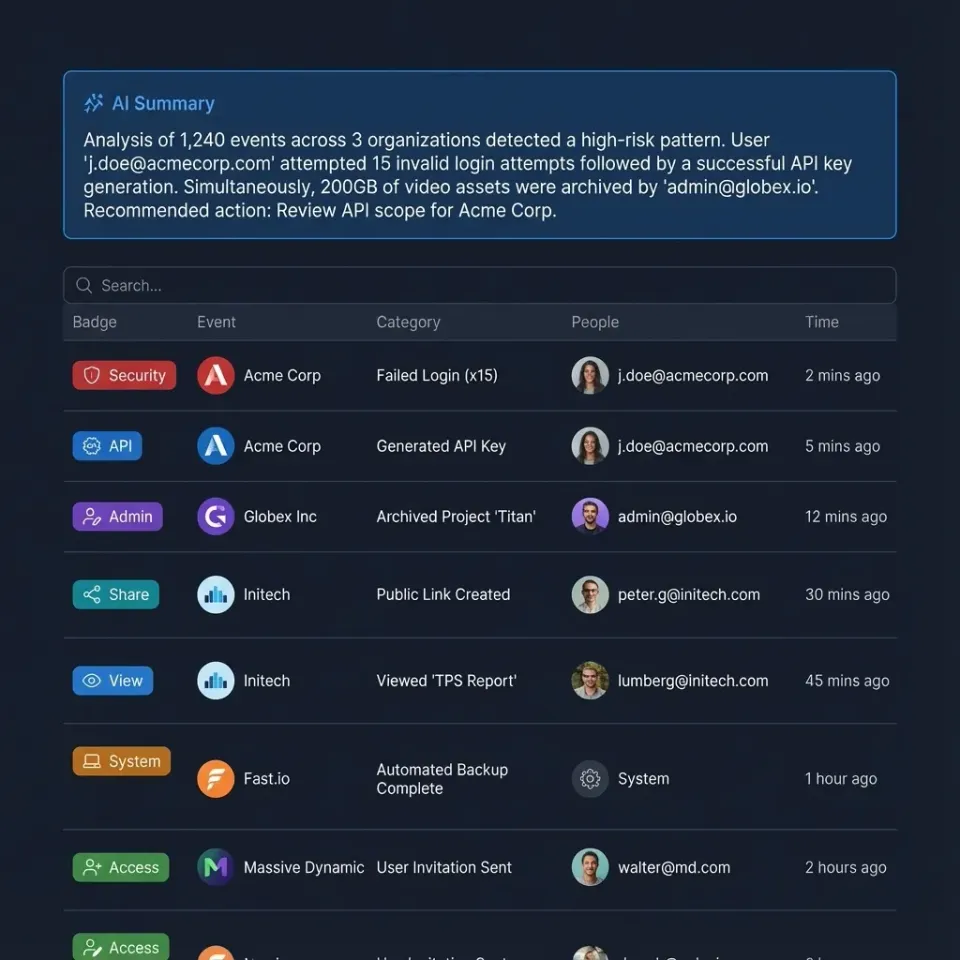
- Activity tracking: Detailed logs showing who viewed what, when, and for how long
- Q&A workflows: Structured communication between buyers and sellers without exposing email threads
- Security features: Encryption, watermarking, and access revocation
Global M&A activity involves over 50,000 deals annually. The average deal room contains thousands of documents. Each party needs different access levels, and documents need to stay organized throughout the transaction.
Helpful references: Fast.io Workspaces, Fast.io Collaboration, and Fast.io AI.
Deal Room vs. Data Room: What's the Difference?
The terms get used interchangeably, but there's a distinction worth understanding. A virtual data room (VDR) is any secure online repository for sharing confidential documents. Law firms use them for litigation. Real estate companies use them for property transactions. Enterprises use them for board materials. A deal room is a data room specifically optimized for M&A transactions. It includes features tailored to the deal lifecycle:
- Deal intelligence: Analytics showing which documents buyers spend the most time on
- Due diligence indexing: Pre-built folder structures matching standard due diligence checklists
- Buyer/seller separation: Controlled information flow between parties
- Integration with deal workflow: Q&A management, issue tracking, and closing checklists
If you're running a competitive M&A process with multiple bidders, you need deal room features. If you're just sharing sensitive documents with external parties, a standard data room works fine.
Must-Have Features in Deal Room Software
Not all deal rooms offer the same capabilities. Here are the features that matter most during a transaction.
Security and Access Control
- Granular permissions: Control access at the folder, subfolder, or individual document level
- Dynamic watermarking: Watermarks that show the viewer's name and timestamp on every page
- View-only access: Prevent downloads for sensitive materials
- Two-factor authentication: Extra security for all users
- IP restrictions: Limit access to specific networks or geographies
- Access revocation: One-click ability to cut off a bidder who drops out
Document Management
- Bulk upload: Handle thousands of documents without manual one-by-one uploads
- Auto-indexing: Automatic numbering and organization of documents
- Full-text search: Find specific terms across all documents in the room
- Version control: Track document updates and maintain audit trails
- Redaction tools: Black out sensitive information in shared documents
Activity Intelligence
- Page-level analytics: See which specific pages each party viewed and for how long
- Engagement scoring: Identify which bidders are most engaged based on activity
- Heat maps: Visual representation of document engagement
- Export-ready reports: Generate activity summaries for deal team reviews
Teams using deal rooms with these features close transactions faster than those relying on email-based document sharing.



Start with deal room software on Fast.io
Fast.io includes branded data rooms, granular permissions, and view analytics. No per-seat pricing for external parties.
How to Set Up a Deal Room
Setting up a deal room involves four phases: preparation, structure, population, and access management.
Phase 1: Preparation Before creating your deal room, gather these materials:
- Complete due diligence checklist (standard templates exist for most deal types)
- List of all parties who will need access and their required permission levels
- Naming conventions for documents and folders
- Timeline showing when different document groups need to be available
Phase 2: Structure
Build your folder hierarchy to match how buyers will search for information:
- Corporate documents: Formation documents, bylaws, organizational charts
- Financial information: Audited statements, projections, tax returns
- Contracts: Customer agreements, vendor contracts, employment agreements
- Intellectual property: Patents, trademarks, licenses
- Legal and compliance: Litigation history, regulatory filings
- Operations: Facilities, equipment, IT systems
Use a logical numbering system (e.g., major.minor) so documents stay organized as you add more.
Phase 3: Population Upload documents in batches by category:
- Start with the due diligence index in your root folder
- Upload one category at a time to maintain organization
- Verify all documents are readable and properly formatted
- Run a completeness check against your due diligence checklist
- Mark any pending documents as "To Be Provided"
Phase 4: Access Management
Configure permissions before inviting anyone:
- Create user groups matching each bidder team
- Set permission levels by folder (some groups see financials, others don't)
- Enable audit logging for all activity
- Test access by logging in as each user type
- Send invitations with clear instructions

Evaluating Deal Room Platforms
When comparing deal room software, evaluate these criteria:
Pricing Models
Deal room pricing varies :
- Per-page pricing: You pay for each page uploaded. Costs add up fast with large document sets.
- Per-user pricing: You pay for each person who accesses the room. Expensive when you have multiple bidder teams.
- Flat-rate pricing: Fixed monthly or per-deal fee. More predictable costs.
- Storage-based pricing: You pay based on gigabytes stored. Works well for document-heavy deals. For a typical deal room with thousands of documents and multiple external users, per-seat pricing can cost thousands per month. Flat-rate or storage-based models often work out cheaper.
Speed and Performance
M&A transactions move fast. Your deal room should:
- Load documents in the browser without requiring downloads
- Handle bulk uploads without timing out
- Work reliably on mobile devices for executives reviewing on the go
- Stream video and large files without buffering
Support and Training
Even experienced deal teams need help with new platforms:
- Look for 24/7 support during critical deal phases
- Ask about dedicated project managers for large transactions
- Check if training is included or costs extra
- Verify response time SLAs for technical issues
Integration Capabilities
A deal room that connects to your existing tools cuts setup time:
- SSO integration with your identity provider (Okta, Azure AD, Google)
- Document management system connections
- CRM integration for tracking deal flow
- E-signature platform integration for closing documents
Managing Security During a Transaction
Security in a deal room goes beyond the technology. Good process matters just as much as the platform itself.
Information Barriers
Keep different parties isolated:
- Create separate folders for each bidder with no cross-access
- Use distinct user groups rather than individual permissions
- Never share a link intended for one bidder with another
- Maintain a log of exactly who has access to what
Activity Monitoring
Watch for red flags in your audit logs:
- Bulk downloads that weren't expected
- Access attempts from unusual locations
- After-hours activity that seems out of pattern
- Repeated access to competitive information
Access Lifecycle
Manage permissions throughout the deal:
- Grant access incrementally as bidders advance through rounds
- Revoke access immediately when bidders drop out
- Update permissions when team members change
- Conduct a final review before deal close
- Archive the room securely after transaction completion
Document Handling
Protect sensitive materials:
- Enable watermarking on the most confidential documents
- Use view-only mode to prevent local copies
- Redact information that shouldn't be shared at early stages
- Maintain a separate "management only" folder for internal notes
Frequently Asked Questions
What is deal room software?
Deal room software is a secure platform for managing M&A transactions. It stores due diligence documents, controls who can access what, tracks viewer activity, and manages Q&A between buyers and sellers. Deal rooms are built for the M&A lifecycle, unlike general-purpose file sharing tools.
How do I create a deal room?
Start by selecting a platform that supports granular permissions and activity tracking. Build a folder structure matching your due diligence checklist (corporate, financial, legal, contracts, IP, operations). Upload documents in organized batches, then configure user groups for each party with appropriate permission levels. Test access before sending invitations, and enable audit logging from day one.
What is the difference between a deal room and a data room?
A data room is any secure document repository for sharing confidential files. A deal room is a data room optimized specifically for M&A transactions, with features like due diligence indexing, deal intelligence analytics, buyer/seller separation, and Q&A workflows. Use a deal room for M&A processes; use a standard data room for general secure document sharing.
How much does deal room software cost?
Pricing models vary: per-page (expensive for large document sets), per-user (dozens of dollars per person per month), flat-rate (fixed monthly fee), or storage-based. A typical M&A deal room can cost hundreds to thousands per month depending on the platform and pricing model. Per-seat pricing adds up quickly with multiple bidder teams.
What security features should a deal room have?
Look for granular permissions at the document level, dynamic watermarking with viewer names, two-factor authentication, IP restrictions, view-only access to prevent downloads, one-click access revocation, and detailed audit logs. More advanced platforms add encryption at rest and in transit, SSO integration, and automatic session timeouts.
Related Resources

Start with deal room software on Fast.io
Fast.io includes branded data rooms, granular permissions, and view analytics. No per-seat pricing for external parties.