How to Set Up Brand Asset Management That Actually Works
Brand asset management is the systematic organization, storage, and distribution of logos, images, templates, and brand guidelines to ensure consistent brand usage. Done poorly, teams waste hours weekly searching for approved assets. Done well, everyone knows exactly where to find the latest files.
What Is Brand Asset Management?
Brand asset management (BAM) is the practice of organizing, storing, and distributing your company's visual identity materials in a centralized location. This includes logos, color palettes, fonts, photography, templates, and brand guidelines. The goal is simple: make it easy for anyone in your organization to find and use the correct brand materials without hunting through email attachments, shared drives, or Slack messages. A typical brand asset library contains:
- Primary and secondary logos in all required formats (PNG, SVG, EPS)
- Color specifications with hex codes, RGB, CMYK, and Pantone values
- Typography files and usage guidelines
- Photography and iconography libraries
- Templates for presentations, social media, and documents
- Brand guidelines document explaining how to use everything
This differs from general digital asset management (DAM), which handles all company files. Brand asset management focuses specifically on identity materials and includes governance rules about who can access and modify them.
Helpful references: Fast.io Workspaces, Fast.io Collaboration, and Fast.io AI.
Why Your Current System Probably Isn't Working
Most teams think they have brand asset management figured out. They have a folder somewhere with logos in it. What they actually have is a mess that costs real money.
The hidden costs of disorganized brand assets:
Salespeople use outdated logos. Marketing creates off-brand materials because they can't find the templates. Partners use the wrong colors because they grabbed whatever was easiest. All of it erodes brand recognition and customer trust.
Time wasted is money burned:
When creative teams cannot quickly find approved assets, they waste hours each week on file hunting instead of actual marketing work. For marketing teams, this inefficiency compounds rapidly.
Signs your system is broken:
- Multiple versions of the same logo with no clear "source of truth"
- New employees asking "where do I find the brand stuff?" and getting different answers
- External partners and agencies using outdated materials
- Legal or compliance issues from unauthorized logo modifications
- Duplicate files eating up storage across personal drives and shared folders
If any of this sounds familiar, you don't have a brand asset management system. You have organized chaos.


Collaborate on Files with Your Team
Stop wasting hours searching for the right logo. Fast.io gives your team a central home for all brand materials with the permissions and sharing controls you need.
What Belongs in a Brand Asset Library
A complete brand asset library should contain everything someone needs to represent your brand correctly. Here's the checklist:
Logo Files
- Primary logo in horizontal and stacked versions
- Secondary/alternate logos
- Logomark (icon only, no text)
- Logo files in PNG (for web and presentations), SVG (for web scaling), EPS (for print), and PDF (for universal access)
- Reversed/white versions for dark backgrounds
- Clear space and minimum size specifications
Color Assets
- Primary brand colors with hex, RGB, CMYK, and Pantone codes
- Secondary/accent colors
- Color usage examples showing correct and incorrect applications
- Accessible color combinations that meet WCAG guidelines
Typography
- Primary and secondary font files (or links to web fonts)
- Font pairing guidelines
- Type hierarchy specifications (headings, body, captions)
- Licensing documentation for any purchased fonts
Photography and Imagery
- Approved stock photography
- Product photography
- Team/culture photography
- Image style guidelines (filters, treatments, subjects)
- Icon sets and illustrations
Templates
- Presentation templates (PowerPoint, Keynote, Google Slides)
- Document templates (Word, Google Docs)
- Social media templates by platform and format
- Email signature templates
- Business card and letterhead files
Brand Guidelines
- Voice and tone documentation
- Writing style guide
- Visual identity guidelines
- Usage examples and case studies
- Do's and don'ts with visual examples
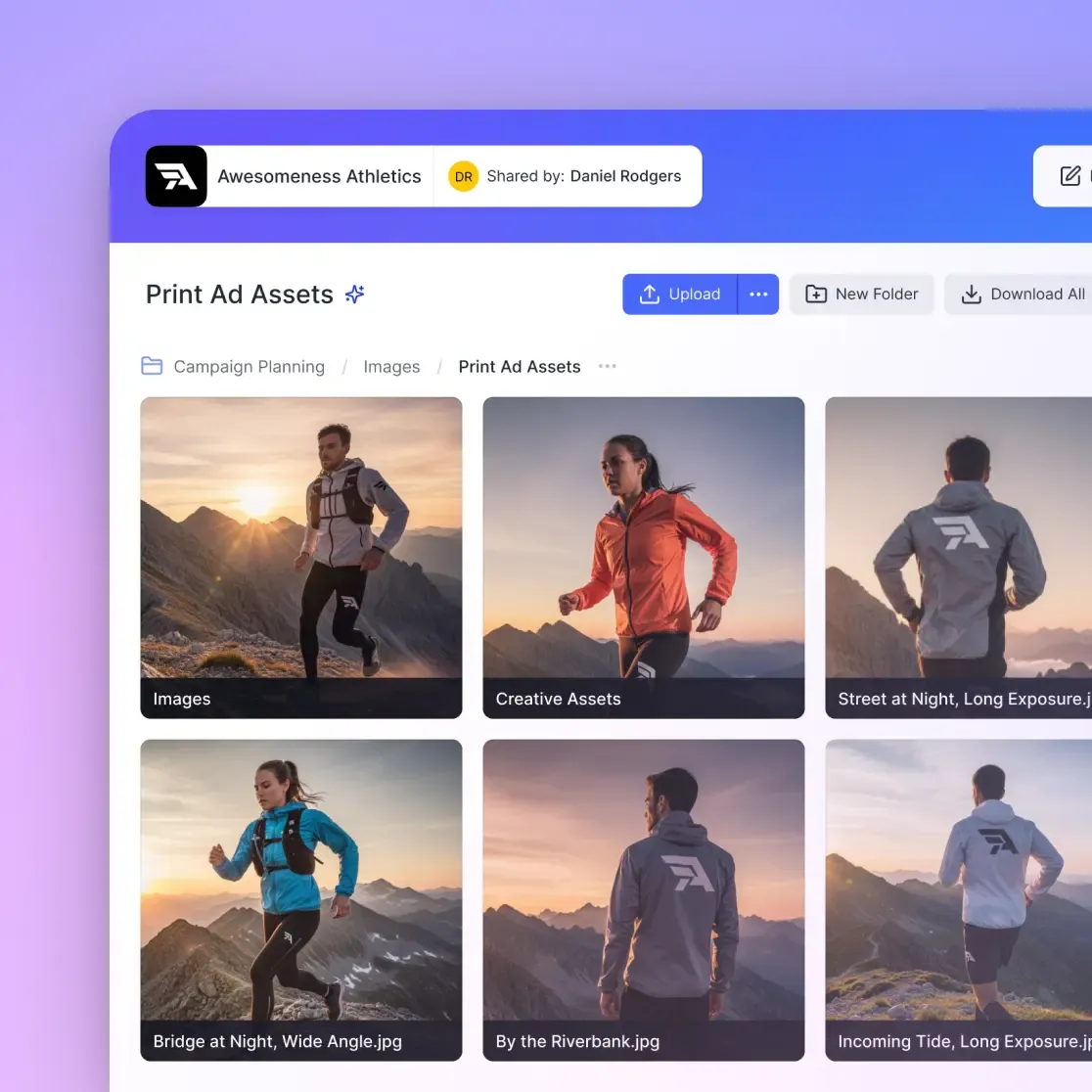
How to Organize Brand Assets for Fast Retrieval
The goal is instant findability. Anyone should locate the exact asset they need in under 30 seconds.
Organize by use case, not file type:
The old approach of sorting by "Images," "Documents," "Videos" forces people to know what format they need before they start looking. Instead, organize by what people are trying to accomplish:
- Logos & Identity - All logo variations and brand marks
- Marketing Materials - Campaign assets, ads, social content
- Sales Enablement - Pitch decks, one-pagers, case studies
- Internal Communications - Templates, presentations, guidelines
- Partner Resources - Co-branding materials, press kits
Naming conventions that actually help:
A file named logo_final_v3_FINAL_use-this-one.png helps no one. Establish clear naming rules:
[brand]_[asset-type]_[variant]_[color].[ext]- Example:
acme_logo_horizontal_white.svg - Example:
acme_template_presentation_q1-2026.pptx
Version control matters:
When the logo gets updated, the old versions don't disappear. You need a system that:
- Shows which version is current and approved
- Archives (not deletes) previous versions for historical reference
- Tracks who made changes and when
- Prevents unauthorized modifications to master files
Make search work:
File names alone won't cut it. Good brand asset management includes:
- Metadata tags (campaign name, project, usage rights)
- Descriptions that match how people actually search
- Color and visual similarity search for image assets
Setting Access Controls and Permissions
Not everyone needs the same access to brand assets. A designer needs to download source files. A sales rep needs to grab a logo for a proposal. A partner needs approved co-marketing materials. Your system should handle all three without creating security gaps.
Three-tier access model:
- Full access (brand team): Can upload, modify, delete, and manage all assets. Typically limited to brand managers and creative directors.
- Contributor access (internal teams): Can view and download approved assets. May be able to upload to specific folders (like campaign-specific materials). Cannot modify or delete master brand files.
- View/download only (external partners): Can access a curated selection of approved partner materials. No upload rights. Often delivered through a branded portal.
Audit trails for accountability:
When something goes wrong (an outdated logo in a major campaign, for example), you need to know what happened. Your system should track:
- Who downloaded which files and when
- What changes were made to assets
- Who shared files externally
- Login and access attempts
This isn't about policing your team. It's about understanding how assets flow through your organization so you can improve the system.

Distributing Brand Assets to Partners and Vendors
Getting brand assets to external partners is where most systems break down. Email attachments get lost. WeTransfer links expire. Dropbox folders become dumping grounds of outdated files.
The partner portal approach:
Create a dedicated, branded space where partners can self-serve approved materials. This should include:
- Only the assets partners are authorized to use (not your entire library)
- Clear naming and organization
- Download tracking so you know what's being used
- Automatic expiration for time-sensitive materials
- No account required for partners (reduces friction)
What to include in a partner brand kit:
- Approved logo variations (usually a subset of your full library)
- Co-branding guidelines and templates
- Product images and descriptions
- Boilerplate copy for press and marketing
- Contact information for brand questions
Link controls for security:
External sharing should include:
- Password protection for sensitive materials
- Expiration dates that match campaign timelines
- Domain restrictions to limit access to specific organizations
- View-only options when downloads aren't appropriate
- The ability to revoke access instantly if a partnership ends
Brand Asset Management Without Enterprise Software
Enterprise DAM platforms like Bynder, Brandfolder, and Frontify are powerful. They're also built for companies with dedicated brand operations teams and budgets to match. For teams under 50 people, simpler approaches often work better.
What smaller teams actually need:
- A central location everyone knows about and can access
- Clear organization that doesn't require training
- Version control so the latest files are obvious
- Permission controls to separate internal and external access
- Search that finds files by description, not just filename
Cloud storage with structure:
Tools like Fast.io provide the foundation for brand asset management without the overhead of specialized DAM software:
- Workspaces to separate brand assets from other company files
- Organization-owned files that stay with the company when employees leave
- Universal previews to view logos, PSD files, and design assets directly in the browser without downloading
- Granular permissions at the workspace, folder, and file level
- Semantic search to find assets by describing what you're looking for
- Branded portals for external partner access
- Audit logs to track who accessed what and when
When to upgrade to dedicated DAM:
Consider enterprise brand asset management software when you have:
- Multiple brand identities to manage
- Hundreds of assets requiring complex metadata
- Approval workflows involving multiple stakeholders
- Creative automation needs (dynamic template generation)
- Compliance requirements that demand specific certifications
Until then, a well-organized cloud workspace often provides 80% of the functionality at 20% of the cost and complexity.
Maintaining Your Brand Asset Library Over Time
A brand asset library isn't something you set up once and walk away from. Without regular maintenance, it degrades into the same disorganized mess you started with.
Quarterly audits:
Every quarter, review your brand asset library for:
- Outdated assets that should be archived or removed
- Missing assets that teams are requesting
- Duplicate files that have crept in
- Broken permissions or access issues
- Usage patterns (what's being downloaded vs. ignored)
Clear ownership:
Someone needs to own the brand asset library. This person is responsible for:
- Uploading new approved assets
- Archiving outdated materials
- Maintaining folder structure and naming conventions
- Responding to access requests
- Training new employees on how to use the system
Without clear ownership, maintenance doesn't happen. Give it a few months and the library becomes a digital junk drawer.
Communicate updates:
When the brand evolves (logo refresh, new color palette, updated guidelines), don't just upload the new files. Tell people:
- What changed and why
- Where to find the new assets
- Deadline for transitioning away from old materials
- Who to contact with questions
Track what matters:
Review usage data to understand how your brand assets are actually being used:
- Most downloaded assets (make these easy to find)
- Assets that are never downloaded (do you need them?)
- External share patterns (who's distributing what to partners)
- Search terms that return no results (gaps in your library)
Frequently Asked Questions
What is brand asset management?
Brand asset management is the systematic organization, storage, and distribution of your company's visual identity materials, including logos, colors, fonts, templates, and brand guidelines. The goal is to ensure everyone in your organization can find and use the correct brand materials consistently.
How do you organize brand assets?
Organize brand assets by use case rather than file type. Create categories like Logos & Identity, Marketing Materials, Sales Enablement, and Partner Resources. Use consistent naming conventions, add metadata tags for searchability, and mark which versions are current versus archived.
What is the difference between DAM and brand asset management?
Digital asset management (DAM) handles all company files, from contracts to videos to brand materials. Brand asset management focuses specifically on identity assets like logos, colors, and templates, and includes governance rules about who can access and modify brand materials. BAM is a subset of DAM with stricter controls.
What should be included in a brand asset library?
A complete brand asset library includes logo files in multiple formats, color specifications with hex/RGB/CMYK values, typography files and guidelines, approved photography and icons, templates for presentations and documents, and a brand guidelines document explaining how to use everything correctly.
How often should you audit brand assets?
Conduct a quarterly audit of your brand asset library to remove outdated files, identify missing assets, eliminate duplicates, check permissions, and review usage patterns. Assign clear ownership so someone is accountable for maintaining the library between audits.
Related Resources

Collaborate on Files with Your Team
Stop wasting hours searching for the right logo. Fast.io gives your team a central home for all brand materials with the permissions and sharing controls you need.