How to Share 3D Models with Clients and Teams
Sharing 3D models brings challenges that regular file sharing doesn't: massive file sizes, format compatibility headaches, and the need for visual feedback on specific frames or angles. This guide covers practical methods for sending large 3D files, picking the right formats, and building review workflows that actually work.
Why 3D Model Sharing is Different from Regular File Sharing
3D model sharing is the process of transferring and collaborating on three-dimensional digital assets between artists, clients, and production teams.
The average 3D project contains 50+ asset files, ranging from individual models to complete scene assemblies. File sizes vary dramatically: a simple character model might be 20-50MB, while a complex architectural visualization with textures and lighting can exceed 100GB.
Email fails almost immediately. Most email services cap attachments at 25MB, making them useless for any serious 3D work. Traditional cloud storage services like Dropbox or Google Drive work for small files, but they introduce problems at scale:
- Long upload times for large scenes
- Version confusion when multiple artists work on the same asset
- No way to preview files without downloading
- Difficulty tracking which client has seen which version
Professional 3D workflows need tools that handle both the technical challenges (large files, multiple formats) and the collaboration challenges (feedback, versioning, client access).
Understanding 3D File Formats for Sharing
The format you choose affects file size, compatibility, and what information gets preserved when you share. Here's what each major format does:
OBJ - The universal format created in the 1980s by Wavefront Technologies. OBJ files store geometry and materials but skip animation data entirely. They use older Phong shading instead of modern PBR materials. OBJ files are typically the largest of the three formats because geometry is stored as human-readable text. Best for: Static models, 3D printing, simple client previews.
FBX - The Swiss Army knife format owned by Autodesk. FBX preserves everything: skeletal rigs, blend shapes, animation curves, complex material setups, and scene hierarchy. When comparing FBX vs OBJ for animation work, FBX wins hands down because it handles the data OBJ can't touch. File sizes sit between OBJ and GLTF. Best for: Game engine transfers (Unity, Unreal), moving data between 3D tools (Maya, 3DS Max, Blender), any animated content.
GLTF/GLB - The modern web-focused format from the Khronos Group (2015). GLTF is on average 5x smaller than OBJ and loads 10x faster. It supports PBR materials, animation, and can handle both static models and full scenes like FBX. The GLB variant packages everything into a single file, making it easy to move around. Best for: Web viewing, AR/VR applications, client previews, final delivery.
USD - Pixar's Universal Scene Description format is quickly becoming the industry standard for complex scene interchange. USD supports layered workflows, meaning multiple artists can work on different layers of the same scene without overwriting each other. It handles everything FBX does, plus non-destructive composition. Best for: VFX pipelines, large team collaboration, Omniverse/Houdini workflows.
For client delivery, use GLTF/GLB when they need to view files in a browser or on mobile. Send FBX when they're importing into game engines or animation software. Choose USD for VFX and large-scale team pipelines. Reserve OBJ for 3D printing or when the recipient specifically requests it.

Fast Methods for Sending Large 3D Files
When you need to move large scenes or asset libraries with dozens of files, speed becomes the limiting factor. Here's what actually works:
Cloud-Native Streaming - Some services stream files on-demand instead of forcing full downloads. Fast.io delivers HLS streaming that's 50-60% faster than traditional progressive download, with instant start and smooth scrubbing up to 1080p. Clients can review video walkthroughs or animated renders without waiting for multi-gigabyte downloads.
Direct Transfer Services - WeTransfer and similar services handle large file sends well, with high transfer speeds, link expiration dates, and password protection. They work for one-off deliveries but lack collaboration features. Files expire after 7 days on the free tier.
Avoid Email Completely - Large CAD and 3D files often exceed 40-100MB or more, way too big for the 10-25MB attachment limit that comes with most email software. Transferring detailed files via email isn't professional and isn't secure.
For Teams: Persistent Workspaces - Instead of sending files individually, use workspaces where all project assets live in one place. Fast.io provides unlimited workspaces with no per-seat pricing, meaning you can invite unlimited team members without per-user costs. Files are organization-owned, so they stay when employees leave, no transfer needed.


Share 3D Models Without the File Size Headaches
Fast.io gives you HLS streaming, branded client portals, and frame-accurate feedback for 3D projects. No per-seat pricing means you can invite unlimited collaborators.
Setting Up Client Review Workflows
Getting useful feedback from clients requires more than just sending files. You need a structured review process.
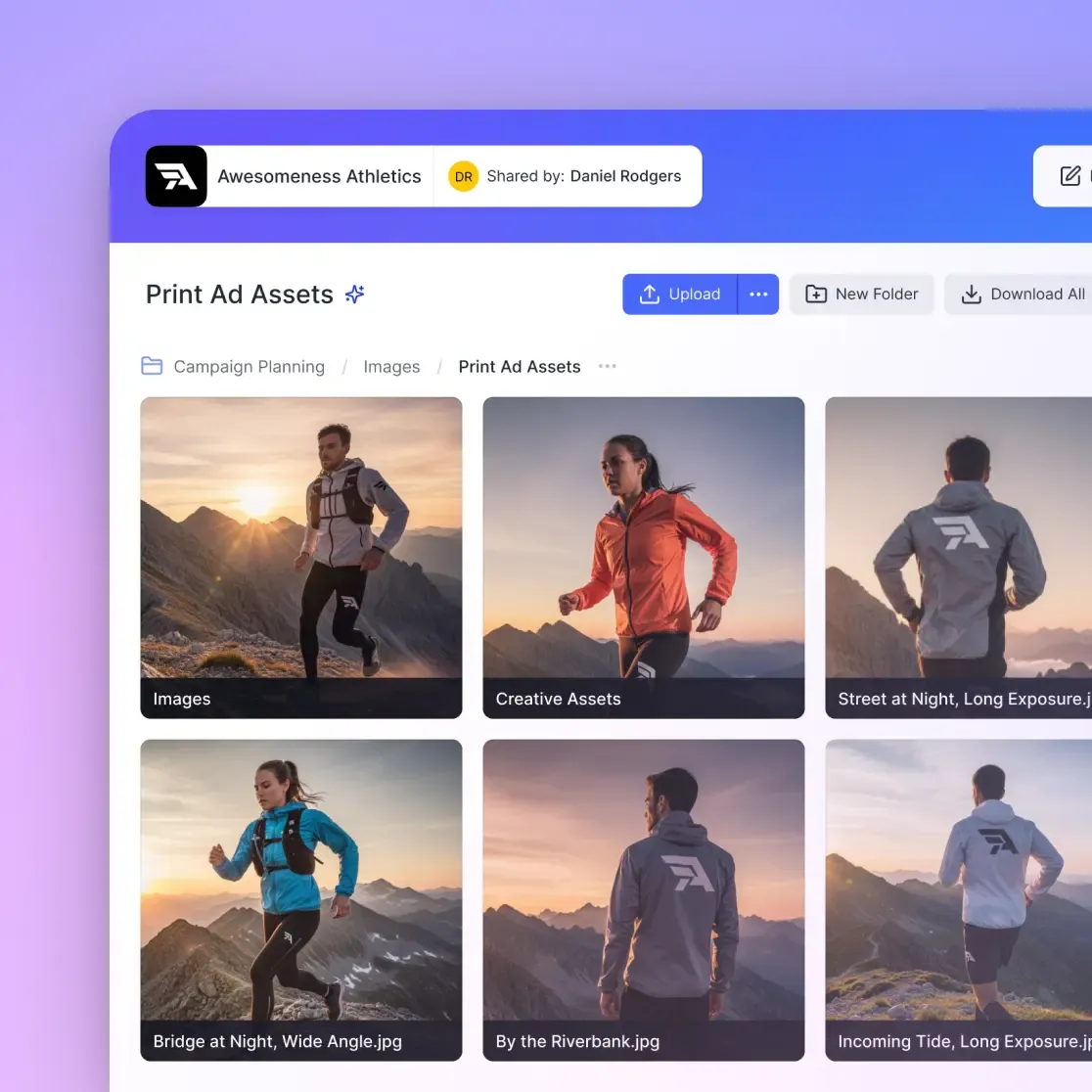
Create Branded Client Portals - Instead of generic share links, set up white-label portals with your studio's logo and colors. Fast.io supports custom branding including logos, colors, and vanity URLs. This looks more professional than "dropbox.com/sh/xkj3h2" and reinforces your brand during every client interaction.
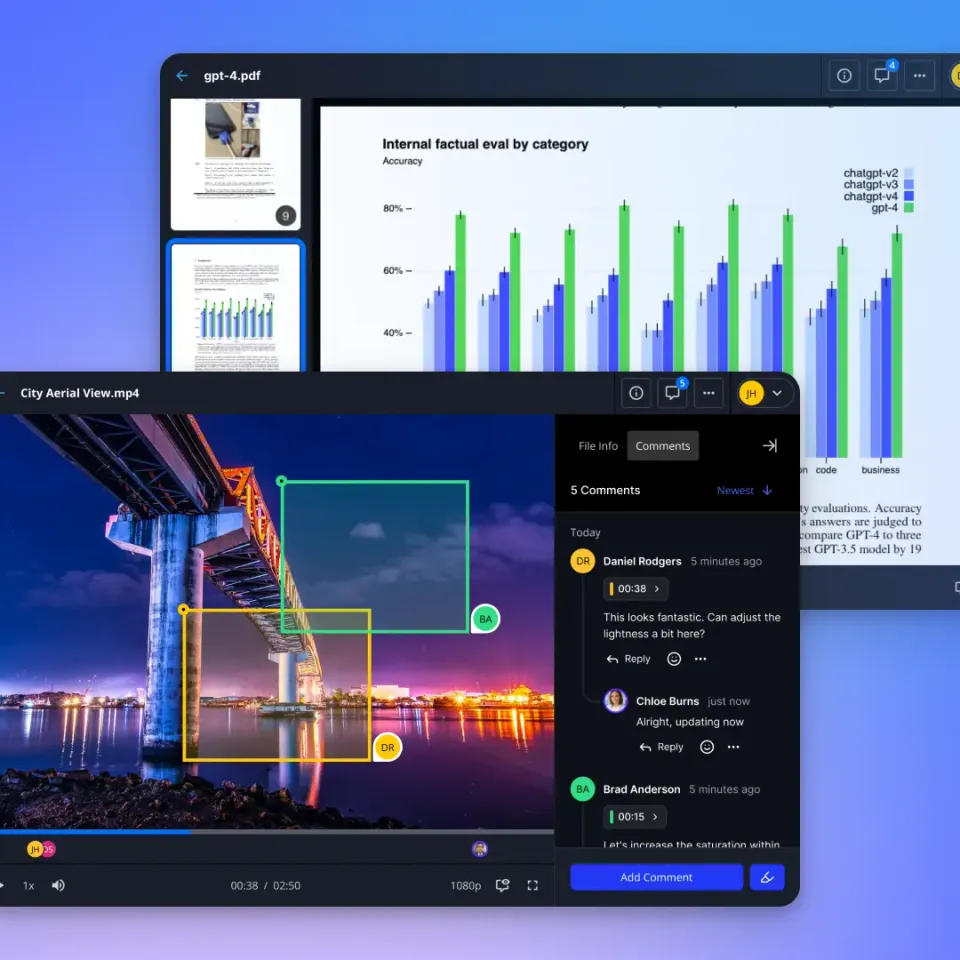
Pin Feedback to Specific Frames - Frame-accurate comments let clients mark up exact video frames or model views. "The lighting looks wrong" becomes "the rim light on the character's left shoulder is too bright at the point where he turns around." That level of detail cuts the back-and-forth in half.
Lock Down Access - Set passwords on sensitive projects, add expiration dates for time-limited reviews, or restrict access by email domain. You can also enable view-only mode to prevent downloads during early review stages.
Track Engagement - See exactly what clients have viewed and how long they spent on each file. This tells you whether they've actually reviewed the latest version or just skimmed the first few assets. For more on building client review workflows, see our guide to client file sharing portals.
Example Workflow: Upload new renders to a branded portal, send the client a password-protected link, get timestamped feedback on specific frames, make adjustments, upload the next version to the same workspace with version history intact. The client sees the progression and you have a complete audit trail.
Multi-Artist Collaboration on 3D Projects
When multiple artists work on the same project, version conflicts become the main problem. Here's how to avoid them.
Real-Time Presence Indicators - See who else is viewing files at the same time. Fast.io shows live cursor tracking and presence indicators, so you know what teammates are looking at. No more "which version are you on?" confusion.
Follow Mode for Reviews - During design reviews or client presentations, team members can click to sync their view with the presenter. This replaces screen sharing with a native collaborative viewing experience.
Contextual Comments on Files - Thread discussions directly on files rather than scattering feedback across email and Slack. Comment on specific regions of texture maps, video frames of animation tests, or document pages of technical specs.
Activity Tracking - Full audit trails show who uploaded what, when permissions changed, and what actions each team member took. This matters for studios managing client deliverables or tracking billable hours.
Version Control Best Practices
Don't rely on file names like "character_model_final_v3_ACTUAL_FINAL.fbx". Use tools with built-in version history.
Fast.io automatically tracks file versions. When someone uploads a new version, the previous one stays accessible. You can restore old versions with one click, compare side-by-side, or send clients specific versions while continuing to iterate.
For complex projects, organize assets into folders by category: Models, Textures, Renders, References. Use shared workspaces for active projects and archive completed work to separate spaces.
Optimizing File Size Before Sharing
Smaller files transfer faster and preview more smoothly. Here's what actually reduces file size without destroying quality.
Reduce Polygon Count - High-poly sculpts don't need to stay high-poly forever. Retopologize to create clean, lower-poly meshes for sharing. A 5-million polygon sculpt can often become a 50,000 polygon game-ready model with normal maps baking in the detail.
Compress Textures - 8K uncompressed textures are overkill for client previews. Export at lower resolutions and use JPEG compression for diffuse maps (PNG for alpha channels). This can reduce texture size by 80% with minimal visual difference on screen.
Remove Unused Data - Clean up unused materials, empty groups, and hidden objects before export. Many 3D packages include "Purge" commands that strip out this waste.
Choose Smart Export Settings - When exporting FBX, disable "Embed Media" if textures are already in the delivery. When exporting GLTF, use Draco compression (reduces file size by 50-70% with no quality loss).
Don't Over-Optimize - If the client needs the files for further work, preserve quality. Optimization makes sense for client review copies, not for deliverable source files.

Security and Access Control for 3D Assets
Protecting unreleased models, client work under NDA, and proprietary assets requires more than password-protected links.
Encryption - Files should be encrypted both at rest (stored) and in transit (transferred). Any professional secure file sharing service should offer this as a baseline.
Per-File Permissions - Set different access levels for organization members, workspace collaborators, and external clients. Control who can view, comment, download, or edit at the folder and file level.
Domain Restrictions - Limit access to users with specific email domains. This works well for contractor relationships where you want to share with "anyone@clientstudio.com" but not the public.
Expiring Links - Set automatic expiration dates on client review links. After the deadline passes, the link stops working automatically.
Watermarking - Add visible watermarks to preview images to discourage unauthorized distribution during review phases.
Audit Logs - Track every view, download, and permission change. This creates accountability and helps investigate leaks if proprietary assets appear publicly.
Fast.io includes SSO/SAML integration with Okta, Azure AD, and Google for enterprise teams, plus multi-factor authentication support.
When to Use 3D Model Hosting Platforms
Hosting platforms like Sketchfab and CGTrader serve different purposes than collaboration tools.
Public Portfolio - Sketchfab is the world's largest platform to publish, share, and discover 3D content on web, mobile, AR, and VR, with a community of over one million creators. Use this to showcase finished work to potential clients or build a public portfolio.
3D Printing Communities - Thingiverse and Printables focus on downloadable STL files for 3D printing hobbyists. These platforms work for consumer-facing products but aren't appropriate for client work or internal team collaboration.
Asset Marketplaces - CGTrader offers 2M+ 3D models for commercial sale. This is where you sell assets, not where you collaborate with clients.
What's Missing - These platforms cover hosting and distribution but skip the collaboration workflow that studios actually need: version control, client feedback, team coordination, project organization. For active projects, use collaboration-focused tools. For finished portfolio pieces, add hosting platforms as a distribution channel.
Frequently Asked Questions
What is the best way to share 3D files with clients who don't have 3D software?
Export to GLTF or GLB format and use a cloud storage service with browser-based preview. GLTF files can be viewed directly in modern web browsers without special software, and services like Fast.io provide universal media engines that preview 3D models in browser. Set up a branded client portal with the exported files, send a password-protected link, and clients can view, rotate, and comment on models from their browser.
How do I send large 3D models?
Use cloud-native file services built for large transfers rather than email or consumer storage apps. Fast.io uses usage-based pricing instead of per-seat costs, so you can invite your whole team without escalating bills. For the biggest projects, split the scene into logical components (environment, characters, props) and share them as separate workspaces. Enable HLS streaming so recipients can preview content without downloading the full files first.
What format should I use to share 3D models between different software?
FBX is the best choice for transferring between professional 3D tools like Maya, 3DS Max, Blender, Unity, and Unreal Engine because it preserves animation data, rigging, and materials. Use OBJ only for static geometry or 3D printing. Choose GLTF for web viewing or AR/VR applications. Always test the export with a simple asset first to verify your target software supports the features you need.
How can I prevent clients from downloading or sharing 3D files without permission?
Enable view-only permissions on shared links, which allows preview but blocks downloads. Add password protection and expiration dates to control access timing. Use watermarking on preview renders to discourage unauthorized distribution. For highly sensitive work, restrict access to specific email addresses or domains and enable audit logging to track who views what. No system is perfectly secure, but these layers make unauthorized access much harder.
What's the fastest way to get feedback from clients on 3D animations?
Upload the rendered animation to a platform with frame-accurate commenting like Fast.io. Share a branded portal link with the client. They can leave timestamped comments on specific frames without downloading the full file. This eliminates vague feedback like 'the middle part looks wrong' and gives you frame-specific notes like 'the camera move right after the pan is too fast.' Combined with HLS streaming for instant playback, this cuts review cycles from days to hours.
Should I compress 3D files before sharing them?
It depends on the use case. For client reviews, yes, reduce polygon counts, compress textures to smaller resolutions, and use GLTF with Draco compression to speed up transfers and previews. For deliverable source files that clients will edit, preserve full quality. Many artists create two versions: a high-quality master stored in the project workspace and a preview copy for client sharing. Make this decision based on whether the recipient needs to work with the files or just review them.
Related Resources

Share 3D Models Without the File Size Headaches
Fast.io gives you HLS streaming, branded client portals, and frame-accurate feedback for 3D projects. No per-seat pricing means you can invite unlimited collaborators.