How to Choose a Video Distribution Platform for Your Business
Video distribution platforms let businesses deliver content to specific clients, partners, or internal teams with controlled access. This guide covers how B2B distribution differs from public hosting, what features matter for professional workflows, and how to pick a platform for your needs.
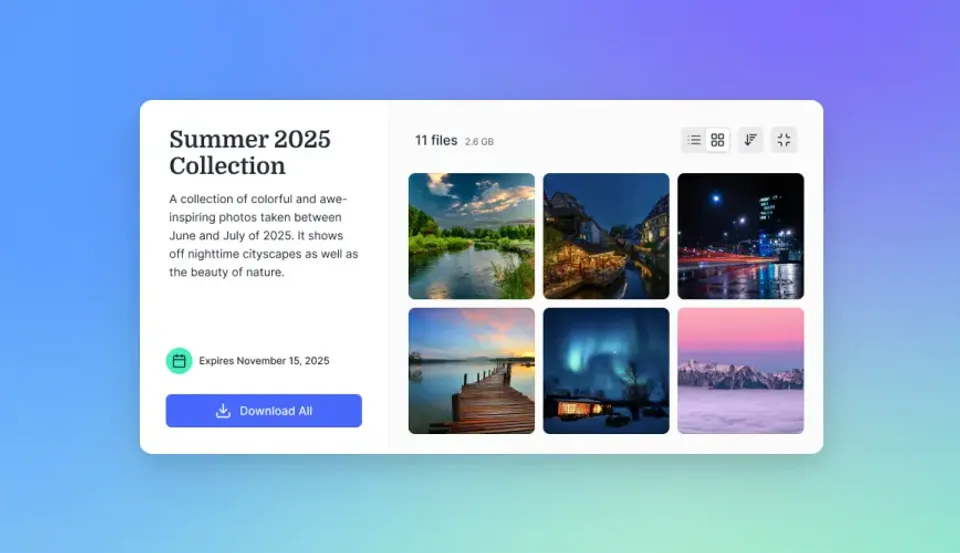
What Is a Video Distribution Platform?
A video distribution platform lets you deliver video to specific people: clients receiving final cuts, partners accessing licensed content, or internal teams reviewing unreleased footage. This is different from public hosting like YouTube or Vimeo. Those platforms want your content discovered and viewed by anyone. Distribution platforms control who sees what and when. The distinction matters because businesses often need to:
- Deliver pre-release content that can't be public
- Share client-specific edits that shouldn't be searchable
- Distribute licensed content to authorized partners only
- Provide internal teams with review copies before public launch
Video is expected to hit 82% of internet traffic, and B2B distribution grows around 20% annually. More companies use video for marketing, training, sales, and client work.
Types of Video Distribution Platforms
Public Video Platforms
YouTube, Vimeo, and TikTok are designed for public content discovery. They're optimized for views, engagement, and advertising. Unlisted links offer some privacy, but these platforms lack enterprise access controls.
Best for: Marketing content you want discovered, thought leadership videos, public-facing tutorials.
Not suitable for: Client deliverables, unreleased content, licensed material, internal communications.
Enterprise Video Platforms
Vbrick, Brightcove, and Kaltura target large organizations with complex video needs. They offer features like live streaming, video portals, and analytics dashboards. Pricing typically starts at enterprise-level commitments.
Best for: Large companies with dedicated video teams, organizations running live events, companies building video-centric products.
Watch out for: Complex setup, enterprise-level pricing, features built for broadcasting rather than file delivery.
Video-Enabled File Sharing Platforms
Platforms like
Fast.io combine file storage and organization with video streaming capabilities. Files stay organized in workspaces rather than disappearing after transfer. Recipients can stream previews before downloading original files.
Best for: Agencies delivering to clients, production companies managing projects, teams that need both video streaming and file organization.
Advantages: Simpler than enterprise video platforms, more capable than generic file sharing, usage-based pricing.
Why Generic File Sharing Falls Short for Video
Standard file sharing handles video poorly. Two reasons: playback and file size.
The Playback Problem
Dropbox and Google
Drive use progressive download. Your viewer's browser downloads the entire file before playback starts. Large video files mean waiting several minutes on typical connections before seeing the first frame. HLS (HTTP Live Streaming) solves this by breaking video into small chunks and streaming adaptively based on connection quality. Playback starts instantly. The viewer can scrub through the timeline without downloading the full file. This is how Netflix and YouTube work. For client reviews, instant playback determines whether clients actually watch your video. A producer on set with spotty cell service won't wait for a progress cut to download.
The File Size Problem
Email caps out at 25MB. Most file sharing free tiers have small storage limits. A single 4K ProRes file hits 1GB per minute of footage. Large video uploads also fail more often than you'd expect. Standard HTTP uploads weren't designed for multi-gigabyte files over home internet. Timeout errors, chunking failures, partial uploads. Generic platforms struggle with big files. Professional video distribution requires:
- No practical file size limits
- Accelerated upload protocols
- Resume capability for interrupted transfers
- Original quality preservation (no re-encoding)


Share Files Without Limits on Fast.io
Fast.io combines HLS streaming with persistent workspaces and delivery analytics for professional video distribution.
Key Features for B2B Video Distribution
Access Control
Who sees your video matters as much as how they see it. Look for:
- Password protection: Basic barrier to unauthorized access
- Expiring links: Remove access after project completion or contract period
- Domain restrictions: Limit viewing to specific company email domains
- Watermarking: Visible identification to discourage unauthorized sharing
- View-only mode: Allow streaming without download access
Streaming Quality
HLS adaptive streaming adjusts quality based on viewer bandwidth. A client on fiber sees full quality. A colleague on mobile sees a watchable stream. Both start instantly. Check whether platforms preserve original files for download while generating streaming proxies for preview. You want clients to be able to review via stream but download the exact file you uploaded.
Delivery Tracking
You need proof of receipt. Track:
- When recipients opened the link
- Whether they watched the video
- How much time they spent viewing
- When and if they downloaded
Tracking helps with client relationships ("Did you get the files?"), licensing proof (showing delivery to partners), and project management (seeing which stakeholders have reviewed).
Organization and Persistence
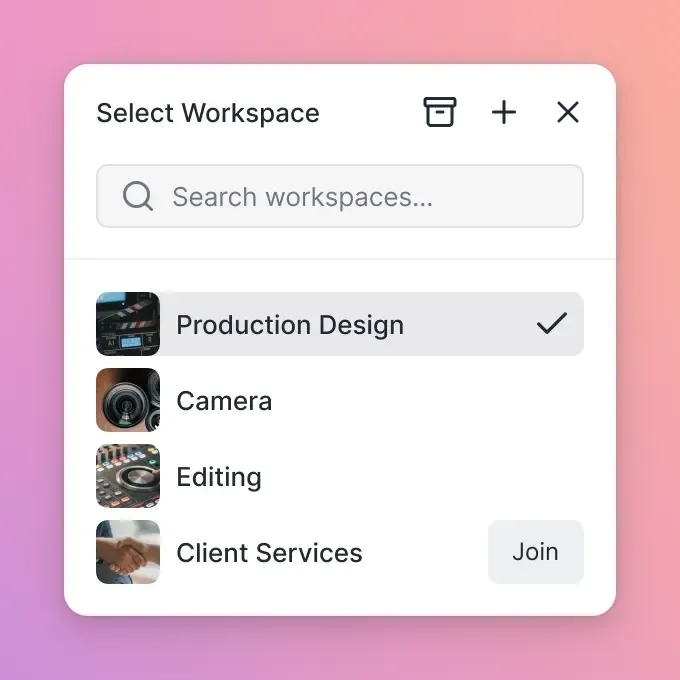
Transfer-only services delete files after a limited time. If you're managing ongoing client relationships or multi-phase projects, you need persistent storage with proper organization. Workspaces that organize videos by client, project, or campaign prevent the "which link did I send?" chaos that comes with one-off transfers.
Branding
Generic download pages look cheap when you're delivering to clients. Branded portals with your logo and colors make deliveries look professional.
How to Distribute Video Content Securely
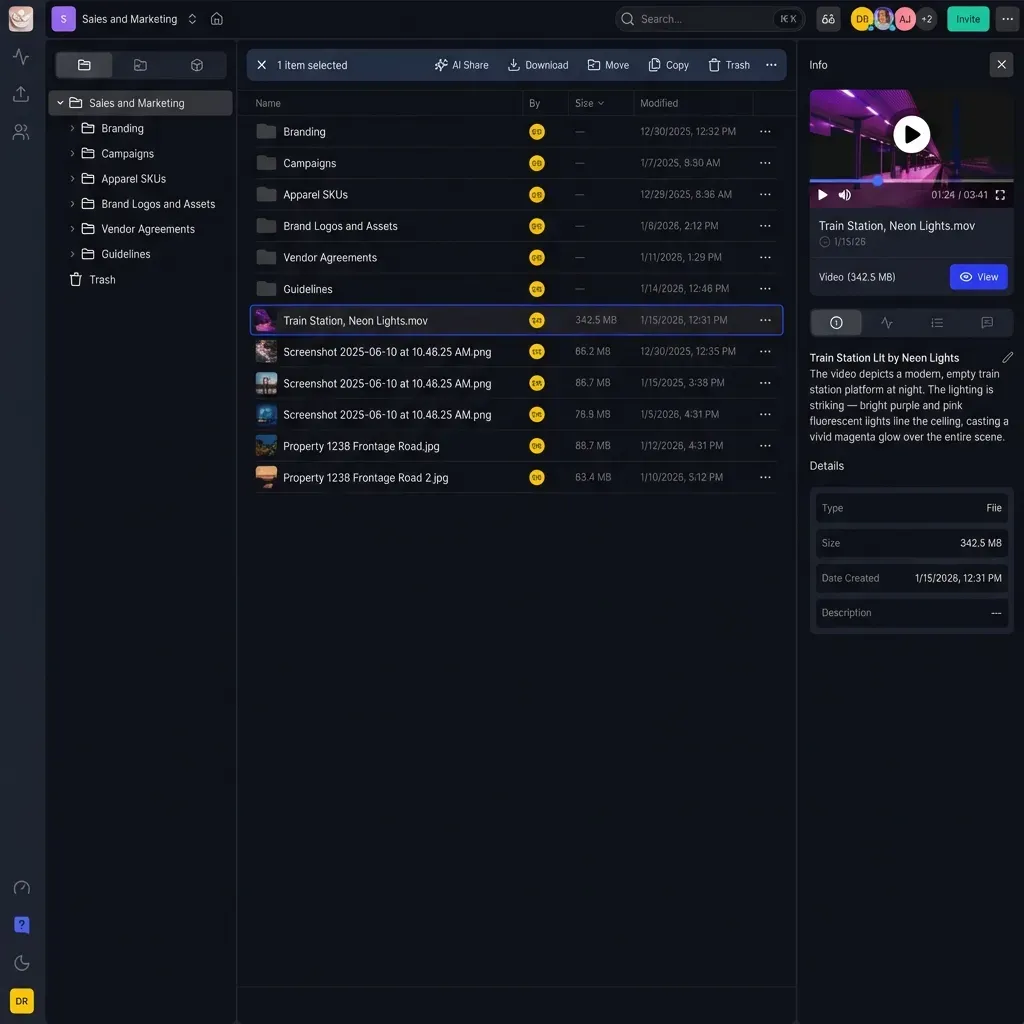
Step 1: Organize Your Content
Before sending anything, structure your video library:
- By client or partner: Each recipient gets a dedicated workspace
- By project: Group related videos (cuts, versions, assets)
- By access level: Separate public-ready content from internal review copies
Good organization prevents accidentally sharing unreleased content or sending the wrong version to a client.
Step 2: Set Appropriate Access Controls
Match controls to content sensitivity:
- Client deliverables: Password, expiration, download tracking
- Partner licensing: Domain restriction, watermark, view-only
- Internal review: Team workspace, no password needed
- Pre-release content: All controls enabled, short expiration window
Step 3: Configure Sharing
Generate share links with your chosen controls. Include context in your delivery message:
- What's included in the delivery
- Any viewing instructions
- Version information
- Contact for questions
Step 4: Track and Follow Up
Check your delivery analytics. If a client hasn't opened the link after a few days, follow up. If they've watched but not downloaded, they might have feedback before taking final delivery. When the project wraps, revoke access. It reduces liability and protects client content.
Comparing Video Distribution Platforms
Strong for live streaming and large-scale internal communications. Enterprise pricing and implementation.
Brightcove powers OTT platforms and large media operations. Good for companies building video-centric products. Probably overkill if you just need to send files to clients.
Kaltura serves educational institutions and large enterprises. Lots of features, lots of complexity. Per-GB pricing suits high-volume, high-security transfers.
IBM Aspera uses FASP protocol for accelerated transfers at broadcast and post-production facilities. Enterprise licensing model.
File Sharing with Video Features
Fast.io provides HLS streaming alongside persistent file storage. Videos stay organized in workspaces rather than expiring. Frame-accurate commenting supports review workflows. Usage-based pricing means external reviewers don't cost extra seats.
Dropbox offers video previews but progressive download rather than streaming. Better for occasional video than regular distribution.
Google Drive provides basic playback. Organization relies on folder structures that become unwieldy across multiple clients.
Choosing Based on Needs
- High-volume broadcast/post: MASV or Aspera for certified, high-throughput transfer
- Enterprise internal video: Vbrick or Kaltura for live events and portals
- Agency/production delivery: Fast.io for organized client delivery with streaming
- Occasional video sharing: Dropbox or Drive for simple, infrequent needs
Frequently Asked Questions
What is a video distribution platform?
A video distribution platform lets you deliver video to specific people, like clients, partners, or internal teams. Unlike YouTube or Vimeo, which want your content discovered publicly, distribution platforms control who sees what. They typically include access controls, tracking, and organized storage.
How do you distribute video content securely?
Use access controls: password protection, expiring links, domain restrictions, and watermarking. Pick a platform that tracks delivery so you can confirm receipt. Organize content by client or project so you don't accidentally share the wrong files.
What is the best platform for video distribution?
The best platform depends on your needs. Enterprise organizations needing live streaming should evaluate Vbrick or Brightcove. High-volume post-production workflows suit MASV or Aspera. Agencies and production companies delivering to clients benefit from Fast.io's combination of streaming, organization, and tracking.
What's the difference between video hosting and video distribution?
Hosting platforms like YouTube want maximum views and discovery. Distribution platforms control who sees what. Use hosting for marketing content you want found. Use distribution for client deliverables, partner licensing, and anything that shouldn't be public.
How much does a video distribution platform cost?
It depends on the platform type. Enterprise tools like Vbrick and Brightcove want annual contracts, often starting at five figures. Transfer services like MASV charge per GB. File-sharing platforms like Fast.io charge based on usage without charging for external recipients.
Related Resources

Share Files Without Limits on Fast.io
Fast.io combines HLS streaming with persistent workspaces and delivery analytics for professional video distribution.