7 Best Video Approval Software Tools for Faster Sign-Offs
Video approval software manages the sign-off process for video content, providing a structured workflow where stakeholders can review, request changes, and formally approve final deliverables. The best tools combine frame-accurate feedback with clear approval stages so you know exactly where each project stands.
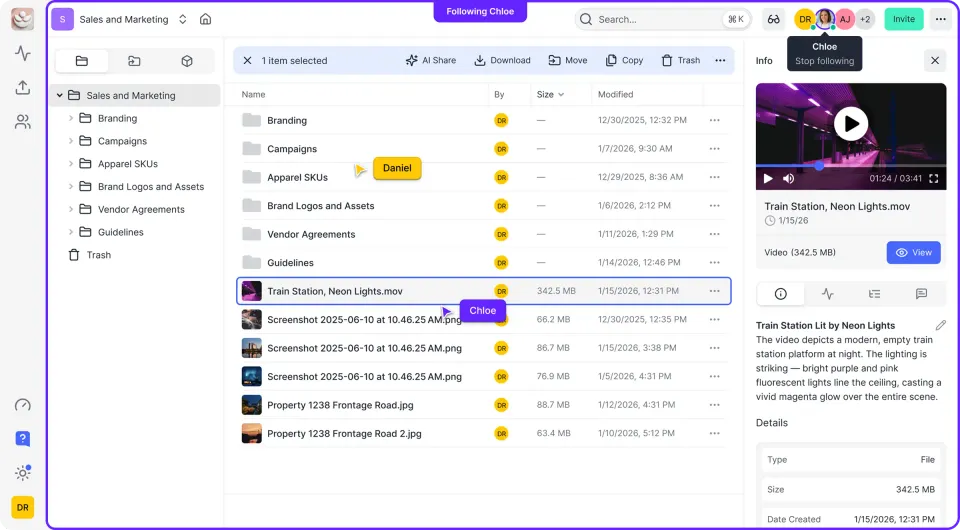
What Makes Video Approval Different from Video Review: video approval software
Video review tools help you collect feedback. Video approval software goes further by tracking who needs to sign off, in what order, and with what authority. Most video projects need approvals from multiple stakeholders before delivery. Without a structured workflow, you end up chasing people via email, losing track of who approved what version, and missing deadlines because someone forgot to click "approve."
Approval bottlenecks frequently delay video projects. The right software gives each stakeholder a clear action: review, request changes, or approve. No ambiguity about whether feedback means "fix this" or "just a thought."
Clear approval workflows reduce revision rounds because feedback gets consolidated upfront instead of trickling in after you thought you were done.
Helpful references: Fast.io Workspaces, Fast.io Collaboration, and Fast.io AI.
1. Wipster
Wipster built its reputation on intuitive video review, but its approval features are what set it apart for teams managing client sign-offs.
Approval strengths:
- Approval status tracking per reviewer
- Integration with Adobe Premiere and Final Cut Pro
- Version comparison to show what changed between rounds
Best for: Post-production teams who work in professional editing software and need feedback visible inside their timeline.
Limitations: Pricing scales with storage, which can get expensive for teams with large archives. No conditional approval routing (e.g., "legal must approve before client sees it"). Consider how this fits into your broader workflow and what matters most for your team. The right choice depends on your specific requirements: file types, team size, security needs, and how you collaborate with external partners. Testing with a free account is the fast way to know if a tool works for you.
2. Frame.io
Frame.io is the most widely used video collaboration tool, with deep NLE integrations. Adobe acquired it, making it the default choice for Premiere Pro users.
Approval strengths:
- Frame-accurate, time-stamped comments
- Compare versions side-by-side
- Camera-to-cloud uploads get footage into review faster
Best for: Video production teams and filmmakers who need tight integration with professional editing tools.
Limitations: The approval workflow is basic. You can mark videos as "approved," but there's no multi-stage sign-off or approval order. Large teams often supplement with project management tools to track who needs to approve what. Consider how this fits into your broader workflow and what matters most for your team. The right choice depends on your specific requirements: file types, team size, security needs, and how you collaborate with external partners. Testing with a free account is the fast way to know if a tool works for you.
3. Filestage
Filestage focuses on the approval workflow itself, not just the review experience. You define approval stages, assign reviewers, and track progress through a clear pipeline.
Approval strengths:
- Multi-stage approval workflows (internal review → legal → client)
- Due dates and automated reminders
- Works with video, images, PDFs, and documents
Best for: Marketing teams and agencies managing approval across multiple asset types, not just video.
Pricing: Free tier for small teams. Paid plans start at published pricing.
Limitations: Video review features are less sophisticated than dedicated video tools. Frame-accurate commenting exists but isn't as polished as Wipster or Frame.io. Consider how this fits into your broader workflow and what matters most for your team. The right choice depends on your specific requirements: file types, team size, security needs, and how you collaborate with external partners. Testing with a free account is the fast way to know if a tool works for you.
4. Ziflow
Ziflow handles complex approval workflows with automated routing, version tracking, and audit trails. Built for teams that need to prove who approved what and when.
Approval strengths:
- Automated approval routing based on rules
- Audit trail showing every action
- Batch approval for large campaigns
Best for: Enterprise creative teams and agencies with compliance requirements or complex stakeholder hierarchies.
Limitations: The learning curve is steep. Smaller teams may find it overkill. Consider how this fits into your broader workflow and what matters most for your team. The right choice depends on your specific requirements: file types, team size, security needs, and how you collaborate with external partners. Testing with a free account is the fast way to know if a tool works for you.
5. PageProof
PageProof combines proofing with approval tracking in a clean interface. The todo-list approach makes it obvious what needs attention.
Approval strengths:
- Clear "to-do" workflow per reviewer
- Approval locks prevent changes after sign-off
- Smart checklists for review criteria
Best for: Teams that want a simple, focused tool without feature bloat.
Limitations: Video-specific features are basic. Better suited for mixed creative review than video-heavy workflows. Consider how this fits into your broader workflow and what matters most for your team. The right choice depends on your specific requirements: file types, team size, security needs, and how you collaborate with external partners. Testing with a free account is the fast way to know if a tool works for you.

6. Fast.io
Fast.io approaches video approval differently. Instead of a dedicated approval tool, it provides workspace-based collaboration where stakeholders review, comment, and track versions in context.
Approval strengths:
- HLS streaming so reviewers watch instantly without downloading
- Frame-accurate comments pinned to specific moments
- Activity tracking shows who viewed what and when
- Branded client portals for external stakeholders
- Contextual comments with threaded discussions
Best for: Teams that need video review alongside other project files. Clients access a branded portal, review the video with frame-accurate playback, and provide feedback without needing accounts or software.
How it fits your workflow: Fast.io won't replace a dedicated approval routing tool for complex multi-stage sign-offs. But for teams where approval means "client watched it and said yes," the combination of instant streaming, frame comments, and activity tracking covers the essentials.
7. ReviewStudio
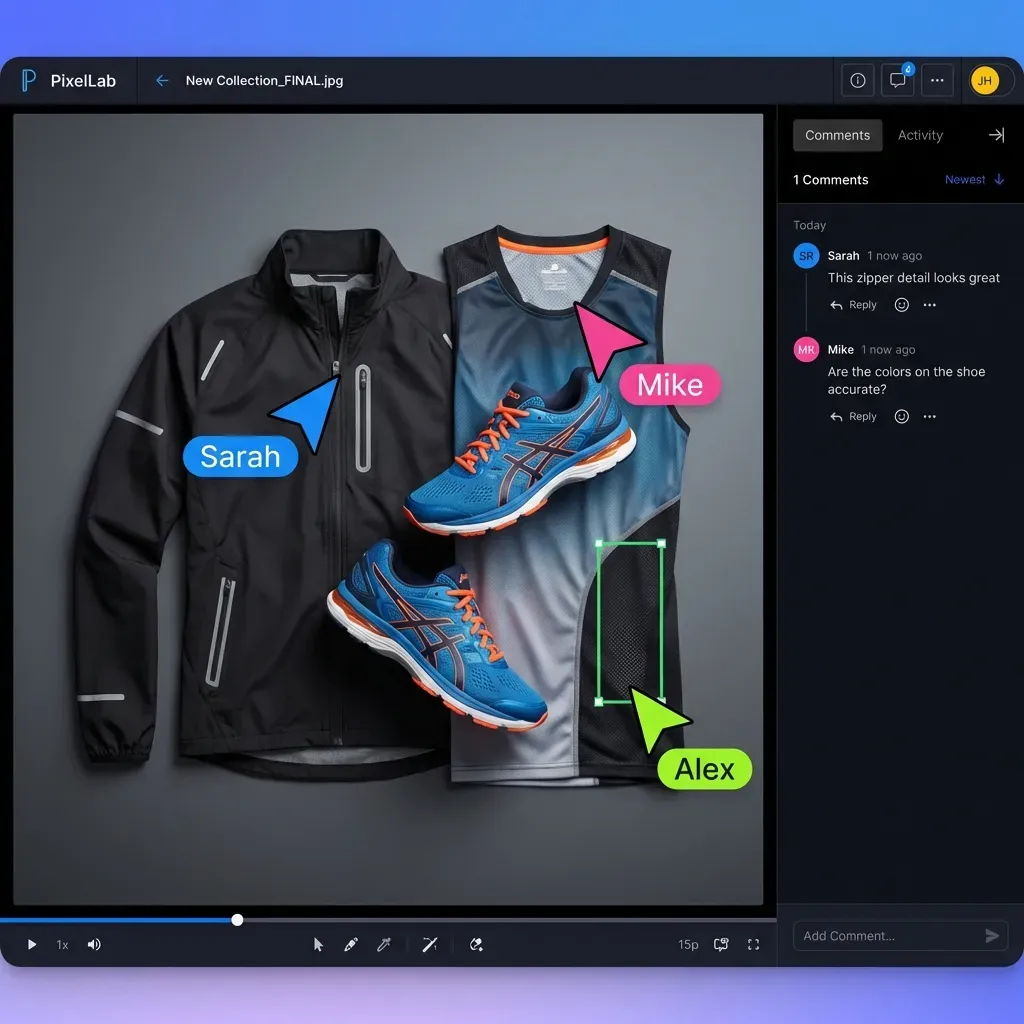
ReviewStudio focuses on creative proofing with annotation tools for video, images, and documents.
Approval strengths:
- Visual markup tools for precise feedback
- Approval status per reviewer
- Comment threading to keep discussions organized
Best for: Design and creative teams reviewing mixed media types.
Limitations: Video playback and streaming aren't as smooth as tools built specifically for video. Consider how this fits into your broader workflow and what matters most for your team. The right choice depends on your specific requirements: file types, team size, security needs, and how you collaborate with external partners. Testing with a free account is the fast way to know if a tool works for you.
How to Choose the Right Video Approval Tool
The right choice depends on where approvals break down in your workflow:
If stakeholders forget to approve: Choose Filestage or Ziflow for automated reminders and due dates.
If you need approval order control: Ziflow and Filestage support multi-stage workflows where legal must approve before the client sees anything.
If editors need feedback in their timeline: Wipster and Frame.io integrate directly with Premiere and Final Cut.
If clients struggle with downloads: Fast.io streams video instantly so clients review without waiting for large files to download.
If you need an audit trail: Ziflow and Fast.io both track who did what and when.
Questions to Ask Before Choosing
- How many stakeholders typically need to sign off?
- Does approval order matter (sequential vs. parallel)?
- Do you need integration with editing software?
- Will external clients use the tool, or just internal teams?
- Do you review other asset types beyond video?
Frequently Asked Questions
How do you manage video approvals?
Use software that tracks approval status per stakeholder. Define who needs to approve, set deadlines, and use automated reminders. The best tools show a clear pipeline view so you know which videos are pending, in review, or approved.
What is the best way to get client approval on videos?
Send clients a link to streaming video, not a download. Let them leave time-stamped comments directly on the video. Set a clear deadline and send one reminder before it passes. Make the approve button obvious so there's no confusion about how to sign off.
How do agencies get video sign-off?
Agencies typically use a staged approval workflow: internal creative review first, then stakeholder review, then client sign-off. Tools like Filestage and Ziflow support this by routing videos through defined stages automatically.
What's the difference between video review and video approval software?
Video review software helps collect feedback through comments and annotations. Video approval software adds workflow management: tracking who needs to approve, in what order, with deadlines and status tracking. Many tools do both, but the approval workflow features vary .
Can you get video approval without specialized software?
Yes, but it's inefficient. Teams often use email, Slack, or spreadsheets to track approvals, but this leads to lost feedback, version confusion, and missed deadlines. Dedicated tools consolidate everything in one place.
Related Resources

Fix Your Video Approval Process
Fast.io gives you usage-based cloud storage built for video approval software. Get streaming previews, AI-powered search, and unlimited guest sharing. Start with a free account, no credit card required.