How to Distribute Your Music Video to Press, Labels, and Partners
Music video distribution goes beyond uploading to YouTube. This guide covers the complete workflow for delivering finished videos to press outlets, record labels, and industry partners while maintaining quality and tracking engagement.
What Is Music Video Distribution?
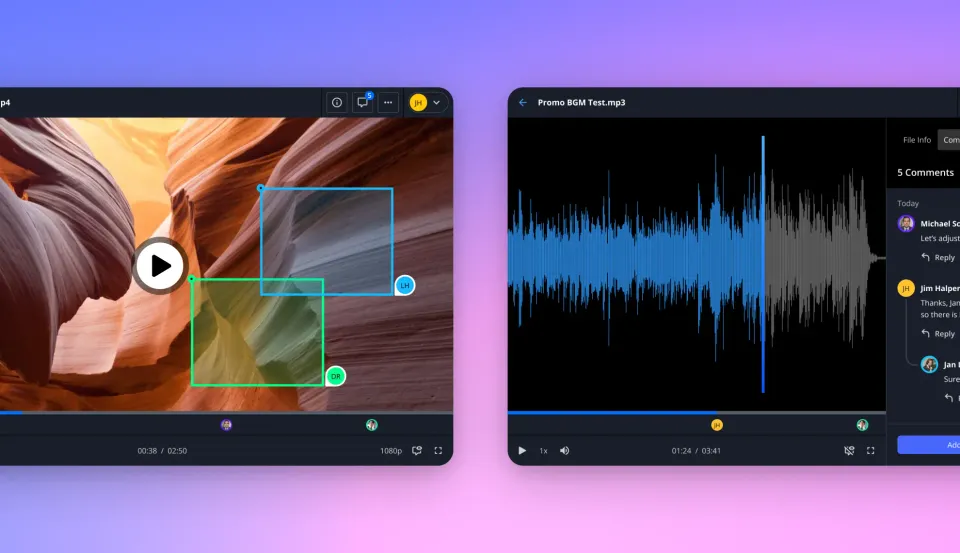
Music video distribution means getting your finished video out to platforms, press, and partners while keeping quality intact and knowing who's actually watching. Most guides focus exclusively on getting your video onto YouTube, Spotify Canvas, or Apple Music through aggregators like DistroVid or TuneCore. That's only half the picture. Professional distribution includes:
- Platform distribution: YouTube, VEVO, Apple Music, Tidal, Spotify (via aggregators)
- Press and media delivery: Music blogs, magazines, TV outlets, playlist curators
- Industry sharing: Record labels, A&R reps, sync licensing contacts, managers
- Collaborator access: Directors, editors, colorists who need final files
The average artist distributes each release to numerous outlets. Platform uploads are the easy part. Getting your video into the hands of press contacts and industry professionals without compression, broken links, or lost emails? That's where most artists run into trouble.
Platform Distribution vs. Professional Delivery
Platform distribution services like DistroVid and Symphonic handle the technical work of getting your video onto streaming platforms. They manage:
- ISRC code assignment (each video needs its own)
- Platform-specific encoding requirements
- Metadata formatting for each DSP
- VEVO verification and branding
These services are essential and cost-effective for platform placement. But they don't help with the other half: getting your video to the people who can actually amplify your release. When you send a music video to a blog editor, A&R rep, or sync agent, you need:
- Full quality delivery: No compression or re-encoding
- Tracking: Know if they opened it, watched it, or downloaded it
- Access control: Revoke access if needed, set expiration dates
- Professional presentation: Branded delivery, not a random Google Drive link
- Reliability: Links that work months later for sync opportunities
Music videos typically range from hundreds of MB to several GB for final delivery. Email caps out at 25MB. And most consumer file sharing services either compress your footage or force recipients to create accounts before they can watch anything.


Start with music video distribution on Fast.io
Share full-quality video files with press, labels, and partners. Track engagement and control access.
The Music Video Distribution Workflow
Here's a step-by-step process for distributing a music video release:
Week 2-3 Before Release: Platform Submission
- Export your final master in the highest quality format (ProRes or H.264 at high bitrate)
- Submit to your chosen aggregator (DistroVid, Symphonic, TuneCore, etc.)
- Allow 2-3 weeks for platform processing
- Confirm ISRC assignment
Week 1-2 Before Release: Press and Industry Outreach
Create a press kit folder with:
- Final video file (full quality)
- Press release
- High-res promotional stills
- Artist bio and photos
- Streaming links (for release day)
Set up secure delivery links for each recipient category:
- Press contacts: View-only, watermarked
- Sync contacts: Downloadable, no watermark
- Label contacts: Full access with download
Send personalized outreach with tracking enabled
- Subject line: Artist Name - "Song Title" (Music Video Premiere Opportunity)
- Include direct link to video (not attachment)
- Note the embargo date
Release Day
- Confirm platform availability
- Update press links to public versions
- Monitor view analytics
- Follow up with contacts who viewed but didn't respond
Post-Release: Ongoing Distribution 1. Keep sync-ready links active indefinitely
- Add video to artist portfolio/data room
- Track industry engagement for future releases
Choosing Your Distribution Tools
You'll likely need two types of tools:
For Platform
Distribution - DistroVid (monthly plans): VEVO, Apple Music, Tidal, Spotify. Owned by DistroKid.
- Symphonic (custom pricing): All major platforms. Also handles back catalog.
- TuneCore (annual plans + video fees): YouTube Music and others.
For Professional Delivery
Your platform aggregator won't help with press outreach or industry sharing. For that, you need a file delivery solution that handles large video files without compression. What to look for:
- No file size limits: Support for multi-GB video files
- No account required for recipients: Reduces friction for busy editors
- View tracking: Know who watched and for how long
- Password protection: Control access for embargoed content
- Expiration dates: Auto-revoke press screener links after release
- Branding: Professional presentation with your logo
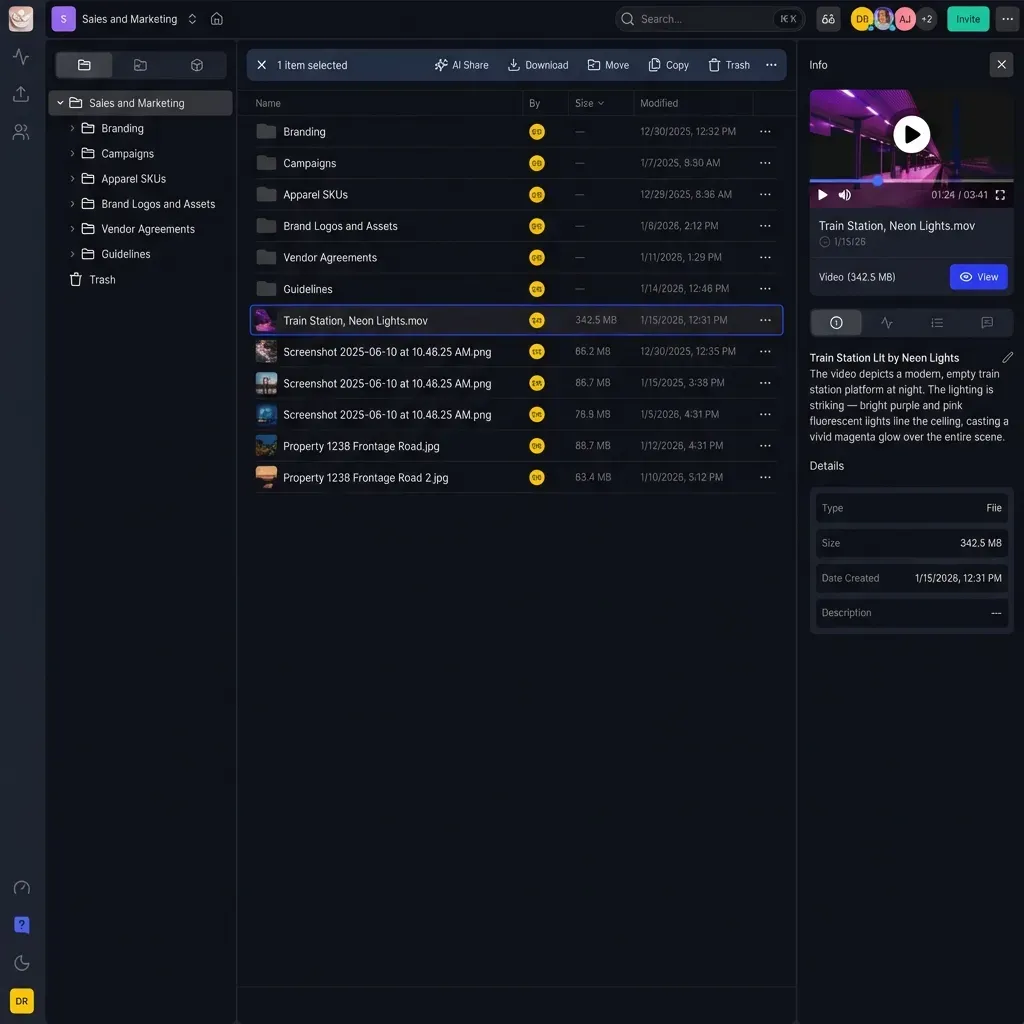
Fast.io handles the professional delivery side. It uses HLS streaming so videos play instantly without buffering. You get unlimited external sharing without per-seat costs, and audit logs that show exactly who viewed your content and when.
Common Music Video Distribution Mistakes
Sending Compressed Files
YouTube and social platforms re-encode everything you upload. That's fine for those platforms. But when sending to press or labels, you want them to see your video at full quality. Don't: Attach an MP4 to an email or use a service that compresses uploads. Do: Use a delivery platform that preserves original quality.
Using Expiring Links
WeTransfer links expire after 7 days on the free plan. Sync opportunities can come months after your release. Don't: Send a WeTransfer link and hope they download it in time. Do: Use persistent links that work indefinitely.
No Tracking
If you don't know whether someone watched your video, you're guessing at follow-up timing. Don't: Email a YouTube unlisted link with no visibility into opens. Do: Use delivery tracking to see who viewed, when, and for how long.
One Link for Everyone
Different recipients need different access levels. Press needs view-only. Sync agents need downloads. Don't: Send the same Google Drive link to everyone. Do: Create separate share links with appropriate permissions per recipient.
How Much Does Music Video Distribution Cost?
Platform distribution: Affordable pricing depending on service and features
- DistroVid: monthly (annual billing available)
- TuneCore: annual base + video fees
- Symphonic: Custom pricing based on catalog
Professional delivery tools: Varies widely
Dropbox and Google Drive work for basic sharing but don't give you tracking or branding. And per-seat pricing adds up fast when you're sharing with dozens of press contacts. Fast.io charges by usage instead of per-seat. That makes more sense for distribution work where you're sending to dozens of external recipients who'll only access your files once or twice. To compare: Dropbox runs published pricing/month, which gets expensive when you need team access plus heavy external sharing. Fast.io's Pro plan includes 25 seats (extras are published pricing each) and unlimited external guests who don't count against your seat limit.
Frequently Asked Questions
How do I distribute my music video?
Music video distribution happens in two parts: platform distribution through an aggregator like DistroVid or Symphonic (which handles YouTube, VEVO, Apple Music, etc.), and professional delivery to press, labels, and industry contacts through a file sharing platform that supports large video files, tracking, and access controls.
How much does music video distribution cost?
Platform distribution through aggregators runs affordable annual fees. Services like DistroVid (monthly) and TuneCore (annual). Professional delivery costs vary based on the platform you choose. Look for usage-based pricing rather than per-seat fees when sharing with many external recipients.
Where can I upload my music video?
For streaming platforms, use an aggregator to upload to VEVO, Apple Music, Tidal, and Spotify's video features. For direct sharing with press and industry contacts, use a professional file delivery platform that supports large files (hundreds of MB to several GB) without compression and provides view tracking.
Do I need a distributor for music video distribution?
Yes, for major platforms like VEVO, Apple Music, and Tidal. You cannot upload directly to these DSPs as an independent artist. Aggregators like DistroVid, Symphonic, and TuneCore handle the technical requirements including ISRC assignment and platform-specific encoding.
What's the difference between music distribution and music video distribution?
Music distribution delivers audio tracks to streaming platforms. Music video distribution delivers video content to video-specific platforms plus press and industry contacts. Videos require separate ISRC codes and different delivery requirements. Many artists use the same distributor for both but pay additional fees for video services.
Related Resources

Start with music video distribution on Fast.io
Share full-quality video files with press, labels, and partners. Track engagement and control access.