Best Hightail Alternatives for Creative Teams in 2026
Hightail (formerly YouSendIt) is a file sharing and creative collaboration platform owned by OpenText. Many users have migrated to alternatives after the 2023 pricing restructure that reduced free plan limits to 100MB files. This guide compares the top Hightail alternatives based on creative workflow needs like review and approval, version tracking, and large file handling.
Why Teams Are Leaving Hightail
Hightail built its reputation as YouSendIt, one of the first services that let you email large files without attachments. After rebranding and pivoting toward creative collaboration, the platform went through several ownership changes before landing at OpenText in 2021. The 2023 pricing changes hit small teams hard. The free plan dropped from 250MB to 100MB file limits. Pro pricing increased while storage caps stayed flat. For teams sending video dailies or high-resolution assets, these limits force constant plan upgrades. Beyond pricing, users report three consistent frustrations:
- Slow uploads: The web interface lacks resumable uploads, so failed transfers mean starting over
- Limited preview support: Many professional formats require downloading to view
- Clunky review workflows: Comments don't pin to specific frames or regions
If you're evaluating alternatives, focus on how each handles your specific workflow rather than feature lists. A tool optimized for document sharing won't serve a video production team well.
Helpful references: Fast.io Workspaces, Fast.io Collaboration, and Fast.io AI.
Top 5 Hightail Alternatives Compared
Each platform targets different workflows. Let's break down where each excels.


Start with hightail alternative on Fast.io
Start sharing large creative files with your team today. No per-user fees, video streaming that starts in seconds, and frame-accurate review tools.
Fast.io: Best Overall for Creative Teams
Fast.io takes a different approach to team file sharing. Instead of per-user pricing that punishes growing teams, you pay based on storage and transfer usage. A 25-person creative team pays around published pricing compared to published pricing for the same headcount on Dropbox Business.
Creative Workflow Features
HLS video streaming means clients watch your videos instantly without downloading. No more "wait for the file to download" messages. Videos start playing within seconds, with adaptive bitrate that adjusts to connection speed.
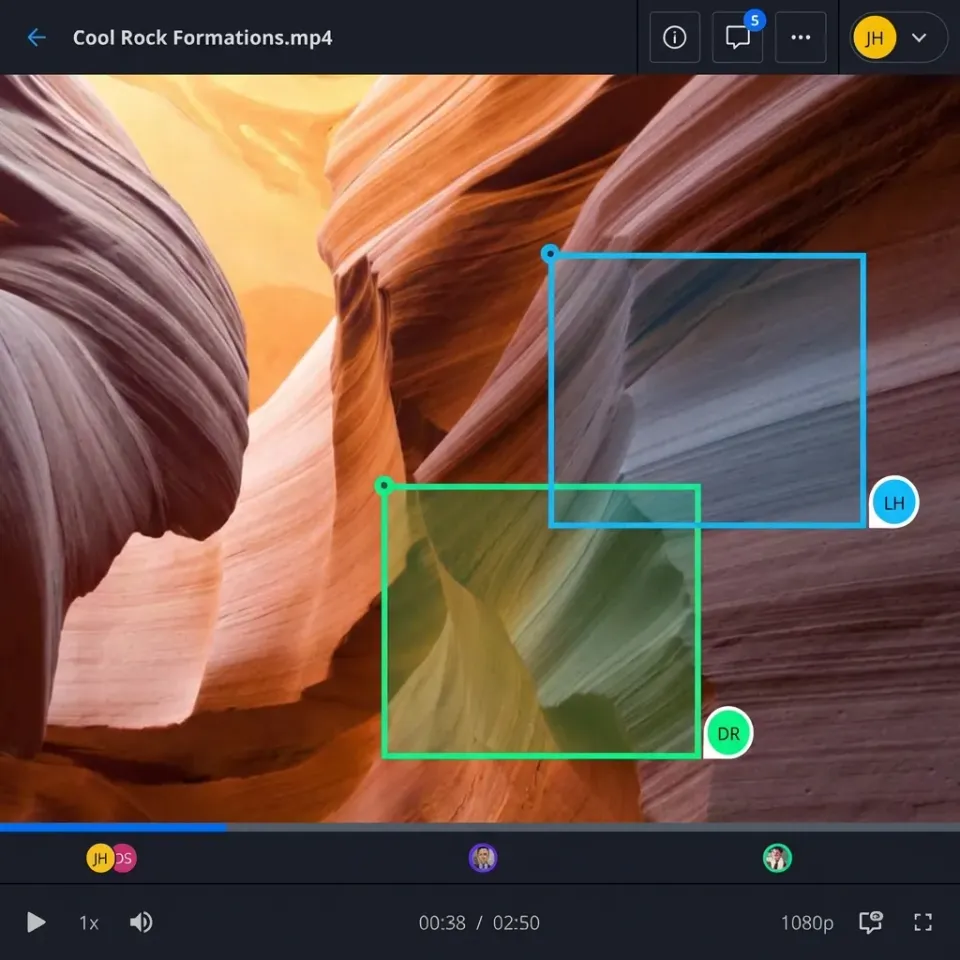
Frame-accurate comments let reviewers pin feedback to specific timecodes. Click a frame, leave a comment, and the editor sees exactly where the note applies. This eliminates the "at around 2 minutes in" ambiguity that slows down revision cycles.
Universal previews render PSD, AI, INDD, RAW, and other professional formats directly in the browser. Clients don't need expensive software licenses just to approve a design.
Organization Model
Files belong to the organization, not individual users. When someone leaves the company, their files stay put. No more chasing down shared folders or transferring ownership. Workspaces replace the traditional folder hierarchy. Create a workspace per project or client, set permissions once, and everyone sees the same organized view. Open workspaces let team members discover and join projects without waiting for invitations.
Where Fast.io Falls Short
Fast.io works best for teams under 100 users. large enterprises with complex IT requirements may need more administrative controls than currently available. The platform also lacks offline sync. Files stream from the cloud, which requires an internet connection.

Dropbox: The Familiar Choice
Dropbox needs no introduction. Most professionals have used it at some point, which makes onboarding simple. The desktop sync client works reliably across Windows, Mac, and Linux.
Strengths
- Sync reliability: Two decades of development means file sync rarely fails
- Integrations: Connects to nearly every business tool through APIs
- Paper and Capture: Built-in document collaboration and scanning
Limitations for Creative Teams
Dropbox streams video using progressive download, not adaptive bitrate. Long videos buffer. Large files take time to preview. For a 2GB video file, you're waiting minutes before playback begins. Per-user pricing adds up quickly. At published pricing/month for Business Plus, a 25-person team pays published pricing. Invite a few client reviewers and costs climb further. The sync-first architecture creates conflicts when multiple people edit simultaneously. "Conflicted copy" files pile up in shared folders, requiring manual cleanup.
WeTransfer: Best for One-Off Sends
WeTransfer excels at exactly one thing: sending large files to someone quickly. No folder structures, no permissions, no long-term storage. Upload, share link, done.
When to Use WeTransfer
- Sending final deliverables to clients who don't need ongoing access
- Transferring files between your own devices
- Quick handoffs where setup friction matters more than organization
Why It's Not a Hightail Replacement
WeTransfer lacks persistent storage. Files expire after 7-28 days depending on your plan. There's no folder organization, no version history, and no collaboration features. For creative teams that need ongoing project workspaces, review workflows, and version tracking, WeTransfer solves the wrong problem. It's a transfer tool, not a collaboration platform.

Frame.io: Purpose-Built for Video
Adobe acquired Frame.io in 2021, integrating it deeply with Premiere Pro and After Effects. For video post-production teams already in Adobe's ecosystem, this integration means reviewers can comment without leaving the editing app.
Video-Specific Strengths
- Premiere Pro integration: Upload from the timeline without leaving the app
- Version stacking: See all iterations of a cut in one place
- Timecode-accurate comments: Frame-precise feedback syncs back to the edit
Limitations
Frame.io charges per user, starting at published pricing. External reviewers need seats or limited "reviewer" accounts with restricted features. The platform focuses narrowly on video review. If your team also handles design files, documents, or other assets, you'll need a second tool for those workflows. After the Adobe acquisition, some users report concerns about data ownership and pricing trajectory. Enterprise tiers have seen significant price increases.
Google Drive: Best for Google Workspace Teams
If your company runs on Google Workspace, Google Drive provides adequate file storage with zero additional cost. It's already there, already integrated, and already familiar.
Why It Works
- 15GB free per user: Generous baseline for small teams
- Real-time collaboration: Google Docs, Sheets, and Slides edit simultaneously
- Search: Google's search technology finds files quickly
Why Creative Teams Leave
Drive treats files as secondary to Google's own document formats. Upload a PSD and you get a generic thumbnail. Upload a video and playback quality suffers. The "My Drive" versus "Shared Drive" split confuses users. Files shared with you don't appear where you expect. Permissions inheritance works differently than other platforms. For teams that live in Google Docs, Drive works fine. For teams working with professional creative assets, it's a compromise.
Migration Checklist: Moving from Hightail
Switching file sharing platforms requires planning. Here's what to consider:
Before You Start
Audit current usage: How much storage? How many active users? What file types? 2.
Map your workflows: Which Hightail features do you actually use? 3.
Identify integrations: What other tools connect to Hightail?
During Migration - Export
Hightail data before your subscription ends. The platform doesn't retain files after cancellation.
- Migrate active projects first, archive completed work second
- Update shared links in client communications
Common Mistakes
- Assuming all comments and annotations will transfer (they won't)
- Forgetting to redirect old Hightail share links
- Migrating file-by-file instead of bulk export/import
Most alternatives offer migration assistance or import tools. Fast.io, for example, can bulk import from cloud storage services and preserve folder structures.
Frequently Asked Questions
Is Hightail still available?
Yes, Hightail continues operating under OpenText ownership. The service remains available but has reduced free plan limits and increased pricing since the 2023 changes. Existing accounts work normally, though some users report slower development of new features compared to competitors.
What is similar to Hightail?
The closest alternatives depend on your use case. For creative collaboration with video review, Fast.io and Frame.io offer similar workflows. For general file sharing, Dropbox and Google Drive provide broader feature sets. WeTransfer handles quick file transfers but lacks Hightail's collaboration features.
Is Hightail the same as WeTransfer?
No. Hightail focuses on creative collaboration with features like review and approval workflows, version tracking, and persistent workspaces. WeTransfer specializes in one-time file transfers with automatic expiration. Hightail is for ongoing project work; WeTransfer is for quick sends.
What happened to YouSendIt?
YouSendIt rebranded to Hightail in 2013 to reflect its expanded focus on creative collaboration beyond simple file sending. OpenText acquired Hightail in 2021, integrating it into their enterprise content management portfolio.
Can I migrate my files from Hightail?
Yes, but Hightail doesn't offer automated migration tools for most destinations. You'll need to download files manually or use the API to bulk export. Complete migration before your subscription ends, as Hightail doesn't retain files after cancellation. Most alternative platforms offer import assistance.
Related Resources

Start with hightail alternative on Fast.io
Start sharing large creative files with your team today. No per-user fees, video streaming that starts in seconds, and frame-accurate review tools.