Function Calling vs MCP: Which Should Your AI Agent Use?
Function calling and the Model Context Protocol (MCP) are the two main ways to give AI agents access to external tools and data. Function calling gives models the raw ability to run code. MCP offers a standard way for agents to connect to the world. This guide compares them to help you pick the right stack for your project.

The Core Difference: Mechanism vs. Standard
If you are building an AI agent, you likely see these two terms often. Does MCP replace function calling? Do they work together? Is one better? To choose, look at the difference between a capability and a protocol.
Function calling is a capability of a Large Language Model (LLM). It is the model's ability to output structured data (usually JSON) instead of free text when it recognizes that a specific task needs to be performed. It is the action of asking for a tool.
MCP (Model Context Protocol) is an open standard. It connects AI models to external tools, data sources, and resources in a uniform way. It standardizes how tools are discovered, authorized, and managed.
The "Universal Connector" Analogy
Think of function calling like wiring a light switch directly to a bulb. It works for that one bulb. But to change it to a fan, you have to cut the wires. If you want to move the switch, you have to open the walls. Think of MCP like a wall outlet. You can plug in a lamp, vacuum, or heater without knowing the wiring inside the wall. The outlet provides a standard interface that every appliance agrees on. In this analogy:
- The AI Model is the house's power grid.
- Function Calling is the flow of electricity.
- MCP is the standard wall socket that makes it safe and easy to connect anything.
Helpful references: Fast.io Workspaces, Fast.io Collaboration, and Fast.io AI.
What is Function Calling?
OpenAI launched function calling to fix a big problem with early LLMs: getting them to use real-world tools reliably. Before this, developers used tricky prompts to get models to write code or JSON, which often failed.
The Technical Workflow
Function calling works through a specific request-response loop:
- Definition: The developer sends a list of available tools (with names, descriptions, and parameter schemas) to the API alongside the user's prompt.
- Reasoning: The model analyzes the prompt. If it decides it needs a tool, it halts text generation and outputs a structured "tool call" object (e.g.,
{"name": "get_weather", "arguments": {"location": "San Francisco"}}). - Execution: The developer's code receives this JSON, parses it, executes the actual function (e.g., calling a weather API), and captures the result.
- Response: The result is sent back to the model as a new message. The model reads the result and generates the final natural language answer for the user.
The "Context Tax"
A hidden cost of raw function calling is token usage. You must send definitions for all available tools in every request. If your agent has dozens of tools, you pay for the tokens to describe them every time, even if the agent uses none. This "context tax" limits how big raw function calling systems can grow.
Pros of
Function Calling
- Simplicity: You can get a basic script running in minutes with just a few lines of code.
- Full Control: You handle every line of code the model triggers, giving you full control over execution.
- Low Latency: For simple, single-step tasks, there are no extra server hops.
Cons of Function Calling
- Vendor Lock-In: OpenAI's tool format is slightly different from Anthropic's or Google's. Moving an agent often means rewriting all your tool definitions.
- Maintenance: Managing manual JSON schemas for dozens of tools becomes a nightmare as APIs change.
- Security: Putting API keys and database credentials directly into the agent's runtime environment increases the risk if the agent is compromised.
What is the Model Context Protocol (MCP)?
The Model Context Protocol (MCP) solves the fragmentation problem. Instead of every developer writing their own custom code to connect LLMs to Google Drive, Slack, or GitHub, MCP provides a standard. MCP uses a Client-Host-Server architecture:
- MCP Host: The application where the AI lives (e.g., Claude Desktop, an IDE like Cursor, or your custom agent).
- MCP Client: The connector that speaks the protocol.
- MCP Server: A standalone service that exposes resources (data) and tools (functions).
Built for Scale
With MCP, you don't hard-code tools into your agent. Instead, you tell your agent to connect to an MCP server. The server then lists what it can do. This means an MCP server for "File Management" can be written once and used by any MCP-compliant AI client. It moves the complexity away from the agent's prompt and into modular, reusable servers.
Transport Layers: Stdio vs. SSE
MCP supports two primary ways to connect:
- Stdio (Local): Great for local development. The agent spawns the MCP server as a subprocess and talks to it over standard input/output. This is fast and secure for local tools.
- SSE (Server-Sent Events): Used for remote connections. The agent connects to an MCP server over HTTP. This is essential for cloud-based agents and distributed systems like Fast.io.
Pros of MCP
- Write Once, Run Everywhere: Build a tool for your internal database once, and use it with Claude, Gemini, Llama, or GPT-4 without changing a line of code.
- Dynamic Discovery: Agents discover tools at runtime. You can add new capabilities to a running agent just by connecting a new server, with no code deployment required.
- Security Isolation: Credentials stay on the MCP server. The agent never sees your database password; it only sees the ability to "query_database."
- Large Ecosystem: You can plug into community-maintained MCP servers for major platforms (Google Drive, Slack, Postgres, GitHub, Fast.io) instead of building them from scratch.
Cons of MCP
- Setup: It requires running a separate server process (though managed services like Fast.io handle this for you).
- Learning: Developers must understand the client-server relationship and the protocol specs.
Function Calling vs. MCP
How do they compare in production? This table shows the differences.
The Bottom Line: Direct function calling is great for prototypes or simple single-task bots. For scalable, production agents that need files, APIs, and complex data, MCP is the better choice.


Give Your AI Agents Persistent Storage
Stop writing tool definitions by hand. Connect your agent to Fast.io's managed MCP server for file access, storage, and RAG. No credit card required.
The Fast.io Advantage: MCP Without the Server Setup
While MCP is powerful, hosting your own MCP servers can be a lot of work. You have to handle deployment, scaling, and updates.
Fast.io fixes this with a managed MCP Server ecosystem.
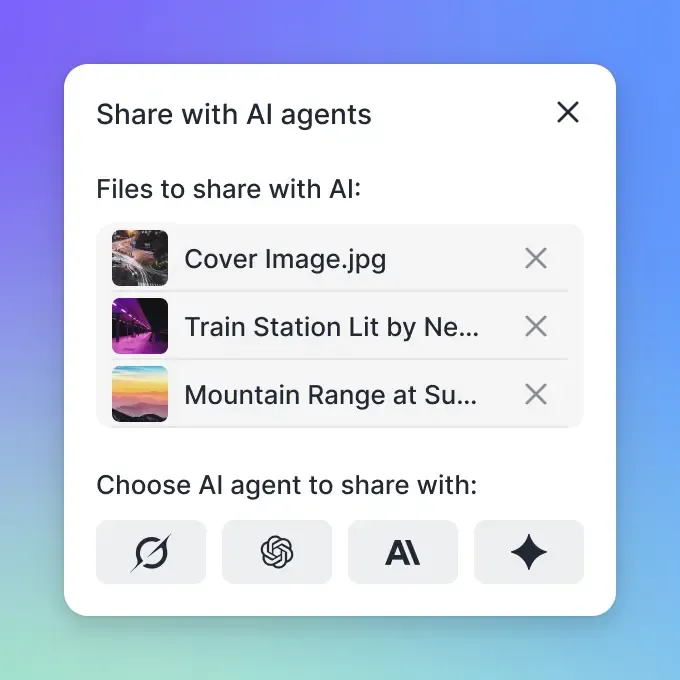
When you use Fast.io, you get a ready-to-use MCP Server with 251 tools made for AI agents. It is a complete I/O layer for your AI.
Key
Capabilities for Agents
- Universal File Access: Agents can read, write, move, copy, and delete files across any connected storage (Fast.io, Google Drive, Dropbox, Box, OneDrive) using a single standard toolset.
- Intelligence Mode (Built-in RAG): Giving an agent "knowledge" usually means setting up a vector database and retrieval system. With Fast.io's Intelligence Mode, you just flip a switch. Fast.io indexes the content, and your agent gets a
search_filestool that returns answers with citations. - Persistent Memory: Agents often suffer from amnesia. Fast.io gives them a file system (50GB free) to store long-term memories, user preferences, and state.
- OpenClaw Integration: Fast.io works alongside OpenClaw, allowing you to install the Fast.io skill (
clawhub install dbalve/fast-io) and give your local LLMs full cloud file management capabilities in seconds.
When to Migrate to MCP
Many developers start with direct function calling because it's familiar. But as your agent grows, you might get stuck. Here is when to switch to MCP.
Stick with Function Calling if:
- Your bot has a handful of simple actions (e.g., "turn on lights," "get stock price"). * You are optimizing for extreme latency (saving milliseconds). * You are building a quick script.
Migrate to MCP if:
- You need Multi-Model Support: You want to swap the brain of your agent (e.g., from GPT-4o to Claude 3.5 Sonnet) without rewriting your tool layer.
- You need File Operations: Your agent needs to read PDFs, write code, or organize folders. Building good file system tools from scratch is hard. Fast.io's MCP server handles this for you.
- You are Building a Platform: If you want users to "install" new skills dynamically, MCP provides the interface to make that possible.
- Security is Critical: You work in a regulated place where API keys must stay away from the AI.
- Limited Context: You have too many tools to fit in the context window. MCP servers can handle tool pagination and loading strategies that raw function calling cannot.
Frequently Asked Questions
Is MCP replacing function calling?
No, they operate at different layers. MCP uses function calling under the hood. MCP is the standard for defining and connecting tools, while function calling is the mechanism the LLM uses to invoke them.
Can I use OpenAI function calling with MCP?
Yes. An MCP client acts as a translator. It takes the standardized tool definitions from an MCP server and converts them into the specific JSON schema format required by OpenAI's function calling API.
Does Fast.io support custom MCP servers?
Fast.io acts as a managed MCP server itself, providing 251 tools for file management, search, and storage. While you connect to Fast.io as a server, you can also run your own custom MCP servers alongside it.
What is the cost difference between the two?
Direct function calling costs are based on token usage (input tokens for tool definitions). MCP adds a small overhead for the protocol but can save money in large applications by managing context more efficiently. Fast.io's MCP server is free to use (up to 50GB storage).
Related Resources

Give Your AI Agents Persistent Storage
Stop writing tool definitions by hand. Connect your agent to Fast.io's managed MCP server for file access, storage, and RAG. No credit card required.