10 File Management Software Features Every Team Needs
File management software helps teams organize, store, share, and track documents in a centralized system. The right tool eliminates the hours teams waste searching for information. This guide covers key features that separate useful file management from digital filing cabinets.
What Is File Management Software?
File management software is a system that helps teams organize, store, share, and track digital files in a centralized location. Unlike basic cloud storage, file management tools add structure through search capabilities, permission controls, version history, and collaboration features. The core problem it solves: people spend a surprising amount of time just looking for files they know exist somewhere. Poor file management wastes hours every week and creates frustration that compounds over time. Most teams start with consumer tools like personal Dropbox accounts or Google Drive, then hit walls when they need:
- Centralized ownership (files stay when employees leave)
- Granular permissions (not everyone should see everything)
- Audit trails (who accessed what, when)
- Large file support (video, CAD, datasets)
That's when dedicated file management software becomes necessary.
Helpful references: Fast.io Workspaces, Fast.io Collaboration, and Fast.io AI.
What to check before scaling file management software
The biggest problem with consumer cloud storage is the ownership model. When files live in personal accounts, they leave when employees do. Organization-owned file management means files belong to the company, not individuals. No more chasing down departing employees for Google Drive transfers. No more losing critical project files because someone's personal Dropbox filled up. This sounds obvious, but most teams don't realize they have this problem until it's too late. Ask yourself: if your top performer left tomorrow, would you have immediate access to all their files? Fast.io uses an organization-first model where files automatically belong to the company. When someone leaves, their files stay exactly where they are with no transfer process required.
2. Workspace Organization (Not Folder Chaos)
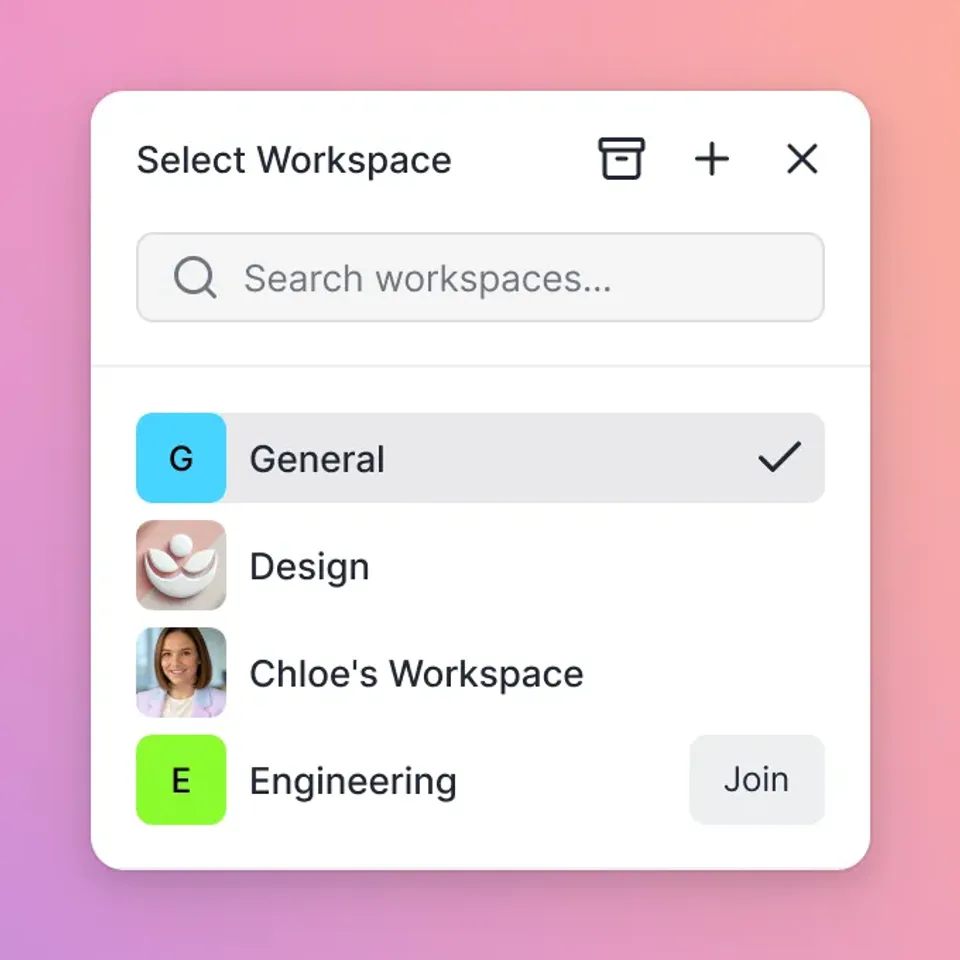
Traditional folder structures create chaos at scale. You end up with "Final_v2_REAL_final_use_this.pdf" because nobody can agree on naming conventions or remember where things go. Workspace-based organization gives teams dedicated spaces for each project or client. Files live in context, not buried in nested folder hierarchies. The difference matters when teams grow. With folder-based systems, every new hire asks "where does this go?" and "where do I find X?" for months. With workspaces, the answer is always: go to the project workspace. Good file management software lets you create unlimited workspaces with different privacy settings. Some can be open for the whole organization to discover and join. Others stay private for sensitive projects.

3. Search That Actually Works
Most file search is useless. You have to remember the exact filename or hope the file contains the exact phrase you're searching for. Modern file management needs semantic search. That means you can search for "the contract with Acme from Q3" and find it, even if the file is named "Acme_MSA_signed_sept.pdf". This is where AI makes a real difference. AI-powered search understands what you mean, not just what you type. It can search inside documents, summarize results, and surface related files you might have forgotten about. Good search is the difference between finding a file in seconds versus giving up and recreating it from scratch.


Start with file management software on Fast.io
Stop losing hours to file chaos. Fast.io gives your team centralized storage, instant search, and collaboration features that actually work.
4. Version Control Without the Confusion
Version control sounds simple until you're trying to figure out which "final" version is actually final. Good file management tracks every change automatically. You can see who modified what, when they did it, and revert if needed. No more "v1, v2, v2_revised, v2_final" naming chaos. This matters most for teams working on deliverables together. Designers, editors, and stakeholders can all work from the same file knowing their changes are tracked and nothing gets lost. Look for automatic version history rather than manual versioning. You shouldn't need to remember to save a new version before making changes. Consider how this fits into your broader workflow and what matters most for your team. The right choice depends on your specific requirements: file types, team size, security needs, and how you collaborate with external partners. Testing with a free account is the fast way to know if a tool works for you.
5. Granular Permission Controls
"Everyone has access to everything" works for tiny teams. It breaks down fast. Granular permissions let you control access at multiple levels: organization, workspace, folder, and individual file. You can give executives full access while limiting contractors to specific project folders. The top file management software makes permissions visible and manageable. You should be able to see at a glance who has access to what, and revoke access with one click when a project ends or a contractor finishes. Key permission features to look for:
- View-only access: They can see but not download
- Domain restrictions: Limit access to specific email domains
- Time-based expiration: Access automatically revokes after a deadline
- Watermarking: Visible tracking on sensitive documents
6. External Sharing Without Account Requirements
Your clients and partners shouldn't need accounts in your system to access shared files. Guest access means external collaborators can view, comment, and even upload files without creating accounts or counting against your seat licenses. They get a simple link, open it, and start working. This eliminates the friction that kills collaboration. No more "I can't see the file, can you resend?" or "It's asking me to create an account." Just share the link and move on. Look for branded portals if you work with clients regularly. You can set up a dedicated space with your logo where clients access everything related to their projects.

7. Large File Support
Email caps out around 25MB. Most consumer cloud storage struggles with files over 2-5GB. Professional teams routinely work with files that break these limits: raw video footage, CAD drawings, research datasets, high-resolution photography, construction plans. File management software built for teams should handle files of any size without compression, conversion, or splitting. Upload the 50GB video file, share it, and have recipients stream it instantly rather than waiting for a download. The technical difference is streaming versus downloading. Consumer tools make you download the entire file before viewing. Professional tools stream content so you can start viewing immediately while the rest loads in the background.
8. Preview Without Software Licenses
Opening a PSD file requires Photoshop. Opening an INDD file requires InDesign. Opening a DWG file requires AutoCAD. Or at least, that's how it used to work. Modern file management includes universal previews that let anyone view professional file formats in a browser. Your client can review the Photoshop mockup without owning Photoshop. Your project manager can check the CAD drawing without installing AutoCAD. This matters for creative and technical teams. The alternative is either buying expensive software licenses for everyone, or constantly exporting and re-exporting files into viewable formats. Fast.io's media engine previews PSD, AI, INDD, RAW, CAD, PDF, and dozens of other professional formats directly in the browser.
9. Audit Trails for Accountability
When something goes wrong, you need to know what happened. Audit trails track every action: who viewed a file, who downloaded it, who changed permissions, who deleted something. This creates accountability and helps resolve disputes about who did what. For regulated industries, audit logs are mandatory. For everyone else, they're insurance against the "I never got that file" or "someone must have deleted it" conversations. Comprehensive audit tracking should cover:
- File views and downloads
- Permission changes
- Uploads and deletions
- Login activity
- Share link usage
The audit log should be searchable and exportable for compliance reporting.
10. Real-Time Collaboration Features
File management used to mean storing files. Now it means working on them together. Real-time presence shows who's currently viewing a workspace or file. You can see your teammate's cursor, know they're in the same document, and avoid the "are you looking at this?" messages. Follow mode takes this further. Click to sync your view with a colleague's, useful for design reviews, presentations, or onboarding new team members. No more screen sharing for simple "look at this" moments. Contextual comments let you discuss files without leaving the file management system. Pin feedback to specific video frames, image regions, or document pages. Keep the conversation attached to the content.

Choosing the Right File Management Software
The market splits into three categories:
All-in-one platforms (Monday.com, ClickUp, Notion): These add file storage as a feature alongside project management, docs, and everything else. Good if you want one tool for everything. Weaker if file management is your primary need.
Consumer cloud storage (Dropbox, Google Drive, OneDrive): Familiar and cheap, but designed for individuals. Breaks down when you need organization-owned files, granular permissions, or large file support.
Team file management (Fast.io, Box, Egnyte): Purpose-built for team file workflows. Stronger on permissions, sharing, and professional media handling. Higher learning curve than consumer tools. The right choice depends on your priorities. If files are central to your work (creative agencies, construction firms, legal teams), dedicated file management pays for itself in recovered productivity. Fast.io offers usage-based pricing instead of per-seat pricing, which makes a big difference for teams over 10 people where per-seat costs add up fast.
Frequently Asked Questions
What is file management software?
File management software is a centralized system for organizing, storing, sharing, and tracking digital files across a team. It includes features like search, permissions, version control, and collaboration that go beyond basic cloud storage.
What is the top file management software for teams?
The best option depends on your needs. For teams where files are central to daily work (creative, legal, construction), dedicated tools like Fast.io, Box, or Egnyte work best. For teams that primarily need project management with some file storage, all-in-one platforms like Monday.com or ClickUp may be sufficient.
How do teams organize shared files?
Effective teams use workspace-based organization rather than deep folder hierarchies. Each project or client gets its own workspace with relevant files, reducing the 'where does this go?' problem. Within workspaces, consistent naming conventions and version control prevent the 'final_v2_REAL' chaos.
What's the difference between file management and cloud storage?
Cloud storage (like personal Dropbox or Google Drive) focuses on syncing files across devices. File management adds team-focused features: organization-owned files, granular permissions, audit trails, external sharing, and collaboration. Cloud storage is designed for individuals; file management is designed for teams.
How much does file management software cost?
Pricing varies widely. Per-seat models (Dropbox, Box) typically cost $15-25 per user per month, which adds up fast for larger teams. Usage-based models (like Fast.io) charge based on storage and activity, which can cost less for teams with many occasional users.
Related Resources

Start with file management software on Fast.io
Stop losing hours to file chaos. Fast.io gives your team centralized storage, instant search, and collaboration features that actually work.