How to Manage Video Assets with Digital Asset Management
Video digital asset management handles storing, organizing, and sharing large video files. It includes proxy playback, metadata tagging, and version control.
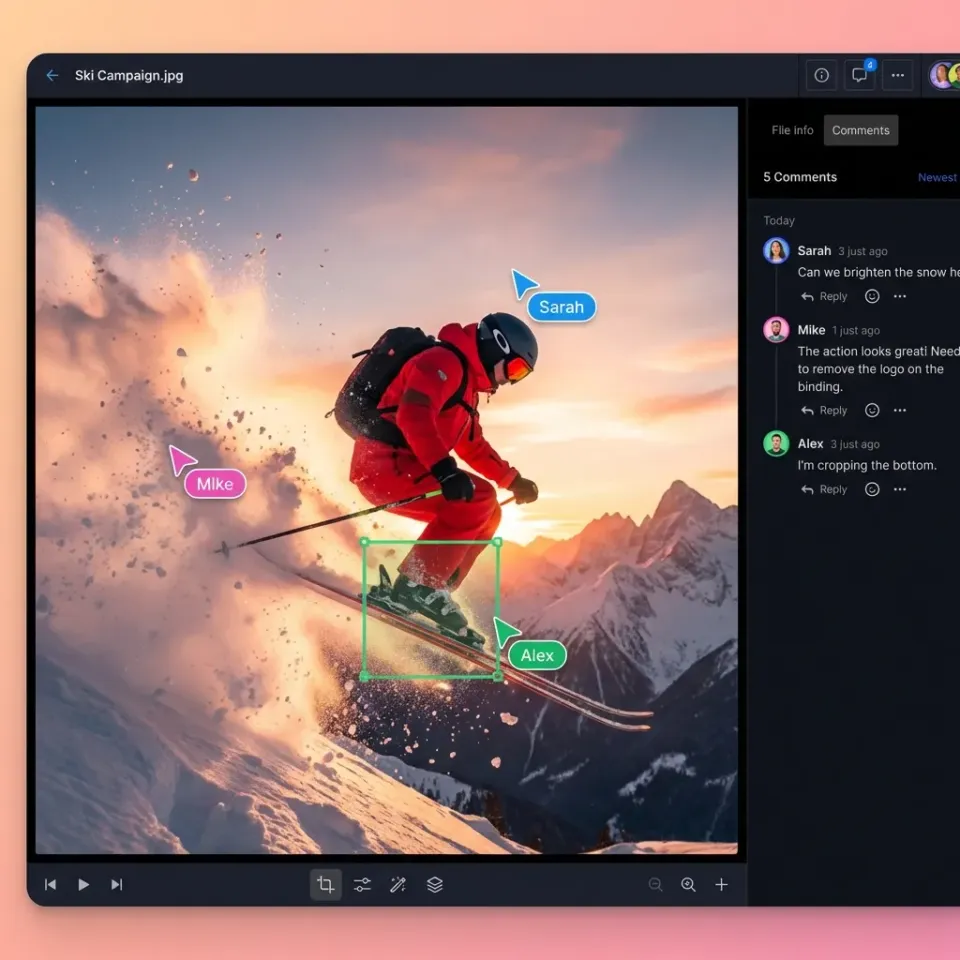
What Is Digital Asset Management for Video?
Digital asset management (DAM) for video is a storage and organization system built for video files. It handles large sizes, multiple formats, streaming playback, and frame-level collaboration. Generic DAM platforms treat large video files the same as small image files. That breaks down when your footage reaches terabytes per project. Video DAM addresses specific problems:
- File sizes have increased. High resolution formats are now standard. RAW workflows generate files measured in hundreds of gigabytes. Systems built for images and documents can't keep up.
- Teams lose hours searching for video assets. Without good metadata and versioning, finding the right clip means digging through nested folders and guessing at file names.
- Video requires playback, not just storage. Stakeholders need to watch content without downloading entire files. Progressive download makes review workflows painful. According to the DAM Trends Report from MediaValet, most organizations now manage video in their DAM. Video isn't a secondary file type anymore. For many teams, it's the primary asset class.
Essential Features for Video DAM
Not every DAM handles video well. Here are the five features that separate video-capable platforms from generic file storage:
1. HLS Streaming Playback
Adaptive bitrate streaming (HLS) starts playback in seconds. It adjusts quality to match your connection speed. Progressive download forces viewers to wait until the entire file buffers, which can take a long time for large files. Without HLS, stakeholder reviews become scheduling nightmares. Everyone waits. Deadlines slip.
2. Automatic Proxy Generation When you upload a master file, a video-capable DAM creates a lightweight streaming copy for review. The original stays intact for final delivery. Reviewers watch instantly without touching the master. Manual transcoding for every review cycle eats hours. You spend time making files reviewable instead of making content.
3. Large File Handling
Video files in professional production routinely reach massive sizes. Your DAM needs:
- Resumable uploads that survive connection interruptions
- No arbitrary file size limits
- Background processing that doesn't freeze the interface
Systems designed for standard documents often timeout or fail silently with large uploads.
4. Frame-Accurate Commenting
Video feedback needs precision. Timecode-specific feedback produces better results than general comments. Comments should pin to specific timecode, down to the frame. File-level comments create revision loops. Frame-level comments create clarity.
5. Professional Format Support
Can the system preview ProRes, DNxHR, BRAW, RED, and ARRIRAW in the browser? Many platforms show generic icons instead of thumbnails. Without native codec support, teams download files just to see what's in them. Fast.io's Universal Media Engine covers all five: HLS streaming, automatic transcoding, large file support, frame-accurate reviews, and professional format previews in browser.
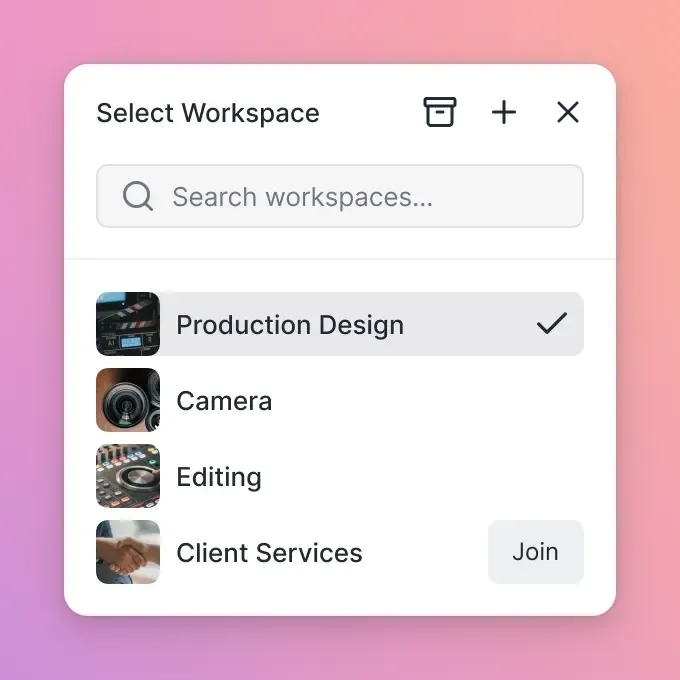


Start with digital asset management video on Fast.io
Fast.io handles streaming, proxies, and large files so your team can focus on production.
Why Generic DAM Fails for Video Production
Standard DAM systems were built for marketing teams managing images, PDFs, and brand guidelines. Video production is a different world.
The Streaming Problem
Most DAM platforms use progressive download. You click play, wait for the file to download, then finally watch. For gigabyte-sized video files, stakeholders spend more time waiting than reviewing. HLS streaming (the same tech Netflix uses) starts playback immediately. Scrubbing works smoothly. Without it, video review becomes impractical.
The Proxy Problem
Production workflows separate masters from working copies. Camera originals stay protected while proxies go to editors and reviewers. Generic DAM doesn't understand this distinction. Video DAM generates proxies automatically. Upload once, get streaming copies for every stakeholder without manual transcoding.
The Metadata Problem
Video files carry embedded metadata: timecode, camera settings, scene markers, audio tracks. Generic DAM often strips or ignores this during upload. Production teams lose data they need for editing and archival.
The Format Problem
A marketing team might work with JPGs and PNGs. Video production works with ProRes, DNxHD, BRAW, CinemaDNG, and dozens of other codecs. Generic DAM shows blank thumbnails for professional formats. Video DAM includes transcoding engines that understand production codecs. They generate viewable previews no matter what format you upload.

How to Organize Video Assets in Your DAM
Good organization turns a DAM from file storage into a production tool. Here's what works:
Project-Based Structure
Organize by project at the top level. Within each project, separate source footage from working files from final deliverables:
/ClientName_Project
  /Source
    /Camera_A
    /Camera_B
    /Audio
  /Working
    /Assembly
    /Review_Cuts
  /Deliverables
    /Master
    /Compressed
Number prefixes control sort order if your DAM doesn't maintain folder positions.
Metadata Over Folders
Folders handle project separation. Metadata handles everything else. Tag assets with:
- Project/client name for filtering across your library
- Asset type (interview, b-roll, graphics, music)
- Status (raw, in-progress, approved, archived)
- Rights/usage (cleared for all use, client-specific, expires on date)
Search by metadata instead of navigating folders. "Show me approved interview footage from the Acme project" beats clicking through deep folder hierarchy.
Version Control
Video assets go through many iterations. Your DAM should track versions without creating separate files for each revision. Keep one asset with version history attached, not multiple copies with different file names. Fast.io tracks versions automatically. Each upload to the same asset creates a new version with the previous versions accessible in the file's history.
Video DAM for Team Collaboration
Video production involves multiple people with different needs. Your DAM should handle all of them.
Internal Teams
Editors need access to source footage and working files. They need to upload cuts and track revisions. Give them full workspace access with upload permissions. Producers need visibility into project status. They need to review cuts and approve deliverables. They don't need to touch source footage.
External Stakeholders
Clients need to review and approve without downloading massive files. Share links with streaming playback and let them leave timestamped comments on the video. Contractors and freelancers need scoped access. They see their assigned projects, not your entire library. Time-limit their access to project duration. Fast.io collaboration handles both. Internal teams work in shared workspaces with real-time presence. External stakeholders get branded portals with streaming playback, no account required.
The Review Workflow
A video review that actually works:
- Editor uploads cut to DAM
- System automatically generates streaming proxy
- Producer gets notification with streaming link
- Producer reviews in browser, leaves frame-accurate comments
- Editor sees comments pinned to specific timecode
- Editor addresses feedback, uploads new version
- System tracks versions automatically
No downloading. No "which version are you looking at?" confusion. No manual transcoding between uploads.

Evaluating Video DAM Platforms
Comparing video DAM options? Run through this checklist:
Streaming Test
Upload a massive file (e.g. raw footage). How long until you can play it? If the answer is "after it finishes uploading and processing," that's progressive download. You want instant or near-instant playback via HLS streaming.
Format Test
Upload files in your actual production codecs (ProRes, DNxHD, RED, BRAW). Can you preview them in browser? Can reviewers play them without specialized software?
Size Test
Upload your largest typical file. Does it complete reliably? What happens if your connection drops mid-upload? Resumable uploads matter for large files.
Comment Test
Can you pin comments to specific frames or timecode? Or only to the file as a whole? Frame accuracy separates video-ready platforms from repurposed image DAMs.
Permission Test
Can you give different people different access levels? Can external reviewers watch without downloading? Can you revoke access after a project ends?
Search Test
Upload many files with various metadata. How easy is it to find a specific asset? Does search understand video-specific properties like duration, resolution, codec? Most generic DAM platforms pass one or two of these and fail the rest. Platforms built for video should pass all six.
Making the Business Case for Video DAM
Organizations using video DAM with AI capabilities save time. Here's where that time comes from:
Search and Retrieval
Finding the right clip in a poorly organized system takes considerable time. Multiply that by searches per day across your team. Good tagging and search cuts this to seconds.
Review Cycles
Waiting for files to download, manually transcoding for stakeholders, managing "which version?" confusion. It adds up. Streaming playback and automatic proxies eliminate these bottlenecks.
Rework from Miscommunication
Vague feedback creates revision loops. Specific timecode feedback produces better results than general comments. Frame-accurate commenting reduces rework.
Onboarding and Handoffs
When someone new joins a project, can they find what they need? Good DAM organization means self-service onboarding instead of hours walking through folder structures. A MediaValet survey found organizations save time and resources from video DAM automation. The ROI calculation: (hours saved × hourly cost) + (fewer revision cycles × project cost) + (reduced storage duplication). For most video teams, the system pays for itself in months.
Frequently Asked Questions
What is DAM for video?
DAM for video is digital asset management software built specifically for video files. Unlike generic DAM, it includes streaming playback (so you can watch without downloading), automatic proxy generation (so stakeholders can review without touching masters), frame-accurate commenting (so feedback pins to specific moments), and support for professional video codecs (ProRes, DNxHD, RED, etc.).
How do you manage video assets?
Organize by project at the top level, then separate source footage from working files and final deliverables. Use metadata tags for filtering across projects (client, asset type, status, rights). Rely on your DAM's version control instead of file naming conventions. Make assets findable through search rather than folder navigation. Set up streaming playback for stakeholder reviews instead of file downloads.
What is the best way to organize video files?
Start with a project-based folder structure: each project contains Source, Working, and Deliverables folders. Within Source, organize by camera or asset type. Use metadata for cross-project filtering instead of duplicating files into multiple folders. Tag every asset with project, type, status, and usage rights. Avoid deep folder nesting. If you're clicking through more than three levels, your structure needs work.
What's the difference between DAM and MAM?
DAM (Digital Asset Management) is the broader category covering any digital file organization. MAM (Media Asset Management) specifically refers to broadcast-oriented systems with scheduling, playout, and transmission features. Video DAM falls between them: specialized for video production workflows without the broadcast complexity. Most creative teams need video DAM, not full MAM.
How much does video DAM cost compared to generic DAM?
Pricing models vary. Many DAM platforms charge per user per month, which scales poorly for teams with many stakeholders. Fast.io uses usage-based pricing instead of per-seat fees, so you pay for storage and bandwidth rather than headcount. This typically results in lower costs compared to per-seat alternatives for teams with more than a few users.
Related Resources

Start with digital asset management video on Fast.io
Fast.io handles streaming, proxies, and large files so your team can focus on production.