Best Client Portal Software for Agencies in 2026
Client portal software provides a branded, secure space where businesses share files, collect feedback, and collaborate with clients outside their organization. This guide compares the best client portal platforms for agencies, covering everything from creative file delivery to project management integrations.
What Is Client Portal Software?
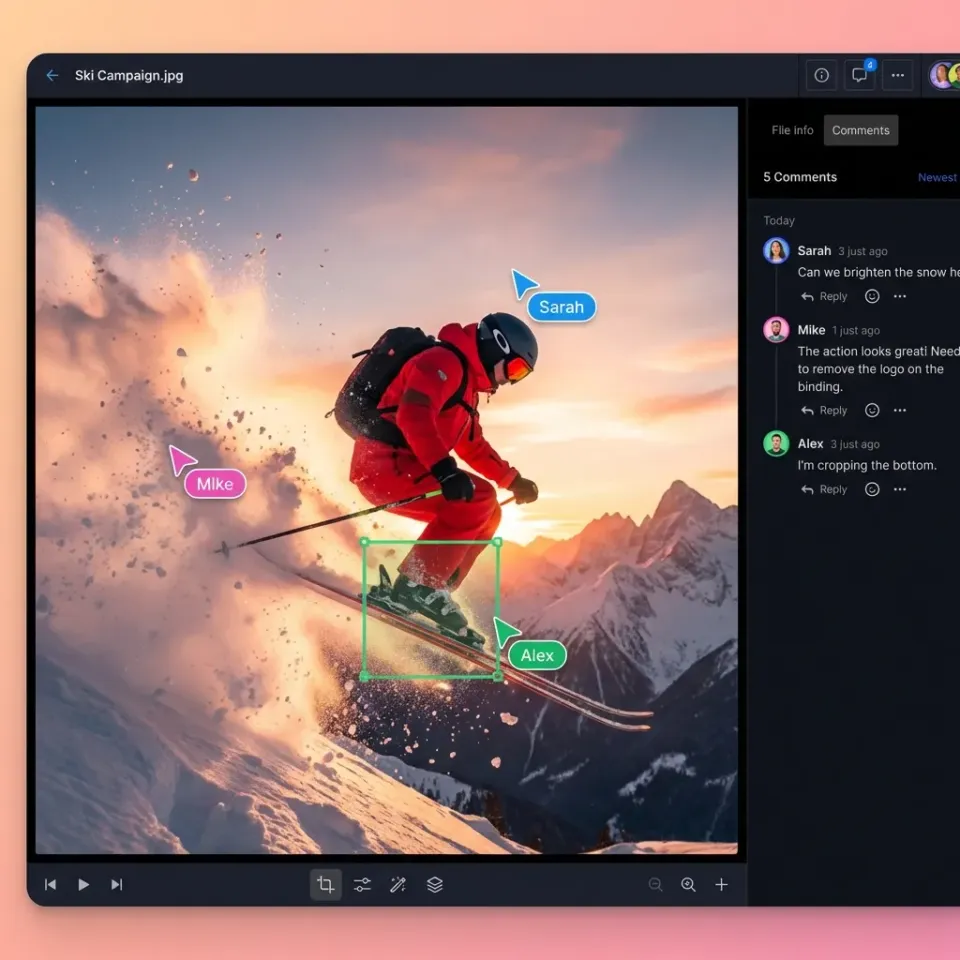
Client portal software is a platform that creates a dedicated, branded space for sharing files and collaborating with clients outside your organization. Instead of scattering project files across email attachments, shared drives, and messaging apps, everything lives in one place where clients can log in and find what they need. For agencies, client portals solve a specific problem: managing deliverables, feedback, and approvals across multiple client relationships without drowning in email. The typical agency juggles 10-30 active clients, each with their own stakeholders, approval chains, and file requirements. A good portal keeps these relationships organized and isolated from each other. The core functionality includes:
- File sharing and delivery: Upload assets and let clients download without email size limits
- Feedback collection: Gather comments and approvals in context, attached to specific files
- Access control: Invite client stakeholders with appropriate permission levels
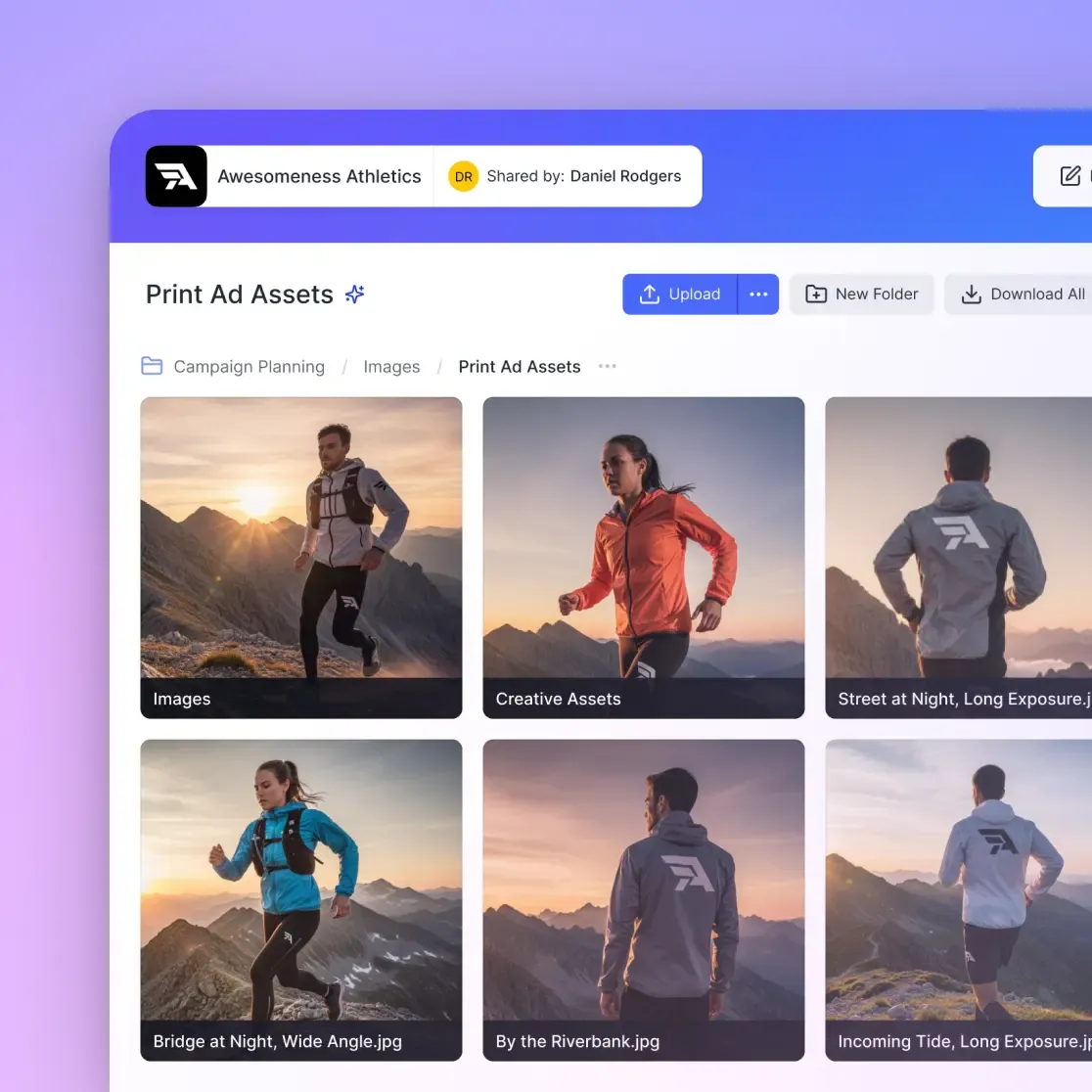
- Branding: White-label the portal with your logo, colors, and domain
- Activity tracking: See who viewed, downloaded, or commented on files
Good client portal software does more than store files. It keeps all client files and feedback in one place, reducing the back-and-forth that eats into billable hours.
Helpful references: Fast.io Workspaces, Fast.io Collaboration, and Fast.io AI.
What to Look for in Client Portal Software
Not every portal works for every agency. Before comparing options, know what matters for your workflow.
Branding Capabilities
Your portal is an extension of your agency. Look for platforms that offer:
- Custom logo and color schemes
- Custom domain (portal.youragency.com)
- Removal of vendor branding
- Branded email notifications
A fully white-labeled portal reinforces your brand with every client interaction. Clients should feel like they're logging into your system, not a third-party tool.
File Handling
Creative agencies move large files. Video editors send 50GB project exports. Photographers deliver hundreds of high-resolution images. Your portal needs to handle this without compression or size limits. Check for:
- Maximum file size limits (some platforms cap at 2-5GB)
- Video playback quality (streaming vs. download-only)
- Preview support for professional formats (PSD, AI, RAW, etc.)
- Bulk download options for clients
Client Experience
The whole point is making clients' lives easier. If the portal is confusing, they'll just email you asking where things are.
- No account required for basic access (optional guest links)
- Clear navigation and folder structure
- Mobile-friendly interface
- Email notifications for new files
7 Best Client Portal Platforms for Agencies
Here's how the top client portal options compare for agency workflows.
1. Fast.io
Fast.io is built for teams that share large creative files. Unlike project management tools that bolt on file sharing, Fast.io starts with cloud-native storage and adds collaboration features on top.
Best for: Creative agencies, video production companies, and teams sharing large media files
Key features:
- Branded client portals with custom logo, colors, and domain
- Unlimited guest access (clients don't count against seat limits)
- HLS video streaming with instant playback, no buffering
- Frame-accurate video comments for precise feedback
- External shared folders that keep clients isolated from internal workspaces
- No file size limits for uploads
Pricing: Usage-based, starting at ~published pricing for 25 users with large storage. Extra seats cost published pricing each.
Why agencies choose it: Fast.io solves the "wait for it to upload/download" problem. Clients can stream video directly in the browser without downloading 50GB files first. The branded portal makes your agency look professional, and unlimited guest access means you're not paying per-client.
2. Bonsai
Bonsai combines client portals with contracts, invoicing, and project management. It's a business operations platform that happens to include file sharing.
Best for: Freelancers and small agencies who want everything in one tool
Key features:
- Client portal with file sharing and messaging
- Contracts, proposals, and invoicing
- Time tracking and project management
- Integrated payment processing
Trade-offs: File handling is basic compared to dedicated platforms. Not ideal for large creative files or video review workflows.
3. SPP.co
SPP focuses on productized service agencies that sell packages rather than custom projects. The portal integrates tightly with service ordering and billing.
Best for: Agencies selling subscription or packaged services
Key features:
- Client ordering portal for service packages
- Automated onboarding workflows
- White-label options
- Billing and subscription management
Trade-offs: Optimized for service delivery, not creative file collaboration. Better for consultants than video production teams.
4. Kitchen.co
Kitchen organizes conversations, tasks, and files into client-specific spaces. It's lighter than full project management tools but more structured than basic file sharing.
Best for: Agencies that need simple client communication hubs
Key features:
- White-label client workspaces
- Task management and to-do lists
- File sharing with version history
- Integrated messaging
Trade-offs: Limited file size handling. No native video streaming or creative review tools.
5. ManyRequests
ManyRequests is built for subscription-based creative agencies, like design-on-demand services. Clients submit requests through the portal and track delivery.
Best for: Unlimited design subscription agencies
Key features:
- Request submission forms
- Client dashboard with request status
- Brand guidelines storage
- Kanban-style workflow management
Trade-offs: Designed around a specific business model. Less flexible for traditional project-based agencies.
6. SuiteDash
SuiteDash is a full business suite: CRM, project management, billing, and client portals all in one. Heavy on features, steeper learning curve.
Best for: Agencies wanting an all-in-one system
Key features:
- Fully white-labeled client portal
- CRM with pipeline management
- Project management and task boards
- Invoicing and payment processing
Trade-offs: Complex setup. File handling is adequate but not specialized for large media.
7. Moxo
Moxo focuses on workflow automation for complex, multi-party processes. It's built for agencies with multi-step approval chains involving several external stakeholders.
Best for: Agencies with complex approval workflows
Key features:
- Multi-party workflow orchestration
- Secure document exchange
- E-signatures and approvals
- Audit trails for compliance
Trade-offs: More enterprise-focused. Overkill for simple file delivery needs.


Start with client portal software on Fast.io
Fast.io gives you usage-based cloud storage built for client portal software. Get streaming previews, AI-powered search, and unlimited guest sharing. Start with a free account, no credit card required.
Comparing Portal Types: File-First vs. Project-First
Client portals fall into two camps, and picking the wrong type causes headaches.
File-First Portals
Platforms like Fast.io start with file storage and add collaboration. They excel at:
- Large file handling without compression
- Media streaming and preview
- Version control and file history
- Access controls at the file and folder level
Choose file-first if your agency delivers creative assets, video content, or any files over a few gigabytes. The file handling will be noticeably better.
Project-First Portals
Platforms like Bonsai and Kitchen start with project management and add file sharing. They excel at:
- Task assignment and tracking
- Messaging and communication threads
- Time tracking and billing
- Contract and proposal management
Choose project-first if your deliverables are primarily documents, reports, or smaller files, and you want client communication in the same place.
The Hybrid Approach
Many agencies use both. A file-first portal like Fast.io handles asset delivery and creative review, while a project management tool handles task tracking and client communication. The portal becomes the "here are your files" destination, and project tools become the "here's what's happening" hub.

Setting Up Your Client Portal
A portal is only useful if clients actually use it. Here's how to set up for adoption.
Structure for Multiple Clients
Create a clear hierarchy that scales. Most agencies work best with:
/client-name/
  /active-projects/
    /q1-campaign/
    /website-redesign/
  /brand-assets/
  /completed/
Each client gets their own space. They never see other clients' files. Internal team members can access all client spaces, but external stakeholders only see what you share.
Permission Levels That Make Sense
Map permissions to real roles:
- View-only: For stakeholders who need to review but not download original files
- Download: For clients who need to grab final deliverables
- Upload: For clients sending you assets, feedback documents, or approvals
- Comment: For review and approval workflows
Don't over-complicate it. Most client relationships need two levels: reviewers (view + comment) and receivers (view + download).
Onboarding Clients to the Portal
Send a short welcome email with:
- Portal link and login instructions
- Quick overview of where to find files
- How to leave feedback (if applicable)
- Who to contact with questions
Keep it to three sentences. Clients don't want documentation. They want to find their files.

Common Client Portal Mistakes
Avoid these pitfalls that make portals more trouble than they're worth.
Over-Organizing
Deep folder nesting makes files hard to find. If clients need to click through five levels to reach their deliverables, they'll email you instead. Keep structures flat. Two to three levels maximum.
Ignoring Mobile
Clients check portals from their phones. They're in meetings, traveling, or reviewing quickly between calls. If your portal requires a desktop browser, you'll miss half your feedback.
No Notification Strategy
Clients won't check the portal daily. They need automated emails when:
- New files are uploaded
- Someone replies to their comment
- A deadline is approaching
Configure notifications during setup, not after clients complain they missed something.
Mixing Internal and External
Keep client-facing spaces separate from internal workspaces. The moment a client sees your internal notes or draft versions, trust erodes. Use external shared folders that only expose what clients should see.
Forgetting the Archive
Completed projects pile up. Without a clear archival system, active work gets buried under old deliverables. Move finished projects to an archive folder monthly. Some platforms let you set automatic archival rules.
Frequently Asked Questions
What is client portal software?
Client portal software provides a branded, secure space where businesses share files, collect feedback, and collaborate with clients outside their organization. It replaces scattered email attachments and shared drives with a single destination where clients can log in and find everything they need.
How do I create a client portal?
Choose a platform that matches your needs (file-focused for creative work, project-focused for service delivery), then set up a workspace structure for each client. Configure branding with your logo and colors, set appropriate permissions, and invite clients with a short onboarding email explaining where to find their files.
What is the best client portal for agencies?
The best portal depends on your workflow. Fast.io works well for creative agencies sharing large media files with features like video streaming and unlimited guest access. Bonsai suits freelancers who want contracts and invoicing in the same tool. SuiteDash fits agencies wanting an all-in-one business system.
How much does client portal software cost?
Pricing varies by model. Per-user platforms like SuiteDash range from $19-99/month depending on features. Usage-based platforms like Fast.io start around published pricing for teams with no per-client fees. Some platforms offer free tiers with limited features.
Do clients need accounts to use a portal?
It depends on the platform. Some require client accounts for access, while others support guest links with optional password protection. Fast.io allows unlimited guest access where clients can view and download without creating accounts, which reduces friction for one-time deliveries.
Related Resources

Start with client portal software on Fast.io
Fast.io gives you usage-based cloud storage built for client portal software. Get streaming previews, AI-powered search, and unlimited guest sharing. Start with a free account, no credit card required.