How to Share Files with Clients Professionally
Client file sharing is the professional exchange of documents, assets, and deliverables between service providers and their clients through secure, branded channels. This guide covers folder organization, access controls, link settings, and delivery workflows that make you look polished while keeping files safe.
What Makes Client File Sharing Different
Sharing files with clients is not the same as sharing with coworkers. Internal sharing assumes trust and familiarity with your systems. Client sharing requires more consideration around access, presentation, and security. Three factors set client file sharing apart:
- First impressions matter. A messy folder structure or confusing download experience reflects poorly on your work, no matter how good the deliverables are.
- Access must be controlled. Clients should see only their files, not other client materials or internal documents.
- Professionalism builds trust. Branded portals and organized delivery show clients you take their project seriously. Industry surveys show most clients prefer digital file delivery over physical media or in-person handoffs. Your file sharing workflow is part of the client experience.
Helpful references: Fast.io Workspaces, Fast.io Collaboration, and Fast.io AI.
Setting Up a Client Folder Structure
Good organization is the foundation of professional client file sharing. Each client should have their own dedicated space with a consistent folder hierarchy. A simple structure that works for most service businesses:
Client Name/
├── 01_Brief_and_References/
├── 02_Work_in_Progress/
├── 03_Final_Deliverables/
└── 04_Archive/
This numbered approach keeps folders sorted logically. Clients always know where to find final files, and you have clear separation between draft work and approved deliverables.
Tips for Folder Naming
- Use dates in folder names when version tracking matters:
2026-01-Final_Cut - Avoid special characters that can cause issues across operating systems
- Keep names descriptive but short.
Q1_Campaign_AssetsbeatsMarketing_Materials_For_The_First_Quarter_2026
The goal is reducing friction. When clients can find what they need without asking, you save time and look more organized.

Access Controls and Permissions
Not everyone needs the same level of access. Right-sizing permissions reduces security risk and prevents accidental changes.
View-only access works for most client delivery scenarios. Clients can preview and download files without accidentally moving or deleting anything.
Upload access is useful when clients need to send you files. You can create a designated upload folder while keeping other areas view-only.
Download restrictions matter for sensitive work. Some projects require clients to view but not download original files, especially for review phases before final approval.
External Sharing Best Practices
When sharing with people outside your organization:
- Give access to specific folders, not entire workspaces
- Set the minimum permissions needed for the task
- Review who has access quarterly and remove stale permissions
- Use groups or roles when sharing with multiple contacts at the same company
Fast.io's external shared folders let you invite clients to specific folders without giving them access to your entire workspace. Clients see only their folder with no visibility into other projects or internal files.
Link Settings That Protect Your Files
Shared links are convenient but need guardrails. Every link you send should have appropriate protections based on file sensitivity.
Expiration dates prevent permanent access to files. For project deliverables, set links to expire after a few months. For time-sensitive reviews, a one-week expiration works better.
Password protection adds a barrier even if the link gets forwarded to the wrong person. Use unique passwords per client rather than a shared password across all links.
Download limits cap how many times a file can be downloaded. This is useful for tracking whether clients have actually retrieved their deliverables.
Domain restrictions limit access to email addresses from specific domains. If you are sharing with a corporate client, you can ensure only people with their company email can access files.
When to Use Which Controls
| Scenario | Expiration | Password | Domain Lock |
|---|---|---|---|
| Final deliverables | A few months | Optional | No |
| Review drafts | 1 week | Yes | Optional |
| Sensitive contracts | 1 month | Yes | Yes |
| Portfolio samples | None | No | No |
Err on the side of more protection for new clients. You can always extend access, but you cannot undo a breach.

Branded Client Portals
Generic sharing links work, but branded portals create a better client experience. Professional presentation increases perceived value. A branded portal includes:
- Your logo prominently displayed
- Custom colors matching your brand
- Organized navigation so clients find files easily
- Professional layout that feels intentional, not improvised
Branded portals work especially well for:
- Creative agencies delivering campaign assets
- Photographers sharing client galleries
- Law firms providing case documents
- Consultants distributing reports
The difference is subtle but meaningful. Instead of sending a client to a generic cloud storage URL, they arrive at a space that looks like an extension of your business. Fast.io supports white-label client portals with custom logo, colors, and optional custom domain. Files appear under your brand rather than a third-party service.
Handling Large Files
Email attachments have strict size limits for most providers. Client work routinely exceeds this, especially in creative and technical fields. Video editors regularly share files measured in gigabytes. Architects exchange CAD files that would choke email servers. Even a high-resolution photo gallery can hit hundreds of megabytes.
Options for Large File Delivery
Direct upload links let you share files of any size. Clients click and download without needing to install software or create accounts.
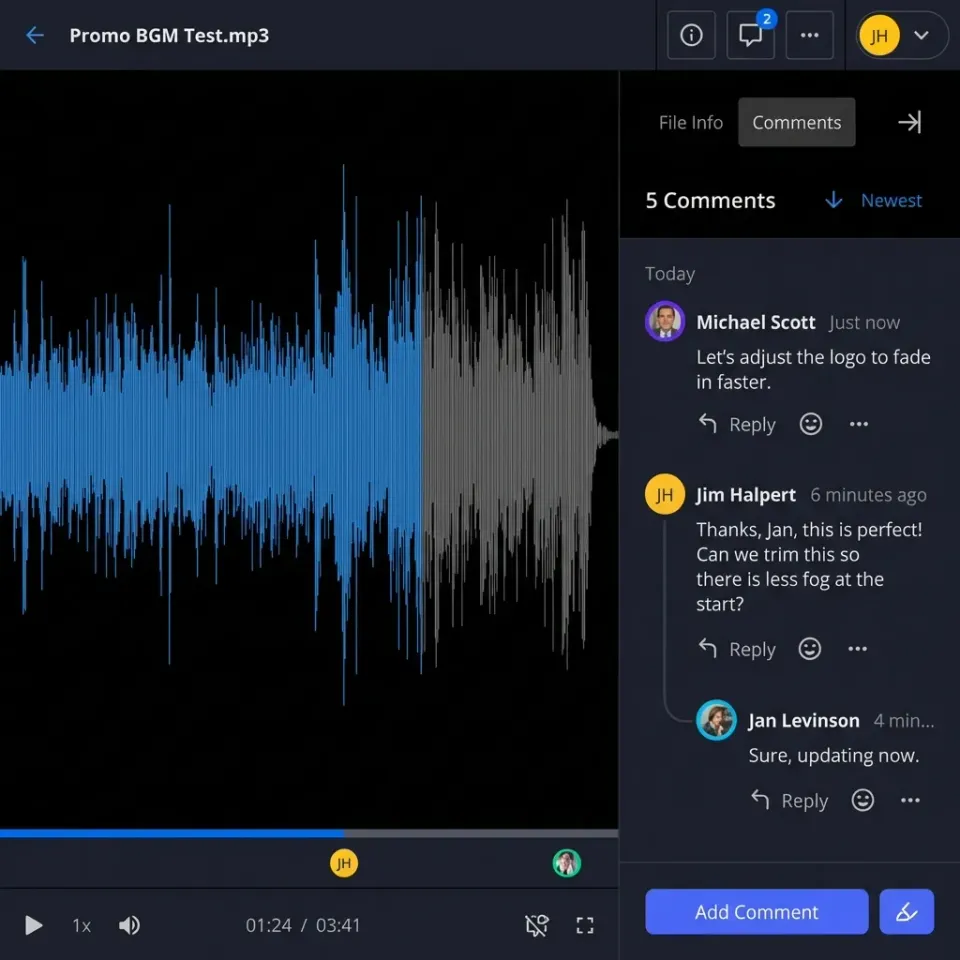
Streaming for video avoids the download-first problem. Clients can preview video files immediately while the full file downloads in the background. This is especially important for review workflows where clients need to see content quickly.
Chunked uploads prevent failed transfers. If a connection drops during a large upload, a good system resumes from where it left off rather than starting over.
File Formats to Consider
Not all clients have professional software. Before sharing native formats like PSD, AI, or INDD files, confirm your client can open them. Providing PDF or JPEG versions alongside originals ensures everyone can view the work. Fast.io streams video using adaptive bitrate technology, so clients can preview large video files instantly without waiting for full downloads. The original high-quality file stays available for download.

What to Look for in Client File Sharing Software
Choosing the right tool makes client file sharing easier. Here are the features that matter most:
- Unlimited guest access. You should not pay extra for clients to access their files. Per-seat pricing penalizes businesses that work with many clients. 2. Granular permissions. View, download, and upload should be controllable separately at the folder level. 3. Link controls. Expiration, passwords, and download restrictions should be standard, not premium features. 4. Branding options. White-label portals help maintain professional presentation. 5. Large file support. No arbitrary size limits that force you to compress or split deliverables. 6. Preview capabilities. Clients should preview common file types without downloading software. 7. Activity tracking. Know when clients view and download files for follow-up and confirmation. 8. Organization tools. Workspaces or projects keep client files separated and manageable. Avoid tools that require clients to create accounts just to download files. The extra friction frustrates clients and slows down delivery.
Workflow for Delivering Files to Clients
A consistent delivery process prevents mistakes and creates a professional experience. Here is a workflow that works for most client projects:
Before Delivery
- Double-check file names follow your naming convention
- Verify all deliverables are in the final folder
- Remove any internal notes or work-in-progress files from the shared area
- Confirm access permissions are set correctly
During Delivery
- Upload files to the client's dedicated folder
- Generate a sharing link with appropriate protections
- Send the link via email with a brief summary of what is included
- Include any relevant instructions (software needed, password if applicable)
After Delivery
- Monitor for download activity
- Follow up if files have not been accessed within a few days
- Archive completed projects after the appropriate retention period
- Revoke access when the engagement ends
This workflow scales from freelancers handling a handful of clients to agencies managing dozens of active projects.

Security Considerations
Client file sharing involves confidential information. Contracts, financial documents, unreleased creative work, and personal data all require careful handling.
Encryption
Files should be encrypted during transfer and while stored. This means data is scrambled and unreadable if intercepted. Look for tools that encrypt at rest and in transit.
Audit Trails
Know who accessed what and when. Audit logs help you:
- Confirm deliveries were received
- Investigate if something goes wrong
- Demonstrate compliance with data handling policies
Authentication
Multi-factor authentication adds protection to user accounts. If someone guesses a password, they still cannot access files without the second factor.
Data Retention
Do not keep client files forever. Establish retention policies and delete files after the agreed period. This reduces your exposure if a breach occurs. Fast.io provides encryption at rest and in transit, comprehensive audit logs tracking views, downloads, and permission changes, and support for SSO and MFA authentication.
Frequently Asked Questions
What is the best way to share files with clients?
The best approach combines a dedicated client folder, appropriate access controls, and professional presentation. Use a platform that offers guest access without requiring clients to create accounts, set expiration dates on shared links, and organize files logically so clients can find what they need. Branded portals add polish for ongoing client relationships.
How do freelancers share large files with clients?
Freelancers typically use cloud storage with direct download links. Upload the file to your client's folder, generate a sharing link, and send it via email. For video files, choose a platform that supports streaming so clients can preview without waiting for full downloads. Avoid email attachments, which have strict size limits for most providers.
What is the most professional way to send files to clients?
Professional file delivery includes organized folder structures with clear naming conventions, a branded portal or at minimum a clean sharing interface, and a brief email explaining what is included. Set appropriate access controls, provide any necessary viewing instructions, and follow up to confirm receipt. The goal is making file retrieval effortless for the client.
Should clients need to create an account to download files?
No. Requiring account creation adds friction and frustrates clients. Choose a file sharing platform that supports guest access, where clients can view and download files with just a link. Save account requirements for clients who need ongoing collaboration access, not one-time deliveries.
How long should shared links remain active?
It depends on the content. Final deliverables can stay accessible for a few months to give clients time to download and archive. Review drafts should expire sooner, to prevent outdated versions from circulating. Sensitive documents warrant shorter windows with additional password protection.
Related Resources

Run Share Files With Clients Professionally workflows on Fast.io
Branded portals, granular permissions, and large file support. Give your clients a polished delivery experience.