Best DAM Software: 12 Digital Asset Management Tools Compared
Digital asset management (DAM) software helps teams store, organize, and distribute files like images, videos, and documents with metadata tagging and access controls. This guide compares 12 DAM platforms across pricing tiers, from free options to enterprise solutions, so you can find the right fit for your team size and budget.
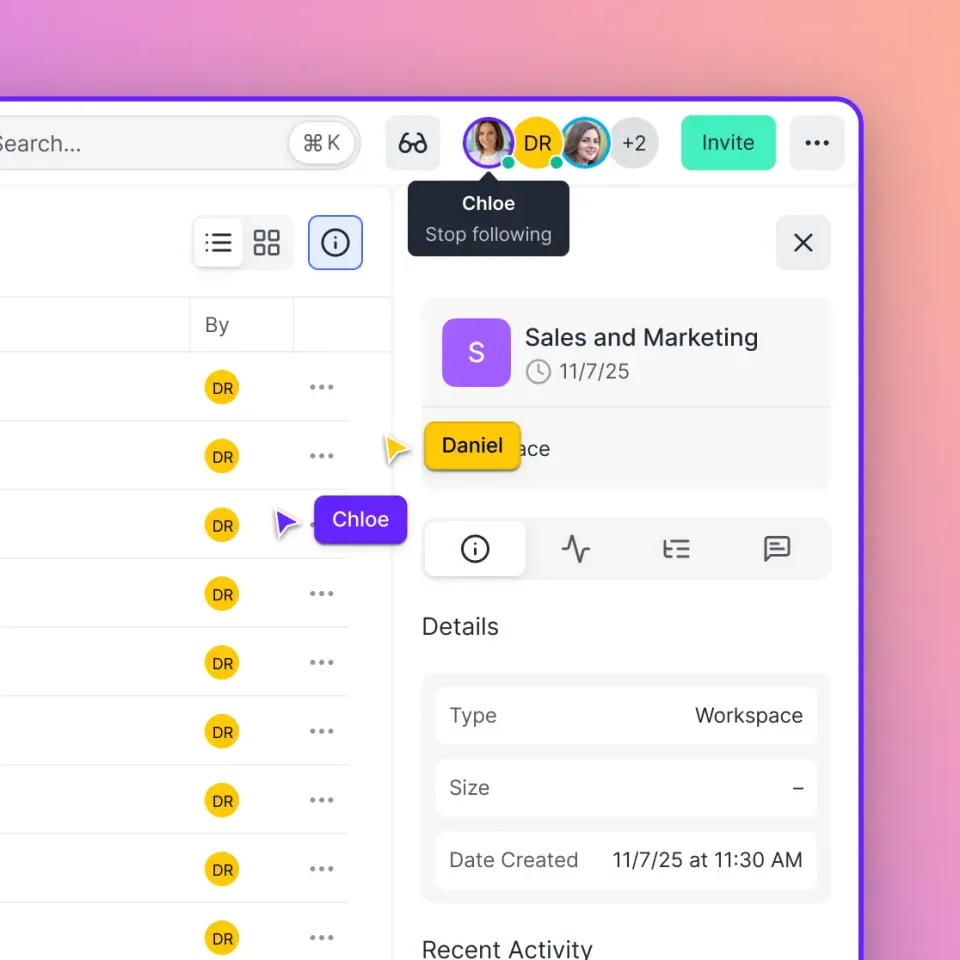
What Is DAM Software?
DAM (Digital Asset Management) software is a centralized system for storing, organizing, and distributing digital files. Unlike basic cloud storage, DAM platforms add metadata tagging, version control, usage rights management, and distribution workflows. The core difference between a DAM and a file sharing tool: DAM software treats files as assets with business value, not just documents to store. You can track who uses each asset, manage licensing and expiration dates, and ensure brand consistency across teams. Companies with DAM systems find assets 10x faster than those relying on folder structures alone. When the average enterprise manages 1.5 million digital assets, that search time adds up fast.
Helpful references: Fast.io Workspaces, Fast.io Collaboration, and Fast.io AI.
Quick Comparison: Best DAM Software by Category
Here's the shortcut version. Pick your category and jump to the detailed review below.
Best for creative teams: Bynder, Frontify Best for enterprises: Adobe Experience Manager, Aprimo Best for small teams: Canto, Air Best for developers: Cloudinary Best for video-heavy workflows: Fast.io, MediaValet Best free option: Cloudinary (limited tier) Best value: Fast.io (usage-based pricing)
Now let's break down each option. Consider how this fits into your broader workflow and what matters most for your team. The right choice depends on your specific requirements: file types, team size, security needs, and how you collaborate with external partners. Testing with a free account is the fast way to know if a tool works for you.
1. Bynder - Best for Brand Management
Bynder combines DAM with brand management tools like style guides, creative templates, and brand portals. It's built for marketing teams that need to maintain consistency across campaigns and regions.
Pricing: Custom quotes only. Expect $400-800/month for small teams, more for enterprise.
Strengths:
- Digital Asset Transformation (DAT) for automatic resizing and cropping
- Brand guidelines integrated directly into the DAM
- Strong creative workflow automation
Weaknesses:
- Expensive for smaller organizations
- No public pricing makes budgeting difficult
- Overkill if you just need file storage
Best for: Mid-market and enterprise marketing teams managing multi-channel campaigns. Client-facing file sharing reflects your brand. A white-label portal with your logo, colors, and custom domain creates a professional impression that generic download links cannot match. This matters especially for creative agencies and professional services firms where presentation is part of the deliverable.
2. Frontify - Best for Brand Consistency
Frontify goes beyond asset storage to include brand guidelines, design templates, and digital brand portals. It's a brand management platform with DAM capabilities baked in.
Pricing: Starts around published pricing for small teams. Enterprise plans with custom pricing.
Strengths:
- AI-powered brand governance
- Templates that enforce brand standards
- Clean, intuitive interface
Weaknesses:
- DAM features aren't as deep as dedicated platforms
- Limited video streaming capabilities
- Better suited for brand assets than production files
Best for: Brand teams that need guidelines and assets in one place. Client-facing file sharing reflects your brand. A white-label portal with your logo, colors, and custom domain creates a professional impression that generic download links cannot match. This matters especially for creative agencies and professional services firms where presentation is part of the deliverable.
3. Adobe Experience Manager Assets - Best for Adobe Shops
AEM Assets is Adobe's enterprise DAM, deeply integrated with Creative Cloud. If your team already lives in Photoshop, Illustrator, and InDesign, the workflow integration is excellent.
Pricing: Enterprise-only. Typically $50,000-200,000/year depending on users and storage.
Strengths:
- Native integration with Adobe Creative Cloud
- Advanced AI tagging through Adobe Sensei
- Scales to millions of assets
Weaknesses:
- Expensive and complex to implement
- Requires Adobe ecosystem buy-in
- Overkill for teams under 50 people
Best for: Large enterprises already invested in Adobe tools. Consider how this fits into your broader workflow and what matters most for your team. The right choice depends on your specific requirements: file types, team size, security needs, and how you collaborate with external partners. Testing with a free account is the fast way to know if a tool works for you.


Start with best dam software on Fast.io
Try Fast.io free and see why video teams choose usage-based pricing over per-seat fees.
4. Canto - Best for Small Teams
Canto offers a straightforward DAM without the enterprise complexity. Visual search, smart albums, and quick setup make it popular with teams that don't need advanced workflow automation.
Pricing: Starts at published pricing for 3 users. Pro plans around published pricing.
Strengths:
- Simple, clean interface
- Fast setup with minimal training
- Good visual search capabilities
Weaknesses:
- Limited workflow automation
- Video features are basic
- Gets expensive as you scale
Best for: Small creative teams and marketing departments under 25 people. Effective team collaboration starts with shared context. When everyone works from the same organized workspace, you eliminate the confusion of scattered files and version conflicts. Real-time presence indicators and threaded comments keep discussions focused and productive.
5. Brandfolder (by Smartsheet) - Best for Distribution
Brandfolder focuses on asset distribution. Public brand portals, asset requests, and analytics for tracking asset usage make it a solid choice for teams that share assets externally.
Pricing: Custom quotes. Generally $1,000-3,000/month for mid-size teams.
Strengths:
- Beautiful public brand portals
- Strong analytics on asset usage
- Good Smartsheet integration
Weaknesses:
- Primarily focused on distribution, not production
- Limited video streaming
- Pricey for what you get
Best for: Teams that distribute assets to partners, franchisees, or sales teams. Client-facing file sharing reflects your brand. A white-label portal with your logo, colors, and custom domain creates a professional impression that generic download links cannot match. This matters especially for creative agencies and professional services firms where presentation is part of the deliverable.
6. MediaValet - Best for AI-Powered Search
MediaValet runs exclusively on Microsoft Azure and emphasizes AI-powered metadata tagging and search. It's positioned as an enterprise solution with strong security credentials.
Pricing: Custom quotes only. Enterprise tier typically $1,000+/month.
Strengths:
- Advanced AI auto-tagging
- Built on Azure for enterprise security
- Strong collaboration features
Weaknesses:
- No transparent pricing
- Azure dependency may not fit all environments
- Complex for smaller teams
Best for: Enterprises that need advanced AI search and Azure integration. Video files demand more from your storage platform than documents do. You need adaptive bitrate streaming for smooth playback, frame-accurate commenting for precise feedback, and enough bandwidth to handle large uploads without timeouts. Progressive download is not good enough for professional review workflows.
7. Aprimo - Best for Content Operations
Aprimo combines DAM with content operations, work management, and marketing resource management. It's built for teams that need to manage the full content lifecycle, not just storage.
Pricing: Enterprise-only. Expect $50,000+/year.
Strengths:
- Full content lifecycle management
- Strong workflow and approval features
- Good for regulated industries
Weaknesses:
- Enterprise pricing and complexity
- Long implementation timelines
- More than most teams need
Best for: Large marketing organizations managing complex content workflows. Consider how this fits into your broader workflow and what matters most for your team. The right choice depends on your specific requirements: file types, team size, security needs, and how you collaborate with external partners. Testing with a free account is the fast way to know if a tool works for you.
8. Cloudinary - Best Free Option for Developers
Cloudinary is a developer-focused DAM with strong APIs for image and video transformation. The free tier makes it accessible, and the programmatic approach appeals to technical teams.
Pricing: Free tier available (25 credits/month). Paid plans start at published pricing.
Strengths:
- Generous free tier
- Excellent API and developer experience
- Real-time image/video transformations
Weaknesses:
- Requires technical knowledge to use fully
- Limited for non-technical marketing teams
- Credits-based pricing can be confusing
Best for: Development teams and tech-savvy marketers who need programmatic asset management. Cloud storage architecture matters more than most people realize. Sync-based platforms require local copies of every file, consuming disk space and creating version conflicts. Cloud-native platforms stream files on demand, so your team accesses what they need without downloading entire folder trees.
9. Air - Best for Remote Creative Teams
Air is built for creative collaboration, with features like visual commenting, real-time presence, and board-style organization. It feels more like Figma than a traditional DAM.
Pricing: Free for up to 10GB. Pro starts at published pricing/month.
Strengths:
- Modern, visual interface
- Real-time collaboration features
- Affordable per-user pricing
Weaknesses:
- Newer platform with smaller feature set
- Limited enterprise security features
- Video capabilities are developing
Best for: Agile creative teams that value collaboration over enterprise features. Effective team collaboration starts with shared context. When everyone works from the same organized workspace, you eliminate the confusion of scattered files and version conflicts. Real-time presence indicators and threaded comments keep discussions focused and productive.
10. Wedia - Best for Global Enterprises
Wedia is an enterprise DAM built for global organizations with complex requirements across sales, marketing, and creative teams. It handles massive scale and complex workflows.
Pricing: Enterprise-only. Custom quotes required.
Strengths:
- Built for global, multi-team organizations
- Strong localization features
- Handles production through distribution
Weaknesses:
- Complex implementation
- Not suitable for smaller organizations
- Limited presence in North America
Best for: Global enterprises with complex, multi-team asset workflows. Consider how this fits into your broader workflow and what matters most for your team. The right choice depends on your specific requirements: file types, team size, security needs, and how you collaborate with external partners. Testing with a free account is the fast way to know if a tool works for you.
11. Fast.io - Best Value for Video Teams
Fast.io uses usage-based pricing instead of per-seat fees. This saves money for teams with many stakeholders who need access but don't use the system daily.
Pricing: Usage-based. Pro plan includes 25 seats, Business includes 100. Extra seats cost published pricing.
Strengths:
- HLS video streaming with adaptive bitrate
- 70%+ savings compared to per-seat DAM tools
- Semantic search that finds files by description
- Real-time collaboration with follow mode
- Unlimited guest access for clients
Weaknesses:
- Newer platform compared to established DAMs
- Less focus on brand guidelines features
- Best suited for media-heavy workflows
Key features for asset management:
- Previews for PSD, AI, INDD, RAW, and 200+ formats
- Frame-accurate video comments
- Branded client portals for external sharing
- Organization-owned files (no user-owned mess)
Best for: Video production teams, agencies, and organizations tired of paying per-seat for users who rarely log in.

12. Kontainer - Built for EU Data Privacy Teams
Kontainer is a DAM solution from Denmark that stores all data within the EU. It is trusted by global brands that prioritize data sovereignty and want to keep assets within European infrastructure. The platform offers standard DAM features like metadata tagging, search, and approval workflows, with a focus on keeping files within strict geographic boundaries. For organizations with regulatory requirements around data residency, this narrows the shortlist fast. The interface is straightforward but less polished than bigger players like Bynder or Canto. Integration options are more limited too. If data residency is not a primary concern, other tools on this list offer more features per dollar.
Pricing: Starts around EUR 200/month. Enterprise tiers available for larger deployments with custom storage requirements.
How to Choose the Right DAM Software
Skip the feature comparison spreadsheets. Answer these five questions instead:
1. How many people need access? Per-seat pricing (Bynder, Canto, Air) works well when you have a defined team. Usage-based pricing (Fast.io, Cloudinary) makes more sense when you have many occasional users, like clients, freelancers, or stakeholders who need view-only access.
2. What file types dominate your library? Video-heavy teams should prioritize streaming capabilities. Fast.io and MediaValet handle video well. Image-focused teams can consider Canto or Frontify. Document-heavy workflows might benefit from Aprimo's content operations features.
3. Do you need brand management or just storage? If you're managing brand guidelines, templates, and portals alongside assets, Frontify or Bynder make sense. If you just need organized storage with good search, simpler options work fine.
4. What's your technical capacity? Cloudinary requires developer resources to use effectively. AEM needs a dedicated implementation team. Canto and Air can be set up in an afternoon.
5. How do you share with external partners? Look at guest access policies. Some DAMs charge per external user. Others, like Fast.io, offer unlimited guest access included in the price.
Frequently Asked Questions
What is the most popular DAM software?
Bynder and Adobe Experience Manager lead in enterprise market share. Canto and Brandfolder are popular with mid-market companies. The answer depends on your segment: creative agencies often prefer Air or Fast.io, while brand-focused teams go with Frontify or Bynder.
Is SharePoint a DAM system?
SharePoint is document management, not digital asset management. You can store images and videos in SharePoint, but it lacks visual search, automatic metadata tagging, asset transformation, and streaming previews. Teams using SharePoint for asset management usually outgrow it within a year or two.
What is the difference between DAM and CMS?
A CMS (Content Management System) publishes content to websites. A DAM stores and organizes the source files. They work together: your DAM holds the original high-res images and videos, and your CMS pulls optimized versions for web delivery. Some platforms like AEM combine both, but most organizations use separate tools.
How much does DAM software cost?
Pricing ranges widely. Free tiers exist (Cloudinary, Air). Small team plans start around $75-200/month (Canto, Frontify). Mid-market solutions run $500-3,000/month (Bynder, Brandfolder). Enterprise platforms like AEM and Aprimo cost $50,000-200,000/year. Usage-based options like Fast.io can cut costs 70%+ compared to per-seat alternatives.
What size company needs a DAM?
If your team spends more than 30 minutes per week searching for files, you probably need a DAM. Most companies adopt DAM when they hit 10,000+ digital assets, but the tipping point varies. Signs you've outgrown folder structures: duplicate files everywhere, inconsistent naming, version confusion, and filenames like 'final_final_v3_REAL'.
Can I use Google Drive as a DAM?
Google Drive works as basic cloud storage, not asset management. It lacks visual previews for creative files (try opening a PSD in Drive), has no metadata tagging beyond filename, doesn't support video streaming, and creates ownership problems when team members leave. For small teams with simple needs, Drive can work temporarily. It doesn't scale as a DAM replacement.
Related Resources

Start with best dam software on Fast.io
Try Fast.io free and see why video teams choose usage-based pricing over per-seat fees.