How to Implement Local-First Storage for AI Agents
Local-first storage for AI agents is an architecture pattern where agents read and write data locally first, then sync changes to cloud storage. This approach eliminates network latency for key operations, enables full offline capability, and reduces API costs. By prioritizing local state, developers can build faster, more resilient agents that aren't dependent on constant internet connectivity. This guide covers ai agent local first storage with practical examples.

What is Local-First Storage for AI Agents?: ai agent local first storage
Local-first storage is a data architecture where the primary source of truth for an AI agent is its local file system or database, with cloud synchronization happening in the background. Unlike cloud-first architectures that require an API call for every read or write, local-first agents interact directly with data on their host machine or container. This pattern fundamentally changes how agents operate. Instead of waiting for a vector database query to return over the network, the agent queries a local SQLite or DuckDB instance instantly. When the agent writes a file, it saves immediately to disk, and a background process handles the synchronization to the cloud. This decouples the agent's processing from network performance. According to research on distributed systems, local-first software combines the collaboration benefits of the cloud with the ownership and speed of local software. For AI agents, this means faster inference loops and the ability to work in air-gapped or poor-connectivity environments.
Helpful references: Fast.io Workspaces, Fast.io Collaboration, and Fast.io AI.

Why Agents Need Local Storage vs. API Storage
The shift to local-first addresses three main bottlenecks in agent performance: latency, reliability, and cost.
1. Zero-Latency Context Retrieval AI agents often need to read megabytes of context before generating a response. Fetching this data via API adds hundreds of milliseconds or even seconds to every step of a chain. Local reads are effectively instant, allowing agents to ingest large context windows without the network penalty.
2. Offline Autonomy Agents deployed in edge environments, mobile devices, or secure facilities often face intermittent connectivity. A cloud-reliant agent fails immediately when the connection drops. A local-first agent continues to reason, write code, and process files, syncing its work only when connectivity is restored.
3. Reduced API Costs Frequent read/write operations to managed cloud databases (like Pinecone or DynamoDB) add up quickly at scale [2]. Local storage uses commodity disk space, which is much cheaper. You only pay for the network bandwidth when actual changes are synced, rather than for every read operation.

Architecture Patterns for Local-First Agents
Implementing this architecture requires choosing the right synchronization strategy. Here are the most effective patterns for modern AI systems:
SQLite + Replication The "Lite-stream" approach uses SQLite as the agent's brain. The agent writes SQL queries locally, and a sidecar process (like LiteFS or a custom replicator) streams the Write-Ahead Log (WAL) to cloud storage. This is excellent for structured agent memory and logs.
File System Sync For unstructured data like codebases, documents, and media, the file system itself is the best database. The agent interacts with a standard mounted drive or local folder. A background daemon watches for file system events (FSEvents/inotify) and syncs changes to the cloud immediately. This is the simplest pattern because it requires no special libraries, as the agent just reads and writes files.
CRDTs (Conflict-Free Replicated Data Types) For multi-agent collaboration where several agents might modify the same state simultaneously, CRDTs allow merge conflicts to be resolved mathematically without human intervention. While complex to implement from scratch, libraries like Yjs or Automerge can be integrated into the agent's state management.
How to Implement Local-First with Fast.io
Fast.io provides a simple platform for local-first agent storage. Instead of building complex sync logic, you can mount a Fast.io workspace as a local drive or use the Fast.io CLI to sync a local directory.
Step 1: The Local Interface
Your agent sees a standard directory structure. It opens, reads, and writes files using standard I/O libraries (like Python's open() or Node's fs). There are no proprietary SDKs required for basic operations.
Step 2: The Sync Engine Fast.io's sync engine runs independently, detecting changes instantly. When your agent writes a log file or generates a code artifact, Fast.io uploads it. Conversely, if a human drops a new dataset into the shared folder, it appears on the agent's local disk automatically.
Step 3: MCP Integration For agents using the Model Context Protocol (MCP), Fast.io offers a pre-built MCP server. This allows the agent to list, read, and search files locally while Fast.io handles the durability and sharing layer.
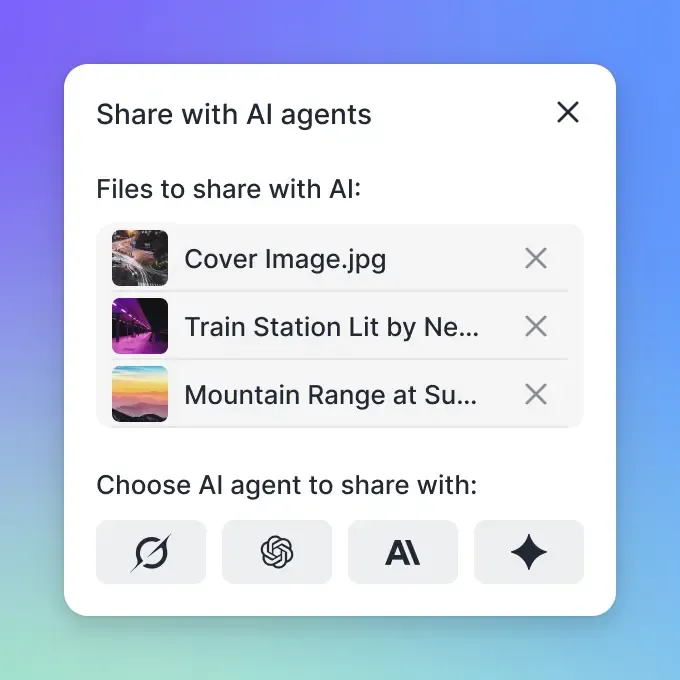
Handling Multi-Agent Conflicts
When multiple agents share a workspace, conflicts can occur. Fast.io supports file locking mechanisms. An agent can acquire a lock file before starting a write operation, ensuring that other agents wait their turn. For simultaneous edits, Fast.io preserves both versions, allowing a supervisor agent to merge them later.
Security Considerations for Local Data
Storing data locally on an agent's machine introduces different security considerations than cloud-only storage.
Encryption at Rest Ensure the local volume where the agent writes is encrypted (e.g., LUKS on Linux, FileVault on macOS). Fast.io encrypts data in transit and at rest in the cloud, but local security is the responsibility of the environment operator.
Ephemeral vs. Persistent Containers For high-security workflows, use ephemeral containers. The agent starts, pulls the latest state from Fast.io, performs its task, syncs the results, and then the container is destroyed. This ensures no sensitive data lingers on the compute node permanently. Security is not just about checking boxes on a features list. It requires encryption at rest and in transit, granular access controls, and comprehensive audit logging. Look for platforms that build security into the architecture rather than bolting it on as an afterthought.
Frequently Asked Questions
Can AI agents work 100% offline?
Yes, with local-first storage. The agent must have all necessary models and context files downloaded to its local environment. It can then operate indefinitely without internet, syncing its output only when a connection becomes available.
How does Fast.io handle sync conflicts?
Fast.io uses a 'last-write-wins' policy for standard files but preserves conflicting copies if simultaneous edits are detected. For programmatic workflows, we recommend using lock files to prevent race conditions between agents.
Is local storage faster than vector databases?
For raw retrieval speed, yes. Reading a local file or local SQLite index is much faster than a network round-trip to a cloud vector database. However, for searching billions of vectors, a specialized cloud cluster may still be necessary.
Related Resources

Run Implement Local First Storage For AI Agents workflows on Fast.io
Get 50GB of free, persistent storage for your AI agents. Sync local data to the cloud instantly.