How to Create an Upload Portal for Clients
An upload portal is a dedicated web page where clients send files directly to your organization without needing an account or access to your internal systems. This guide covers how to create one, what features matter most, and how to avoid the security risks that come with email-based file collection.
What Is an Upload Portal?
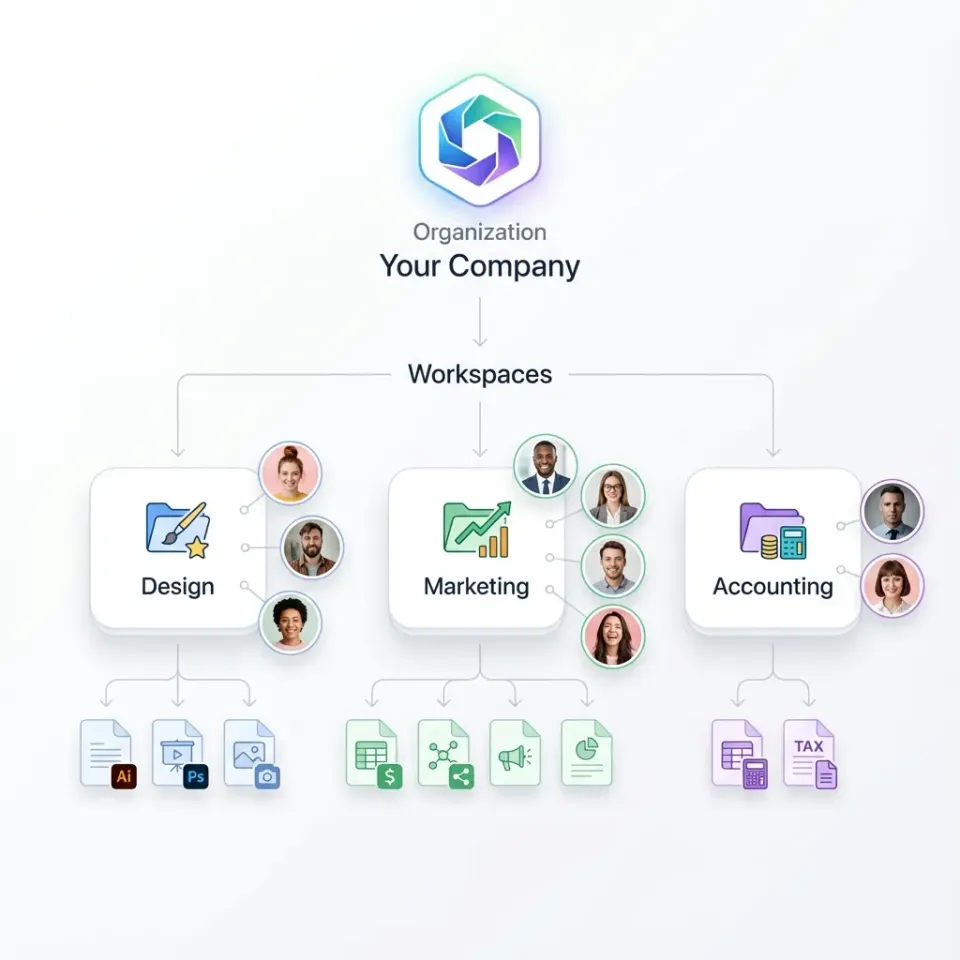
An upload portal is a dedicated web page where clients or collaborators can securely upload files to your organization without needing an account or access to your internal systems. Think of it as a digital mailbox that only accepts packages. The client drops off their files, and you retrieve them from a central location. Instead of sending email attachments, clients visit a branded page, drag and drop their files, and you receive them in an organized location. No shared passwords. No hunting through inboxes. No wondering if the attachment got blocked by a spam filter. The files land exactly where you expect them. Upload portals solve a specific problem: collecting files from people outside your organization. Accountants need tax documents from dozens of clients during filing season. Agencies need creative assets from brands before campaign launches. Law firms need evidence files from witnesses and discovery documents from opposing counsel. Construction companies need RFIs from subcontractors and inspection reports from field teams. The alternative, email attachments, fails in predictable ways. File size limits cap most email providers at 25MB, which blocks video files, CAD drawings, and high-resolution images. Attachments travel unencrypted between mail servers, creating security gaps for sensitive documents. Files scatter across inboxes and threads, making organization nearly impossible. And version confusion multiplies when "final_v3_FINAL.pdf" shows up in four different email chains. Upload portals eliminate these problems by giving external parties a single destination for file submission while keeping your internal systems protected.

Why Email-Based File Collection Fails
Despite the obvious problems, most businesses still receive files via email. The habit persists because email is familiar and requires no setup. But familiarity comes with real costs that add up over time. Security gaps create liability. Email attachments travel unencrypted between mail servers by default. Anyone intercepting that traffic can read the files. For sensitive documents like contracts, tax returns, medical records, or legal discovery materials, unencrypted transfer violates client trust and potentially breaks regulatory requirements. Even if your email provider encrypts messages at rest, the transfer itself remains vulnerable. Size limits block the files you actually need. Most email providers cap attachments at 25MB. Some corporate email systems cap even lower. When a client tries to send a video file, CAD drawing, or batch of high-resolution images, they get a bounce message and call you confused. The workaround usually involves the client signing up for a third-party transfer service, creating friction and adding yet another system to track. Files get lost in threads and never found again. When a client sends three versions of a document across five email threads over two weeks, finding the right one wastes hours. The search becomes archaeological. You dig through conversations, check dates, compare filenames, and hope you grabbed the correct attachment. Multiply that by fifty clients and file collection becomes a part-time job instead of a five-minute task. Spam filters eat legitimate attachments. Certain file types trigger aggressive filtering. ZIP archives, executable files, and even PDFs with certain characteristics end up in spam or get blocked entirely. Your client sent the file. You never received it. Nobody knows until the deadline passes and everyone scrambles to figure out what happened. Upload portals fix all four problems. Files transfer encrypted over HTTPS. Size limits expand dramatically, handling videos and design files without complaint. Everything lands in one organized location instead of scattered across inboxes. And nothing gets caught in spam filters because the transfer happens outside email entirely. Teams that switch to upload portals typically cut file collection time by 75% or more.
Key Features Your Upload Portal Needs
Not all upload portals work the same way. The difference between a helpful client experience and a frustrating one comes down to specific features. Here's what matters when choosing or building an upload solution.
No Account Required for Uploaders
Your clients should never need to create an account, remember a password, or download an app. Good upload portals work like a simple web form: visit the link, upload the file, done. The friction of account creation kills adoption rates. Clients ignore upload requests when compliance requires remembering another password. Fast.io's unlimited guest access means clients can upload without signing up, and they don't count against your seat limits either.
Password Protection
Sometimes you want anyone with the link to upload. Other times you need an extra security layer. Password-protected portals let you share links publicly while controlling who actually submits files. You can post the link on your website for general submissions while keeping sensitive client portals protected with passwords shared only with specific parties.
Expiration Dates
Running a contest submission window? Collecting RFP responses? Gathering applications for a limited time offer? Set an expiration date so the portal automatically closes when you're done accepting files. This prevents late submissions and eliminates the awkward task of manually disabling links. The portal stops accepting uploads after your deadline passes.
Custom Branding
A generic upload page looks suspicious to clients. They hesitate when they see an unfamiliar interface asking for their files. They want to see your logo, your colors, your domain name. Branded portals build trust in a way that generic links cannot. Clients recognize the experience as legitimately connected to your organization, which increases submission rates and reduces support questions.
Notifications
Get alerted when files arrive so you can respond promptly. You should be able to customize notifications per portal. High-volume collection points might send daily digests instead of individual alerts. Critical submission portals might trigger immediate notifications. The goal is awareness without inbox overload.


Create Your Upload Portal
Start collecting files from clients securely. No accounts needed for uploaders, no per-seat charges for external access.
How to Create an Upload Portal in Fast.io
Setting up an upload portal takes about five minutes. The process requires no technical knowledge and no IT involvement. Here's the step-by-step process for creating a functional upload portal that clients can use immediately.
Step 1: Create a workspace or folder
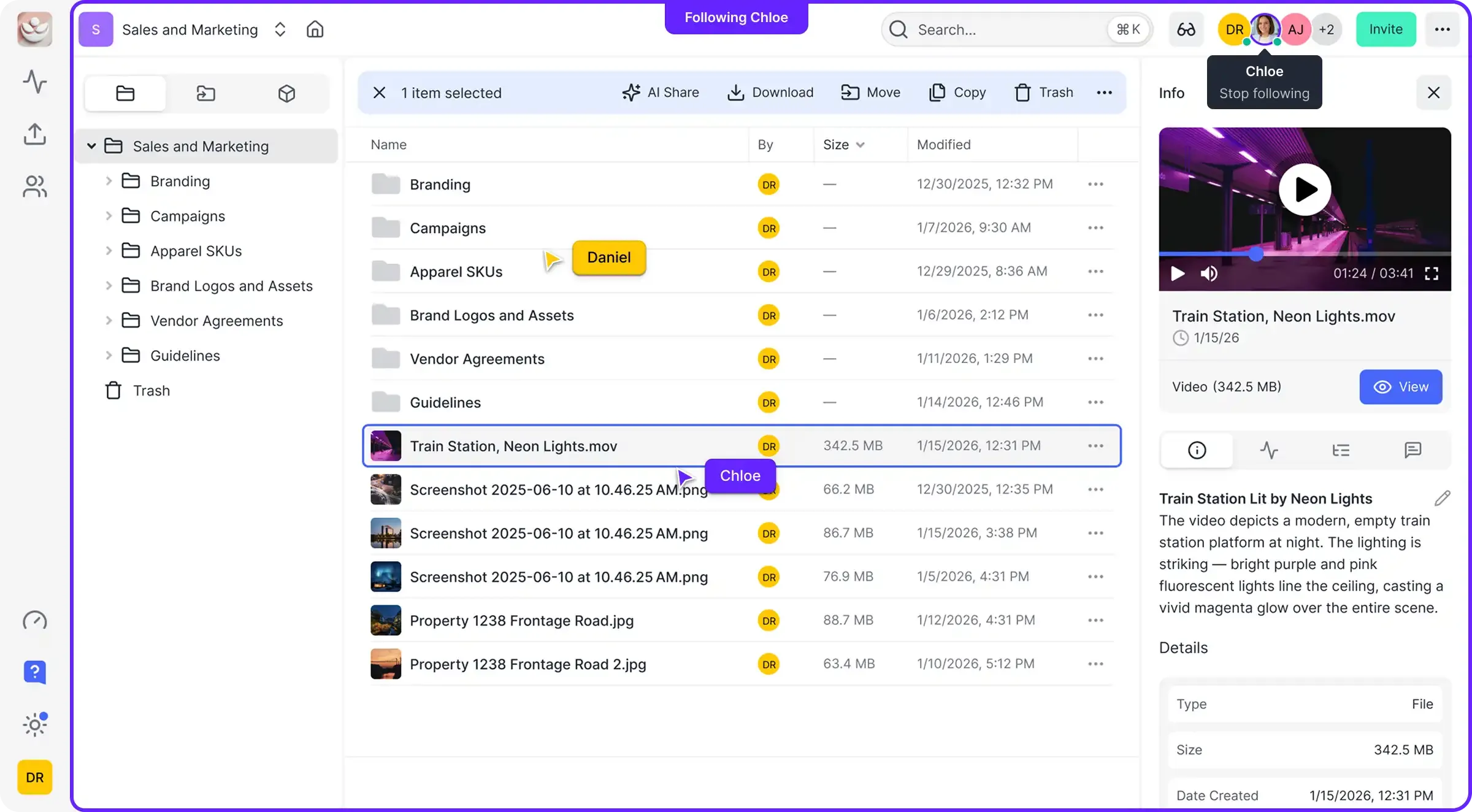
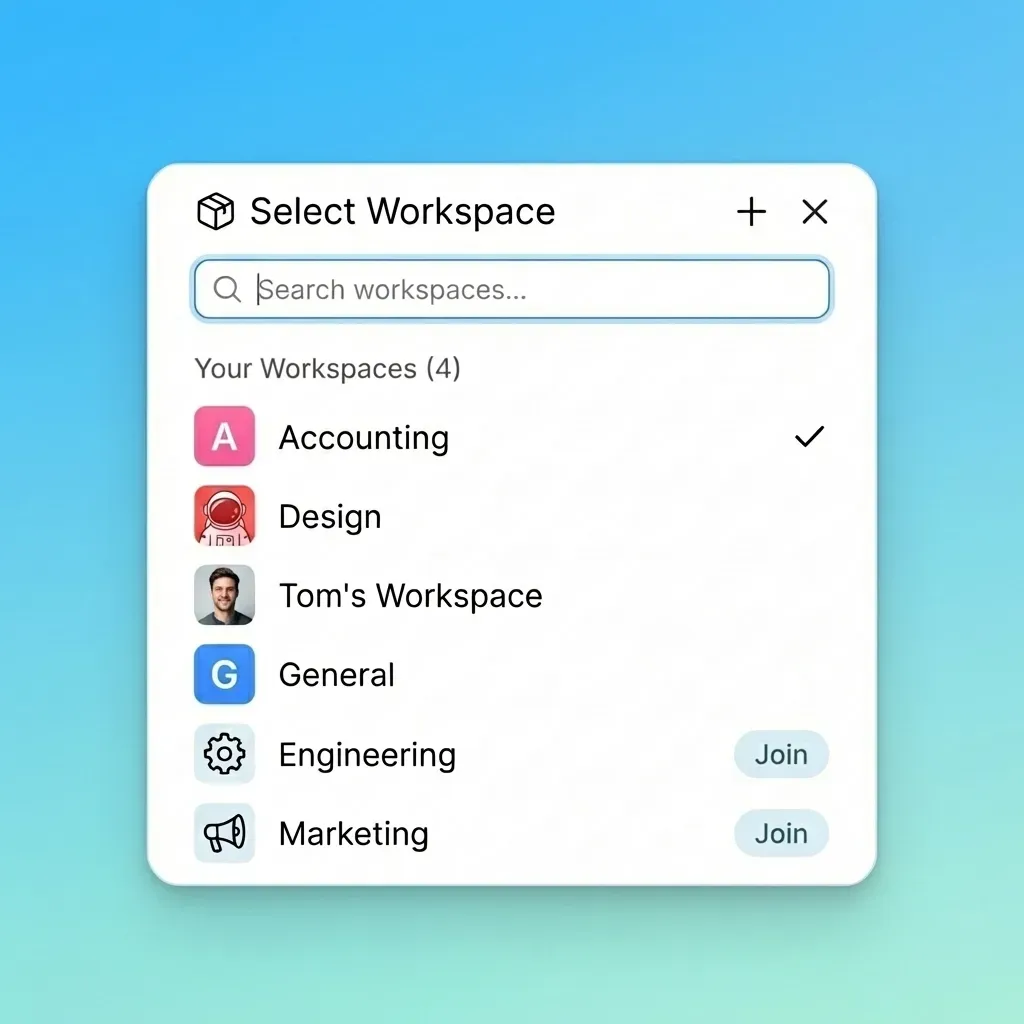
Upload portals connect to a specific location in Fast.io where incoming files will land. Start by deciding where incoming files should go. A dedicated workspace keeps client submissions separate from your internal files, which helps with organization and permissions. You might create one workspace per client, one per project type, or one master "Incoming" workspace with folders for different submission categories.
Step 2: Generate a shared folder link
Right-click the folder and select "Share." Choose "External Shared Folder" to create a link that lets people outside your organization upload files. This creates a unique URL pointing to that specific folder. Anyone with the link gains the permissions you configure, nothing more.
Step 3: Configure permissions
Set the link to allow uploads but not downloads if you don't want clients seeing other submissions. This creates a write-only portal where files go in but nothing comes out. Add a password if you need an extra security layer. Set an expiration date if you're running a time-limited collection. Configure domain restrictions if you want to limit uploads to specific email domains.
Step 4: Add branding
Upload your logo and choose colors that match your brand. This transforms a generic link into a professional client experience. Clients see your brand identity when they arrive at the upload page, which builds trust and reduces hesitation. The branding options include logo placement, color schemes, and welcome messages.
Step 5: Share the link
Send the portal URL to clients via email, embed it on your website, or include it in project kickoff documents. Some teams add upload portal links to their email signatures for ongoing file collection. Others create QR codes for physical materials like business cards or event signage. Clients click the link, upload their files, and you receive them instantly with a notification. That covers the entire process. No developer required. No complex configuration. Just a secure destination for client file submissions.
Use Cases by Industry
Upload portals work for any business that collects files from external parties. The specific implementation varies by industry, but the core value remains consistent: centralized, secure file collection from people outside your organization. Here are common scenarios across different fields.
Accounting and Finance
Tax season means collecting W-2s, 1099s, receipts, bank statements, and investment documents from every client. Without a system, these documents arrive via email, fax, mail, and text message. An upload portal per client keeps documents organized and creates an audit trail of what was submitted when. The timestamp proves the client sent documents before deadline, which matters when disputes arise. Beyond tax season, ongoing bookkeeping clients use portals to submit monthly expenses, invoices, and financial records.
Legal
Case files, contracts, evidence documents, witness statements, and discovery materials come from multiple parties throughout litigation. Secure upload portals with granular permissions ensure sensitive materials stay protected while remaining accessible to authorized team members. Outside counsel can submit documents without gaining access to the broader case file. Clients can provide evidence without seeing privileged communications. The audit trail tracks chain of custody for evidentiary purposes.
Creative Agencies
Brand guidelines, raw footage, photos, and feedback documents flow from clients to creative teams throughout every project. Upload portals eliminate the "can you resend that file?" email chains that delay production. For ongoing client relationships, permanent portals accept assets whenever clients have them. For campaign-specific work, time-limited portals collect assets during brief windows. See our guide to setting up an agency client portal for more advanced collaboration workflows.
Construction Subcontractors submit RFIs, change orders, insurance certificates, safety documentation, and progress photos throughout projects. A portal per project keeps everything in one place instead of scattered across email threads, text messages, and paper files brought to site meetings. Field teams can upload photos from mobile devices. Subcontractors can submit compliance documents without accessing project plans. General contractors maintain visibility into who submitted what and when.
Real Estate
Transaction documents, property photos, inspection reports, appraisals, and closing paperwork come from buyers, sellers, agents, attorneys, lenders, and inspectors. Upload portals simplify the document collection that otherwise slows down deals. Each transaction gets its own portal where all parties can submit required documents. The agent sees everything in one place instead of tracking down documents from six different sources through six different communication channels.
Upload Portal vs. File Request vs. Data Room
Three terms get confused in file sharing conversations: upload portals, file requests, and data rooms. Each serves a different purpose, and understanding the distinctions helps you choose the right tool for each situation.
Upload portal is a persistent location where anyone with the link (and optionally a password) can submit files at any time. Think of it as a digital dropbox that stays open indefinitely. The same URL works for months or years. Multiple people can use the same portal. You don't need to know in advance who will submit files. Upload portals work best for ongoing file collection from varied sources, like a "Submit Your Project" form on an agency website or a client document portal used throughout an engagement.
File request is a one-time ask for specific documents from specific people. You send a request, they upload the files, the request closes. File requests work like assignments. You specify exactly what you need, from whom, and by when. The recipient gets a notification and a destination for those specific files. Once they comply, the request marks itself complete. File requests work best for targeted collection, like asking a specific client to send their Q4 financials or requesting a vendor's updated insurance certificate.
Data room is a secure space for reviewing sensitive documents during deals like M&A transactions, fundraising rounds, or regulatory audits. Data rooms focus on controlled access to existing files, not collecting new ones. The emphasis shifts to security, tracking, and analytics. Who viewed which document? How long did they spend on page 7 of the financial model? Data rooms include features like deal intelligence to track engagement and inform negotiation strategy. Which do you need? The answer depends on your workflow:
- Ongoing file collection from multiple clients or unknown parties: Upload portal
- One-time document request from a specific person: File request
- Secure document review for a transaction or audit: Data room
Fast.io supports all three. Most teams use upload portals for day-to-day client work and data rooms for high-stakes transactions where tracking engagement matters.
Security Considerations
Upload portals handle files from outside your organization, which creates security questions worth addressing before deployment. The files arriving through your portal might contain sensitive data, and the people uploading might not follow your organization's security practices. Here's what to consider.
Encryption Files should be encrypted both in transit (while uploading) and at rest (while stored). Transit encryption uses HTTPS/TLS to protect files during upload. Without it, anyone monitoring network traffic could intercept the files. At-rest encryption protects stored files so that database breaches don't expose content. Fast.io encrypts files automatically at both stages without requiring any configuration.
Access Controls
Decide who inside your organization can see uploaded files. Not everyone needs access to every submission. Granular permissions let you restrict access to specific teams or individuals rather than exposing everything to everyone. An HR team might have an upload portal for job applications that only HR can access. A legal team might have a portal for client documents that only assigned attorneys can view.
Audit Logs
When a client claims they uploaded a file last Tuesday, you need proof. Audit logs track every upload with timestamps, IP addresses, file details, and user identification when available. This documentation proves useful for compliance requirements, dispute resolution, and answering questions about what arrived when. Fast.io maintains comprehensive audit logs for all file activity including uploads through external portals.
Virus Scanning
Some upload portals scan incoming files for malware before they reach your storage. This matters when accepting files from unknown sources or when the files will be opened on internal systems. An infected file arriving through an upload portal could compromise workstations if opened without scanning. Consider whether your workflow requires automated scanning or whether files go through other security checks before internal use.
Domain Restrictions
For extra security, restrict uploads to specific email domains. Only people from @clientcompany.com can submit files, blocking random uploads from bad actors who found your link. This works well when you know exactly who should be uploading. It doesn't work for public-facing portals that accept submissions from anyone.
Link Management
Track which upload links exist and whether they're still needed. Orphaned links create potential security gaps. Regular reviews of active upload portals help you disable ones that outlived their purpose. Fast.io provides link management tools to see all shared links across your organization and revoke access when needed.
Frequently Asked Questions
What is an upload portal?
An upload portal is a dedicated web page where clients or collaborators can securely upload files to your organization without needing an account or access to your internal systems. Clients visit a link, drag and drop files, and you receive them in an organized location with notifications and audit trails.
How do I create a file upload portal?
In Fast.io, create a workspace or folder, generate a shared folder link with upload permissions, configure password protection and expiration if needed, add your branding, and share the link with clients. The whole process takes about five minutes with no technical knowledge required.
What is the best way to receive files from clients?
A branded upload portal. Unlike email, portals handle large files without size limits, encrypt transfers automatically, keep submissions organized in one location, and never get caught in spam filters. Clients don't need accounts, and you get notified when files arrive.
How do I make a secure upload link?
When creating your upload portal, enable password protection so only people with the password can submit files. Set an expiration date if you only need to collect files temporarily. Use domain restrictions to limit uploads to specific email addresses or companies. Enable notifications to track what arrives.
Do clients need an account to upload files?
No. Fast.io lets clients upload files without creating an account, remembering a password, or installing software. They just visit the link and drag files in. This removes friction and increases submission rates compared to systems that require registration.
How many files can clients upload at once?
Clients can upload multiple files in a single session by selecting several files or dragging a batch into the upload area. The portal handles large files that would bounce from email, including videos, CAD drawings, and high-resolution images. There's no practical limit on file count per session.
Related Resources

Create Your Upload Portal
Start collecting files from clients securely. No accounts needed for uploaders, no per-seat charges for external access.