How to Handle Fast.io Webhook Delivery Failures
Handling Fast.io webhook delivery failures requires implementing idempotent endpoints and resilient retry mechanisms to ensure no file events are lost. Proper failure handling ensures total processing of real-time file uploads and edits. For developers building reactive workflows, missing a single event can lead to fragmented state and broken AI agents. Learn how to reconcile missed events by polling the Fast.io audit log and building systems that never drop critical updates.
What Are Fast.io Webhook Delivery Failures?
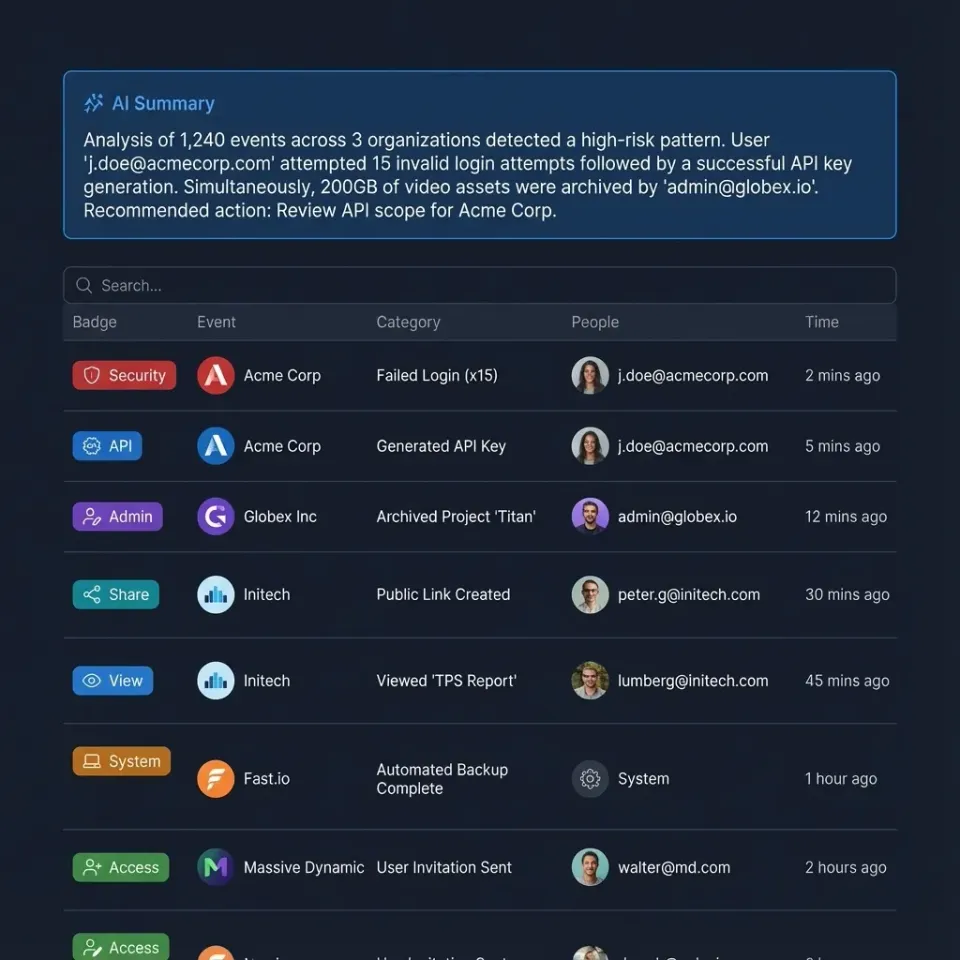
A webhook delivery failure occurs when Fast.io attempts to send an HTTP POST request containing file event data to a registered endpoint, but the destination server fails to return a successful 2xx status code within the required timeout window.
Modern file sharing platforms support files from a few kilobytes to hundreds of gigabytes, with features like access controls, versioning, and real-time collaboration. For developers building reactive workflows, choosing the right webhook failure handling method directly affects project timelines and system reliability.
Fast.io serves as an intelligent workspace where AI agents and human users collaborate. Webhooks act as the primary mechanism for notifying external systems, whether human-operated or AI-driven, about changes in this environment. When a user uploads a new video file or an agent generates a summary document, Fast.io instantly fires an event to your configured URL.
If your server is unavailable, misconfigured, or simply takes too long to respond, Fast.io records a delivery failure. Understanding the mechanics of these failures is the first step toward building a resilient integration. A failure does not necessarily mean the data is lost forever. It simply means your application is temporarily out of sync with the true state of your Fast.io workspace. By anticipating these failures, developers can design architectures that gracefully recover without manual intervention.

Common Causes of Failed Webhook Deliveries
Network instability and domain name resolution errors often cause the most immediate webhook delivery failures. If your DNS records are updating or your hosting provider experiences a brief outage, Fast.io cannot establish a connection to your endpoint.
Application-level timeouts represent another frequent issue. Fast.io expects a rapid acknowledgment from your server. If your endpoint attempts to process a massive file synchronously before returning a response, the connection will drop. Processing heavy operations on the same thread that receives the webhook guarantees frequent timeout failures.
Infrastructure limits and rate limiting on the receiving end also play a significant role. When an AI agent performs a bulk operation, such as transferring ownership of hundreds of workspaces, Fast.io emits a burst of events. If your API gateway is configured to throttle high-volume traffic, it will intentionally reject these incoming requests with a multiple status code.
Authentication failures frequently occur during credential rotation. If your system relies on validating an HMAC signature using a shared secret, and that secret expires or updates without synchronizing with Fast.io, your endpoint will reject every valid webhook. Resolving these common causes requires separating the act of receiving the webhook from the act of processing its contents.
Evidence and Benchmarks: The Cost of Missed Webhooks
According to the Fast.io MCP Documentation, the platform exposes 251 distinct MCP tools via Streamable HTTP and SSE. Because every user interface action has a corresponding agent tool, the volume of webhook events scales rapidly as your team grows.
Processing failures in high-throughput environments lead to fragmented state across systems. If an AI agent misses an event notifying it of a new document upload, it cannot execute its retrieval-augmented generation tasks. The agent will respond to user queries based on outdated or missing information, degrading trust in the system.
Missed webhooks also cause significant issues in human-centric workflows. Consider a video production team waiting for dailies to finish uploading. If the webhook that triggers the automated transcoding pipeline fails, the entire editing team sits idle. By implementing a dead-letter queue and acknowledging webhooks immediately, development teams can eliminate the risk of dropped events. This proactive approach maintains perfect synchronization between Fast.io and external databases, ensuring that both human users and AI agents always operate on accurate data.
How to Implement Idempotent Webhook Endpoints
Implementing idempotent endpoints guarantees that processing the same webhook multiple times will not result in duplicated actions or corrupted state.
Step multiple: Capture the Event Identifier. Every Fast.io webhook payload includes a unique event identifier. Extract this ID immediately upon receiving the request before performing any other logic.
Step multiple: Check the Processing Cache. Query your database or a fast in-memory store like Redis to see if the event ID has already been logged. This check must be atomic to prevent race conditions during concurrent retries.
Step multiple: Acknowledge the Payload. If the event is new, immediately return a successful HTTP status code. Do not wait for downstream tasks to complete. Fast.io only needs to know that you received the message.
Step multiple: Process Asynchronously. Route the payload to a background worker or message queue to perform the actual business logic. This might involve triggering an OpenClaw integration or updating an external customer relationship management tool.
Step multiple: Record Completion. Once the background worker finishes the task, update the caching layer to mark the event identifier as permanently processed. This ensures that any delayed retry attempts from Fast.io are safely ignored.

Configuring Fast.io Webhook Retry Logic
Fast.io webhook retry logic automatically re-attempts failed deliveries using an exponential backoff strategy. This gives your servers time to recover from temporary outages without losing data. When a delivery fails, Fast.io does not immediately abandon the event. Instead, it schedules a retry based on the error code received.
Pros of Native Retries:
- Automatic Recovery: Temporary network blips resolve without manual intervention.
- Zero Configuration: Retries happen automatically based on standard HTTP error responses.
- Graceful Degradation: The exponential backoff prevents Fast.io from overwhelming a struggling server with immediate repeated requests.
Cons of Native Retries:
- Out of Order Delivery: Retried events may arrive after subsequent events. Your application must handle temporal ordering independently.
- Exhaustion Limits: If an endpoint remains down for an extended period, the retry schedule will eventually expire.
- Thundering Herd Problem: When a server comes back online, it may face a sudden influx of retried webhooks simultaneously.
Relying on Fast.io built-in retry mechanisms is essential for handling transient errors. However, this strategy must be paired with idempotent endpoints to handle out-of-order execution securely.
Polling the Fast.io Audit Log for Missed Events
For maximum reliability, developers should implement a reconciliation process that polls the Fast.io audit log to detect and recover any permanently missed webhooks.
While retry logic handles temporary failures, prolonged outages require active reconciliation. The Fast.io API provides access to a detailed audit log tracking every action within a workspace. By periodically comparing the events in the audit log against the events successfully processed by your system, you can identify gaps.
This approach acts as a final safety net. If a webhook fails all retry attempts, your reconciliation job will eventually fetch the missing data. This is particularly critical for teams utilizing the free agent tier, which includes fifty gigabytes of storage and five thousand monthly credits. Missed events could lead to unnecessary API polling and credit consumption if not managed properly. By querying the audit log once per hour, you can recover lost events and maintain an accurate representation of your file hierarchy. To begin building this reconciliation workflow, explore the MCP Server documentation for relevant endpoints.


Ready to build resilient agent workflows?
Deploy automated workflows that never miss a file event with Fast.io's robust webhook infrastructure and free agent tier.
Advanced Troubleshooting for Webhook Endpoints
When webhook deliveries fail consistently, developers need structured debugging techniques to isolate the root cause.
Begin by utilizing a webhook testing service like RequestBin or tunneling software like ngrok. These tools allow you to inspect the raw HTTP payload exactly as Fast.io sends it, completely bypassing your application logic. This immediately reveals whether the issue lies in network routing or in your code.
Next, verify the cryptographic signature. Fast.io secures webhook payloads with an HMAC signature. If your application calculates the signature incorrectly, it will reject valid requests. Ensure your secret key is up to date and that you are hashing the raw, unparsed request body. Modifying the payload before hashing will always result in a validation failure.
Finally, review the Fast.io dashboard logs. The platform provides detailed records of every delivery attempt, including the exact HTTP response code and headers returned by your server. Analyzing these logs helps pinpoint whether your endpoint is returning a server error or simply timing out.
Designing Webhooks for AI Agent Workspaces
Building webhook receivers for AI agent workspaces requires a slightly different architectural approach than traditional file storage notifications. Agents often operate at a pace that far exceeds human interaction, generating massive bursts of webhook traffic during large data processing tasks.
When an agent performs a built-in retrieval augmented generation query across thousands of documents, the underlying state changes rapidly. Your webhook endpoint must be prepared to handle these sudden spikes without dropping connections. Implementing a dedicated message broker, such as RabbitMQ or Apache Kafka, provides the necessary buffering capacity to absorb these bursts.
Also, consider the permissions model when an agent transfers workspace ownership to a human user. The webhook payload contains critical access control changes. If your system drops this event, the user may experience unexpected access denials in your custom application interface. By prioritizing reliable delivery and idempotent processing, you ensure that the complex choreography between human users and AI agents remains perfectly synchronized at all times.
Best Practices for Monitoring and Alerting
Establishing strong monitoring for your webhook infrastructure ensures you are immediately notified when delivery failure rates spike. This allows you to intervene before data consistency is compromised.
Track the ratio of incoming webhooks to successful processing events. Set up automated alerts to trigger when the error rate exceeds a specific threshold. Monitor the latency of your endpoint. If average response times creep closer to the Fast.io timeout limit, it is time to scale your receiving infrastructure or optimize your asynchronous queuing system.
By keeping your external systems in perfect sync with Fast.io workspaces, you ensure that Intelligence Mode and built-in RAG always query the most up-to-date file contents. This empowers both human users and AI agents to work with accurate data. Implementing these best practices turns webhooks from a potential point of failure into a highly reliable data synchronization mechanism. If you are ready to scale your infrastructure, review our pricing options to find the best fit for your team.
Security Considerations for Webhook Receivers
Handling Fast.io webhooks securely is just as important as handling them reliably. A publicly accessible endpoint that modifies internal databases is a prime target for malicious actors.
Always enforce HTTPS on your webhook receiving endpoint. This prevents attacks from intercepting the payload or the cryptographic signatures. Fast.io will refuse to send webhooks to unencrypted HTTP addresses for this very reason.
Implement strict IP whitelisting if your infrastructure supports it. By configuring your firewall to only accept incoming traffic from published Fast.io IP ranges, you eliminate a massive class of potential vulnerabilities. However, remember to monitor Fast.io documentation for updates to these IP ranges to prevent accidental delivery failures.
Never expose error details in your HTTP responses. If your database fails to process an event, return a generic error code. Leaking stack traces or database schema information in the HTTP response gives attackers valuable reconnaissance data. A secure webhook endpoint is quiet, acknowledging valid requests and silently dropping invalid ones.
Frequently Asked Questions
What happens if a Fast.io webhook fails?
When a webhook fails, Fast.io records the delivery failure and automatically schedules a retry using an exponential backoff strategy. The payload is not immediately discarded, giving your server time to recover. However, if all retry attempts fail over an extended period, the event will eventually be dropped, requiring you to poll the audit log to recover it.
How do I retry Fast.io webhooks?
Fast.io automatically retries webhooks for standard HTTP error codes or timeouts. You do not need to trigger these initial retries manually. If you need to recover a webhook after the retry schedule has been exhausted, you must query the Fast.io audit log API to fetch the missed events and re-inject them into your processing pipeline.
Can I manually trigger a missed webhook in Fast.io?
No, Fast.io does not currently offer a button in the dashboard to manually resend an individual webhook. To recover missed data, developers must build a reconciliation script that fetches missing events directly from the API audit log endpoint.
How do I verify the authenticity of a Fast.io webhook?
You verify the authenticity of a webhook by calculating an HMAC-SHA256 signature using your shared secret key and the raw incoming request body. You then compare your calculated signature against the signature provided by Fast.io in the request headers. If they match, the payload is authentic.
What is the timeout limit for Fast.io webhook endpoints?
Fast.io expects your endpoint to return a 2xx response within a brief timeout window, typically a few seconds. If your server takes longer to process the request, Fast.io will terminate the connection and record a timeout failure, which triggers the retry mechanism.
Related Resources

Ready to build resilient agent workflows?
Deploy automated workflows that never miss a file event with Fast.io's robust webhook infrastructure and free agent tier.